terminus
 terminus copied to clipboard
 pantheon-systems
Install plugins from private repo with Terminus 3
Hi, we built a custom Terminus plugin for our company and it's sitting in a private repo. With Terminus 2, we could install it via the ~/.terminus/plugins way. However, after we upgraded to Terminus 3, seems like we could only install plugins that are available on Packagist using the plugin manager? I wonder if there is a workaround to install a custom private plugin in Terminus 3 with Git/Composer, couldn't find any information from the docs. Thank you in advance.
Platform
(x) MacOS ( ) Linux ( ) Winderz
Installed Via
(x) Homebrew ( ) Apt Package ( ) Manually
PHP Version
(x) 7.4x ( ) 8.0 ( ) 8.1
Command Executed
terminus self:plugin:install private-repo/private-project-plugin
Expected behavior
[notice] Installed private-repo/private-project-plugin.
Actual behavior
[error] private-repo/private-project-plugin is not a valid Packagist project.

I was having the same issue but with the public rsync plugin. After I've talked with the support I was pointed to a solution of manually cloning the plugin repo and then running the self install command by providing the file system path as an argument:
git clone https://github.com/pantheon-systems/terminus-rsync-plugin.git ~/.terminus/terminus-rsync-plugin
terminus self:plugin:install ~/.terminus/terminus-rsync-plugin

@hchonov: What is the output from terminus -V? Try terminus self:plugin:install terminus-rsync-plugin. This should work for any Terminus 3 release.

the error is the same, just the package name is the one refering to the rsync plugin:
"pantheon-systems/terminus-rsync-plugin is not a valid Packagist project"
I cannot provide a screenshot as I've already switched the approach that was suggested by the Pantheon support, which I've posted here.
For public Pantheon repos, you don't need to prefix with pantheon-systems/.
Locally this works and is also how it is documented at https://pantheon.io/docs/terminus/plugins:

Without a screenshot of the output including the command executed, it will be difficult to troubleshoot.
If a screenshot is that important here is one of my message with which I've approached the Pantheon support today:

My guess is you are missing something but I will need your system info along with a screenshot to provide more help.
Like already mentioned this happens on Tugboat. This is the image we are using there:

What kind of additional information do you need?
I was able to reproduce @hchonov's problem on an old version of Terminus. (I was using a pre-release of Terminus 3, prior to the 3.0.0 stable release). When I updated to the latest version of Terminus, installing the Terminus Rsync Plugin worked.
What version of Terminus are you using, @hchonov? If you're not already on the latest, please try updating.

Regarding the original complaint, perhaps we should introduce:
terminus self:plugin:install <git-repo-url>
As noted above, the current installation method is to clone your plugin to the path of your choice, and then run terminus self:plugin:install <path>. Installing via git URL might be more straightforward and obvious, though.
@greg-1-anderson
In the Tugboat builds it is installing the current terminus version 3.0.3 and with terminus self:plugin:install terminus-rsync-plugin it fails most of the times, but sometimes it looks like it works ... After the build is ready and I run the command manully it succeeds. I do not even know how I can debug this. For now I will be simply installing from a local clone.
I am using the following commands:
# Install the latest version of terminus.
wget https://github.com/pantheon-systems/terminus/releases/latest/download/terminus.phar -O /usr/local/bin/terminus
chmod +x /usr/local/bin/terminus
terminus --version
git clone https://github.com/pantheon-systems/terminus-rsync-plugin.git ~/.terminus/terminus-rsync-plugin
and the output is:
--2022-01-04 13:14:08--  https://github.com/pantheon-systems/terminus/releases/latest/download/terminus.phar
Resolving github.com (github.com)... 140.82.112.4
Connecting to github.com (github.com)|140.82.112.4|:443... connected.
HTTP request sent, awaiting response... 302 Found
Location: https://github.com/pantheon-systems/terminus/releases/download/3.0.3/terminus.phar [following]
--2022-01-04 13:14:08--  https://github.com/pantheon-systems/terminus/releases/download/3.0.3/terminus.phar
Reusing existing connection to github.com:443.
HTTP request sent, awaiting response... 302 Found
Location: https://objects.githubusercontent.com/github-production-release-asset-2e65be/17075662/3b37cf9b-84e7-4ac4-9c82-efbdc076e244?X-Amz-Algorithm=AWS4-HMAC-SHA256&X-Amz-Credential=AKIAIWNJYAX4CSVEH53A%2F20220104%2Fus-east-1%2Fs3%2Faws4_request&X-Amz-Date=20220104T131408Z&X-Amz-Expires=300&X-Amz-Signature=85b1098009f1691e442051c5c597657dada28e5b8906b2552a295401844427e1&X-Amz-SignedHeaders=host&actor_id=0&key_id=0&repo_id=17075662&response-content-disposition=attachment%3B%20filename%3Dterminus.phar&response-content-type=application%2Foctet-stream [following]
--2022-01-04 13:14:08--  https://objects.githubusercontent.com/github-production-release-asset-2e65be/17075662/3b37cf9b-84e7-4ac4-9c82-efbdc076e244?X-Amz-Algorithm=AWS4-HMAC-SHA256&X-Amz-Credential=AKIAIWNJYAX4CSVEH53A%2F20220104%2Fus-east-1%2Fs3%2Faws4_request&X-Amz-Date=20220104T131408Z&X-Amz-Expires=300&X-Amz-Signature=85b1098009f1691e442051c5c597657dada28e5b8906b2552a295401844427e1&X-Amz-SignedHeaders=host&actor_id=0&key_id=0&repo_id=17075662&response-content-disposition=attachment%3B%20filename%3Dterminus.phar&response-content-type=application%2Foctet-stream
Resolving objects.githubusercontent.com (objects.githubusercontent.com)... 185.199.108.133, 185.199.109.133, 185.199.110.133, ...
Connecting to objects.githubusercontent.com (objects.githubusercontent.com)|185.199.108.133|:443... connected.
HTTP request sent, awaiting response... 200 OK
Length: 30572058 (29M) [application/octet-stream]
Saving to: ‘/usr/local/bin/terminus’

2022-01-04 13:14:09 (262 MB/s) - ‘/usr/local/bin/terminus’ saved [30572058/30572058]

Terminus 3.0.3
 [error]  pantheon-systems/terminus-rsync-plugin is not a valid Packagist project.
When the command is used later with
terminus rsync ${PANTHEON_SOURCE_SITE}.${PANTHEON_SOURCE_ENVIRONMENT}:files "${DOCROOT}/sites/default/files"
I get the error
Command "rsync" is not defined.
I have duplicated this problem with the following:
[userName@localhost terminus]$ ./terminus -V
Terminus 3.0.4
[userName@localhost terminus]$ ./terminus self:plugin:install terminus-build-tools-plugin
 [error]  pantheon-systems/terminus-build-tools-plugin is not a valid Packagist project.
This seems like a huge error....

@jet082: Is it possible you are having a network issue? What happens if you ping google.com?
@jet082: Is it possible you are having a network issue? What happens if you ping google.com?
Nope. Because I can also check out said repo via git in the same command line.
I am also experiencing issues with installing pantheon-systems/terminus-conversion-tools-plugin. Using PHP 7.4 via Homebrew.
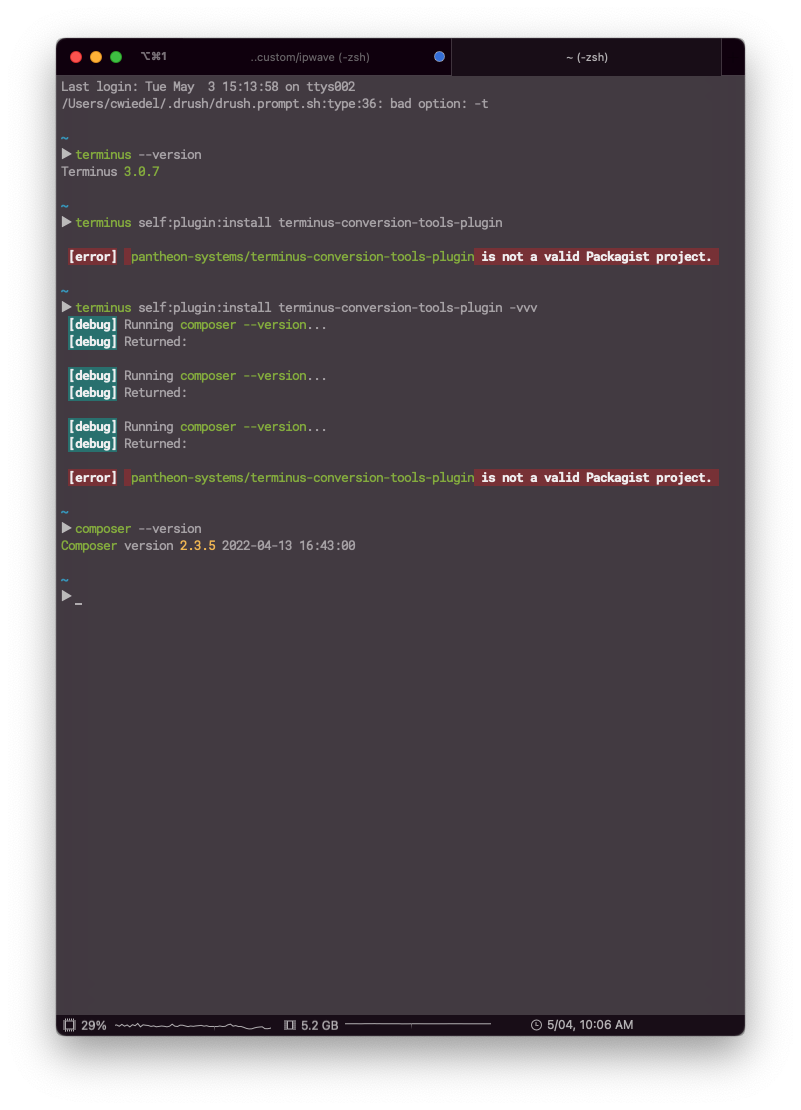

Cannot reproduce; installs fine for me. How did you install Terminus?
Terminus has been installed via Composer. Here is my composer.json file

That is not a supported installation method. Could you install via the phar, or via brew?
I have removed .terminus from my home directory, and I have removed Terminus from my composer.json via composer remove pantheon-systems/terminus. Here's my output in the terminal:
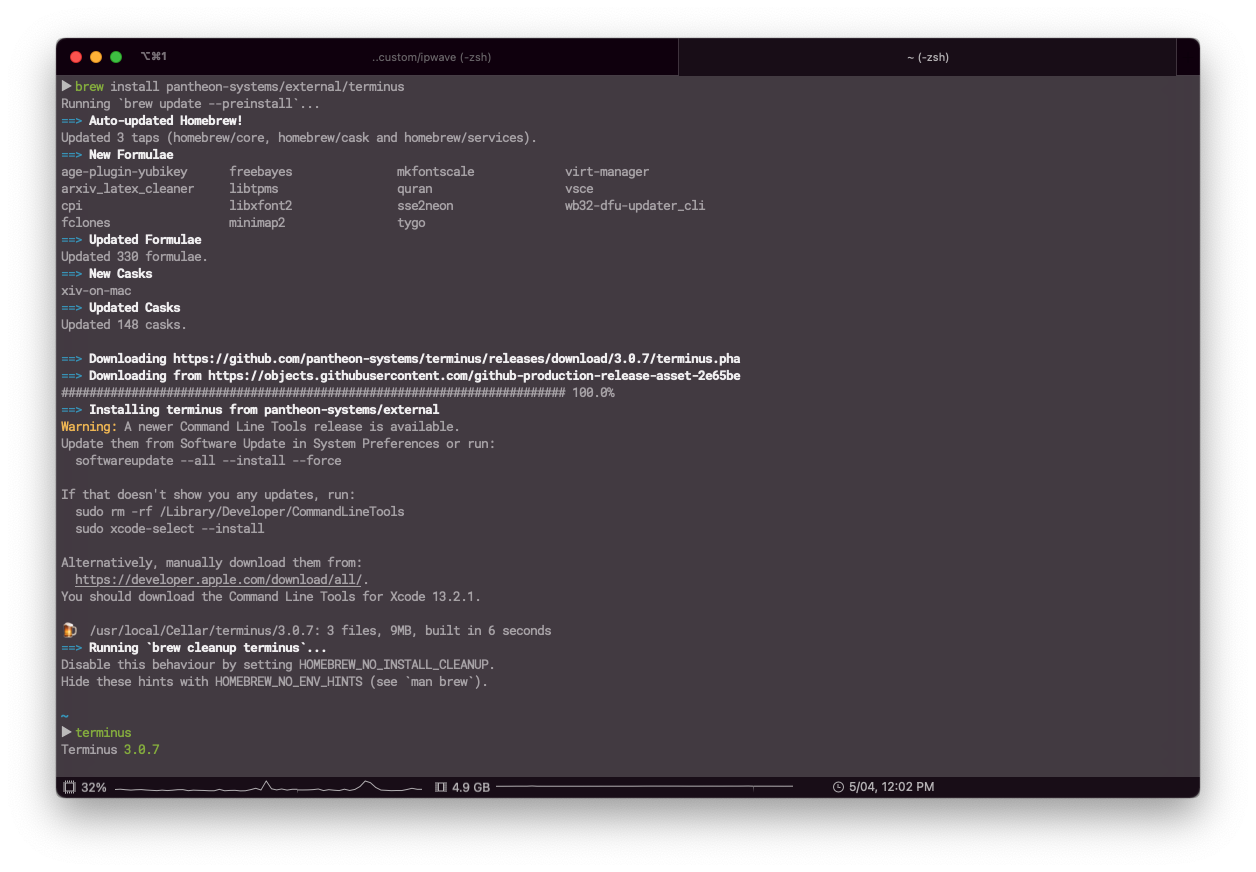
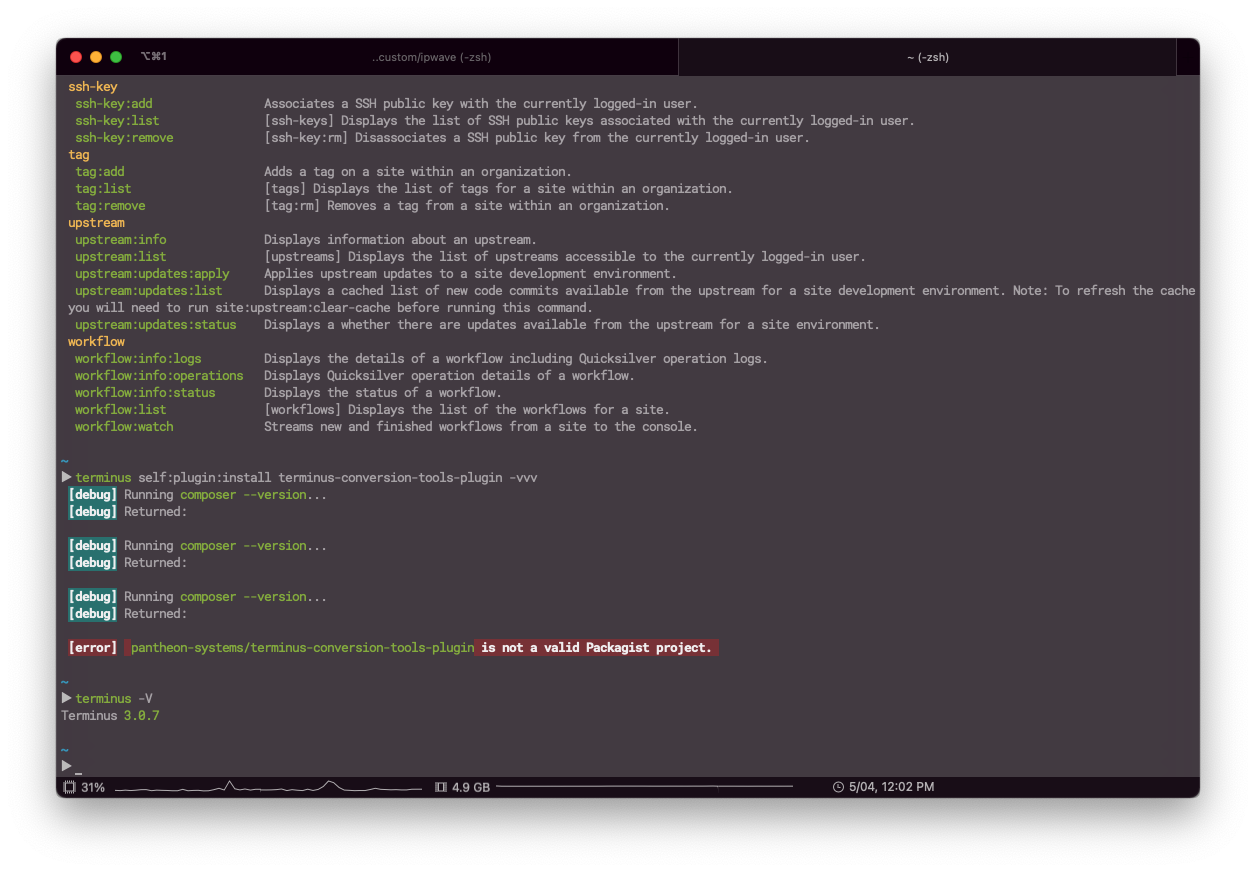
Your setup looks correct now; however, I still can't reproduce your problem. I tried again with your exact version of Composer (2.3.5), and it still worked for me. It would be helpful if Terminus included more diagnostic information, as there isn't enough information here for me to know what is wrong.
Try this to compare (run in an empty temp directory):
composer create-project pantheon-systems/terminus-conversion-tools-plugin
cd terminus-conversion-tools-plugin/
terminus self:plugin:install .
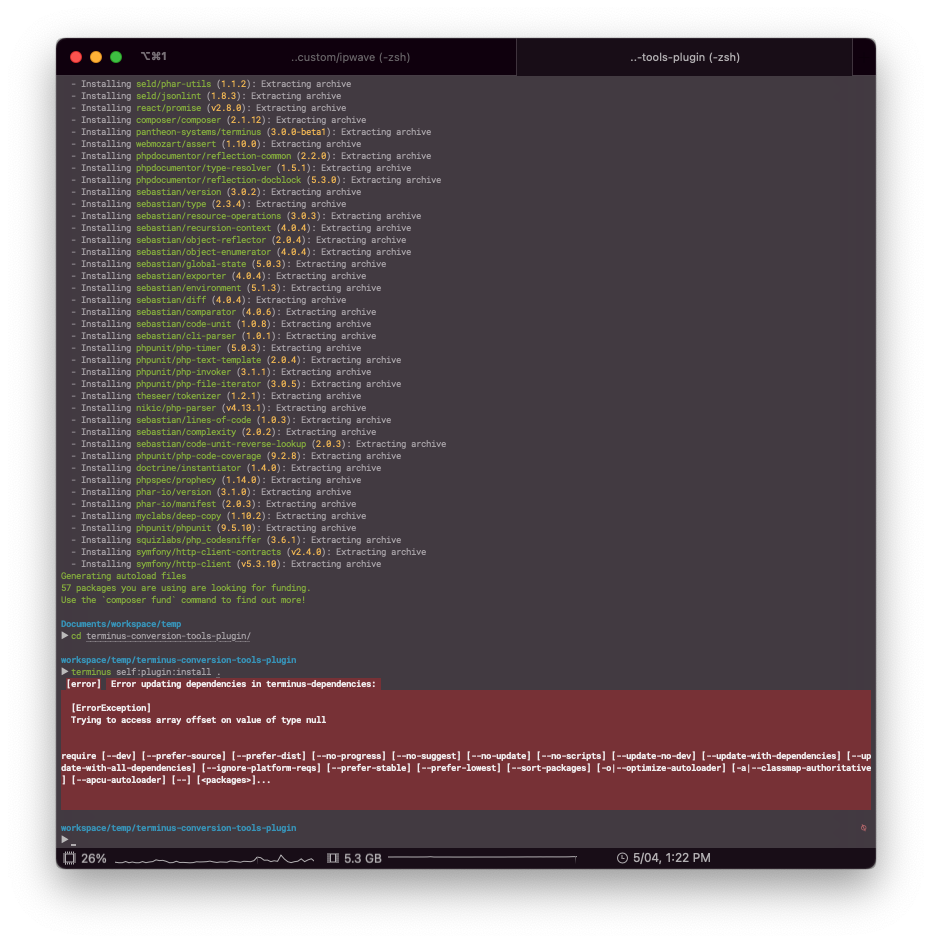
This is the technique used to install Terminus plugins during development; it is not recommended as an end-user installation method. It might give us some interesting information to see if it works, or how it fails on your system.
After running mkdir temp in my workspace directory, this was my terminal activity: