

 palantir
DateInput with time picker closes unexpectedly after entering time field with default closeOnSelection setting
Environment
- Package version(s): @blueprintjs/datetime 3.23.2
- Operating System: Mac OS
- Browser name and version: Chrome 90.0.4430.212
Code Sandbox
https://codesandbox.io/s/blueprint-sandbox-forked-znhwi?file=/src/DatetimeExample.tsx
Steps to reproduce
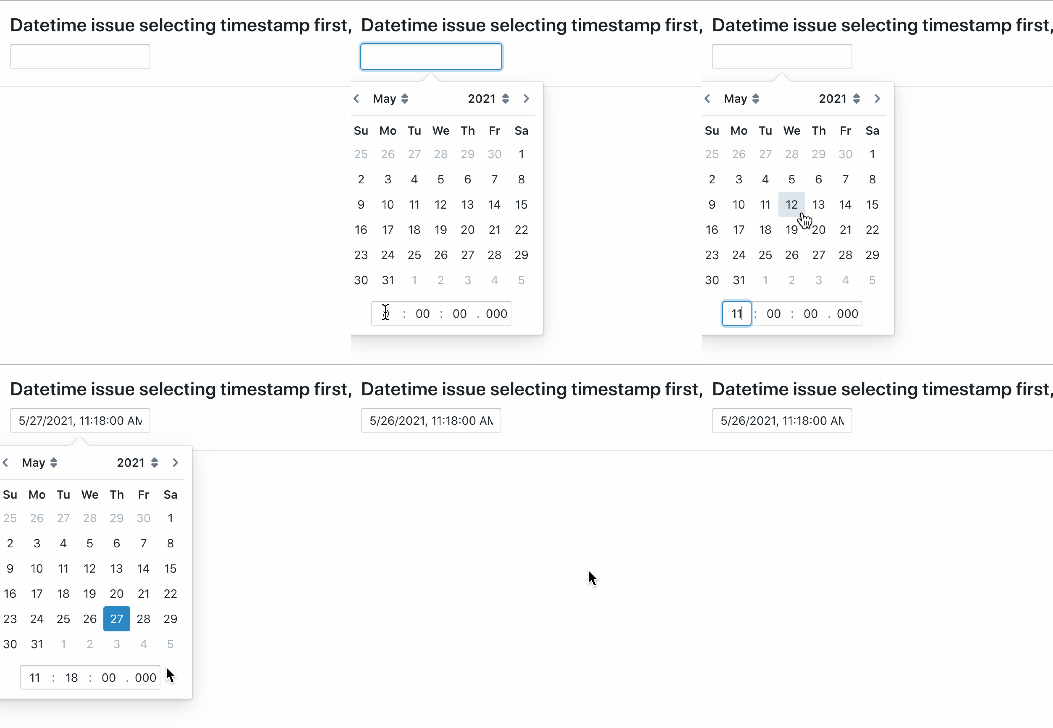
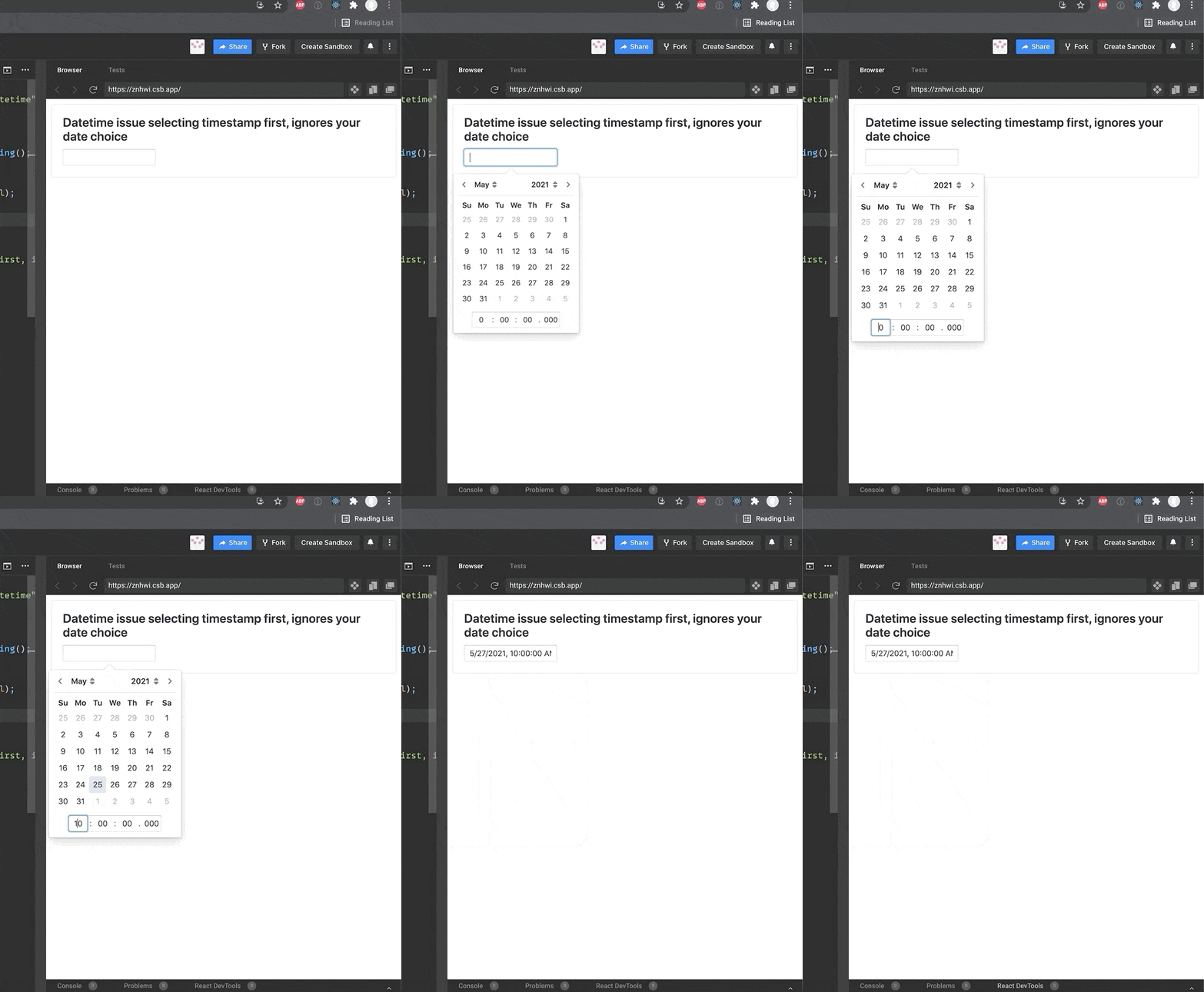
- Fill in a timestamp
- Select a date
Actual behavior
Date choice is ignored and only the timestamp input is updated the first time you try to select the date
Expected behavior
Correctly fill in both timestamp input and date selected

@vhellem can you be a little more explicit about the repro steps? what are the exact clicks you are doing? a gif or video would help.
have you tried setting closeOnSelection={false}? seems to work reasonably well when I do that on my fork of your sandbox:

I will consider making closeOnSelection={false} the default in Blueprint 4.0 for datepickers which have time input enabled. When you expect users to type into the time input fields it almost never makes sense to close after blurring one of those fields.