

 pal1000
hey pal1000
i trying to install Unofficial-Realtek-UAD-generic-6.0.8867.1 its stuck at removing old drivers and every time i hit enter the system reboots and loads up again and do the same thing over and over! i am on windows 10 latest build!

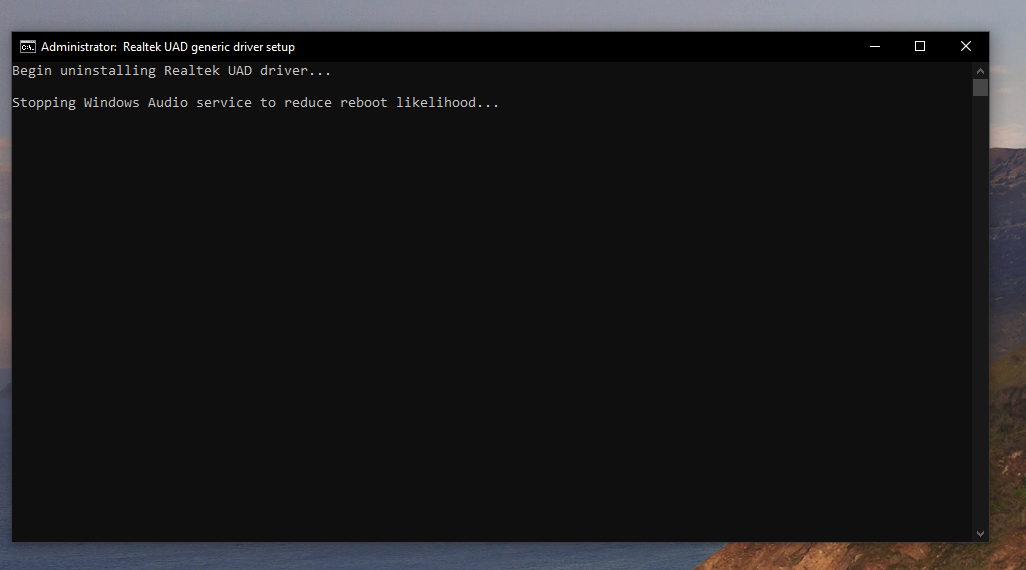
That version is really old and maybe setup changes I made since then fixed your problem.

okay! is there any way to edit and use it!? i had to make a reset last night and after i had problems to install it!
thx 👍
First, say no to UAC prompt or close Command Prompt window quickly if UAC is disabled.
Now open Registry Editor as admin and browse to HKEY_LOCAL_MACHINE\SOFTWARE\Microsoft\Windows NT\CurrentVersion\Winlogon. If you have relatively recent Windows 10 release, there is a text box to paste registry location, otherwise you'll have to manually browse in left panel.
Now in right panel's Value column look for Shell. Double click it to change corresponding data back to explorer.exe.
Close Registry Editor.
My UAC is not disabled i never had problems whit it!
And i went in to registry editor and Shell Column was already set to explorer.exe!
I have tried DDU to clean and disabled internet still getting stuck on that begin unistalling realtek UAD driver Cmd-prompt!
So i was getting another version of your nice drivers! 6.0.9045.1 sounds close in quality to 6.0.8867.1! i am a musician so good drivers it's important so thx for keeping this driver updates alive! <3
It looks like I forgot that at that time I was using an autostart based on Windows startup folder.
Delete uadsetup.cmd from %ALLUSERSPROFILE%\Microsoft\Windows\Start Menu\Programs\StartUp to make it stop. I migrated to shell piggyback at some point so setup can work in safe mode.