owntracks
[FEATURE] Draw inaccuracy radius when selecting a friend on the map

IMO this belongs in the details of a friend, and not on the map. Like we do on iOS.

IMO this belongs in the details of a friend, and not on the map. Like we do on iOS.
I don't know how to put such thing in a subview and I don't have iOS to look at what you are referring to.
The point here is to have a visual idea of the measurement uncertainty of the entity directly on the map but only when the entity is selected.
One thing is the number, the other thing is the visual magnitude.
I don't know how to put such thing in a subview
we end users cannot; it needs to be coded.
On iOS it looks like this:
I don't know how to put such thing in a subview
we end users cannot; it needs to be coded.
The meaning was: referring to the map with inaccuracy radius, i am not able to imagine such solution. not surprised.
The point here is to have a visual representation of the inaccuracy on the map. That's it.
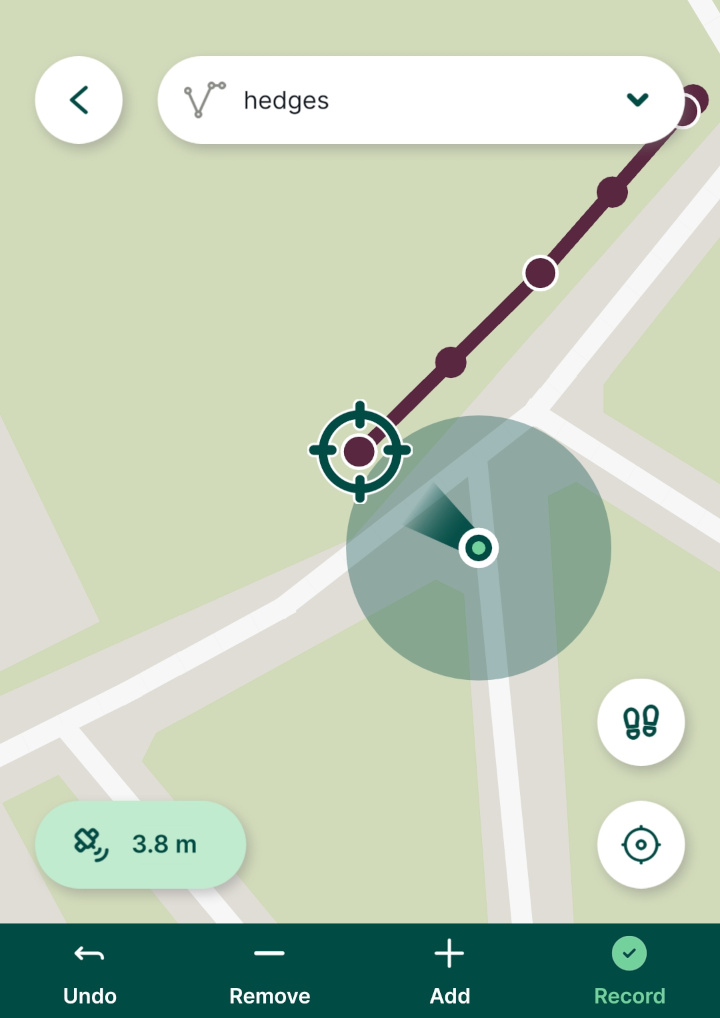
The idea was to, having opened the detail of a friend tapping it on the map, other than the details such as time-of-last-update and the logged address, draw the inaccuracy radius around the selected friend, on the map, to have it visually.
Here a random image to explain the idea, look at the green dot, it has an inaccuracy radius around it, i'm talking about it: