

 owncloud
[feature/new-search] New search experience for version 12
Description
Implements a new and refined search experience for version 12. Key improvements:
- integrated scope switcher (folder / tree (folder + subfolder) / space / account)
- localized tokenization of special search terms
- scope-specific suggestion bar aiding with discoverability and composition of special search terms ("tokens")
Related Issue
#933
TODO
- [x] placeholder content view when no search term has been entered yet
- [ ] a richer representation of tokens in saved searches and search views
- [ ] the ability for users to enter a name for their saved search or search view
- [ ] integration of saved searches in side bar or quick access
Screenshots (if appropriate):
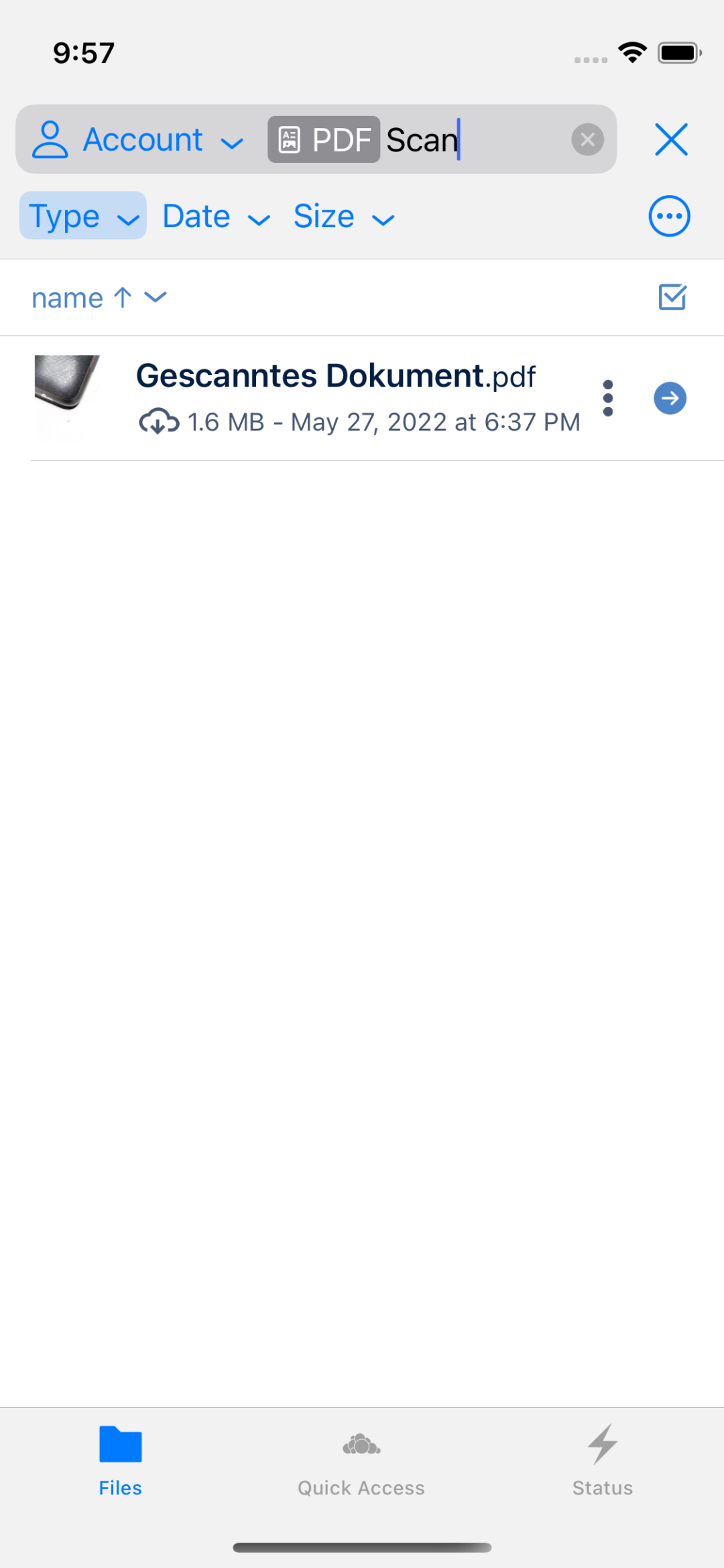
Search with scope picker, tokenization of special terms while entering (here :image), limiting search results with regular search terms:
| Inline Scope Picker | Tokenization while typing | Limiting with search term |
|---|---|---|
 |
 |
 |
The search scope's suggestion bar provides quick access to type, date and size filters. If the user picks a suggestion, the suggestion's category is highlighted. Selecting the suggestion in the popup again removes it from the search query:
| Type Suggestions | Date Suggestions | Size Suggestions |
|---|---|---|
 |
 |
 |
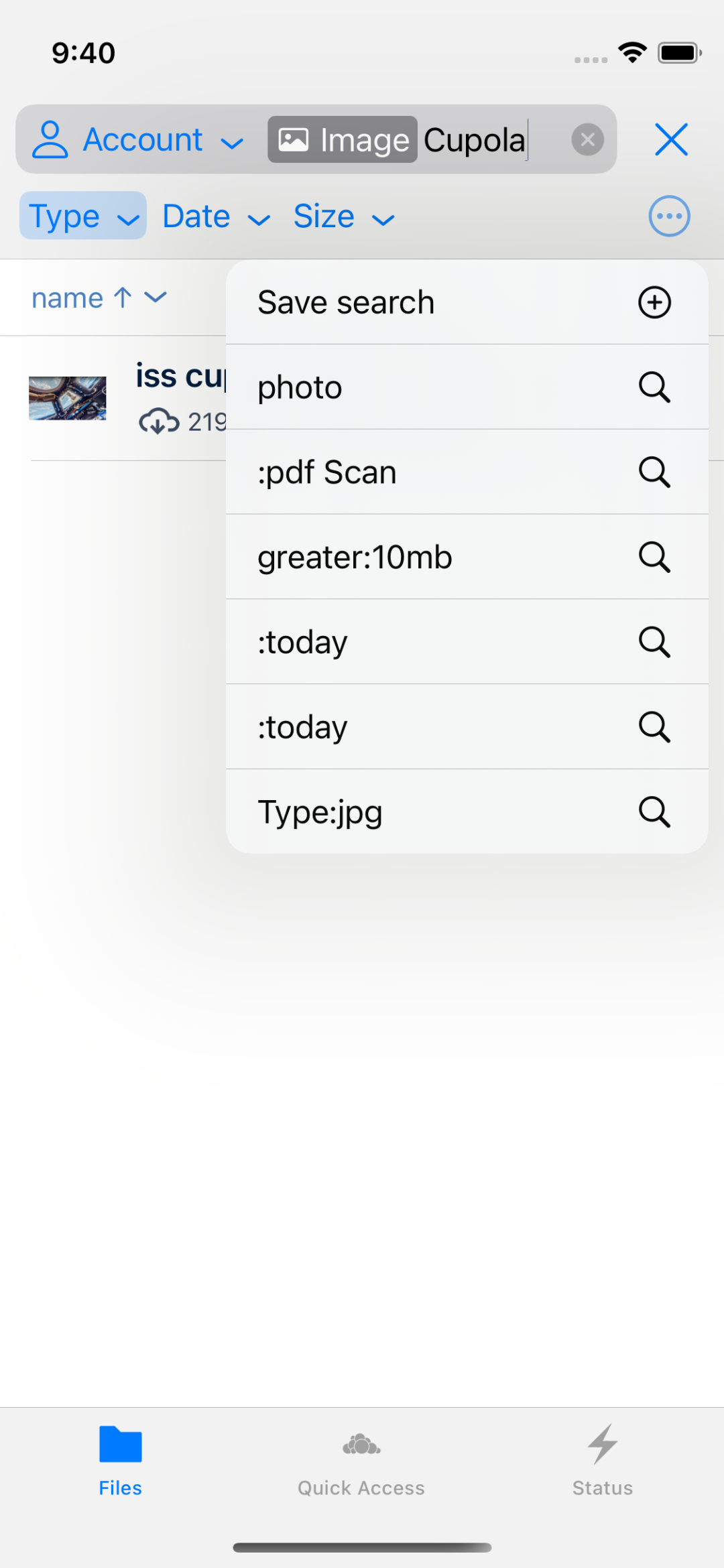
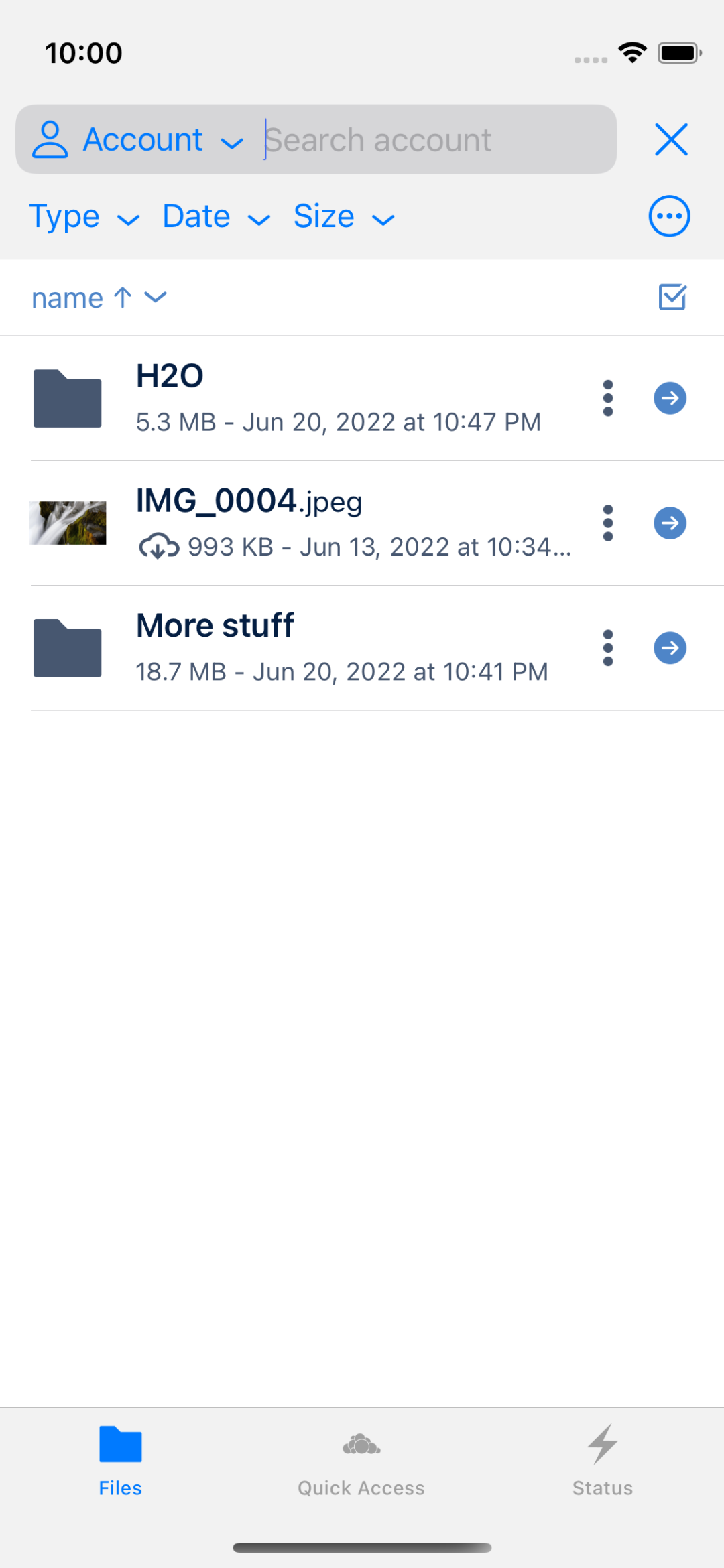
It's also possible to save searches and restore them. There should be a differentiation in saved searches and search views down the road:
- saved searches save scope (folder / account / space), filters (type, date, size, …), search terms and the searched location (think "Smart Folders" like on macOS)
- search views save scope (folder / account / space), filters (type, date, size, …), search terms, but not the searched location (think "search settings quickly re-applicable to any location")
The current implementation creates saved searches internally, but doesn't apply the location part, so that the saved searches act like search views when chosen in the popup. In the final version, the popup should only show search views and saved searches should be available only via Quick Access and/or the account's Side Bar.
| Saved searches | Selecting :pdf scan |
Without any search terms |
|---|---|---|
 |
 |
 |
Special filter keywords / tokens
Compared to #933, feature/new-search adds additional filter keywords. Below is an updated table with examples, covering all of them:
| Term | Meaning |
|---|---|
engineering |
find items with engineering in their name |
engineering demos |
find items with engineering and demos in their name |
"engineering demos" |
find items with engineering demos in their name |
"engineering "demos |
find items with engineering and demos in their name |
type:pdf |
limit search to items with a pdf suffix |
type:pdf,mov |
limit search to items with a pdf or mov suffix |
before:2021 |
limit search to last modified before 2021-01-01 |
before:2021-02 |
limit search to last modified before 2021-02-01 |
before:2021-02-03 |
limit search to last modified before 2021-02-03 |
after:2020 |
limit search to last modified after 2020-01-01 |
after:2020-02 |
limit search to last modified after 2020-02-01 |
after:2020-02-03 |
limit search to last modified after 2020-02-03 |
on:2020-02-03 |
limit search to last modified on 2020-02-03 (0h-24h) |
on:2020-02-03,2020-02-05 |
limit search to last modified on 2020-02-03 (0-24h) or 2020-02-05 (0-24h) |
smaller:200mb |
limit search to items smaller than 200 MB (supports tb / tib / gb / gib / mb / mib / b) |
greater:1gb |
limit search to items greater than 1 GB (supports tb / tib / gb / gib / mb / mib / b) |
owner:cscherm |
limit search to items owned by user cscherm |
:file |
limit search to files |
:folder |
limit search to folders |
:image |
limit search to images (MIME type starting with image/ or TypeAlias equal to image) extended |
:video |
limit search to videos (MIME type starting with video/) new |
:audio |
limit search to audio (MIME type starting with audio/) new |
:document |
limit search to documents (TypeAlias equal to x-office/document) new |
:spreadsheet |
limit search to spreadsheets (TypeAlias equal to x-office/spreadsheet) new |
:presentation |
limit search to presentation (TypeAlias equal to x-office/presentation) new |
:pdf |
limit search to PDFs (MIME type equals application/pdf) new |
:year |
limit search to items last modified since Jan 1st of the current year |
:month |
limit search to items last modified since the current months's first day |
:week |
limit search to items last modified since beginning of the current week's Monday |
:today or :d |
limit search to items last modified on the current day |
:5d |
limit search to items last modified in the last 5 days |
:2w |
limit search to items last modified in the last 2 weeks |
:1m |
limit search to items last modified this or last month |
:m |
limit search to items last modified this month |
:1y |
limit search to items last modified this or last year |
:y |
limit search to items last modified this year |
-[term] |
negates the search term, i.e. -:image to exclude images, or -wrd to exclude all matches containing wrd. This works with any of the examples above. |
Types of changes
- [ ] Bug fix (non-breaking change which fixes an issue)
- [x] New feature (non-breaking change which adds functionality)
- [ ] Breaking change (fix or feature that would cause existing functionality to change)

Thank you for your submission! We really appreciate it. Like many open source projects, we ask that you all sign our Contributor License Agreement before we can accept your contribution.
2 out of 4 committers have signed the CLA.
:white_check_mark: michaelstingl
:white_check_mark: hosy
:x: felix-schwarz
:x: Matthias Hühne
Matthias Hühne seems not to be a GitHub user. You need a GitHub account to be able to sign the CLA. If you have already a GitHub account, please add the email address used for this commit to your account.
You have signed the CLA already but the status is still pending? Let us recheck it.


(1)
In a folder with some files (more than 10)
- Click on lens icon
- Select
Folderas scope - Select
Type = file
Current: all files in the folder are correctly listed. But, the files on the screen bottom are hidden behind the soft keyboard Expected: any way to vanish the soft keyboard?
https://user-images.githubusercontent.com/14894746/197511405-cf9646e8-020b-4426-b0f0-13a3d12e8ea2.MP4
iPhoneXR iOS16.1
8ad0aa62
(2)
In an empty space (no matter if personal or custom space):
- Click on lens icon
- Set
Folderscope - Set
Type = Folder-> empty result - Set
Treescope - Set
Type = Folder
Current: hidden folders like .space and / (root) appears as result. Setting Show hidden files is disabled.
Expected: Same search over two different "empty" scopes should return same results.
https://user-images.githubusercontent.com/14894746/197519923-e875faaf-80a1-477d-ac2b-4a38b85f50ed.MP4
iPhoneXR iOS16.1
8ad0aa62
(3)
(probably related with (2)
- Create a folder structure like
A/B/C - Browse to
B->Cis listed inside - Click on lens
- Set
Treeas scope - Set
Type = folder
Current: Results are B(current folder) and C
Expected: Result is C, because B is out of the tree (parent folder). If expectation is different just let me know which one is expected.
https://user-images.githubusercontent.com/14894746/197522342-178af8a0-a3db-4526-af3d-a9e4cc9ed10e.MP4
iPhoneXR iOS16.1
8ad0aa62
(4)
Just a suggestion: In the Type filter, i miss an option for text files (.txt). Would it make sense to add?
(5) (question)
Mentioned above:
saved searches save scope (folder / account / space), filters (type, date, size, …), search terms and the searched location (think "Smart Folders" like on macOS) search views save scope (folder / account / space), filters (type, date, size, …), search terms, but not the searched location (think "search settings quickly re-applicable to any location")
is that correct?
Checking the implementation (f0d2ce2c), i noticed the opposite behaviour
Saved search templateapplies the filter to the current location. For ex,Type = Tree "GIF"returns a folder calledGIFin the current folder and it subfolders. SameSaved search templateapplied to other folder with no matches, returns empty. That means, searched location not saved.
https://user-images.githubusercontent.com/14894746/198271484-265b17f0-dad5-4600-b710-062521805b4f.MP4
Saved search view, returns always the same result, no matter where the filter is applied:
https://user-images.githubusercontent.com/14894746/198273616-fe6b3e71-c048-4f05-a538-ce0f79a60015.MP4
Which is correct, the implementation or the description?
iPhoneXR iOS16
f0d2ce2c0
(6)
Template/View creation dialog contains almost-transparent button labels Cancel and Save in default theme:

iPhoneXR iOS16
f0d2ce2c0
(7)
- Create a
Search Viewthat returns empty - Save it
- Click on lens icon and apply that
Search View
Current: empty screen
Expected: No matches view displayed
https://user-images.githubusercontent.com/14894746/198277741-358acd45-333b-4d8b-a62d-3860f1fe22f0.MP4
iPhoneXR iOS16
f0d2ce2c0
(8)
- Create an empty space, called
Space1 - Create another empty spaced called
Space2 - Upload two videos to
Space2 - Open
Space1 - Click on lens icon and select
Accountscope - Select
Type = Video-> Videos inSpace2are shown as result :+1: - Click on right arrow, at the right of the result's cell, to jump to the file location
Current: Space1 shown with the videos. That's not correct because videos are stored in Space2
Expected: Videos stored in Space2, so Space2 should be displayed instead
(name of spaces and videos as type are only examples, also reproducible with other options)
https://user-images.githubusercontent.com/14894746/198285891-bbddb485-a7a7-4ed7-9415-184f9844a4f8.MP4
iPhoneXR iOS16
f0d2ce2c0
(9)
this one is not directly related with searching, but is reproducible in the current branch (experimental/12.0) and not reproducible in milestone/12.0
iPad:
- Open list of files.
- In any file, open three-dot-button and select
Open in a new Window
Current: List selector is displayed in the new window Expected: File is opened in new window
iPadPro iOS16
f0d2ce2c0
(10)
This one is about the owner: . That seems to work only in personal space.
By creating a new custom space and uploading some files there, the owner: returns nothing with the proper username
iPadPro iOS16
f0d2ce2c0
Merged in milestone/12.0 in cfa9100a6fff3e4dea55bafca61c1db9eae52d45.