

 owncloud
Settings in three different corners of the UI
Seen in 10.9.0 RC2 - (not a regression, this is unchanged since ownCloud version 3 according to Holger)
- Open the clasic files Web UI
- The main settings pages are available under the user name in the top right corner. OK
- There is also a smaller Settings menu in the lower left corner. (Both highlighted in red)
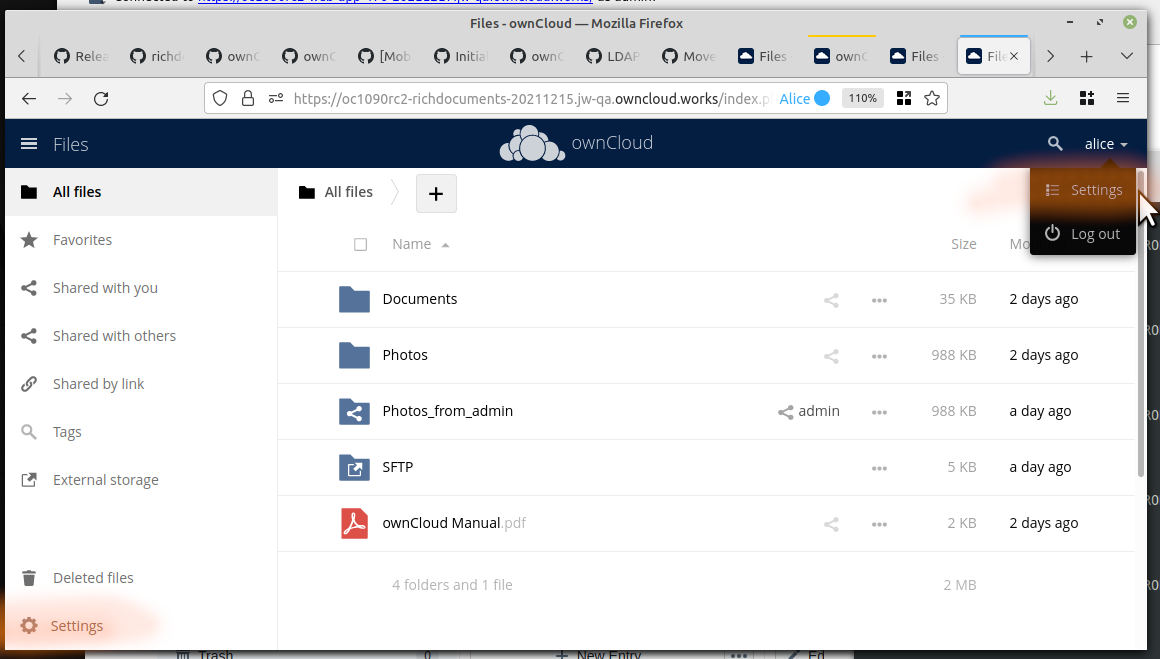
The menu in the lower left has normally only one setting and one information:
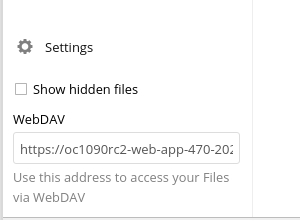
The new Web UI does not have the lower left settings at all. Thus these two items will not be available any more.
I suggest the following enhancement:
- Both items from the lower left should be integrated into the user's personal settings page. Mockup idea:
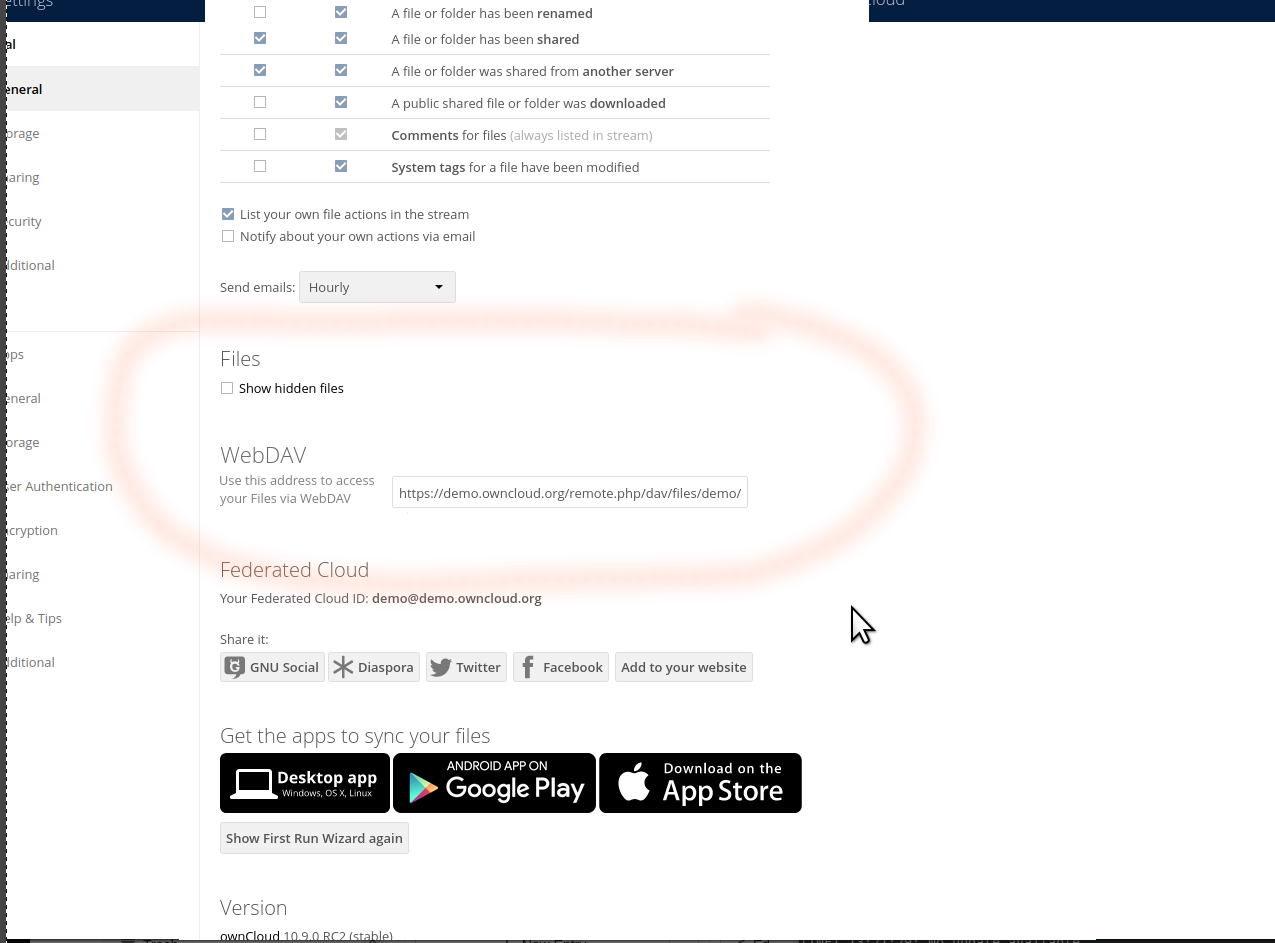
- The lower left settings box should be reduced to [ ] show hidden files (or not even that ...) [Visit your personal settings] (link to that)

The third location, where a "settings" menu can be found is of course in the top lefthand corner:
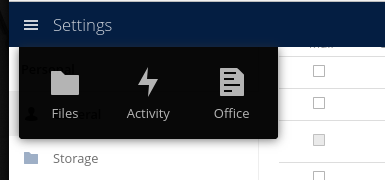
This one is not a settings menu at all. That is the main view switcher, when "Settings" is just the current view.
(One might wonder, why there is no "settings" thing in the lower right corner. :smiling_imp: )
To add, mounting webdav in Winows10, see the current settings (bottom left), has two different "flavours":
net use: https://[SERVER_NAME]/remote.php/dav/files/[USERNAME]/
GUI: \\[SERVER_NAME]@SSL\DavWWWRoot\remote.php\dav\files\[USERNAME]
ownCloud offers the net use variant. It is, when used mounting via the GUI, translated by Windows automatically to the GUI version - which seems (needs more testing) to be dependent by the Windows version (I am using W10x64, 21H2, 19044.1415). Using the GUI version with net use seems also to work, at least with the version I am using.
Maybe, when redesigning, the link could contain both versions...

To add, mounting webdav in Winows10, see the current settings (bottom left), has two different "flavours":
net use:
https://[SERVER_NAME]/remote.php/dav/files/[USERNAME]/GUI:\\[SERVER_NAME]@SSL\DavWWWRoot\remote.php\dav\files\[USERNAME]ownCloud offers the
net usevariant. It is, when used mounting via theGUI, translated by Windows automatically to the GUI version - which seems (needs more testing) to be dependent by the Windows version (I am using W10x64, 21H2, 19044.1415). Using theGUIversion withnet useseems also to work, at least with the version I am using.Maybe, when redesigning, the link could contain both versions...
When redesigning -- I guess that relates more to Microsoft redesigning win10+x according to webdav standards. I see no point in adoping their garbled proprietary syntax with the @ after the server name.
This issue has been automatically marked as stale because it has not had recent activity. It will be closed in 10 days if no further activity occurs. Thank you for your contributions.
![github-actions[bot] avatar](https://avatars.githubusercontent.com/in/15368?v=4 "Published by a pub.dev verified publisher")