
client
 client copied to clipboard
 owncloud
system tray icon in dark bar, fedora kde
This is maybe not an issues. At first I wanted to modify the icon by hand but I can't find the default one. If you have the answer that's fine for me.
Expected behaviour
In dark theme the system tray icon is white
Actual behaviour
In dark theme the system tray icon is dark

Steps to reproduce
- install via the official instruction
- install a dark kde theme, like fluent dark
Client configuration
Client version: 2.7.6 (build 3261)
Operating system: fedora x kde
Qt version used by client package (Linux only, see also Settings dialog): 5.12.10
Client package (From ownCloud or distro) (Linux only): from official instruction
TODO: Implement https://github.com/owncloud/client/blob/master/src/common/utility_unix.cpp#L104

@fmoc https://github.com/owncloud/client/blob/master/src/common/utility_unix.cpp#L90 I doupt there is ONE linux solution but one per desktop environment...

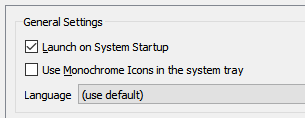
On a dark XFCE (i.e., Gtk-based desktop) theme, I cannot observe any such issues:

I'll have a look next week.

With the vanilla theme we allow platform themes this could play a role with this issue. https://github.com/owncloud/client/blob/master/src/libsync/theme.cpp#L210
This issue was marked stale because it has been open for 30 days with no activity. Remove the stale label or comment or this will be closed in 7 days.
![github-actions[bot] avatar](https://avatars.githubusercontent.com/in/15368?v=4 "Published by a pub.dev verified publisher")
I'm experimenting the same issue on Kubuntu 22.04
KDE Plasma Version 5.24.6 Qt Version 5.15.3

