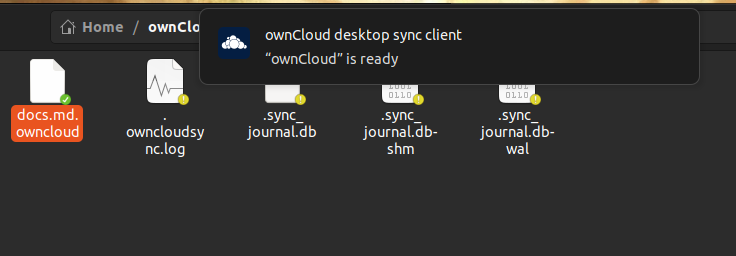
client
 client copied to clipboard
 owncloud
Warn when virtual file can't be immediately downloaded
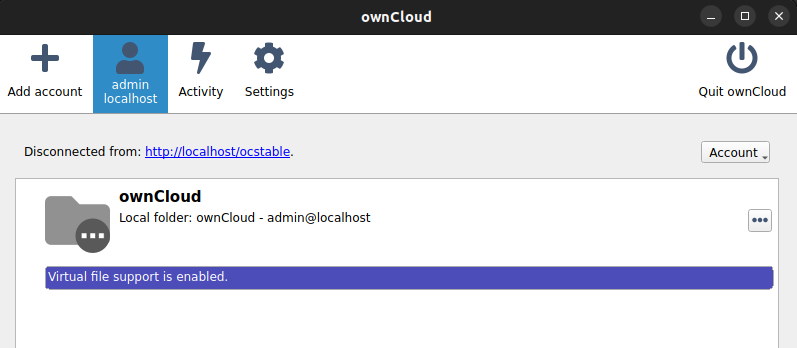
With suffix-vfs. When the account is not connected (network disconnected, server unavailable, login expired, etc) and a placeholder file is double-clicked then nothing happens. Only when the account has reconnected and the next sync has finished successfully will the requested file be opened.
Instead, there should be a warning popup telling the user that the file currently can't be downloaded because the account isn't connected.
Suggested by @HanaGemela in https://github.com/owncloud/client/issues/4341#issuecomment-512859727

With 4.0.0rc1 there are different behaviors depending on if Windows thinks it is online and / or if the owncloud server is reachable.
To reproduce:
- Install a VM with 2 network adapters. One network adapter ONLY connects to the public internet, one adapter ONLY connects to the ownCloud server
- enable both network adapters & select 'Always keep on this device' on an online only file => all works :+1:
- disable the adapter for the public internet, but keep the connection to the ownCloud server & select 'Always keep on this device' on an online only file => Error shown saying that the online-only file cannot be opened
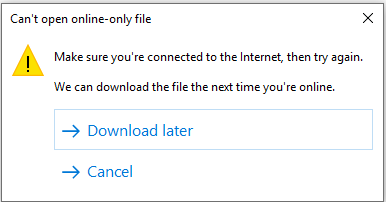
- disable the adapter that connects to the ownCloud server, but keep the connection to the public internet & select 'Always keep on this device' on an online only file => windows tries to sync the file, no error message shown. Once I got an "unexpected error" message. But I cannot reproduce it
Client logs: ownCloud.log


Client:
ownCloud 4.0.0.10732-rc1 93ec98
Libraries Qt 5.15.8, OpenSSL 1.1.1t 7 Feb 2023
Using virtual files plugin: suffix
ubuntu-5.19.0-40-generic
OS: Ubuntu22.04
When trying to download dehydrated (vfs) file while the server is disconnected, there is a popup but the message is not related to couldn't download.