

 ovh
ovh
Bug with password manager auto-fill on login page
Describe the bug I have a problem with several password managers on the OVH login page. When using the auto-fill mode, the password field is not filled in the right place (see capture).
After contacting the developers of the password managers, they have indicated that they are unable to fix this problem on the OVH Manager.
To Reproduce Steps to reproduce the behavior:
- Go to OVH Login Page
- Use the autofill mode with your password manager
- See error
Screenshots
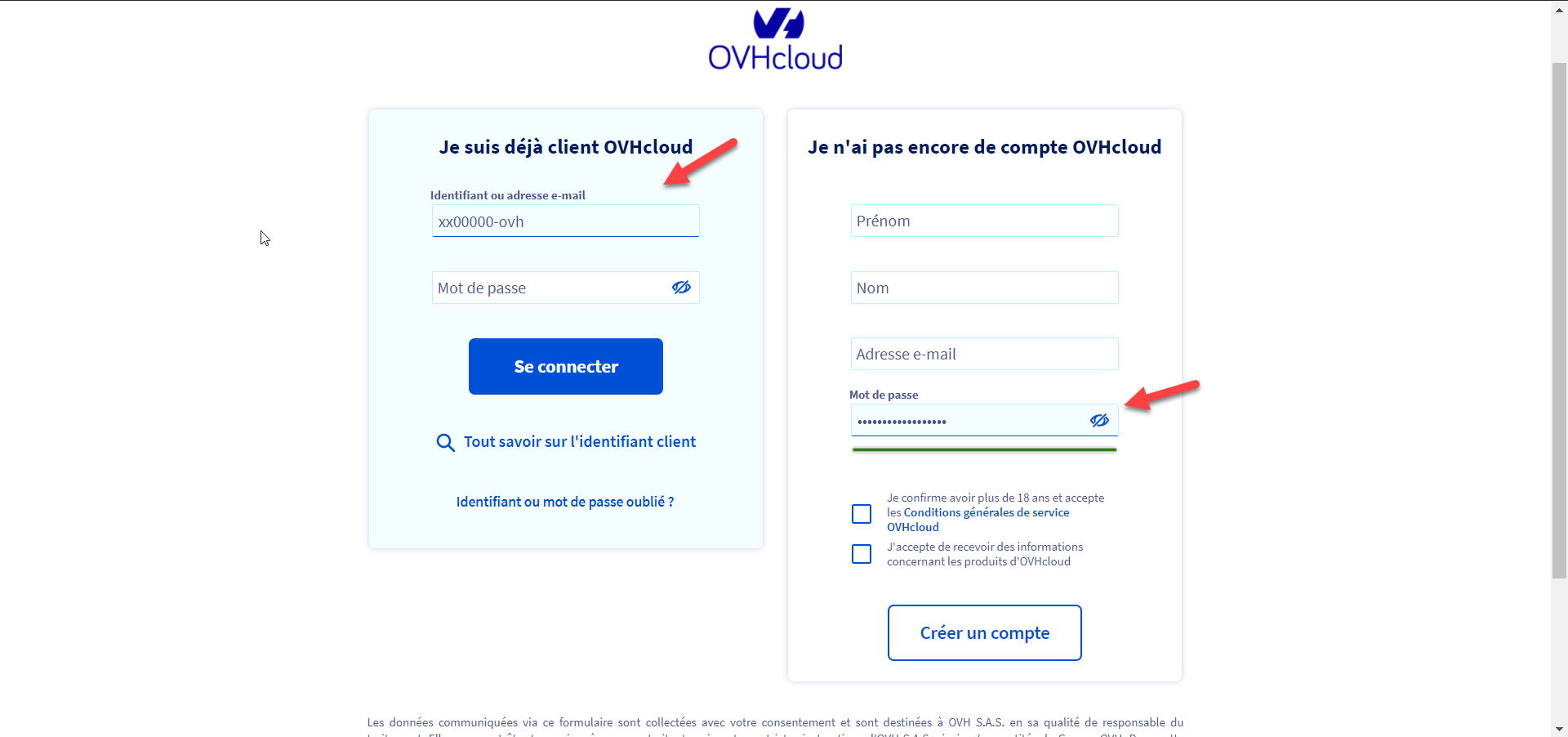
Desktop (please complete the following information):
- OS: Windows
- Browser Chrome, Firefox
- Version (Last)
Additional context I suggest replacing the login page with an interface like this one to correct the problem on as much equipment as possible:
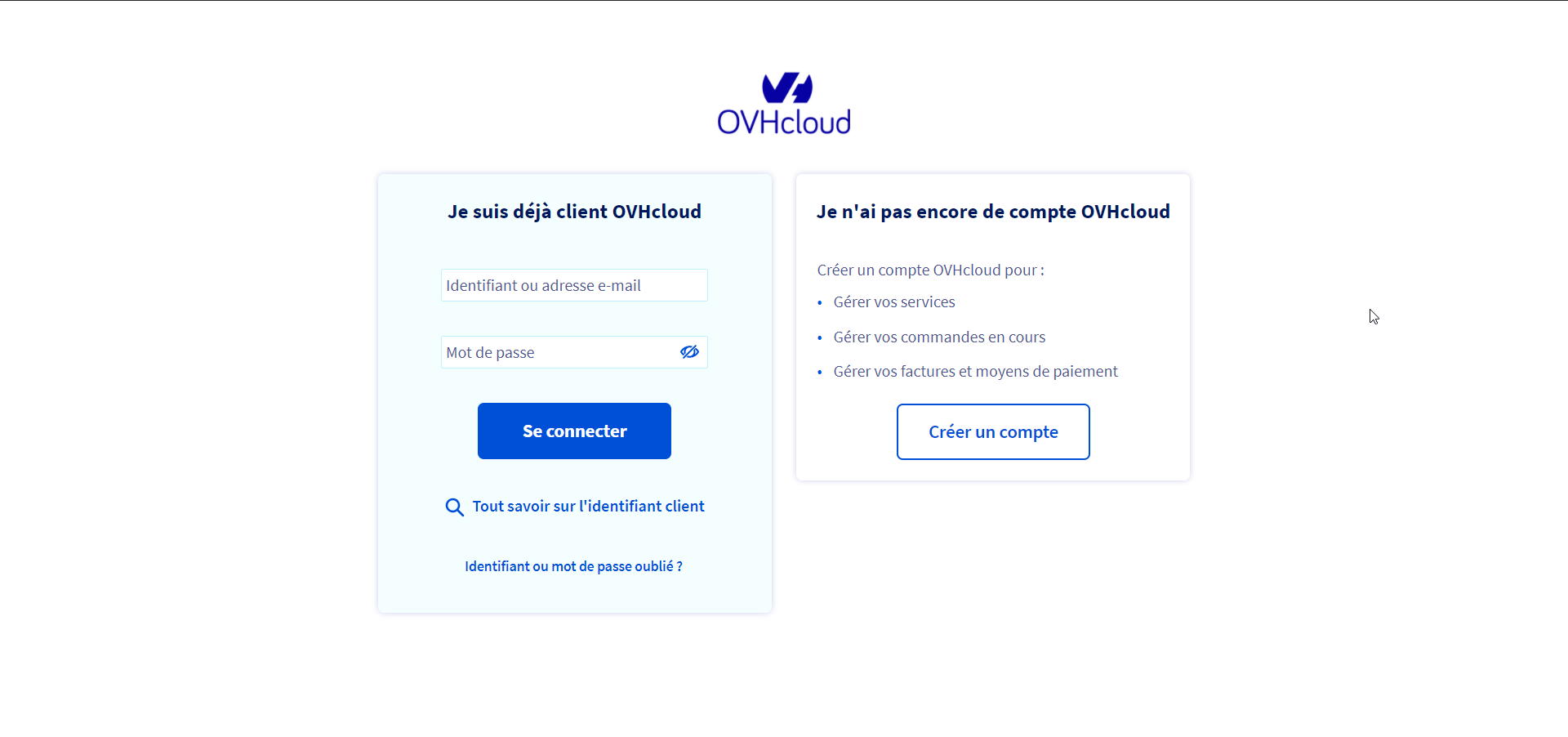

The password manager can't use the id or name of the input because it's random :
Before refresh :

After refresh :

Hi @theoricher!
Thanks for reporting us this Issue. In order to reach the right team, I'm adding a cc.
We will keep you posted if a solution can be applied or not.
Thanks!
/cc @Alkorin

Which password manager is it?
The second field is tagged as autocomplete="new-password" to distinguish them.
See: https://developer.mozilla.org/en-US/docs/Web/Security/Securing_your_site/Turning_off_form_autocompletion#Preventing_autofilling_with_autocompletenew-password

Hello,
I have the problem with 1Password if you want i can send this issue to teams of 1Password.
I have this problem too and is very annoying.
For the moment I solved it on my end by injecting a userscript which adds placeholder="Username" and placeholder="Password" to the input fields and remove the default label to make the page looking good.
https://github.com/fab120/userscripts/blob/main/ovh-login-1password-compatibility.js
@Alkorin
Adding the placeholder attribute will help 1password auto-fill.


Did you report the bug to 1Password?
They should ignore the field with new-password hint.
Browsers don't have any issue to autofill the password
Hello team,
With 1Password 8 the problem is no longer present.
The development teams have improved the module's behavior to detect the right fields when there is a login and registration form on the same page.
The issue can now be closed 🙂