

 orchidsoftware
Class "App\Orchid\Presenters\UserPresenter" not found
Describe the bug
Class "App\Orchid\Presenters\UserPresenter" not found
To Reproduce Steps to reproduce the behavior:
- Bootstrap a new laravel project
laravel new reproducing - Change app root namespace
php artisan app:name Cednore\Cedi - Install orchid/platform and follow the steps on documentation
- Start the server
php artisan serve - Try login
- Getting above error after login
Expected behavior It shouldn't break.
Screenshots
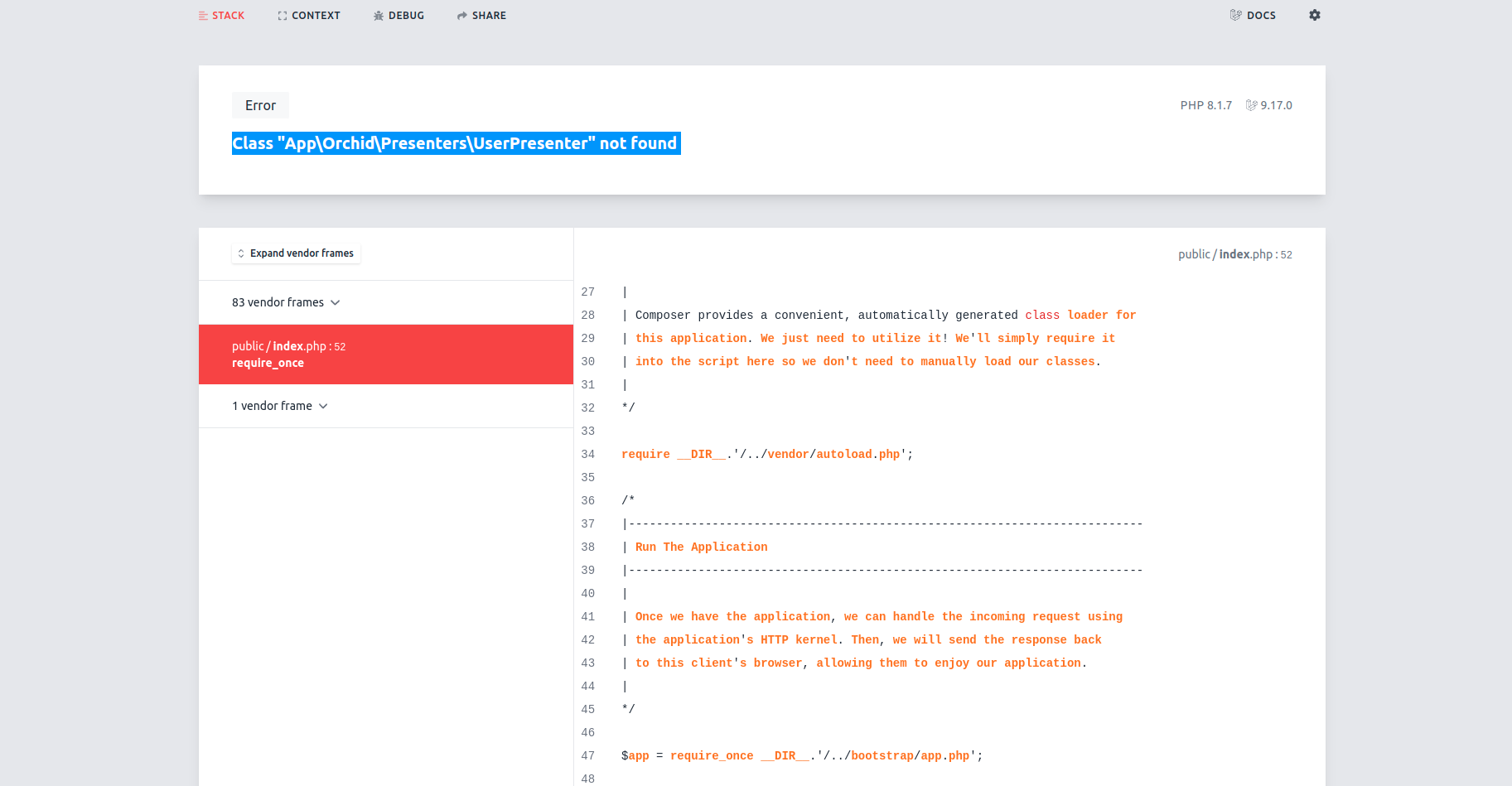
Desktop:
- OS: Linux
- Browser Chrome
- Version 102.0.5005.115 (Official Build) (64-bit)
Server:
- Platfrom Version: 12.6.2
- Laravel Version: v9.17.0
- PHP Version: 8.1.7
- Database: PostgreSQL
- Database Version: 15beta1
Additional context Root cause was https://github.com/orchidsoftware/platform/blob/9f27ed69d9a18120bc43582b0cb8bb40116822dc/src/Platform/Models/User.php#L7
If I manually patch this line inside my vendor, laravel app works as expected.
It's unsafe to assume all the laravel project's app root namespace is App\.
Suggested bugfix
Option 1: Getting app root namespace from composer.json :disappointed_relieved: (seems not good, fopen operation per request will be expensive)
cat composer.json | jq '.autoload."psr-4" | to_entries[] | select(.value=="app/") | .key'
Option 2: Make a new artisan command which manually patches above file inside local vendor folder, then adding it to post-autoload-dump scripts. :neutral_face: (patching your vendor can not just be the best solution)
Option 3: Add a new config entry to point the app root namespace. Import above class based on this config value. :smile: (This one sounds promising to me)
    /**
     * @return UserPresenter
     */
    public function presenter()
    {
        $userPresenterClass = config('platform.app_root_namespace', 'App\') . 'Orchid\Presenters\UserPresenter';
        if (!class_exists($userPresenterClass)) {
            throw new Exception('hey, this is bad');
        }

        return new $userPresenterClass($this);
    }
}

Hi @cednore. As far as I know artisan command:
php artisan app:name Cednore\Cedi
No longer mentioned in Laravel documentation (Above version 5), you can see a discussion of this here: https://github.com/laravel/framework/pull/27575 I don't think we should support what the laravel team doesn't want to see.
We also publish not only one Presenter class, but many others, such as routes and screens. Which requires a comprehensive solution that the artisan command or configuration does not offer.
If for some reason you want to do this, why not do a name change after installing Orchid?

Changing namespace after installing Orchid won't resolve the issue as use App\Orchid\Presenters\UserPresenter; still lives inside vendor folder.
There might be several reasons why you wanna change the App namespace, even though it is not highly recommended. It's totally up to developer's choice and libraries shouldn't limit this liberty.
Btw, I've created an artisan command implementing Option 2 Here's the gist for it; https://gist.github.com/cednore/08b0ef3abead6f3df712d807ec7757b8
go to this directory : vendor/orchid/platform/src/Platform/Models/User.php and change the UserPresenter path in use
public function presenter() { return new UserPresenter($this); }
