

 orbitdb
unable to query database created by another project
Hi there.
Im creating an instance of orbitDb inside a webservice that at the moment is running locally:
        const orbitdb = await OrbitDB.createInstance(ipfs);
        this.db = await orbitdb.docstore(dbName, { indexBy: 'uid', accessController: {write: ['*']}});
        await this.db.load();

        await this.db.put({uid: 65678}, { pin: true })
        const all = this.db.query((doc: any) => doc)
        console.log(all)
        console.log(this.db.address.toString())
the response from last two logs are:
        [ { uid: 65678 } ]
        /orbitdb/zdpuAnZdSPcLf3PGRDWLDQG82EZoCDWJLhpBFkBPKhMaukTh2/localhost_bf_10
But when I try to access that DB from another project running in localhost too, I get nothing:
        console.log(OrbitDB.isValidAddress(dbId.data.response))
        const db = await orbitdb.docstore(dbId.data.response, { indexBy: 'uid' });
        await db.load();
        const all = await db.query((doc) => doc)
        console.log(all)
the response is an empty array. Any help? Thanks!

Just out of curiosity, are you using the same ipfs instance to run both of the orbitdb instances? This tends to be buggy as pubsub doesn't work well in this configuration. If not can you use swarm connect to confirm the two ipfs instances are able to comunicate?

Im now running 2 connected IPFS nodes on the same machine, however Im still unable to load the DB on the second machine. Wanted also to point something, when I create the DB on the web service running locally, it creates an orbitdb folder on the root of the project, maybe it is not replicating to other peers:
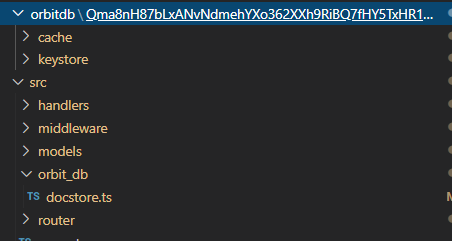
Any help on how can I replicate this DB to peers?
Hey @sdelvalle57, which versions of ipfs and orbitdb are you using? The ./orbitdb folder is the default directory if none is specified so that shouldn't be a problem.
Does console.log(OrbitDB.isValidAddress(dbId.data.response)) print true? What's the content of dbId.data.response?
philmac is right that if the IPFS aren't able to communicate to DB won't replicate so would be good to confirm that they are connected

ipfs version 0.4.22 ipfs-http-client: "^37.0.2", orbit-db: "^0.22.0",
´console.log(OrbitDB.isValidAddress(dbId.data.response)) = true´ ´dbId.data.response = /orbitdb/zdpuAwd71aFi1HKhAwsQVzf554FoMnYnK99tFaHUEwuL3D5c3/localhost_bf_13´
IPFS nodes are connected to each other!
already did that, and confirmed with console.log(await (ipfs.swarm.peers()))`
on the server side I run this:
       const orbitdb = await OrbitDB.createInstance(ipfs);
        this.db = await orbitdb.docstore(dbName, { indexBy: 'uid', accessController: {write: ['*']}});

        this.db.events.on('replicated', () => {
            const all = this.db.query((doc: any) => doc)
            console.log(all)
        })
        this.db.events.on('replicate', () => {
            console.log("replcate");
            const all = this.db.query((doc: any) => doc)
            console.log(all)
        })
        await this.db.put({uid: 65678}, { pin: true })
but nothing is fired after I add content to the DB

Please try with the latest version of OrbitDB. If problems persist, feel free to re-open this issue.
