
kifu-notebook
 kifu-notebook copied to clipboard
 orangain
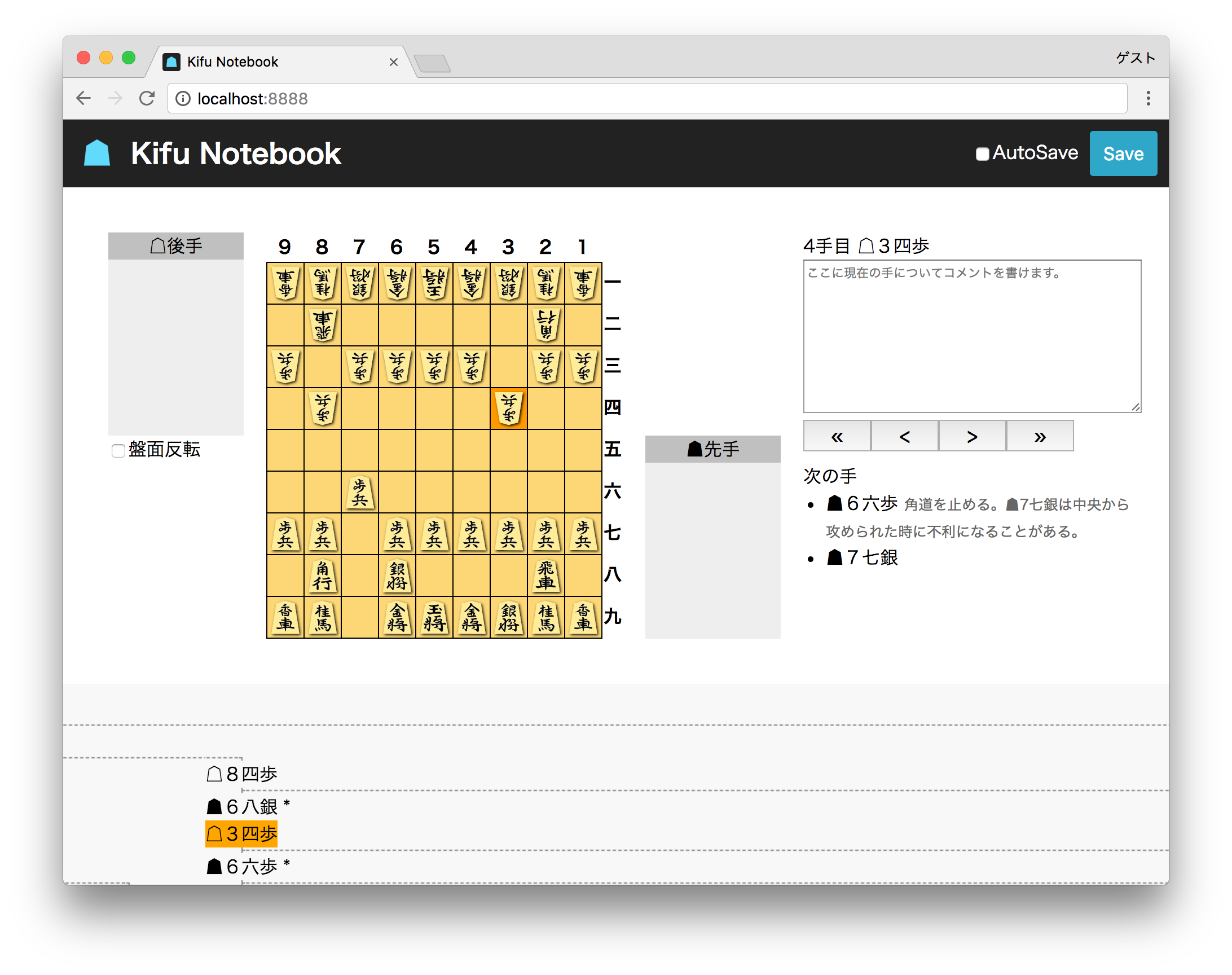
The Kifu Notebook is a web-based app to take a note of Kifu in Shogi.
Kifu Notebook 
The Kifu Notebook is a web-based app to take a note of Kifu in Shogi.
Installation
Download the latest zip archive for your architecture from Releases, then unzip it.
Copy kifu-notebook executable to some directory in your PATH.
Usage
Open JKF_FILE as a notebook.
$ kifu-notebook JKF_FILE
Example JKF file is available in examples/joseki.jkf.
Full usage:
Usage:
    kifu-notebook [options] JKF_FILE

Options:
    -h, --help
        Show this help message
    --host HOST
        Host to bind (default: localhost)
    -p PORT, --port PORT
        Port to listen on (default: 8888)
    --no-browser
        Don't open browser
Development of SPA
Requirements
- Node.js 8.10+
Install dependencies
$ npm install
Run
Launch API server.
$ kifu-notebook --no-browser JKF_FILE
Then start dev server.
$ npm start
Development of CLI
Requirements
- Go 1.7+
- Make
Build
$ make
You will see an executable kifu-notebook.
Release
Requirements
- Docker
- Docker Compose
Install dependencies
go get -u github.com/tcnksm/ghr
Build with Docker
$ docker-compose -f docker-compose.ci.yml build
$ docker-compose -f docker-compose.ci.yml run --rm npm_build
$ docker-compose -f docker-compose.ci.yml run --rm go_build
You will see zip archives in build/archives/master directory.
Make Release
Environment variable GITHUB_TOKEN is required. See: https://github.com/tcnksm/ghr
$ make release
 orangain