oraclejet

oraclejet copied to clipboard
 oracle
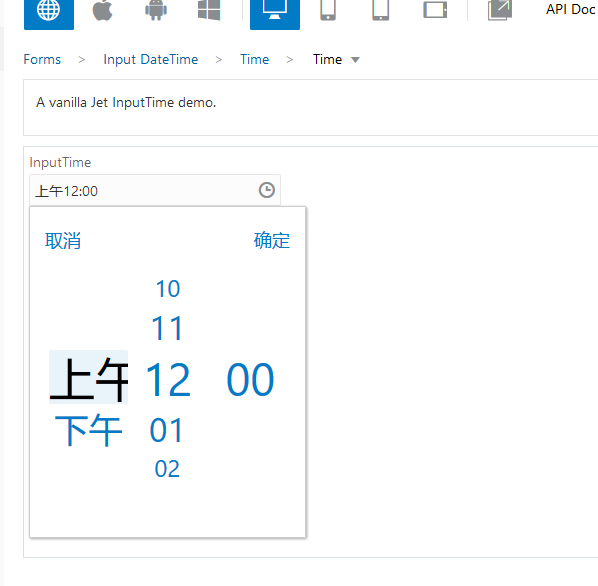
time picker does not display am/pm text, but ellipsis for the Chinese language
- Go to this cookbook sample page: https://www.oracle.com/webfolder/technetwork/jet/jetCookbook.html?component=time&demo=simple
- Replace demo.js with the attached demo.js - demo.js.txt, then apply the change
- Click the clock icon and try to switch between AM and PM
- You will get the selected AM/PM displayed as ellipsis instead of the real text for example '下午', referring to the attached screenshot:


Hi, Upon pasting the demo.js code that you have given, it is showing AM/PM text in Chinese, instead of the ellipsis.