

 opf
opf
Export Gantt as PDF
Refer to work package 15444
This is a very initial version of the export Gantt as PDF.
Some open points:
- [ ] The export button is now placed in the gantt chart, ideally it should be placed somewhere in the toolbar.
- [ ] Handle PDF layout
- [ ] Add and maybe store export configurations
If anyone with more knowledge of Openproject than me can give a feedback will be great.

Hi @TheGr8Nik and thank you for your PR. Sorry for not having answered before. We are currently rather busy getting OpenProject 11.1 ready to be released.
We are very keen to get your proposed feature into the OpenProject codebase so you can expect a proper answer soon.

Hi @TheGr8Nik thank you for this!
I tried it on PullPreview and got 8 "empty" months in the PDF which made it very large/wide
Apart from that it really looks nice and was super easy.


Hi @ML-OpenP thank you for the feedback.
Yes, the start date and the end date is taken from WorkPackageTimelineTableController controller to export what we see in the browser, see the code.
Maybe I can add an export dialog to modify some parameters.
Hi @TheGr8Nik, That's really cool that you're developing this feature. Many OpenProject users are going to love this! It looks great and is really easy to use.
On PullPreview I noticed that when I group by an attribute in the work package table (such as the type, status, or assignee) the groups would not be shown in the export and the relation lines (follows/precedes) seemed to be off.
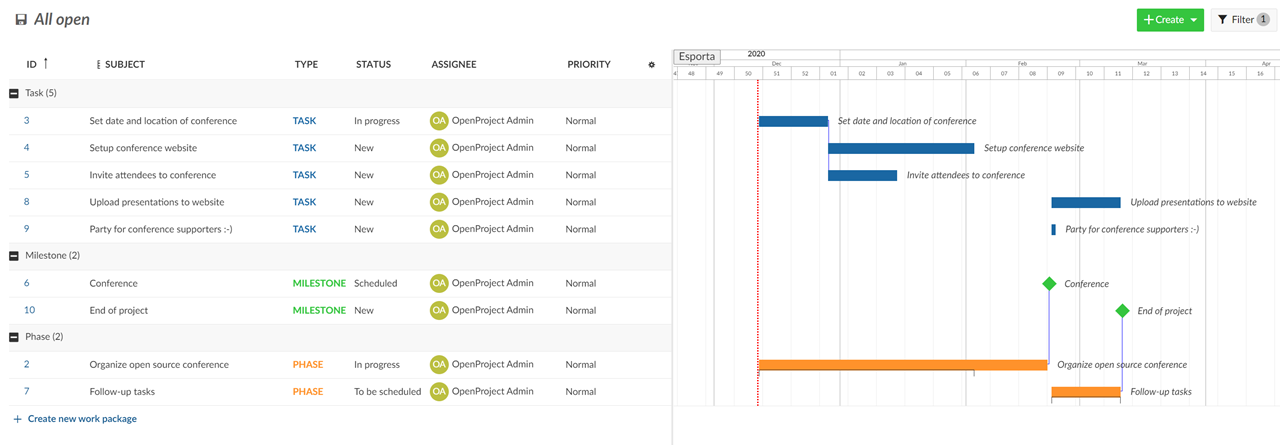

Other than that it looks good. Thank you!

Hello @TheGr8Nik,
Thank you again for the PR. Sorry for the delayed reply regarding your questions.
I spoke with our product owner regarding your questions.
1. Placement of the export action:
Users would most likely expect to find the PDF export option in the "Export" menu in the Settings menu since there are the other export options as well.
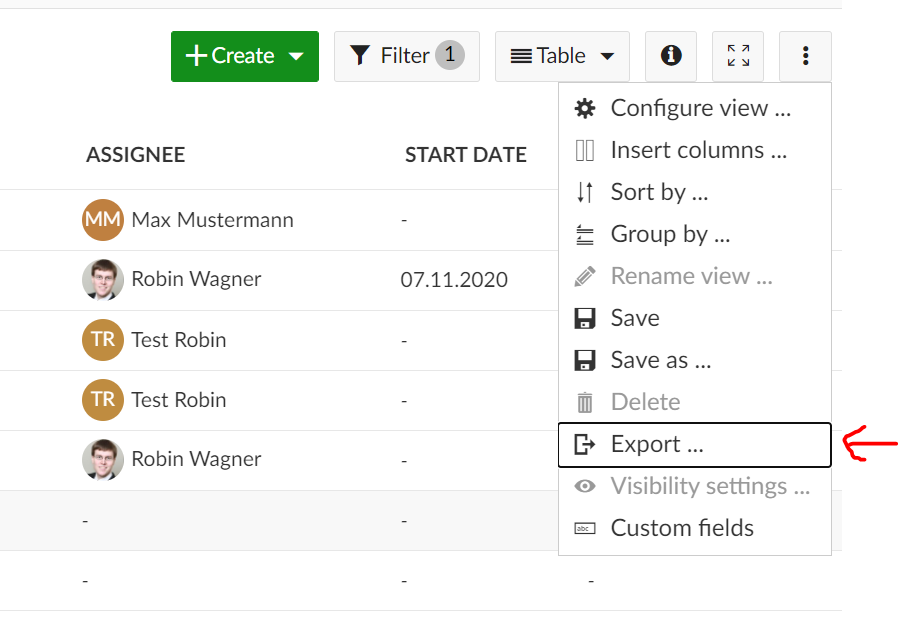
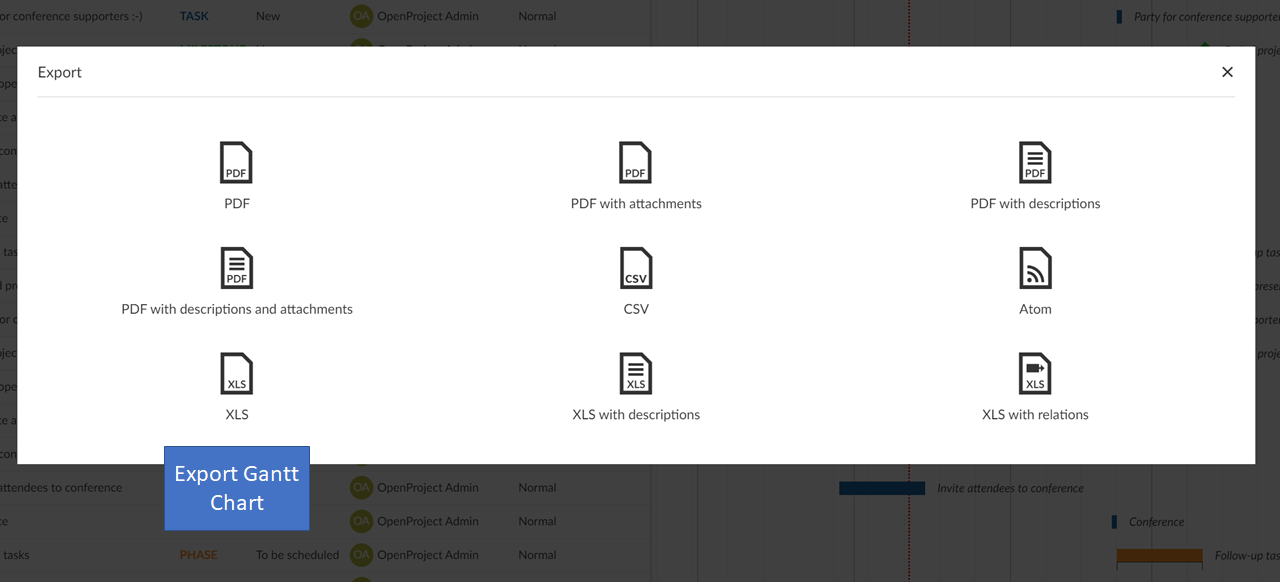
Could you move the option to the Export overview page? There are already several export options. It would be great to have an additional option there which is called "Export Gantt Chart".
2. Handle PDF layout
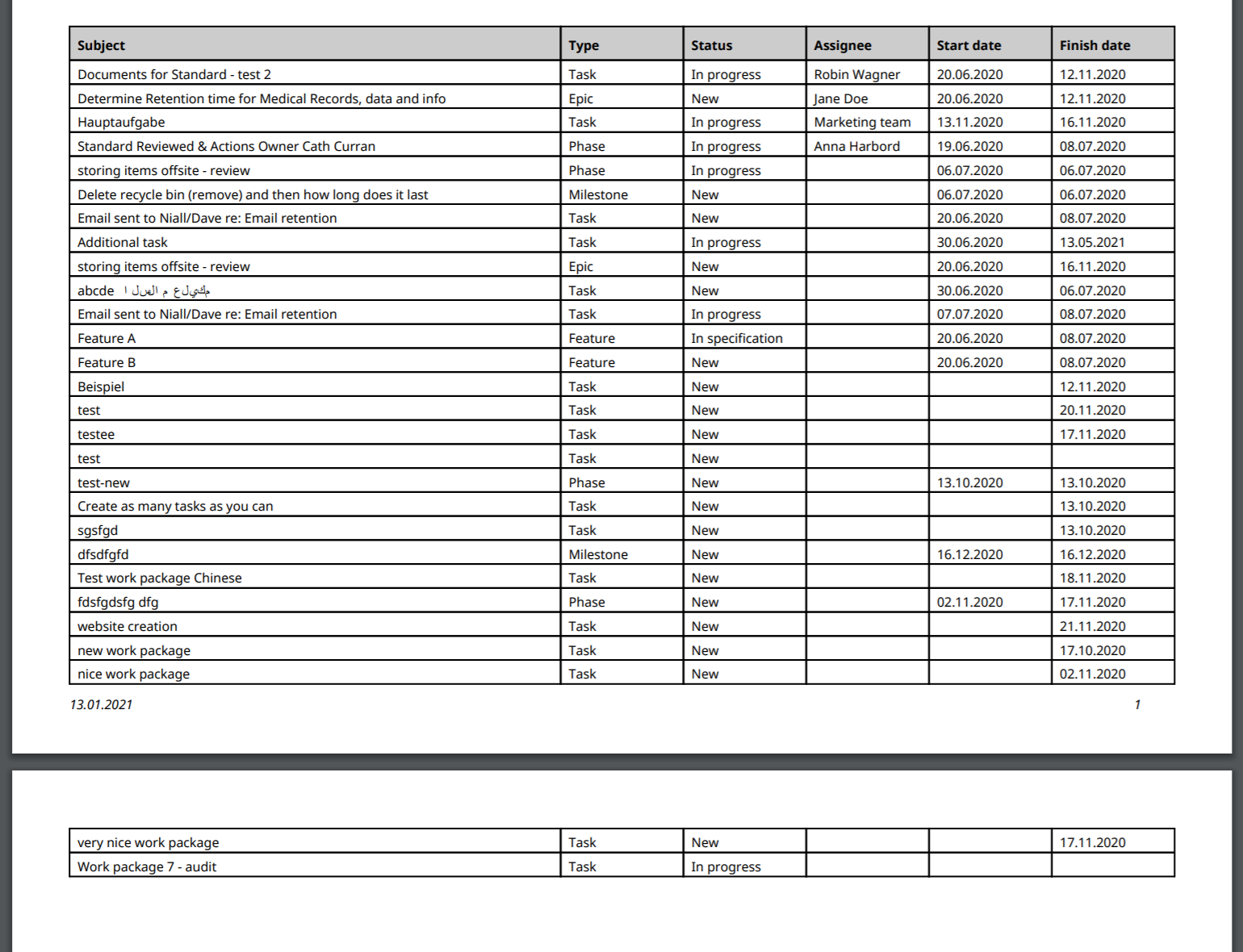
One important requirement is that it's possible to export big projects / Gantt charts that span multiple pages. Currently, the export seems to be restricted to a single page. Would it be possible to adjust this so that the export spans multiple pages? This would be important since quite a few users work with long work package lists. It would be important that relationship lines (follows / precedes) are then also drawn across multiple pages. (This is likely not that easy - especially when there are many relationship lines and groups added.) It would also be important to export grouped work packages (e.g. grouped by "Assignee").
For a reference regarding multi-page exports, you can e.g. refer to the OpenProject XLS export. Here is a screenshot showing a two-page export:
3. Add and maybe store export configurations
If possible, it would be nice if the columns selected on the work package page (e.g. status, assignee) would be exported along with the Gantt chart (similar to how this is handled for the XLS export). But this would be a "nice-to-have". Exporting the subject column along with the Gantt chart (as currently implemented) would already be a major improvement and a big help for many OpenProject users.
If you have any questions, please let me know. Thank you for helping to develop and improve OpenProject.
Thank you, Robin
Hi @TheGr8Nik, @ulferts and @wielinde,
would it be an alternative approach to use the browser's pdf print engine? Best Niels

Hi @RobinWagner Thank you for your feedback.
- I agree with you, I will move export button there.
- For the moment the page isn't restricted to A4 or something, is just a pdf page with some size depending on project dimensions. The problem I see is how people is supposed to print a big Gantt Charts? Many A4 pages to assemble? Or each page has to report his work packages with the relative time interval?
- I agree, having the possibility to save export configurations will be very useful. Maybe the configurations has to be implemented in the gantt features and the export uses the same configurations to export exactly what is shown in the webpage.
Hi @RobinWagner and @ML-OpenP,
I made some changes in code to:
- adapt export dates to fit shown work packages
- added group name display in description list, fixes also misaligned connection lines
- moved export button to modal dialog
- added very small export modal dialog to insert file name and select zoom level
Maybe someone can help me, in the export modal I wasn't able to use *ngFor directive, angular says me Unknown property *ngForOf.
Bests, Andrea
Hi @TheGr8Nik,
if you have another module for the export component, you need to import the angular CommonModule again to be able to use these structural directives like *ngFor and so on.
Could you merge in the current dev again so I could take a look at it?
Thanks for all your work! :bow:
Best Oliver

Hi @oliverguenther,
thank you, loading CommonModule solved the issue.
I also merged the current dev branch.
I was looking to add a preview pdf before export directly on configuration dialog, but Content Security Policy blocked me because we can't load iframes from generated blobs.
Angular already clean up generated code, but I'm not sure if is secure enough to relax CSP for frame-src. What do you think?
Bests Andrea
Hi @TheGr8Nik , this is looking very good so far. I've merged in the current upstream dev due to some conflicting modifications in the export (some classes and styling changed) and the general modal import paths.
I now can trigger the export but am getting this error:Uncaught Error: Invalid arguments passed to jsPDF.rect
zone-evergreen.js:182 Uncaught Error: Invalid arguments passed to jsPDF.rect
    at Object.L.__private__.rect.L.rect (jspdf.es.min.js:67)
    at ExportTimelineService.buildCell (ExportTimelineService.ts:195)
    at ExportTimelineService.ts:169
    at arrayEach (lodash.js:530)
    at Function.forEach (lodash.js:9410)
    at ExportTimelineService.buildCells (ExportTimelineService.ts:147)
    at ExportTimelineService.exportPdf (ExportTimelineService.ts:92)
    at HookService.call (hook-service.ts:52)
    at ExportTimelineModal.updatePreview (export-timeline.modal.ts:105)
    at new ExportTimelineModal (export-timeline.modal.ts:96)

Regarding your other question. We could relax the frame-src policy if it's an iframe we control, could you give me an example on how this would look like? Right now, frame-src is quite narrow https://github.com/opf/openproject/blob/dev/config/initializers/secure_headers.rb#L20-L21
Thanks for continuing putting in effort for this. We do know how complex the application is and taking a stab at such a feature is an impressive feat and very appreciated.
Hi @oliverguenther, sorry for my delayed response, in this months I'm very busy and it's hard to find time to contribute to this great application. The problem was that work packages can have only a start date or only a due date causing some NaN in rectangle sizes. I changed the code and now such packages are filled with gradients as in the Gantt view.