
credo-ts
 credo-ts copied to clipboard
 openwallet-foundation
Support fetching shortened urls
Support shortened URLs
- First check if a
c_iord_moroobparameter is available on the invitation url. If it is continue as usual (decode the parameter, we already support this) - If not retrieve the invitation using the method described here to retrieve the message
This issue is only for retrieving shortened urls, for hosting see the relevant issue: https://github.com/hyperledger/aries-framework-javascript/issues/651

I think Trinsic uses a URL shortener, and we don't resolve the full URL yet I think. What is the error you get?

This is the error I get:
AriesFrameworkError: InvitationUrl is invalid. It needs to contain one, and only one, of the following parameters;
c_iord_m
This is the trinsic invitation URL: https://trinsic.studio/url/afd853e4-29cb-4d61-901b-a6eae8d4b830
And here is the screenshot of the invitation qrcode:
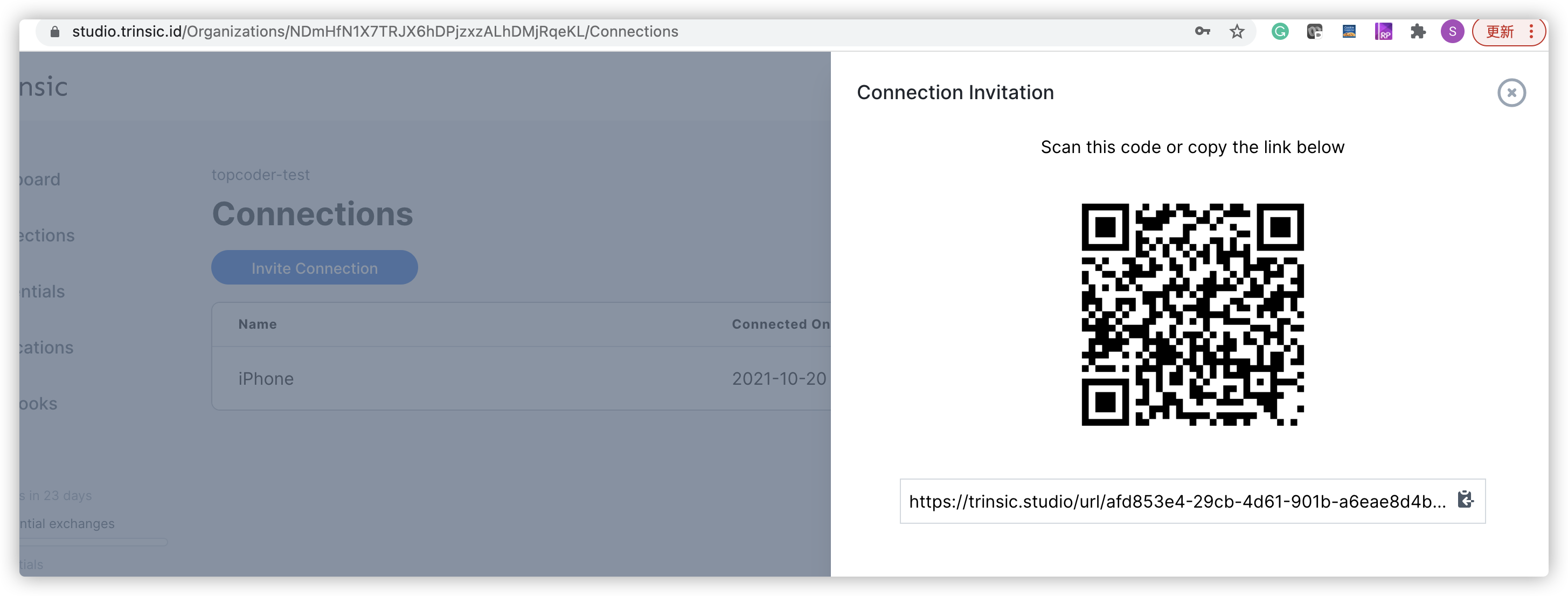
Thanks
Would love to get this in the framework however! If you're able to get the full url (is it just a fetch?) and can show some code on how you did it, I can make a PR to AFJ (or you can make a PR yourself if you would like to contribute!)
Just open the https://trinsic.studio/url/afd853e4-29cb-4d61-901b-a6eae8d4b830 in the browser, and then it's turned into a valid invitation URL.
Yeah but if I do a get request on it in Postman I get the following result. So I'm not sure how to get the correct url if you're not in a browser
<!DOCTYPE html>
<html>
<meta name="viewport" content="width=device-width, initial-scale=1.0">
<meta>
  <title>Trinsic Invitation</title>
  <link rel="icon" href=/_content/Brand.Client/images/Icon.svg type="image/svg">
</meta>
<link rel="stylesheet" href="/styles.css">
<link rel="stylesheet" href="https://stackpath.bootstrapcdn.com/bootstrap/4.3.1/css/bootstrap.min.css" integrity="sha384-ggOyR0iXCbMQv3Xipma34MD+dH/1fQ784/j6cY/iJTQUOhcWr7x9JvoRxT2MZw1T" crossorigin="anonymous">
<script src="https://code.jquery.com/jquery-3.3.1.slim.min.js" integrity="sha384-q8i/X+965DzO0rT7abK41JStQIAqVgRVzpbzo5smXKp4YfRvH+8abtTE1Pi6jizo" crossorigin="anonymous"></script>
<script src="https://cdnjs.cloudflare.com/ajax/libs/popper.js/1.14.7/umd/popper.min.js" integrity="sha384-UO2eT0CpHqdSJQ6hJty5KVphtPhzWj9WO1clHTMGa3JDZwrnQq4sF86dIHNDz0W1" crossorigin="anonymous"></script>
<script src="https://stackpath.bootstrapcdn.com/bootstrap/4.3.1/js/bootstrap.min.js" integrity="sha384-JjSmVgyd0p3pXB1rRibZUAYoIIy6OrQ6VrjIEaFf/nJGzIxFDsf4x0xIM+B07jRM" crossorigin="anonymous"></script>

<body class="bg-grey">

<nav class="navbar navbar-expand-lg navbar-light bg-white">
  <span class="navbar-brand mb-0 h1 span-pad">
    <img class="img-responsive img-width"
         src=/_content/Brand.Client/images/Header_Logo.svg
         alt=Trinsic>
  </span>

  <div class="collapse navbar-collapse bg-white text-center" id="menu">
    <ul class="navbar-nav ml-md-auto d-md-flex"/>
  </div>
</nav>

<div id="root" class="p-md-5 m-md-5 p-1 m-1">
  <!-- Content Inserted Here (Connection Invitation, Credential Offer, or Connectionless Verification) -->
</div>

  <footer class="footer mt-auto bg-white">
    <div class="container-fluid">
      <div class="row align-items-center justify-content-between">

        <div class="col-md-7 col-12">
          <h6>Don't have Trinsic Wallet? You can download it on both iOS and Android:</h6>
        </div>

        <div class="col-md-5 col-12">
          <div class="right-on-md-and-up text-center">
            <a href="https://apps.apple.com/us/app/streetcred-identity-agent/id1475160728">
              <img class="footer-img" src="/images/AppStore.png">
            </a>
            <a href="https://play.google.com/store/apps/details?id=id.streetcred.apps.mobile">
              <img class="footer-img" src="/images/GooglePlay.png">
            </a>
          </div>
        </div>

      </div>
    </div>
  </footer>

</body>

<script src="https://cdnjs.cloudflare.com/ajax/libs/qrious/4.0.2/qrious.min.js" integrity="sha256-25ncr0CpJhgbzkUiR3wu/Fkk9sSykRG2qX+upHfJUos=" crossorigin="anonymous"></script>
<script src="/_content/Brand.Client/js/Link.js"></script>
</html>
Try this: https://stackoverflow.com/questions/60821948/unshortening-a-url-using-axios