
openvino_notebooks
 openvino_notebooks copied to clipboard
 openvinotoolkit
[IWD]How to generate your AI painting with notebook
-
System Requirements
-
Installation Guide
-
Run
225-stable-diffusion-text-to-image
Launch OpenVINO notebook in your web browser:
&cd notebooks
&jupyter lab notebooks
[Step 1]: double click the fold 225-stable-diffusion-text-to-image in left column.
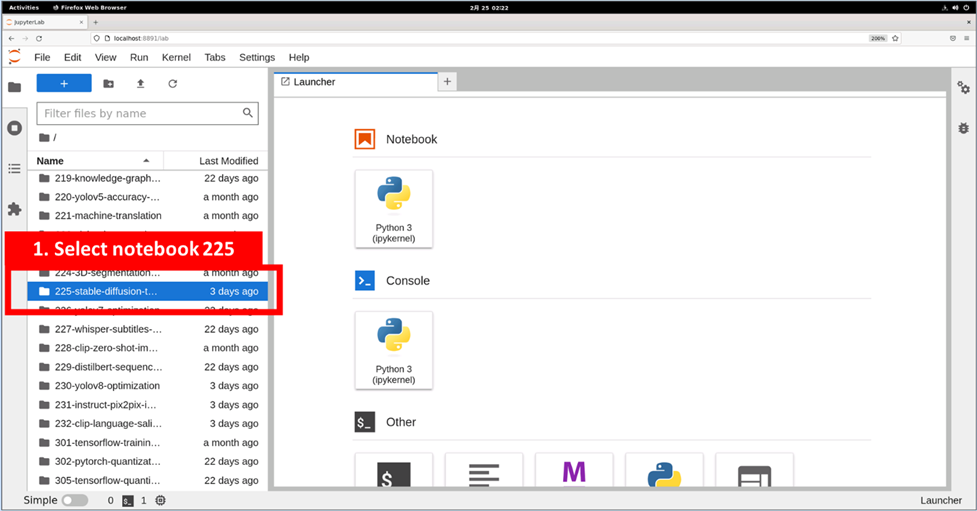
[Step 2], Select file 225-stable-diffusion-text-to-image.ipynb in left column
[Step 3], Select the first code block of 225-stable-diffusion-text-to-image.ipynb
[Step 4], Keep clicking the Run button until we reach the code block in step5
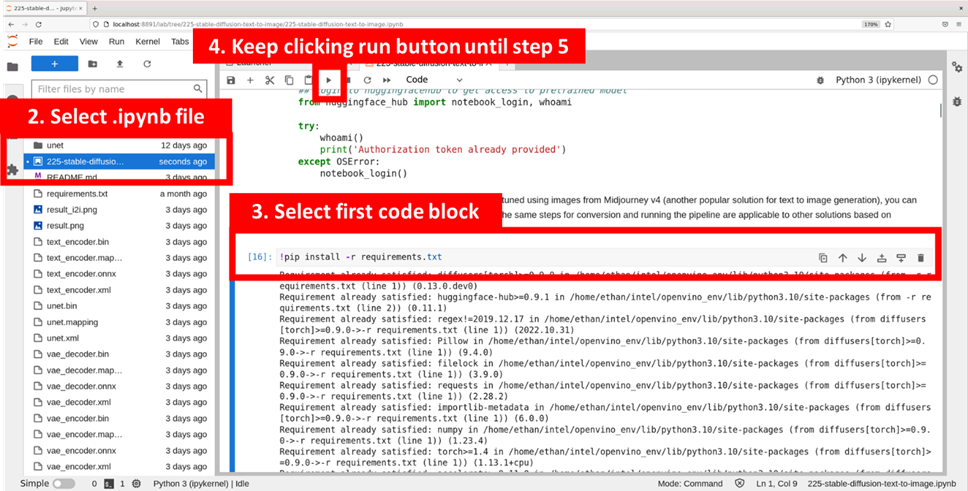
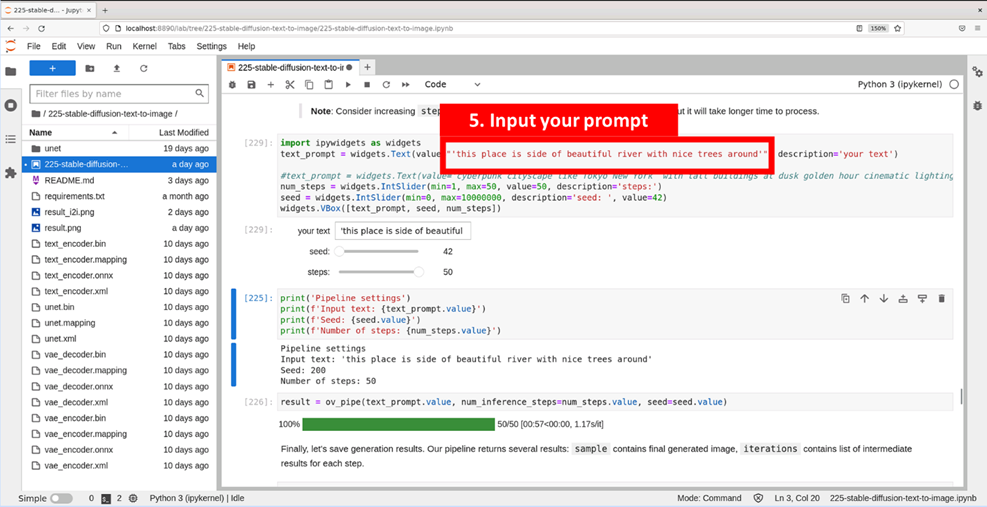
[Step 5], Input your prompt sentence as the picture below, and it will help to customize your AI generated picture. Optionally, you can also change the random generator seed for latent state initialization and number of steps.
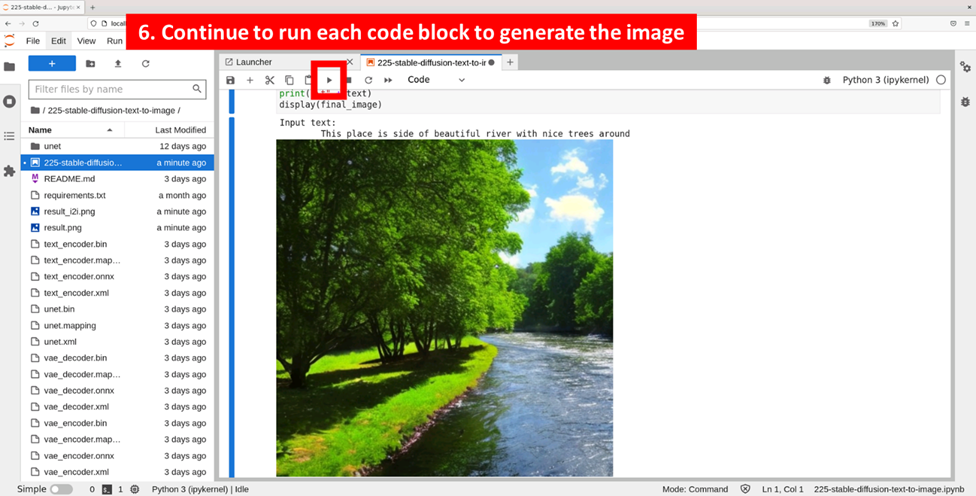
[Step 6], Continue to run each code block until the customized picture generates. If the result needs to be updated, you can go back to Step 5 to modify the prompt and repeat the Step 6.
You can also follow the instruction video below to generate your paintings:
https://user-images.githubusercontent.com/91237924/223928007-ad30465c-d8ea-48d7-9f59-35509bb7902d.mp4

Got my result! :) and here is how I get it! -- the result.png is actually in the folder.


Got my result! :) and here is how I get it! -- the result.png is actually in the folder.
Looks great, could you also post it on our submission pages, thanks https://github.com/openvinotoolkit/openvino_notebooks/discussions/879
I followed the steps but no image generated, just edit the text prompt and description.


I followed the steps but no image generated, just edit the text prompt and description.
Did you run each block? is there any error message coming out ?
If the block is run correctly, you can find a number tagged in the left as the examples picture shows, but I don't see it in your screen shot.
And I also find you haven't downloaded the models for this demo. It should be done in these step:

I followed the steps but no image generated, just edit the text prompt and description.
Hi @Lannndun did you fix this issue ? how can I help you ?
This issue will be closed in a week because of 9 months of no activity.
![github-actions[bot] avatar](https://avatars.githubusercontent.com/in/15368?v=4 "Published by a pub.dev verified publisher")