

 openstreetmap
Add ability to lock a straight line when it has intermediary nodes on it
Description
A common situation is that there is a line (e.g. a wall or a road) which is straight, but which needs to be joined with other lines.
The problem is that if you intend only to move the adjoining lines to their correct place along the wall, you also invariably destroy the straightness of the original line.
This isn't a problem when you first join the new line to the straight line, but manifests when you subsequently adjust the newly created node.
I'm not sure what the solution is; perhaps when a point has lines two lines coming out of it at 180 degress, then it should 'snap' along that axis as you move it, and only break out of the line if you move it far away. So if you did intend to add a slight angle, you may need to move the point twice, once to break that snapping (then let go of the mouse) and the second time to re-adjust it back to a place where it's 2 exiting lines make e.g. a 170 degree angle.
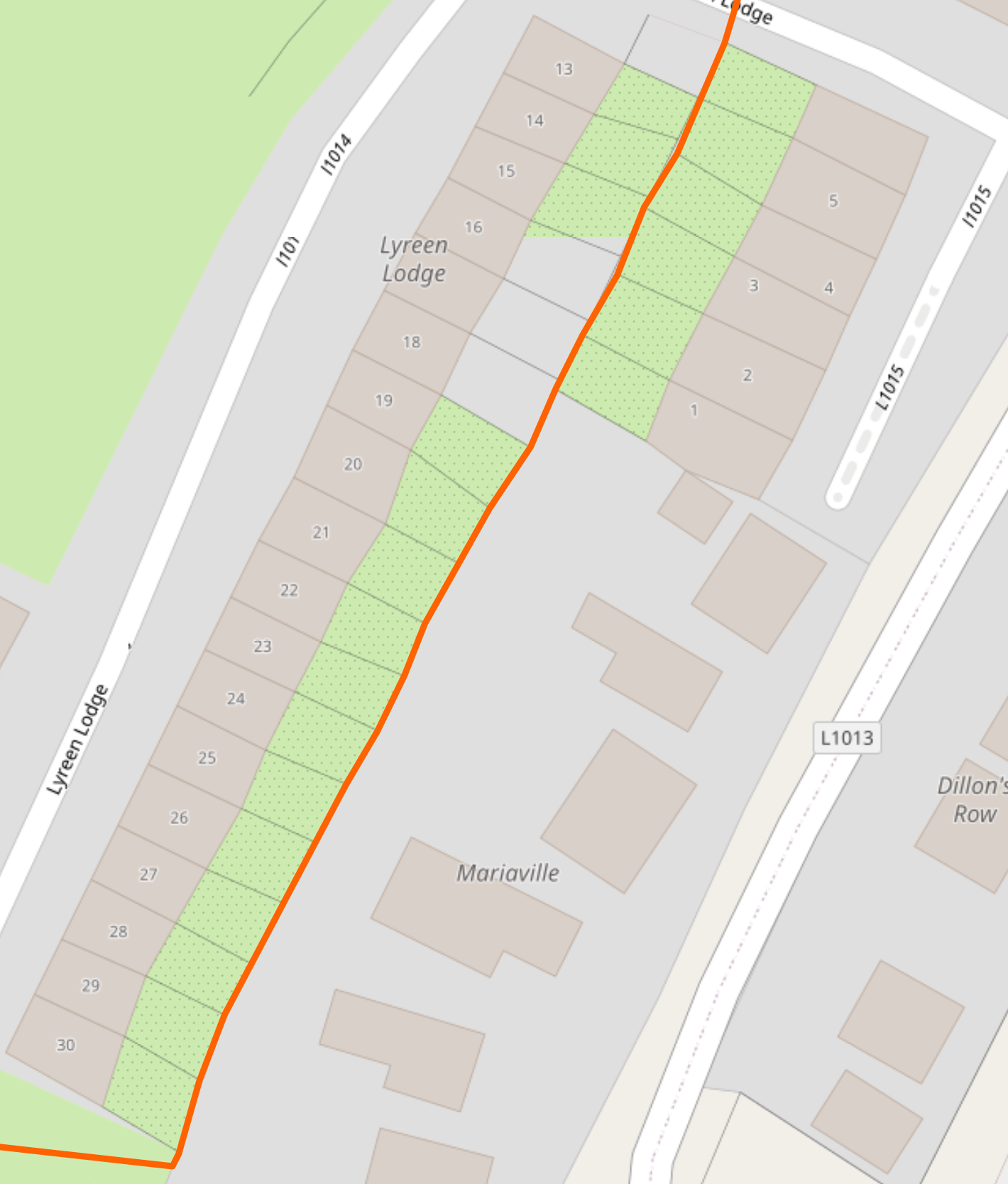
I've attached a screenshot of the result of the problem, where correcting the number of houses in a row, and redistributing their walls and gardens has resulted in a 'higgledy piggledy' effect.
An alternative solution could be to select multiple points and right click to select a 'make straight' button, whereby end points of the selection would stay where they were, but intermediary points would be moved to the nearest spot on a line joining the two endpoints.
Screenshots

An alternative solution could be to select multiple points and right click to select a 'make straight' button, whereby end points of the selection would stay where they were, but intermediary points would be moved to the nearest spot on a line joining the two endpoints.
Um, that's exactly how it currently works:
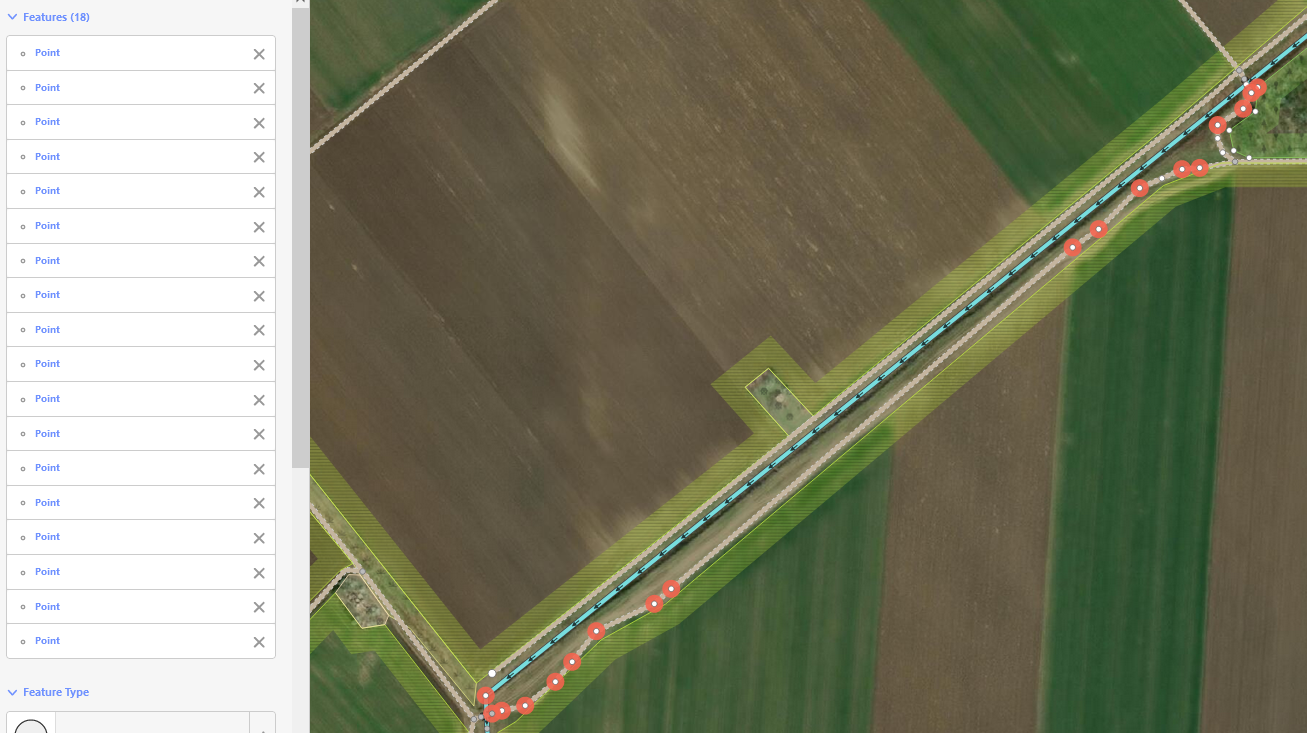 Note that I selected points from three separate ways, and after hitting [S] on the keyboard they all got lined up:
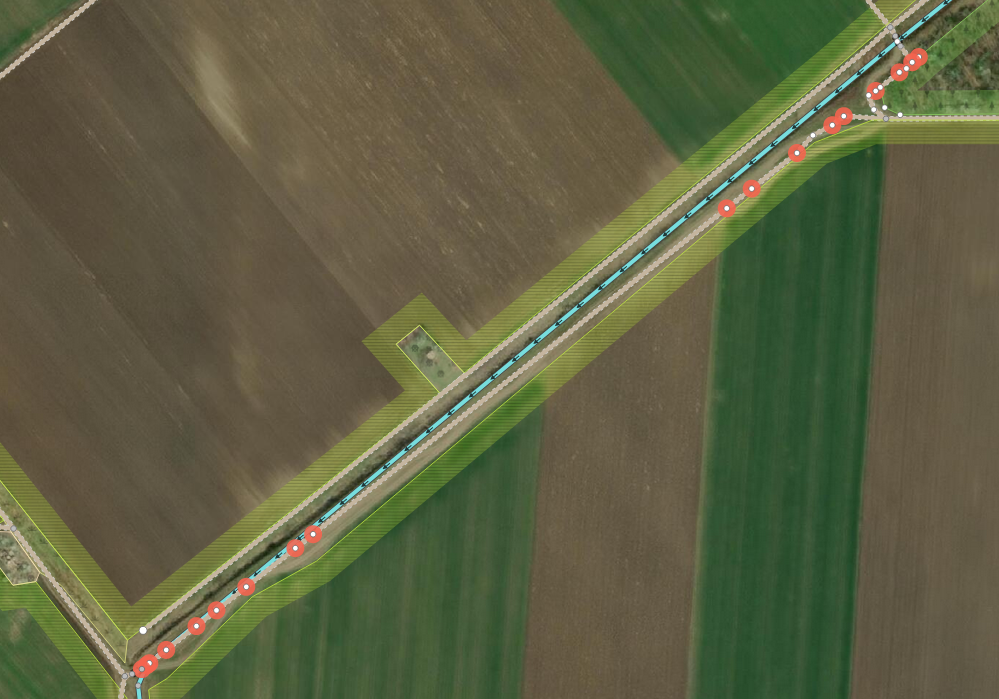

...uh, not exactly. They are lined up, but along some calculated symmetry line; the endpoints have been moved.
Ah okay, I definitely did look for this by selecting a bunch of points and right clicking; but I now see it whereas before there was only one option available! This is great!!
Ok, what about the first part of the idea, to implement 'snapping' so that it's easier to not get into this situation after a line is already straight?
It would be a useful feature, but I fail to imagine a workflow. More generally, one could temporarily "lock" an object so that it becomes "read-only", i.e. its shared nodes cannot be moved by operations on neighboring objects. But there are a lot of details to work out (e.g. can one add new nodes to a locked object?) and tricky situations (e.g. how would "make square" work on adjacent objects?)
No I'm not asking for locking, that would entail user managing the 'locked' state which is not what I was requesting.
I was saying that if in the editor, if 3 points are already perfectly aligned, then if you start dragging the middle point, it should be easy to drag it along the existing line (without accidentally destroying the linearity). So if you did intend to create a new angle and make the line non-straight, then you'd have to drag past a certain threshold in order to first 'break' the straight line.
An example would be when adding a fence which connects up to the middle of the gable of a house. The addition of the fence should not affect the straightness of the gable of the house; you can achieve this by double clicking on the middle of the existing gable line. But after that, you can easily destroy the straightness of the gable by adjusting where exactly the fence meets the gable. This sort of thing comes up all the time for me!
Note that in the above example, straightening the 3 points after the fact using the [S] key will (as DujaOSM pointed out) move the endpoints, which may in turn destroy position and right angles between the gable and the rest of the house.
Maybe one possible solution would be to introduce a special mode in the move operation (e.g. by pressing a modifier key such as
