

 openstreetmap
Change None background to white, change color of roads
Address Issue #9281
Changes:
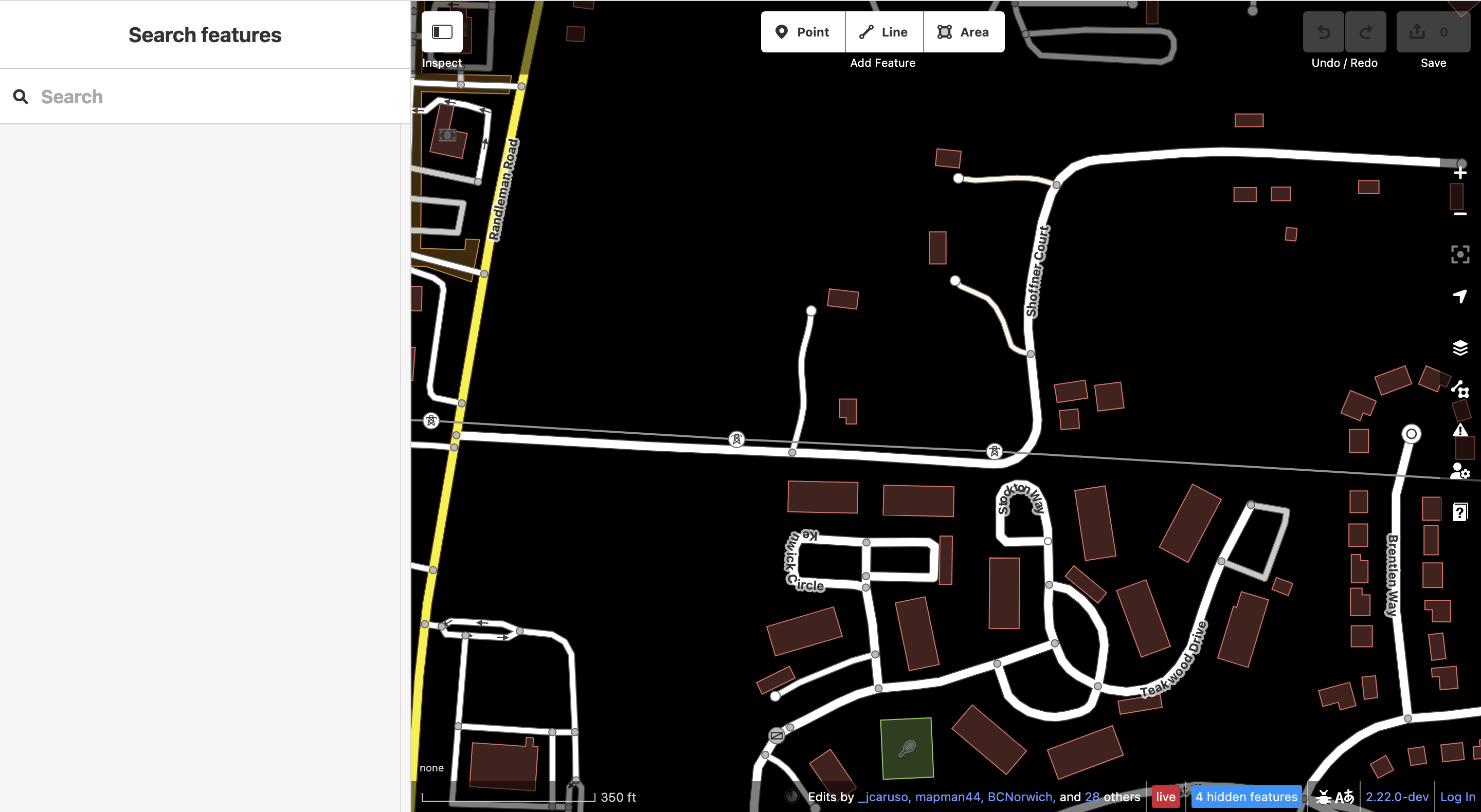
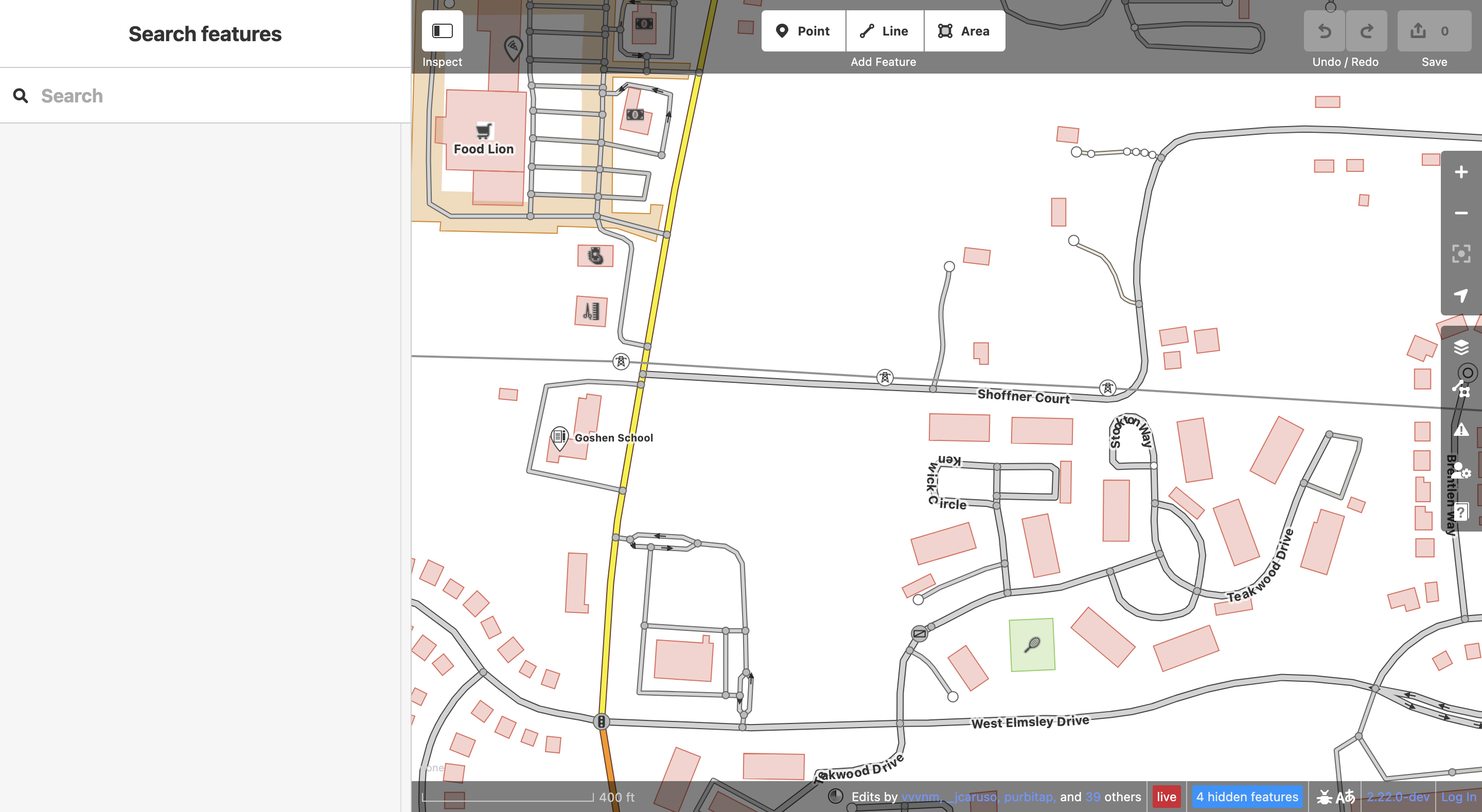
- Changed default map background to white
- Also changed residential and service roads to light grey, and driveways to a darker yellow.
Purpose: To improve readability and UX
Visuals:
Before:
 After:

Thanks for your effort. However, I think this needs a bit more thought (and work) to be useful. There are more features currently rendered as white lines or areas (e.g. the areas of hospitals or man made structures) which would have low contrast against the white background. Similarly, newly created and still untagged lines are rendered white and thus would be invisible on the white background. Further, the background of the context (right click) menu is also white, which is poorly visible against a white background.

I'd argue that getting flash banged does not improve readability and UX. But on a more serious note, most of the styling is made for aerial imagery, which is usually a darker color. That means using a white background actually decreases readability and UX due to less contrast, along with other issues that @tyrasd mentioned.
