
spug

spug copied to clipboard
 openspug
升级了ssh版本之后登录提示E02无法登录
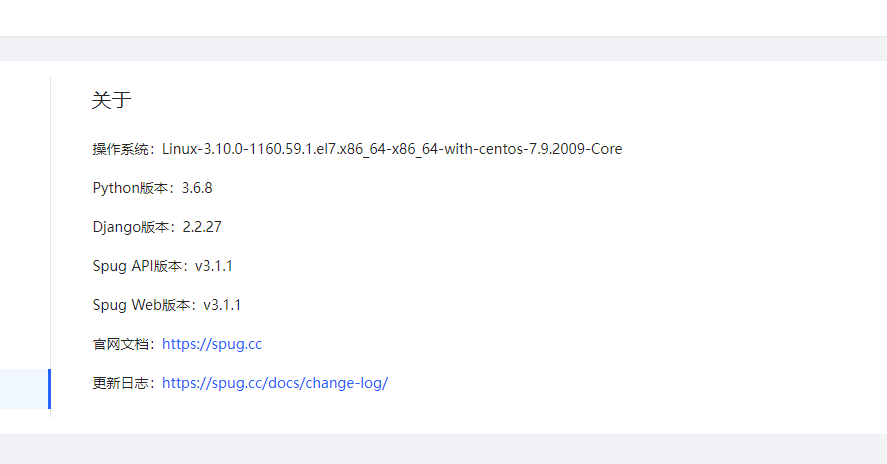
spug版本如下
 问题是这样的,我们升级了ssh的版本,发下spug连接不上,但是直接使用机器然后使用密钥互相跳登录也是可以的
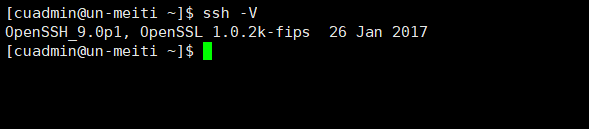
没升级之前的ssh版本
问题是这样的,我们升级了ssh的版本,发下spug连接不上,但是直接使用机器然后使用密钥互相跳登录也是可以的
没升级之前的ssh版本
 升级升级之后的


echo "PubkeyAcceptedKeyTypes=+ssh-rsa" >>/etc/ssh/sshd_config
service sshd restart
在目标机器上执行这两行命令后成功了。目标机器是centos 7.6的 ,openssh升级到8.8了。

@feixia5712 @darkz1984
已解决 解决方法:
# /root不能是77x
# 修改root权限,或根据自己需要进行修改
chmod 755 /root
分析过程:
- 下载spug源码,本地运行,定位到实际错误是Authentication failed;
- Spug 在接收到输入的密码后,会尝试通过密码连接目标主机并执行以下命令设置密钥认证;
mkdir -p -m 700 ~/.ssh
echo 'public key content ....' >> ~/.ssh/authorized_keys
chmod 600 ~/.ssh/authorized_keys
- 添加主机查看sshd状态
systemctl status sshd

# 可以看到报错信息
Mar 31 16:32:18 xxxxxxx sshd[xxxx]:
Authentication refused: bad ownership or modes for directory /root

# 检查root权限,发现是777
ll / | grep root
drwxrwxrwx.   8 root root   252 Mar 31 00:09 root
- sshd为了安全,对目录和文件权限有要求。如果权限不对ssh的免密码登陆就会不生效。
# /root不能是77x
# 修改root权限,或根据自己需要进行修改
chmod 755 /root
