
console
 console copied to clipboard
 openshift
ODC-6712 & ODC-6714: Add a build decorator for Shipwright Builds and builds section into topology sidebar for Shipwright Builds and BuildRuns
Fixes:
- ODC-6712: Add a build decorator for Shipwright Builds (latest BuildRun) in topology graph
- ODC-6714: Add builds section into topology sidebar (details tab) for Shipwright Builds and BuildRuns
Solution Description:
- Added a Decorator to the Shipwright-build-controller Deployment that would provide the status of the latest Build Run.
- When a user clicks on the decorator, they would be navigated to the BuildRun logs page.
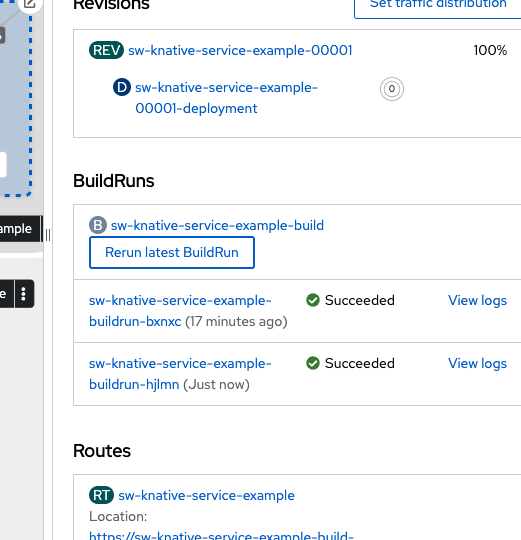
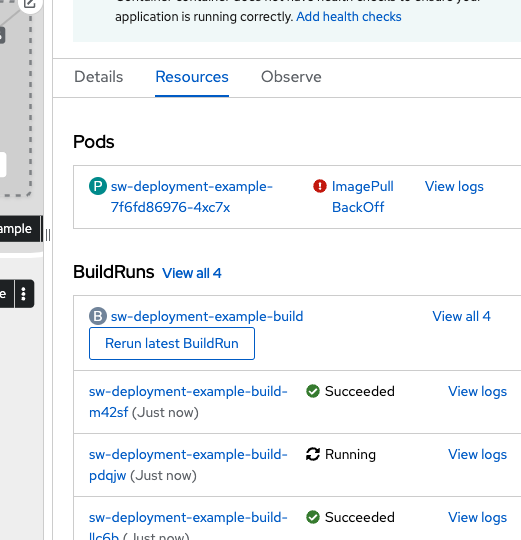
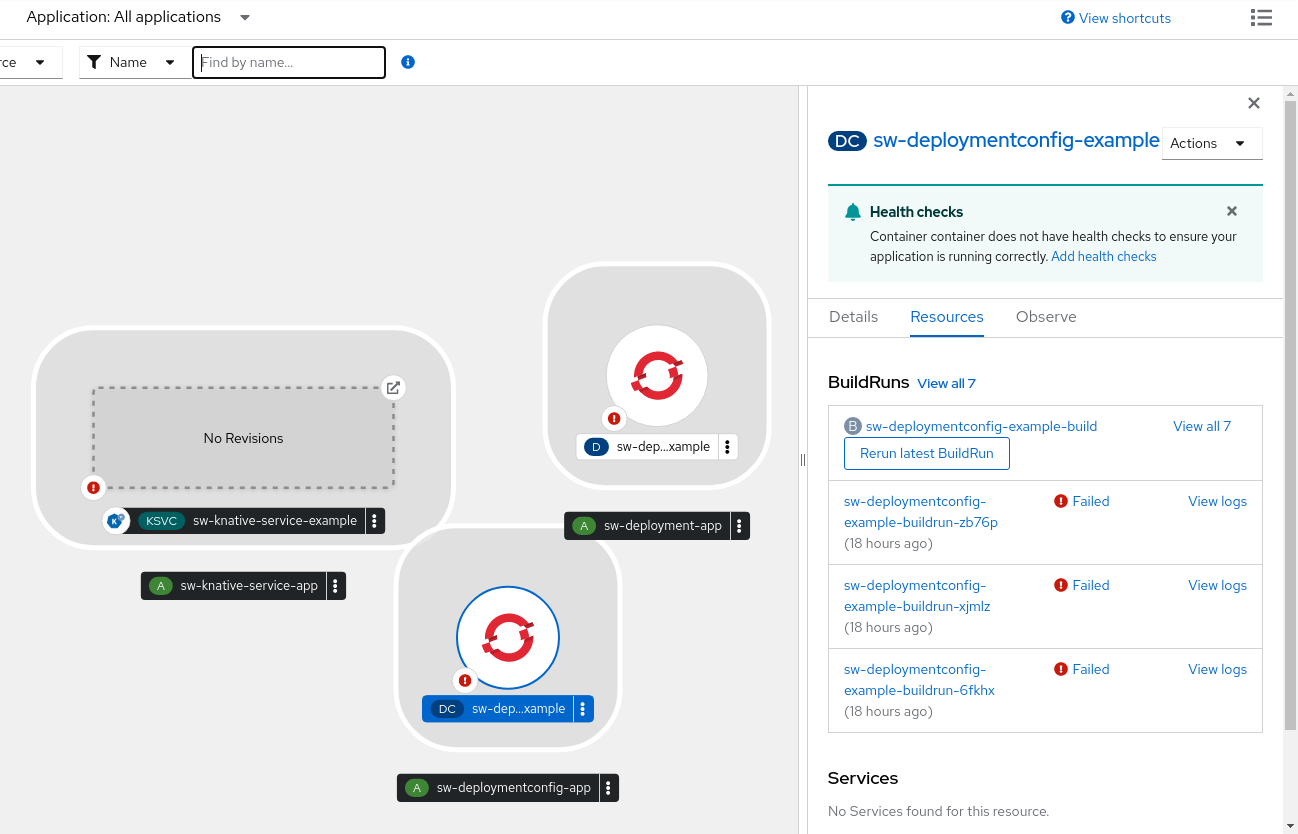
- Added BuildRun section to the existing Topology Sidebar below the Pods Section, which lists all the Shipwright Builds.
- Clicking on the Build Names redirects the user to the corresponding Builds Page.
- If there are Buildruns corresponding to a build, they are listed below the corresponding Build along with the View Logs link that takes the user to the logs of the corresponding BuildRun.
- The user is also given the facility to Start a Build from the Sidebar by clicking the Start Build button. If there are preexisting buildRuns to a Build, then the user is given the facility to re-run the latest BuildRun.
Screen shots / Gifs for design review:
ODC-6712: Add a build decorator for Shipwright Builds (latest BuildRun) in topology graph
https://user-images.githubusercontent.com/47265560/181737247-43250389-c700-415c-895f-d19ad017234c.mp4
ODC-6714: Add builds section into topology sidebar (details tab) for Shipwright Builds and BuildRuns
https://user-images.githubusercontent.com/47265560/181735055-76eb89d1-b5c2-473a-a56b-8b7bff4083ad.mp4
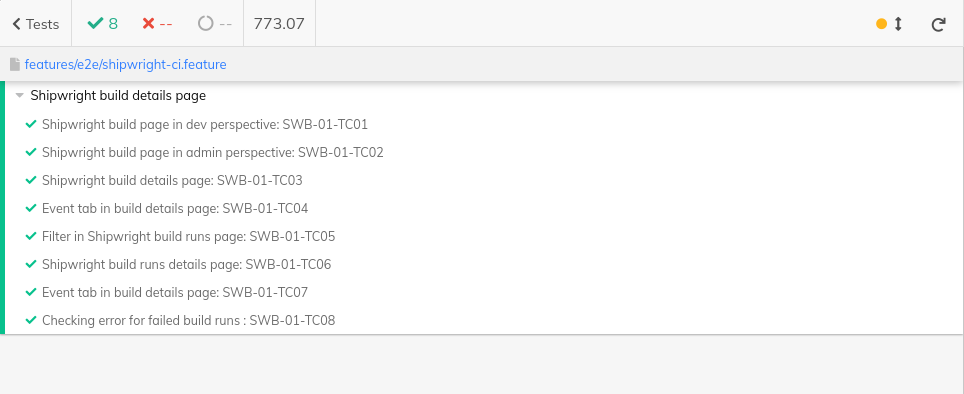
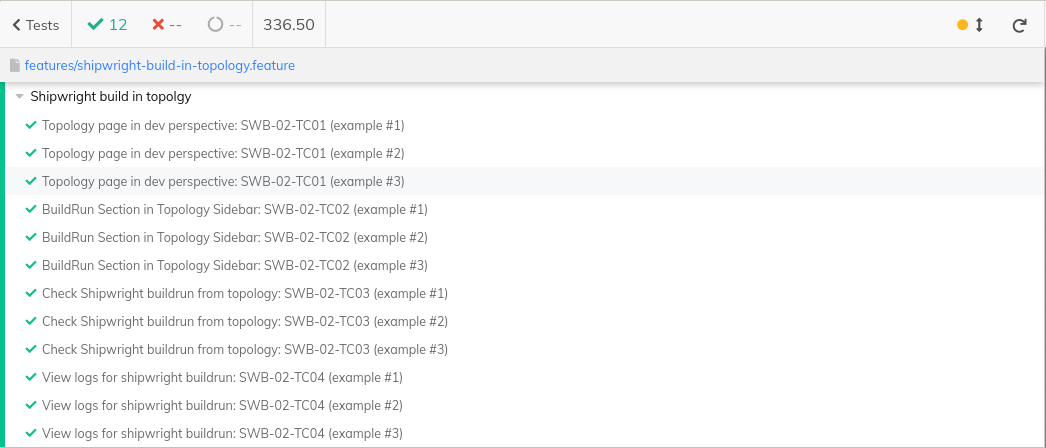
E2E test coverage report:
Test setup:
- Install the Shipwright operator along with the OC pipelines operator.
- Create a Shipwright Build instance.
- Navigate to the samples folder in the shipwright-plugin package and use the
oc create -f .to install the resources in the namespace. - Come to the Topology page in the
build-examplesnamespace. - Here, you will see various deployments/configs/k-servings created and will also the status of the BuildRun from the decorator attached to each of the resources.
- Click on each of the deployments/configs/k-servings to see the Topology Sidebar. You can see the new BuildRuns section below the Pods Section.
- You can Start a new BuildRun or run the latest BuildRun from there.
Browser conformance:
- [x] Chrome
- [x] Firefox
- [ ] Safari
- [ ] Edge

Tested the pr using cluster-bot, build decorator was not showing for deployment and deployment-config


Please check and correct the indentation of file frontend/packages/shipwright-plugin/integration-tests/features/shipwright-build-in-topology.feature


[APPROVALNOTIFIER] This PR is APPROVED
This pull-request has been approved by: debsmita1, invincibleJai, Lucifergene
The full list of commands accepted by this bot can be found here.
The pull request process is described here
- ~~frontend/packages/shipwright-plugin/OWNERS~~ [invincibleJai]
Approvers can indicate their approval by writing /approve in a comment
Approvers can cancel approval by writing /approve cancel in a comment
![openshift-ci[bot] avatar](https://avatars.githubusercontent.com/in/91280?v=4 "Published by a pub.dev verified publisher")
@Lucifergene: all tests passed!
Full PR test history. Your PR dashboard.
Instructions for interacting with me using PR comments are available here. If you have questions or suggestions related to my behavior, please file an issue against the kubernetes/test-infra repository. I understand the commands that are listed here.