
reporting
 reporting copied to clipboard
 opensearch-project
Report definitions only working correctly in the Private tenant space[BUG]
When creating a report definition in any other tenant space that is not private, the report definition will download the wrong dashboard. One is able to create a report definition in any tenant space successfully, but when downloading the generated report, it downloads the wrong thing.
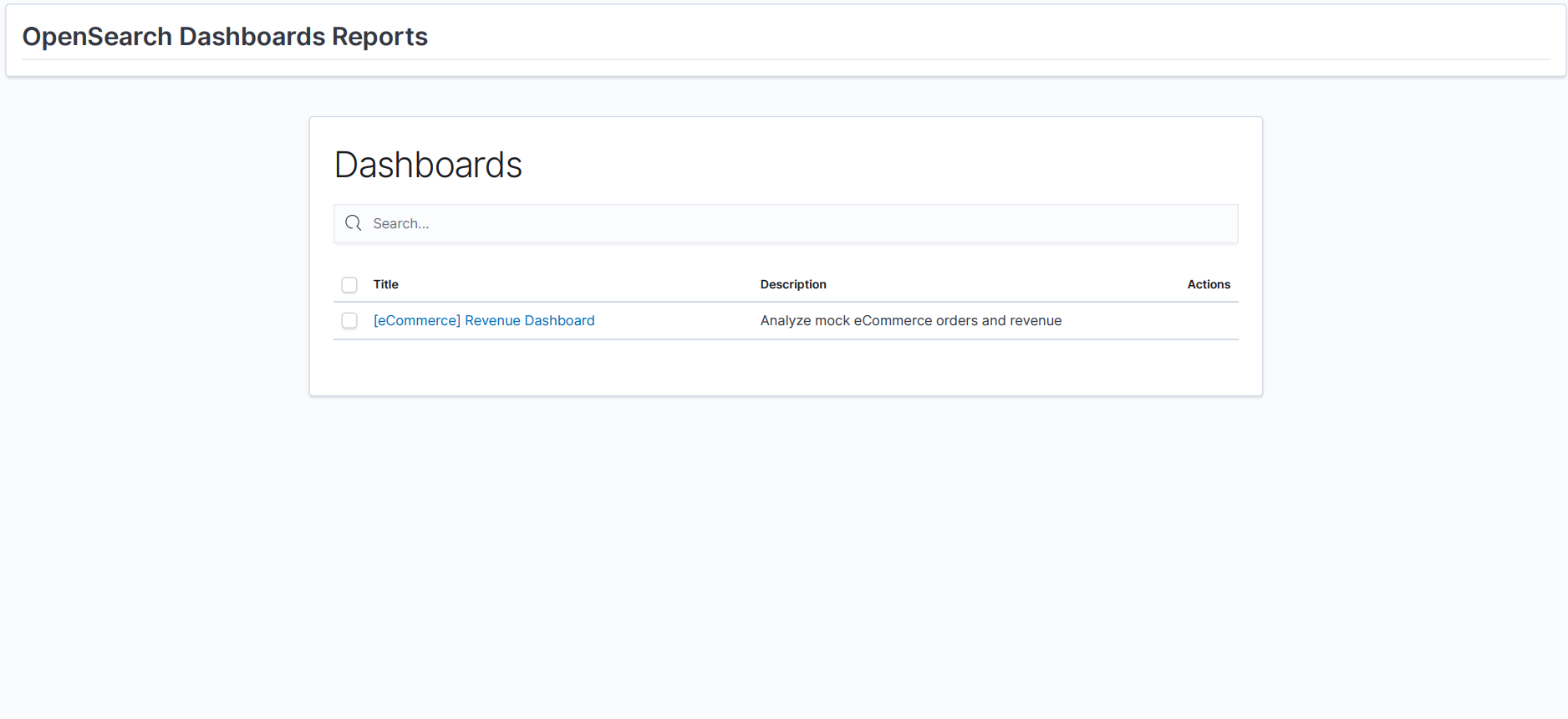 The above image shows the pdf that downloaded when I tried to download the report created in the report definition of the Admin tenant space. It generates the above because the dashboard that I tried to download is not available in the private tenant space, hence it cannot find it. Any advice if there is a fix for this?

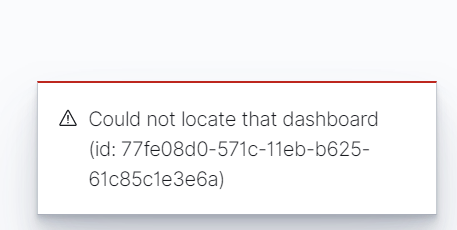
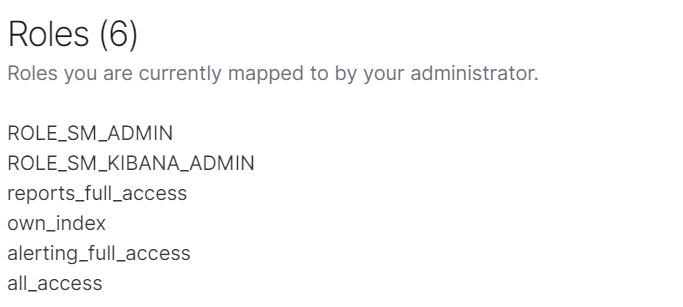 My user has reports_full_access
The URL is also changed when clicking on the Dashboard under source that is created via the report definition:
Suppose to look like this: http://172.17.5.251:5601/app/dashboards?security_tenant=admin_tenant#/view/7adfa750-4c81-11e8-b3d7-01146121b73d?_g=(time:(from:'2022-11-09T06:03:14.060Z',to:'2022-11-10T06:03:14.060Z'))&_a=(description:'Analyze%20mock%20flight%20data%20for%20OpenSearch-Air,%20Logstash%20Airways,%20OpenSearch%20Dashboards%20Airlines%20and%20BeatsWest',filters:!(),fullScreenMode:!f,options:(hidePanelTitles:!f,useMargins:!t),query:(language:kuery,query:''),timeRestore:!t,title:'%5BFlights%5D%20Global%20Flight%20Dashboard',viewMode:view)
Mine looks like this: http://172.17.5.251:5601/app/dashboards?security_tenant=POST#/view/7adfa750-4c81-11e8-b3d7-01146121b73d?_g=(time:(from:'2022-11-09T06:03:14.060Z',to:'2022-11-10T06:03:14.060Z'))&_a=(description:'Analyze%20mock%20flight%20data%20for%20OpenSearch-Air,%20Logstash%20Airways,%20OpenSearch%20Dashboards%20Airlines%20and%20BeatsWest',filters:!(),fullScreenMode:!f,options:(hidePanelTitles:!f,useMargins:!t),query:(language:kuery,query:''),timeRestore:!t,title:'%5BFlights%5D%20Global%20Flight%20Dashboard',viewMode:view)
Pay attention to what happens with the security tenant part.
@ARud12 I couldn't reproduce the issue. I tried downloading a report with custom tenant and the dashboard was not in private tenant. Could you add steps to reproduce the issue and logs?

I am using the security plugin, together with ldap configuration. Can this be an issue? Can it be a problem if I run opensearch 1.3.2 but opensearch dashboards 1.3.1?
Can you maybe tell me why the security_tenant is not passed in the URL? Instead of passing admin_tenant is passes POST as the tenant?
Log attached - pay attention to 304 error: container (9).log
opensearch and opensearch dashboards version should be compatible. Check if you get the same error for same version of opensearch and dashboards. If you get the same error, please share steps you followed so that I can reproduce the issue.
Error still occurs on version 1.3.2 for both opensearch and opensearch dashboards. Can you test on 1.3.2? Is there any explicit security configurations for the reports?
Create a dashboard in any other tenant space - try to download the report from the report definition. A report will download but it will be a screenshot of the dashboards tab of the Private tenant, because the dashboard I want to download is not available in the Private tenant space. Image above shows how the pdf looks like. Also attached logs.
Hi @ARud12, I tried downloading report from report definition in custom tenant space. worked fine for me. What do you mean by dashboard is not available in private tenant space? Are you using private tenant space but get a download report option from other tenant space or irrespective of your current tenant space, downloading reports tries to access private tenant space. Can you share how did you setup your system and how to reproduce this? Is this specific to one report or you get same error for every report?
Also, multi-tenancy related configurations for 1.3.x are here.
Irrespective of my current tenant space, downloading reports from the report definition tries to access the private tenant space. (this only happens with the reporting definition)
- Create a report definition in the Admin tenant space
- Try to download the report from the Admin tenant space
Expected result-Downloads the report created in the Admin tenant space
My result-Tries to access the private tenant space and is unable to download the correct dashboard because it enters the private tenant space where the dashboard is not accessible
Hi @ARud12, I couldn't reproduce the issue. Please check steps I followed and let me know if you have done anything differently so that I can reproduce the issue.
- Default opensearch 1.3.2 setup
- login as admin.
- switch to
admin_tenant. - add sample flights data in
admin_tenant. - create a report definition in
admin_tenant. - Download report from definition.
Also tried a different user with roles reports_full_access, own_index, alerting_full_access, all_access and downloaded report from definitions.
Although, I don't see security_tenant=POST in logs.
It is very strange. Do you have any idea what can be causing this? I am also using a gateway...
@rupal-bq Is there a specific index that needs to be accessible for the reports definition functionality to work properly? Can you also show me the reports_full_access configuration you are using? Can you also show me your security configuration for the roles reports_full_access, own_index, alerting_full_access, all_access?
It seems like with the report definitions, the security tenant is not passed through with the request.
@ARud12 Sorry for the delay but I am not able to reproduce this issue. If user has all_access then user has all permissions required. To understand the root cause, more information is required.
- Are you having this issue with pdf/png report only or csv as well?
- Does on-demand report from Dashboard's page work for you?
- We recently changed backend logic. Can reproduce this issue with new reporting plugin release in v2.5.0?
- Can you please provide setup steps to reproduce this issue? Thanks!
Can you show me the reports_full_access configuration you are using? Can you also show me your security configuration for the roles reports_full_access, own_index, alerting_full_access, all_access?
@ARud12 Please check https://opensearch.org/docs/1.2/security-plugin/access-control/users-roles/ for details on all roles and you can also check permissions at https://opensearch.org/docs/1.2/security-plugin/access-control/users-roles/
Please provide requested information so that we can reproduce the issue and dive deep to understand the root cause.
Problem is only with pdf/png report definition creation. On demand report generations works fine. Currently running OpenSearch and Opensearch dashboards 1.3.1 - is there any specific configuration for reports? Please refer to earlier comments on test setup.