

 openrazer
Support for BlackShark V2 Pro (1532:0528)
Device Info
- Name: Razer BlackShark V2 Pro
- Product Number: RZ04-03220100-R3U1
- Model Number: RZ04-0322
Device Information
    lsusb -d 1532: -v


Bus 005 Device 002: ID 1532:0528 Razer USA, Ltd Razer BlackShark V2 Pro
Device Descriptor:
  bLength                18
  bDescriptorType         1
  bcdUSB               1.10
  bDeviceClass            0
  bDeviceSubClass         0
  bDeviceProtocol         0
  bMaxPacketSize0        64
  idVendor           0x1532 Razer USA, Ltd
  idProduct          0x0528
  bcdDevice            1.00
  iManufacturer           3
  iProduct                4
  iSerial                 0
  bNumConfigurations      1
  Configuration Descriptor:
    bLength                 9
    bDescriptorType         2
    wTotalLength       0x0132
    bNumInterfaces          4
    bConfigurationValue     1
    iConfiguration          0
    bmAttributes         0x80
      (Bus Powered)
    MaxPower              100mA
    Interface Descriptor:
      bLength                 9
      bDescriptorType         4
      bInterfaceNumber        0
      bAlternateSetting       0
      bNumEndpoints           0
      bInterfaceClass         1 Audio
      bInterfaceSubClass      1 Control Device
      bInterfaceProtocol      0
      iInterface              1
      AudioControl Interface Descriptor:
        bLength                10
        bDescriptorType        36
        bDescriptorSubtype      1 (HEADER)
        bcdADC               1.00
        wTotalLength       0x0047
        bInCollection           2
        baInterfaceNr(0)        1
        baInterfaceNr(1)        2
      AudioControl Interface Descriptor:
        bLength                12
        bDescriptorType        36
        bDescriptorSubtype      2 (INPUT_TERMINAL)
        bTerminalID             6
        wTerminalType      0x0201 Microphone
        bAssocTerminal          0
        bNrChannels             1
        wChannelConfig     0x0000
        iChannelNames           0
        iTerminal               0
      AudioControl Interface Descriptor:
        bLength                 9
        bDescriptorType        36
        bDescriptorSubtype      6 (FEATURE_UNIT)
        bUnitID                 3
        bSourceID               6
        bControlSize            1
        bmaControls(0)       0x02
          Volume Control
        bmaControls(1)       0x00
        iFeature                0
      AudioControl Interface Descriptor:
        bLength                 9
        bDescriptorType        36
        bDescriptorSubtype      3 (OUTPUT_TERMINAL)
        bTerminalID             7
        wTerminalType      0x0101 USB Streaming
        bAssocTerminal          0
        bSourceID               3
        iTerminal               0
      AudioControl Interface Descriptor:
        bLength                12
        bDescriptorType        36
        bDescriptorSubtype      2 (INPUT_TERMINAL)
        bTerminalID             1
        wTerminalType      0x0101 USB Streaming
        bAssocTerminal          0
        bNrChannels             2
        wChannelConfig     0x0003
          Left Front (L)
          Right Front (R)
        iChannelNames           0
        iTerminal               0
      AudioControl Interface Descriptor:
        bLength                10
        bDescriptorType        36
        bDescriptorSubtype      6 (FEATURE_UNIT)
        bUnitID                 2
        bSourceID               1
        bControlSize            1
        bmaControls(0)       0x01
          Mute Control
        bmaControls(1)       0x00
        bmaControls(2)       0x00
        iFeature                0
      AudioControl Interface Descriptor:
        bLength                 9
        bDescriptorType        36
        bDescriptorSubtype      3 (OUTPUT_TERMINAL)
        bTerminalID             5
        wTerminalType      0x0301 Speaker
        bAssocTerminal          0
        bSourceID               2
        iTerminal               0
    Interface Descriptor:
      bLength                 9
      bDescriptorType         4
      bInterfaceNumber        1
      bAlternateSetting       0
      bNumEndpoints           0
      bInterfaceClass         1 Audio
      bInterfaceSubClass      2 Streaming
      bInterfaceProtocol      0
      iInterface              0
    Interface Descriptor:
      bLength                 9
      bDescriptorType         4
      bInterfaceNumber        1
      bAlternateSetting       1
      bNumEndpoints           1
      bInterfaceClass         1 Audio
      bInterfaceSubClass      2 Streaming
      bInterfaceProtocol      0
      iInterface              0
      AudioStreaming Interface Descriptor:
        bLength                 7
        bDescriptorType        36
        bDescriptorSubtype      1 (AS_GENERAL)
        bTerminalLink           7
        bDelay                  0 frames
        wFormatTag         0x0001 PCM
      AudioStreaming Interface Descriptor:
        bLength                14
        bDescriptorType        36
        bDescriptorSubtype      2 (FORMAT_TYPE)
        bFormatType             1 (FORMAT_TYPE_I)
        bNrChannels             1
        bSubframeSize           2
        bBitResolution         16
        bSamFreqType            2 Discrete
        tSamFreq[ 0]        16000
        tSamFreq[ 1]        48000
      Endpoint Descriptor:
        bLength                 9
        bDescriptorType         5
        bEndpointAddress     0x81  EP 1 IN
        bmAttributes           13
          Transfer Type            Isochronous
          Synch Type               Synchronous
          Usage Type               Data
        wMaxPacketSize     0x0090  1x 144 bytes
        bInterval               1
        bRefresh                0
        bSynchAddress           0
        AudioStreaming Endpoint Descriptor:
          bLength                 7
          bDescriptorType        37
          bDescriptorSubtype      1 (EP_GENERAL)
          bmAttributes         0x01
            Sampling Frequency
          bLockDelayUnits         0 Undefined
          wLockDelay         0x0000
    Interface Descriptor:
      bLength                 9
      bDescriptorType         4
      bInterfaceNumber        2
      bAlternateSetting       0
      bNumEndpoints           0
      bInterfaceClass         1 Audio
      bInterfaceSubClass      2 Streaming
      bInterfaceProtocol      0
      iInterface              0
    Interface Descriptor:
      bLength                 9
      bDescriptorType         4
      bInterfaceNumber        2
      bAlternateSetting       1
      bNumEndpoints           1
      bInterfaceClass         1 Audio
      bInterfaceSubClass      2 Streaming
      bInterfaceProtocol      0
      iInterface              0
      AudioStreaming Interface Descriptor:
        bLength                 7
        bDescriptorType        36
        bDescriptorSubtype      1 (AS_GENERAL)
        bTerminalLink           1
        bDelay                  0 frames
        wFormatTag         0x0001 PCM
      AudioStreaming Interface Descriptor:
        bLength                32
        bDescriptorType        36
        bDescriptorSubtype      2 (FORMAT_TYPE)
        bFormatType             1 (FORMAT_TYPE_I)
        bNrChannels             1
        bSubframeSize           2
        bBitResolution         16
        bSamFreqType            8 Discrete
        tSamFreq[ 0]         8000
        tSamFreq[ 1]        11025
        tSamFreq[ 2]        16000
        tSamFreq[ 3]        22050
        tSamFreq[ 4]        24000
        tSamFreq[ 5]        32000
        tSamFreq[ 6]        44100
        tSamFreq[ 7]        48000
      Endpoint Descriptor:
        bLength                 9
        bDescriptorType         5
        bEndpointAddress     0x02  EP 2 OUT
        bmAttributes           13
          Transfer Type            Isochronous
          Synch Type               Synchronous
          Usage Type               Data
        wMaxPacketSize     0x0090  1x 144 bytes
        bInterval               1
        bRefresh                0
        bSynchAddress           0
        AudioStreaming Endpoint Descriptor:
          bLength                 7
          bDescriptorType        37
          bDescriptorSubtype      1 (EP_GENERAL)
          bmAttributes         0x01
            Sampling Frequency
          bLockDelayUnits         0 Undefined
          wLockDelay         0x0000
    Interface Descriptor:
      bLength                 9
      bDescriptorType         4
      bInterfaceNumber        2
      bAlternateSetting       2
      bNumEndpoints           1
      bInterfaceClass         1 Audio
      bInterfaceSubClass      2 Streaming
      bInterfaceProtocol      0
      iInterface              0
      AudioStreaming Interface Descriptor:
        bLength                 7
        bDescriptorType        36
        bDescriptorSubtype      1 (AS_GENERAL)
        bTerminalLink           1
        bDelay                  0 frames
        wFormatTag         0x0001 PCM
      AudioStreaming Interface Descriptor:
        bLength                32
        bDescriptorType        36
        bDescriptorSubtype      2 (FORMAT_TYPE)
        bFormatType             1 (FORMAT_TYPE_I)
        bNrChannels             2
        bSubframeSize           2
        bBitResolution         16
        bSamFreqType            8 Discrete
        tSamFreq[ 0]         8000
        tSamFreq[ 1]        11025
        tSamFreq[ 2]        16000
        tSamFreq[ 3]        22050
        tSamFreq[ 4]        24000
        tSamFreq[ 5]        32000
        tSamFreq[ 6]        44100
        tSamFreq[ 7]        48000
      Endpoint Descriptor:
        bLength                 9
        bDescriptorType         5
        bEndpointAddress     0x02  EP 2 OUT
        bmAttributes           13
          Transfer Type            Isochronous
          Synch Type               Synchronous
          Usage Type               Data
        wMaxPacketSize     0x0120  1x 288 bytes
        bInterval               1
        bRefresh                0
        bSynchAddress           0
        AudioStreaming Endpoint Descriptor:
          bLength                 7
          bDescriptorType        37
          bDescriptorSubtype      1 (EP_GENERAL)
          bmAttributes         0x01
            Sampling Frequency
          bLockDelayUnits         0 Undefined
          wLockDelay         0x0000
    Interface Descriptor:
      bLength                 9
      bDescriptorType         4
      bInterfaceNumber        3
      bAlternateSetting       0
      bNumEndpoints           1
      bInterfaceClass         3 Human Interface Device
      bInterfaceSubClass      0
      bInterfaceProtocol      0
      iInterface              2
        HID Device Descriptor:
          bLength                 9
          bDescriptorType        33
          bcdHID               1.11
          bCountryCode            0 Not supported
          bNumDescriptors         1
          bDescriptorType        34 Report
          wDescriptorLength     426
         Report Descriptors:
           ** UNAVAILABLE **
      Endpoint Descriptor:
        bLength                 7
        bDescriptorType         5
        bEndpointAddress     0x83  EP 3 IN
        bmAttributes            3
          Transfer Type            Interrupt
          Synch Type               None
          Usage Type               Data
        wMaxPacketSize     0x0020  1x 32 bytes
        bInterval               1
Please post the output of
    ls -lah /dev/input/by-id/

lrwxrwxrwx 1 root root   9 Oct  6 19:05 usb-Razer_Razer_BlackShark_V2_Pro-event-if03 -> ../event4
Packet Captures
Synapse Screenshots
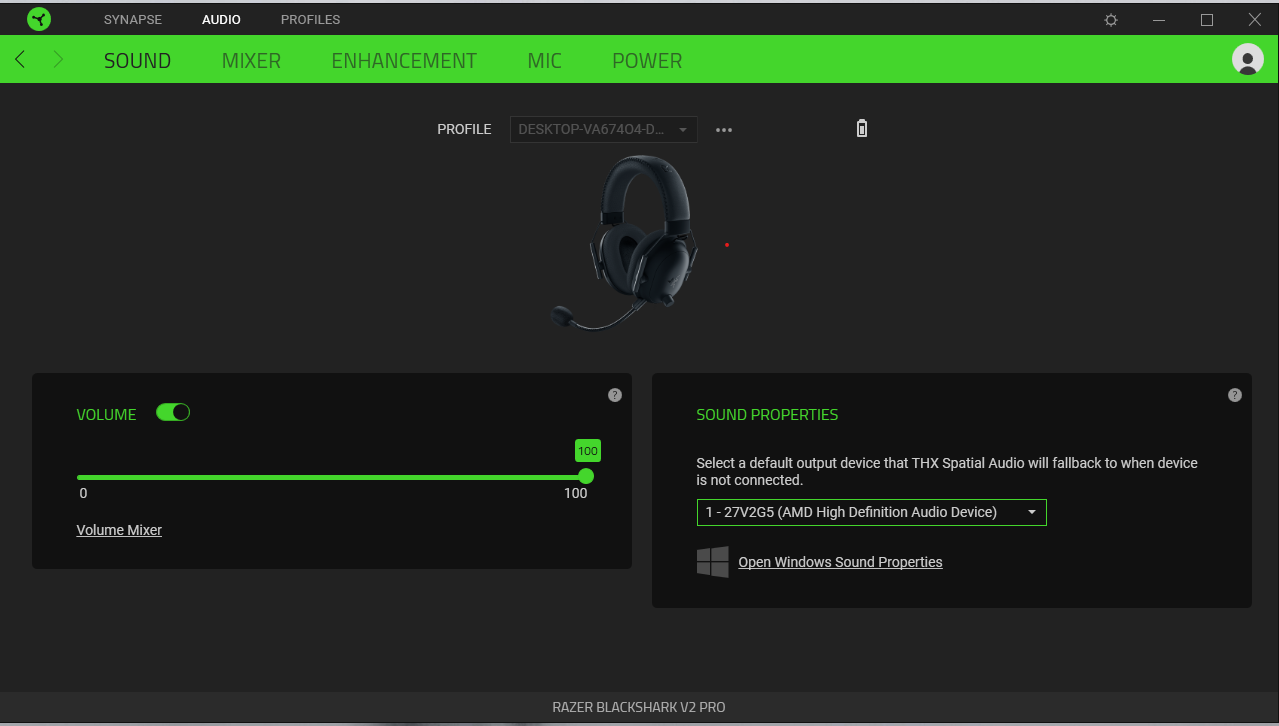
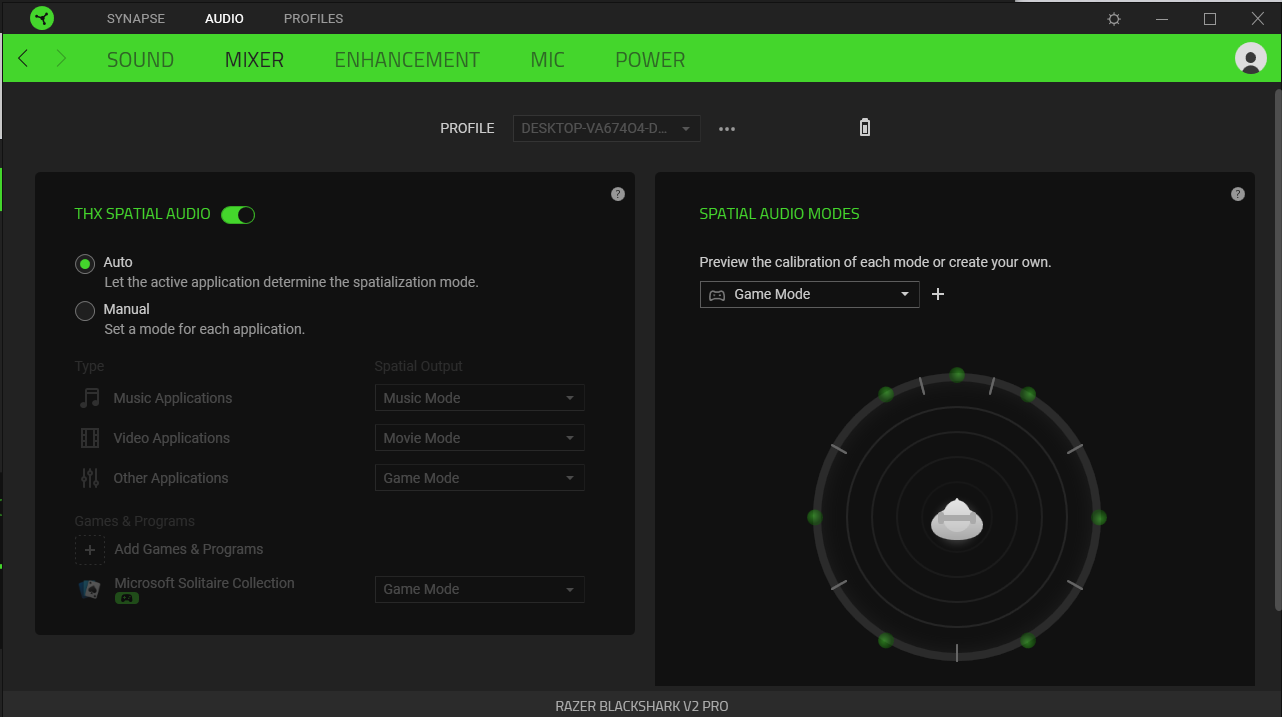
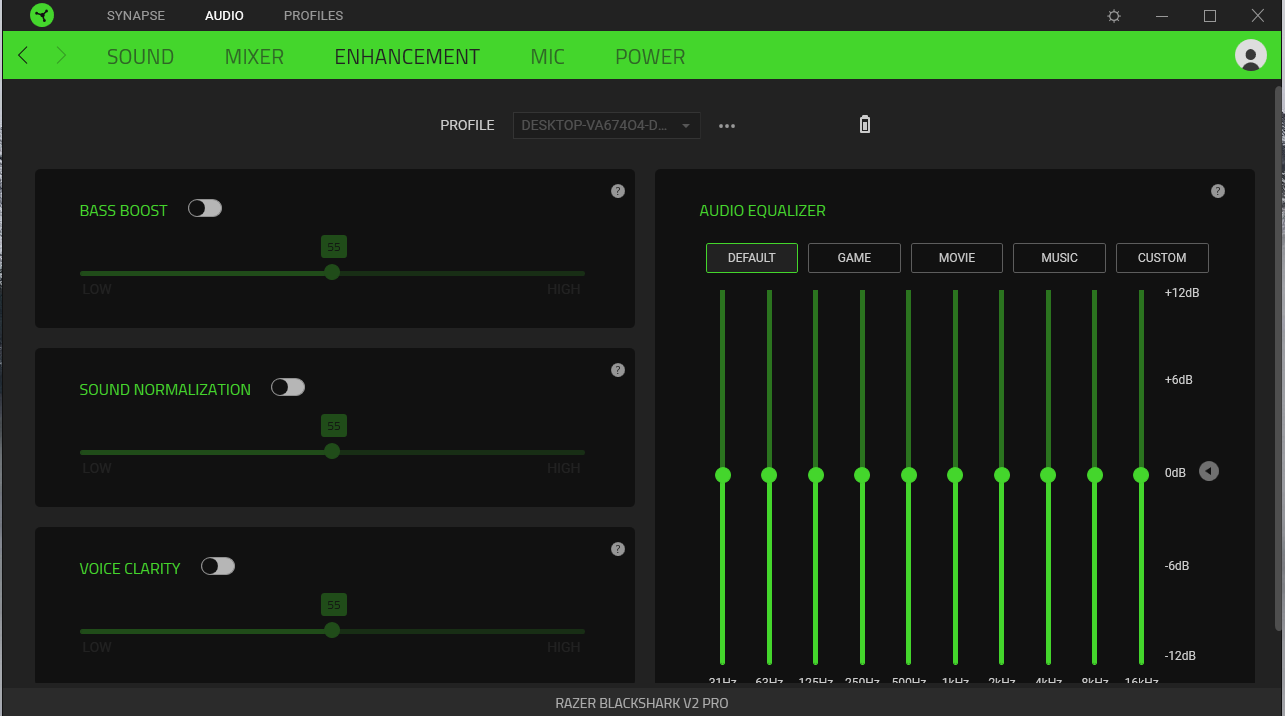
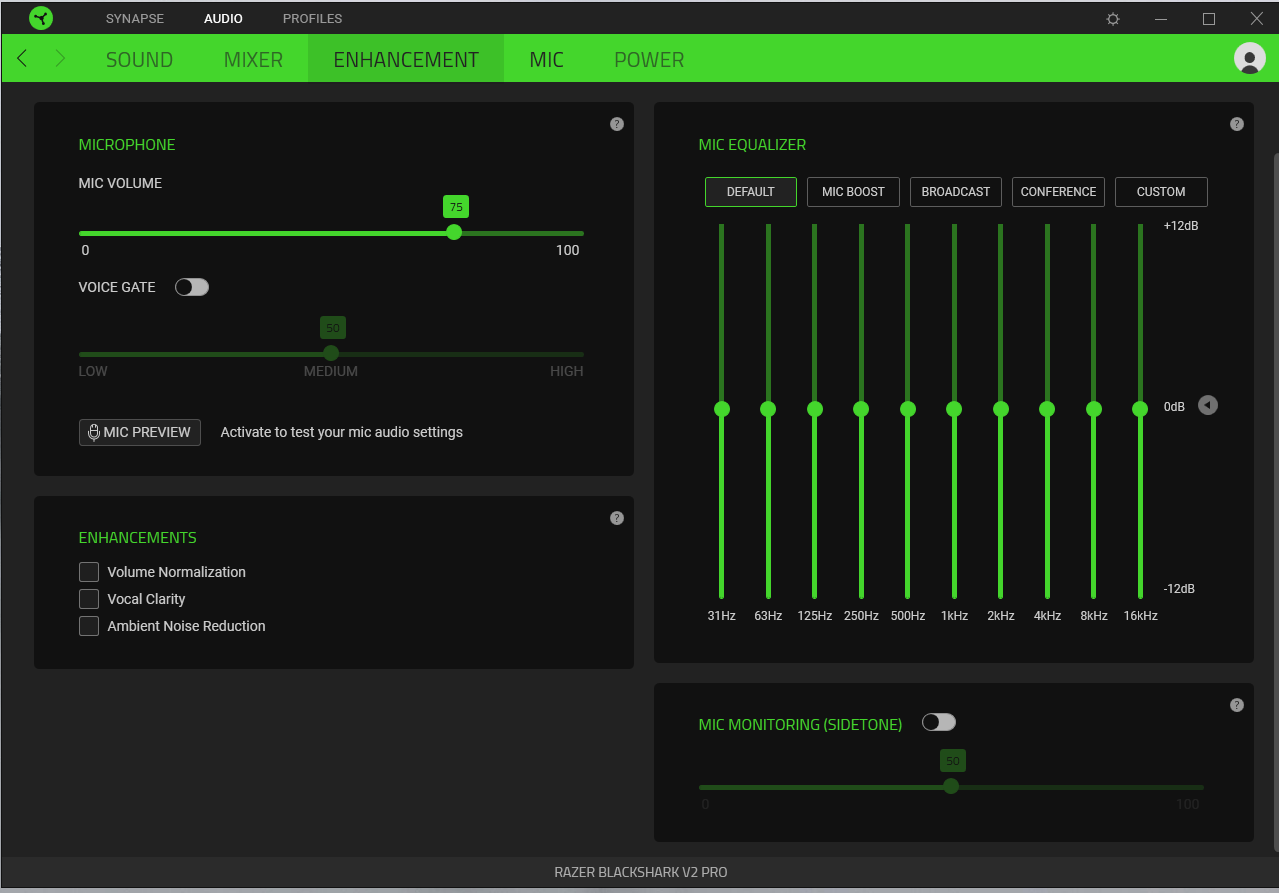


Any updates here? Is this the same as #1254 but for Pro version @cyferc?
Unlikely the same. Pro is Bluetooth enabled and has a different product ID.

Sorry, forgot I even made this, I will sit down this upcoming weekend to learn and capture the packets.
@mohammed-n-shamsi Any updates? I'm considering buying the V2 Pro but am not sure if it is compatible with Linux. I basically want to use it wirelessly (including the mic), don't care too much about the extra settings. Anybody can give me a hint? (I use Kubuntu with Ubuntu 20.04)

@Benzer1406 Just got mine. Everything works except the microphone on Ubuntu 20.10. I'm currently using my system's internal microphone as a substitute.
Hopefully, we can see progress on this issue, so the microphone can work in the future.

@ceiphr Thanks for the info. What distribution do you use? Have you OpenRazer installed and tried with that? @mohammed-n-shamsi do you think there might be an update soon?
@Benzer1406 Standard Ubuntu 20.10 with GNOME on Wayland. OpenRazer and Polychromatic installed.
@ceiphr https://github.com/openrazer/openrazer/issues/1254#issuecomment-746855753
Here somebody got it to work by changing some pulse audio settings. Could be helpful to look into that...
The mic works fine when you connect the cable, right?
@Benzer1406 Thanks for that.
@ceiphr #1254 (comment)
Here somebody got it to work by changing some pulse audio settings. Could be helpful to look into that...
I made a comment in that issue just now to see what pulseaudio settings were used.
The mic works fine when you connect the cable, right?
I just tried with the cable, still doesn't work. But, it's important to note that my AUX port is a bit janky, the output audio sounds a bit low/muffled too.
@ceiphr oh wow, that scares me. I just ordered my v2 Pro today. I read in 2 articles though that it works with Linux. What is weird is that with a normal audio jack cable the mic doesn't work. I suppose you used the one with three rings?!
I use Kubuntu with Ubuntu 20.04. I hope it'll work at least with the cable. Do you have a chance to check if it's your audio jack port or really the headset? (Maybe with a different headset or a different computer.
Not sure what else could be done...so sad as it's the premium model and quite expensive.
EDIT: Just saw the response in the other issue. Please let me know if it worked for you. I'm not too interested in the fancy sound controls, rather being able to use the headset and mic wirelessly.
@Benzer1406 I'll check tonight with another AUX-based headset.
Update: I can't even seem to get other AUX-based headsets to work right. So, disregard anything I've said about using the AUX with the headset. Hopefully, it will work for you.
EDIT: Just saw the response in the other issue. Please let me know if it worked for you. I'm not too interested in the fancy sound controls, rather being able to use the headset and mic wirelessly.
I will also test out those suggested tweaks tonight. I'll let you know how it goes.
Update: I also can't get the suggested fixes working. I'm unsure if it was a build issue or if it is related to this headset being wireless or having a detachable microphone. Maybe I did something wrong? I've never worked with this project before.
Hopefully, when you get your new headset, you will have better luck experimenting with this fork: https://github.com/cyferc/openrazer
For now, I think I'm fine with using my system's internal microphone. Please let me know if there is anything else I can do for this issue (e.g. Packet Captures).
@ceiphr Thanks for testing. I still have hope that the wireless will work as I read this thread (https://www.reddit.com/r/linux_gaming/comments/jyip39/razer_blackshark_v2_pro_poposubuntu_support/)
In the worst case I will use it with the cable, I ordered a 10ft cable which will give me enough liberty even though I'd obviously prefer using it wirelessly. I'm not sure what the packet capture is?
Do you think there is a chance of getting this project to officially support this model?
Thanks in any case for your help and effort.
@Benzer1406 I'm happy to hear other people could confirm it works!
Do you think there is a chance of getting this project to officially support this model?
I hope. I'm going to learn how to capture packets, so the devs can having something to work with (packets are the information the devs use for reverse engineering the headset's functionality). Although, I'm unsure when I can have that done.
Hi @ceiphr , I just got my Blackshark V2 Pro. As a reminder, I run Kubuntu 20.04. I plugged in the USB from Razer. It took 2 seconds and the system recognized speakers and a mic. I checked both and they work perfectly. The speakers sound really good and I checked the mic through a Zoom Call and it sounded fine, very close to what I listened to on YouTube.
I checked the cable and it worked perfectly as well but with a little bit less quality in both.
Super happy!!
The mic does not work for me in wireless mode. ~~Can anyone point to an article or explain how to do pcap for the headset?~~
I just found this: https://github.com/openrazer/openrazer/wiki/Reverse-Engineering-USB-Protocol

FYI OpenRazer support will change nothing about the audio bits, OpenRazer only controls lights on the device.

FYI OpenRazer support will change nothing about the audio bits, OpenRazer only controls lights on the device.
I own the BlackShark V2 Pro and as far as I can tell there is no RGB on it. Just a status LED. What I would be interested in though is being able to see the battery level with OpenRazer. Is that a use case that OpenRazer supports? If so, I can try to make it work for this headset.

@ede1998 Yes, battery level (if through the normal API Razer uses) is in scope of openrazer.
I followed the guide and made a few packet captures
Request charging state (device not charging)*:
0000   40 72 d5 23 af 93 ff ff 53 02 00 03 03 00 00 00
0010   61 af 40 62 00 00 00 00 dc 77 02 00 8d ff ff ff
0020   40 00 00 00 40 00 00 00 21 09 ff 03 03 00 40 00
0030   00 00 00 00 00 00 00 00 00 00 00 00 00 00 00 00
0040   ff 0a 00 fd 04 12 f1 02 05 00 00 00 00 00 00 00
0050   00 00 00 00 00 00 00 00 00 00 00 00 00 00 00 00
0060   00 00 00 00 00 00 00 00 00 00 00 00 00 00 00 00
0070   00 00 00 00 00 00 00 00 00 00 00 00 00 00 00 00
Now I'm a bit taken aback by how the packet looks. In the guide, it says the packet (usually) starts with 00ff but my data fragment starts with ff. Also it does not seem to contain the 3 reserved bytes 000000 indicated in the guide.
@z3ntu Do you have any suggestions/pointers for me? Am I reading the packet wrong? Or is it a completely different layout/protocol for this headset?
* at least I think that's what the packet capture contains. This sequence of packages was triggered when I selected the device in Synapse and it refreshed the charging state when I selected it.
We do see these packets in the pcaps:
Status Trans Packet Proto DataSize Class CMD Args
ff     0a    00fd   04    12       f1    02  050000000000000000000000000000000000
ff     0a    00fd   04    12       f1    02  410000000000000000000000000000000000
ff     0a    00ff   04    12       f1    05  410084030000000000000000000000000000
ff     0a    00ff   04    12       f1    05  4101100e0000000000000000000000000000
ff     0a    00ff   04    12       f1    05  410184030000000000000000000000000000
I've never seen those before so seems like they're using new functions in this device
For f1 05 the second bit is whether power saving is on.
3rd and 4th argument seems to depend on the power saving time:
- 0x84 0x03 = 15 minutes (little endian, so 0x0384 is 900 seconds = 15 minutes)
- 0x10 0x0e = 60 minutes (little endian, so 0x0e10 is 3600 seconds = 60 minutes)
Not really sure what f1 02 does, in the "is charging" pcaps the arguments are always the 05000000... one. And in the other pcaps it's always the 41000000... one
Thanks for the quick reply. I made a few more packet captures but they don't really seem to fit the scheme you were describing in your comment :/
direction  Status	Trans	Packet	Proto	DataSize	Class	CMD	Args not sure if this is right...
host > dev FF		0A	00FD	04	00		00	05	8160 C001 0000 0000 0000 0000 0000 0000 0000 0000 0000 0000 0000 0000 0000 0000 0000 0000 0000 0000 0000 0000 0000 0000 0000 0000 0000 0000
host > dev FF		0A	00FD	04	00		00	05	8160 C010 0000 0000 0000 0000 0000 0000 0000 0000 0000 0000 0000 0000 0000 0000 0000 0000 0000 0000 0000 0000 0000 0000 0000 0000 0000 0000
host > dev FF		0A	00FD	04	00		00	05	81AA C601 0000 0000 0000 0000 0000 0000 0000 0000 0000 0000 0000 0000 0000 0000 0000 0000 0000 0000 0000 0000 0000 0000 0000 0000 0000 0000
host > dev FF		0A	00FF	04	00		00	02	8400 0000 0000 0000 0000 0000 0000 0000 0000 0000 0000 0000 0000 0000 0000 0000 0000 0000 0000 0000 0000 0000 0000 0000 0000 0000 0000 0000
host > dev FF		0A	00FF	04	00		00	0C	002E C400 7F00 0060 C010 0000 0000 0000 0000 0000 0000 0000 0000 0000 0000 0000 0000 0000 0000 0000 0000 0000 0000 0000 0000 0000 0000 0000
host > dev FF		0A	00FF	04	00		00	0C	002E C410 7F00 0060 C001 0000 0000 0000 0000 0000 0000 0000 0000 0000 0000 0000 0000 0000 0000 0000 0000 0000 0000 0000 0000 0000 0000 0000
host > dev FF		0A	00FF	04	0E		F1	05	0104 00C0 0000 0000 0000 0000 0000 0000 0000 0000 0000 0000 0000 0000 0000 0000 0000 0000 0000 0000 0000 0000 0000 0000 0000 0000 0000 0000
host > dev FF		0A	00FF	04	0E		F1	05	0104 00D7 0000 0000 0000 0000 0000 0000 0000 0000 0000 0000 0000 0000 0000 0000 0000 0000 0000 0000 0000 0000 0000 0000 0000 0000 0000 0000

dev > host FF		01	00FE	00	04		0F	05	8160 C000 4E32 3134 3344 3133 3030 3033 3634 0000 0000 0000 0000 0000 0000 0000 0000 0000 0000 0000 0000 0000 0000 0000 0000 0000 0000 0000
dev > host FF		0C	05FE	00	04		0F	05	8160 C000 0EA8 5034 3344 3133 3030 3033 3634 0000 0000 0000 0000 0000 0000 0000 0000 0000 0000 0000 0000 0000 0000 0000 0000 0000 0000 0000
dev > host FF		0C	05FE	00	04		0F	05	8160 C000 4E32 3134 3344 3133 3030 3033 3634 0000 0000 0000 0000 0000 0000 0000 0000 0000 0000 0000 0000 0000 0000 0000 0000 0000 0000 0000
dev > host FF		0C	05FE	00	04		0F	05	81AA C601 4E32 3134 3344 3133 3030 3033 3634 0000 0000 0000 0000 0000 0000 0000 0000 0000 0000 0000 0000 0000 0000 0000 0000 0000 0000 0000
dev > host FF		1B	05FE	00	04		0F	14	8160 C048 4E32 3134 3344 3133 3030 3033 3634 0000 0000 0000 0000 0000 0000 0000 0000 0000 0000 0000 0000 0000 0000 0000 0000 0000 0000 0000
The dev > host packets are replies to the previous requests (order does not match in my code block). The 4E32 3134 3344 3133 3030 3033 3634 is the device's serial number. I also ran the firmware update tool and got packet captures that show the firmware version (though only for the transceiver not the headset itself, the headset has to be connected via USB directly, not wirelessly to read the firmware afaict).
I started working on implementing the driver (though I'm really unsure at the moment how correct packets should look like...). Do you have any suggestion how I can test the driver without actually sending the generated packets to my physical device (so I do not accidently brick it). I tried googling and found stuff like GadgetFS but I'm not really sure if that's what I need. I'd simply like to emulate the headset as a dummy usb device that does not react at all when I request device specific functions (or maybe lets me handcraft replies).
Hi @ceiphr , I just got my Blackshark V2 Pro. As a reminder, I run Kubuntu 20.04. I plugged in the USB from Razer. It took 2 seconds and the system recognized speakers and a mic. I checked both and they work perfectly. The speakers sound really good and I checked the mic through a Zoom Call and it sounded fine, very close to what I listened to on YouTube.
I checked the cable and it worked perfectly as well but with a little bit less quality in both.
Super happy!!
It also works for me (mic and sound) using a USB from Razer. I'm on Ubuntu 20.04.4 LTS (5.15.0-41-generic).

Any updates on getting the support? Headset works fine, but would love to be able to configure it more.

FYI OpenRazer support will change nothing about the audio bits, OpenRazer only controls lights on the device.
The mic works fine wirelessly for me. The thing I'm really missing is the sound shaping that the Windows driver software does. Is this something that OpenRazer is looking to address?

@Richard-Payne Depends on if it just means sending some command to the device to do that. If it's just a software-side feature then it's out-of-scope of OpenRazer and you can use some vendor-agnostic software that might be able to do this.
would be fine to see at least the battery level of the headset, maybe this could extended to all/most wireless/bluetooth razer's headset
btw sound and mic work fine for me

