
qfieldsync
 qfieldsync copied to clipboard
Published
20 hours ago •
 opengisch
opengisch
Can´t sync data collected in an offline Project
Describe the issue
I created an Offline project in QGIS and exported to Qfield. I collected some data and now when I try to import to QGIS Desktop there´s a message saying that QFieldSync can´t find a .qgs file
Reproduction steps
Steps to reproduce the behavior:
- Go to QGIS Desktop
- Click on 'Import from QField'
- Scroll down to 'error message'
Expected behavior
Data points collected on field must appear as a layer in QGIS desktop
Observed behavior
Nothing is imported
Screenshots and GIFs
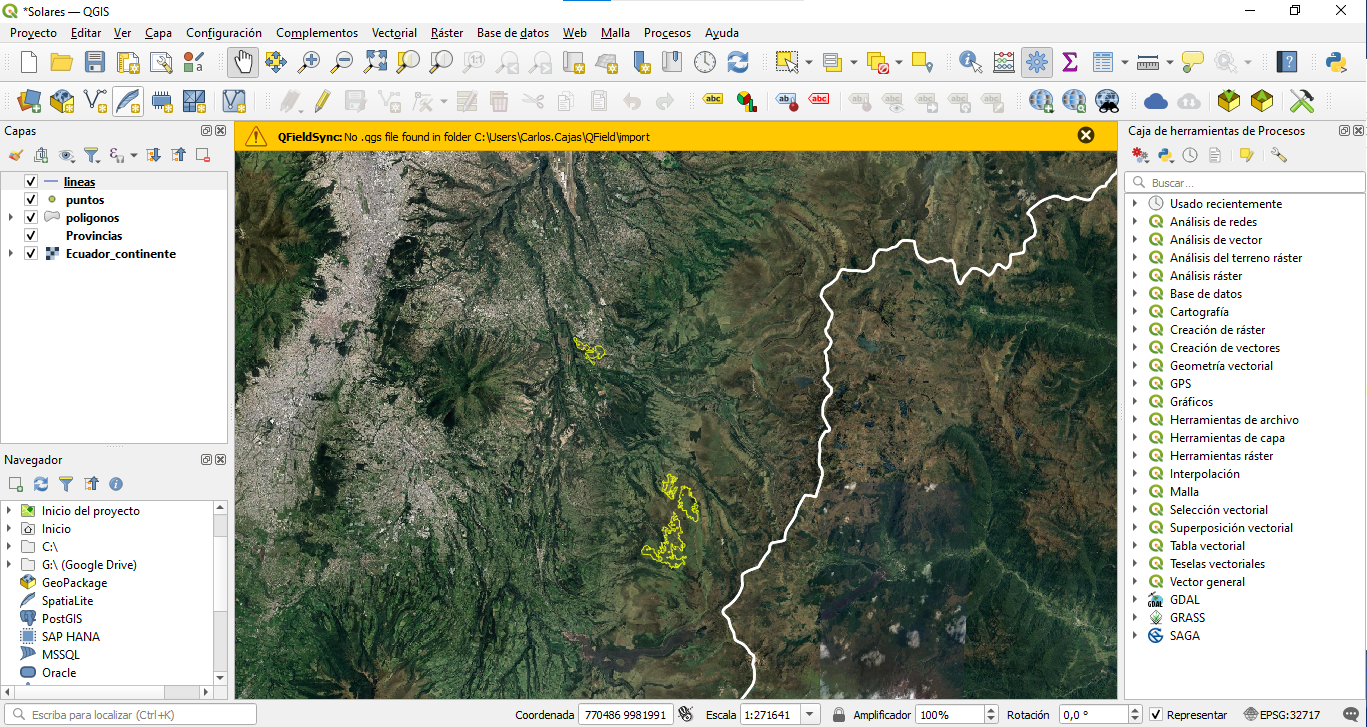
Desktop (please complete the following information)
- OS: Windows 10 Version 2009
- QGIS Version 3.22.8-Białowieża
- QFieldSync Version v4.1.1
Mobile (please complete the following information)
- Device: Xiamoi rednote 9
- OS: Android 11 RP1A.200720.011
- QField version: QField 2.2.3 - Coordinated Capyvara (772d14 v2.2.3)
Additional information
- Problem started happening recently, didn't happen in an older version of QField: Yes
- Problem can be reliably reproduced, doesn't happen randomly: Yes
- Problem happens with all files and projects, not only some files or projects: Yes

The same issue happened to me yesterday. Did you find any solution for it?
