qfieldsync
 qfieldsync copied to clipboard
 opengisch
Error on Sync: Attribute index out of bounds
Hello everyone, I'm trying to sync a project and, although no 'errors' are presented, the general panel log shows a stack of warnings like these and some of the layers are not updated.
2022-01-25T16:34:19 WARNING Attribute index 79 out of bounds [0;0]
2022-01-25T16:34:19 WARNING Attribute index 80 out of bounds [0;0]
...
2022-01-25T16:34:37 WARNING Attribute index 26 out of bounds [0;0]
2022-01-25T16:34:37 WARNING Attribute index 25 out of bounds [0;0]
The project uses 9 PostGIS layers but only a few of them are updatable. In the project, there are alterations in beiral_l (only updates), edificacao_a (only insertions), unidade_cadastral_p (only updates), unidade_avaliacao (insertion and updates), lote_a (only updates) and coleta_fotografia (only insertions). I've ommited some the prefixes on the layers' names to simplify my explaination
QFieldSync does updates on beiral_l, then inserts on edificacao_a, then inserts on coleta_fotografia, then updates lote_a, then inserts on unidade_avaliacao, but no updates are made on unidade_cadastral_p and unidade_avaliacao (I can tell the order in which each layer is updated by a log set up on the layers on the postgresql database).
I suspect these Attribute index N might have something to do with the attribute number on the table log_feature_updates on the .gpkg, since the numbers cited on the warning error correspond to attributes of the layers that are not being updated, but I don't know what to do from here.
The project: project.zip I'm using QGIS 3.16.16 (LTR as I speak) with QFIeldSync 3.4.4. I've tried several combinations, using the latest QFieldSync (4.xx) and also using the latest QGIS (3.22.x), none of them worked and all of them had the same behavior

Same behaviour with attached sample-project.
Rule-based symbology -is not working as a result of this issue in QField (left sind of follwing sceenshot) -is working in QGIS (right side of sceenshot)
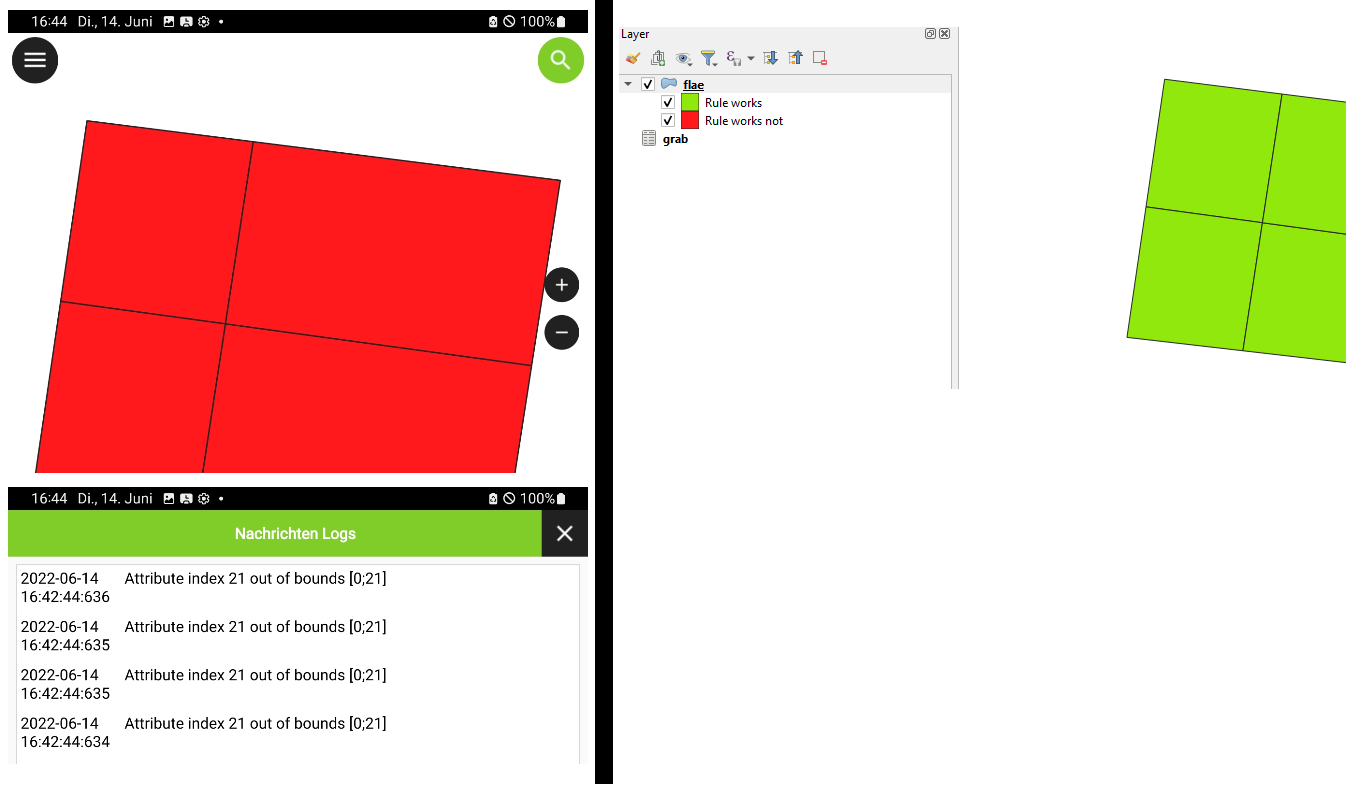

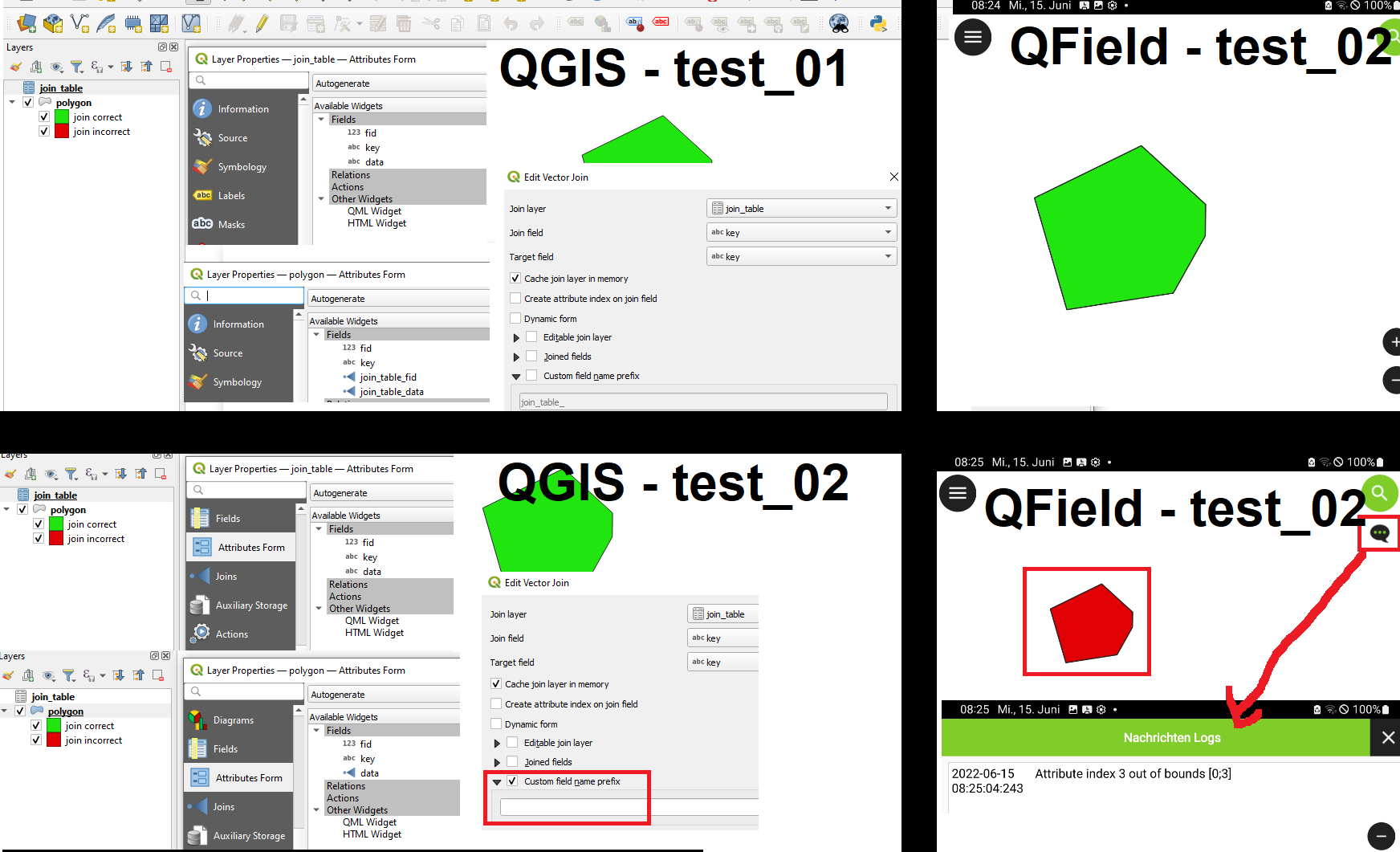
The issue occurrs when there is a join in the project and a empty "custom field name prefix" is used (and identical field-names are used). QGIS can handle this but QField produces "Attribute-Index... out of bounds [0;...]" errors. For example rule-based symbology depending on these fields are not working any longer.
In attached project test_01 the join is done with default "custom field name prefix". In attached project test_02 the join is done with empty-custom "custom field name prefix". (This approach makes it more easy to copy styling-rules between layers/projects without having to care about the exact name of the joined layer in the projects and the rules are still working ) The different results (whether the joins are working or not in QGIS / QField) are shown in following screenshot.
Probably the issue is not a QFieldSync but QField-Issue.
In my attachment the QGIS-template-projects and the export-projects are added.
Maybe its useful that QField is acting the same as QGIS or QFieldSync throws a warning during export-process.