

 openfl
App become forced to fullscreen after update
i have make my app 1280×720 in project.xml, but after update, it became forced to fullscreen and this causing a couple of bugs because app is made for 1280×720, please fix this issue


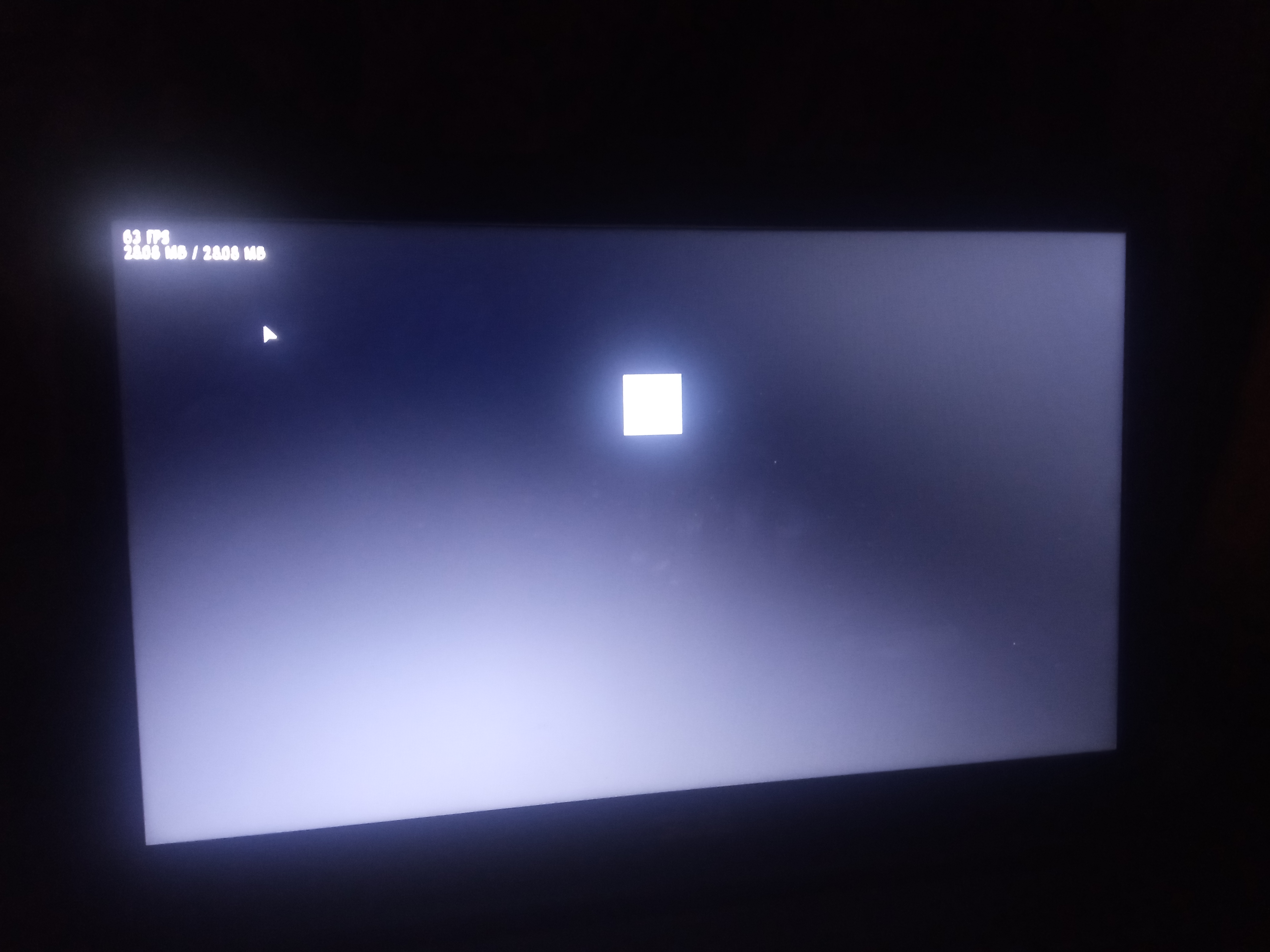
The same issue happens to me, I've set the app Width to 640 and height to 480 and in full screen the application window just ignore it, look a prove

@Sirox228 A couple of questions for you.
Do you have allow-high-dpi="true" in your project.xml file? We made some improvements to how things are scaled on desktop HiDPI screens. Previously, you needed to manually scale. Now, it happens automatically. If you have allow-high-dpi="true", can you try adding <haxedef name="openfl_dpi_aware"/> to your project.xml?
We also added a proper implementation of stage.scaleMode, which didn't work properly in previous versions. If you were setting stage.scaleMode to anything other than NO_SCALE, it will behave differently now.
If neither of those things provides any clues, we'd need some more information to understand what's going wrong. A screenshot of what you saw in the previous version versus what changed in the new version would help. It would also help to know which platform you are targeting (windows, mac, ios, android, html5, hl, neko, etc.).
@MAJigsaw77 Are you using fullScreenSourceRect? I think that when an app goes full screen, it is supposed to resize automatically. I think that fullScreenSourceRect is required to set a specific size when the app is full screen.
@joshtynjala i don't have any of defines you wrote in that comment, also i don't use openfl stage, basically my app works on haxeFlixel that uses Flash stage instead of openfl one (but still based on openfl and lime though)
HaxeFlixel uses OpenFL's stage, even if it calls it flash.display.Stage.
My question is, can you reproduce the issue in a sample project? (Create a fresh project, set the window dimensions in project.xml, and test it.)

HaxeFlixel uses OpenFL's stage, even if it calls it
flash.display.Stage.My question is, can you reproduce the issue in a sample project? (Create a fresh project, set the window dimensions in project.xml, and test it.)
Let me try
@MAJigsaw77 Are you using
fullScreenSourceRect? I think that when an app goes full screen, it is supposed to resize automatically. I think thatfullScreenSourceRectis required to set a specific size when the app is full screen.
I didn't use it, it was normal before
I think I found the change that may be causing this, and it's an intentional change in OpenFL. You're going to need to change your code to make it work the same before. This is because the older version of OpenFL was behaving differently than Flash before, and now it's matching Flash's behavior more closely.
In 9.1.0, we had this in Stage.__resize:
if (__logicalWidth == 0 && __logicalHeight == 0)
In 9.2.0, we have this instead:
if (__logicalWidth == 0 || __logicalHeight == 0 || scaleMode == NO_SCALE || windowWidth == 0 || windowHeight == 0)
By default, scaleMode == NO_SCALE. So the simpler if condition was evaluating as false in 9.1.0, and now it's true in 9.2.0. So OpenFL is following a different code path now than it was previously, and that is causing it to resize a bit differently when in full screen. However, it's doing things corretly now, and it could have been considered a bug previously.
There are two ways to adapt to this change to OpenFL.
-
Set
stage.scaleModeto something other thanNO_SCALE. For instance,EXACT_FIT,SHOW_ALL, orNO_BORDER. Each one scales things differently, so you might need to try them all to be sure that it works the way that you expect. -
Set
fullScreenSourceRectto the exact stage dimensions that you want when the window is full screen. So if you want 1280×720, I think that it might benew Rectangle(0, 0, 1280, 720).

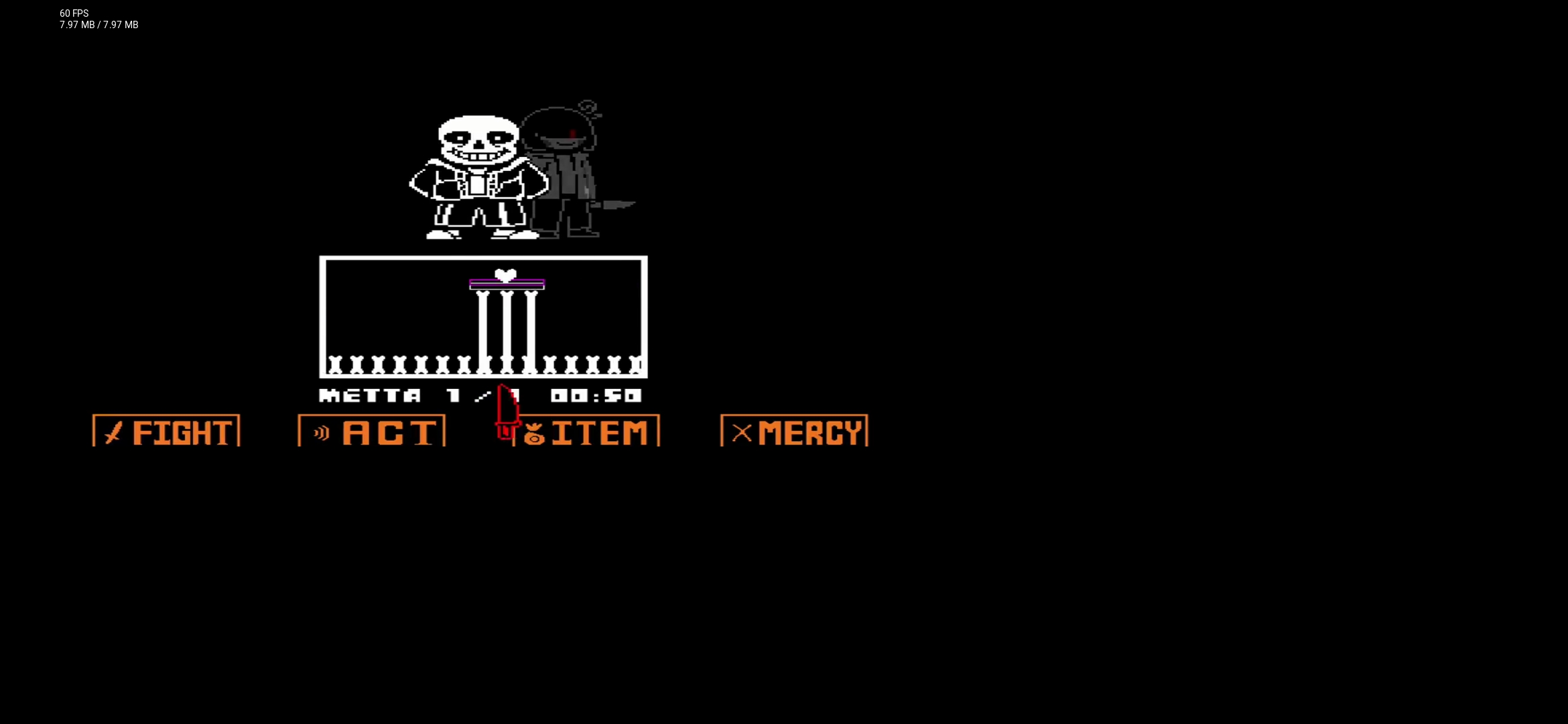
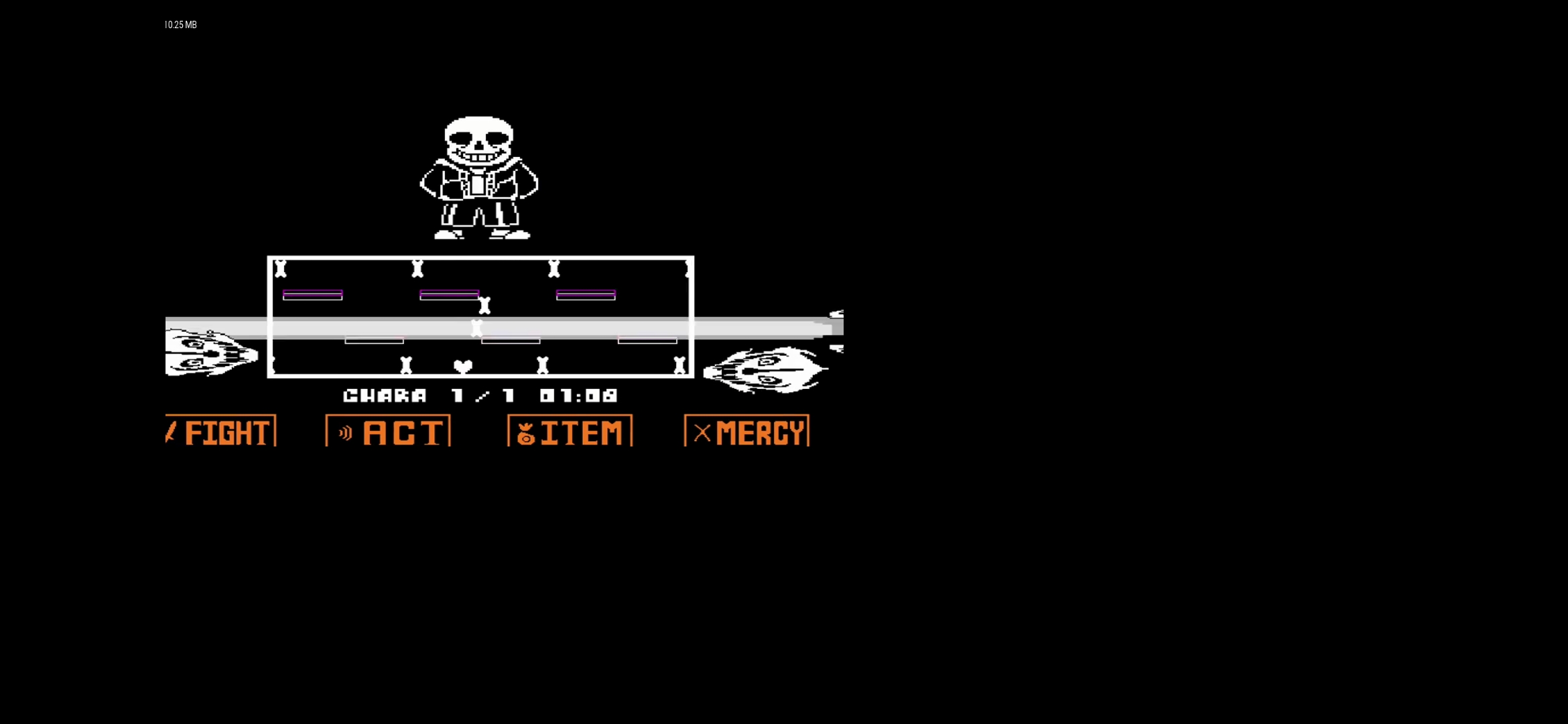
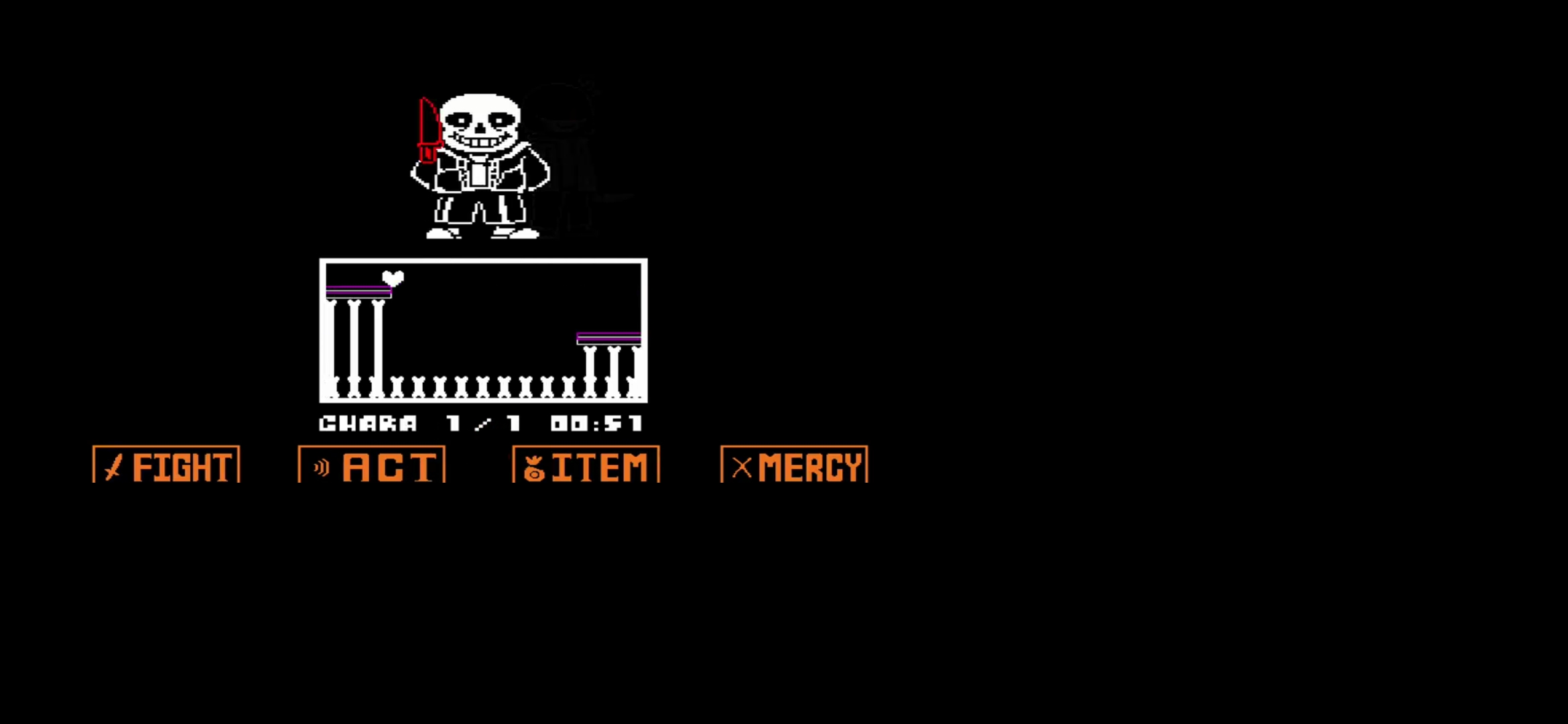
I'm thinking that scaleModes are messed up. They ware better before, even if they aren't the same like Flash

@Sirox228 A couple of questions for you.
Do you have
allow-high-dpi="true"in your project.xml file? We made some improvements to how things are scaled on desktop HiDPI screens. Previously, you needed to manually scale. Now, it happens automatically. If you haveallow-high-dpi="true", can you try adding<haxedef name="openfl_dpi_aware"/>to your project.xml?We also added a proper implementation of
stage.scaleMode, which didn't work properly in previous versions. If you were settingstage.scaleModeto anything other thanNO_SCALE, it will behave differently now.If neither of those things provides any clues, we'd need some more information to understand what's going wrong. A screenshot of what you saw in the previous version versus what changed in the new version would help. It would also help to know which platform you are targeting (windows, mac, ios, android, html5, hl, neko, etc.).
this works fine but fps counter and mouse cursor is still small
