open-learning-exchange.github.io
 open-learning-exchange.github.io copied to clipboard
 open-learning-exchange
Creating a diagram
Problem (more of a suggestion)
If you think it's a good idea I would love to hear from you, what would be the most important commands that should be listed here and I will work on it. (also if you have a better idea about how it should be designed, for better understanding)
Screenshots
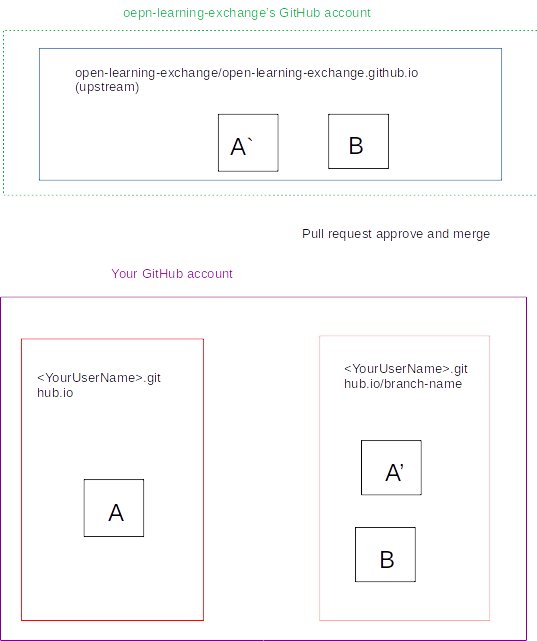
Proposed solution
adding a diagram in GitHub steps listing the commands needed for most ops, to make it easy for junior devs to navigate the project.

@bnmounir It will be good to have git workflow we follow instead of command flow.

@bnmounir Yes as @singharpita said you. It will be nice to have block diagram of workflow. We want people to learn commands and also workflow. If we put commands on image they will just copy paste it.
Also please make a note that its our preferred workflow for this project. Because there are different workflow of git followed by different projects.

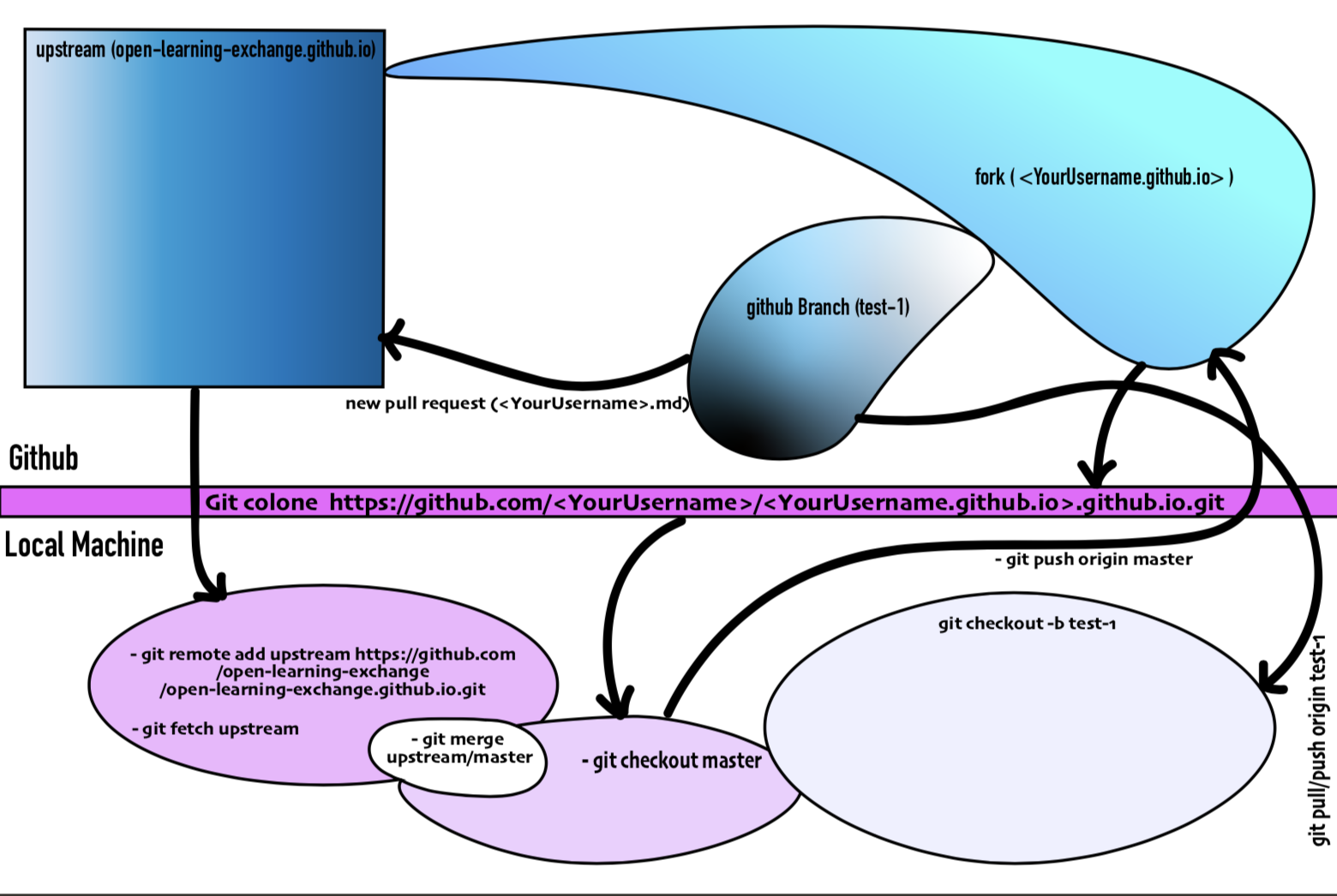
hi @lmmrssa @singharpita, I see your point, I was just trying to come up with a picture showing the data flow, especially people without a lot of experience such as myself, I drew a little diagram to clear my confusion (what's on the computer VS what's on Github, also how to sync everything to avoid conflicts) and I thought it might be helpful for others.
Sure @bnmounir that's why we wanted you to create block diagram of gitflow. Command is something they have to learn and understand not just copy paste. So flow diagram is something you can come up with
hey @lmmrssa what do you think of this one, I think it draws a mental image of what's happening.
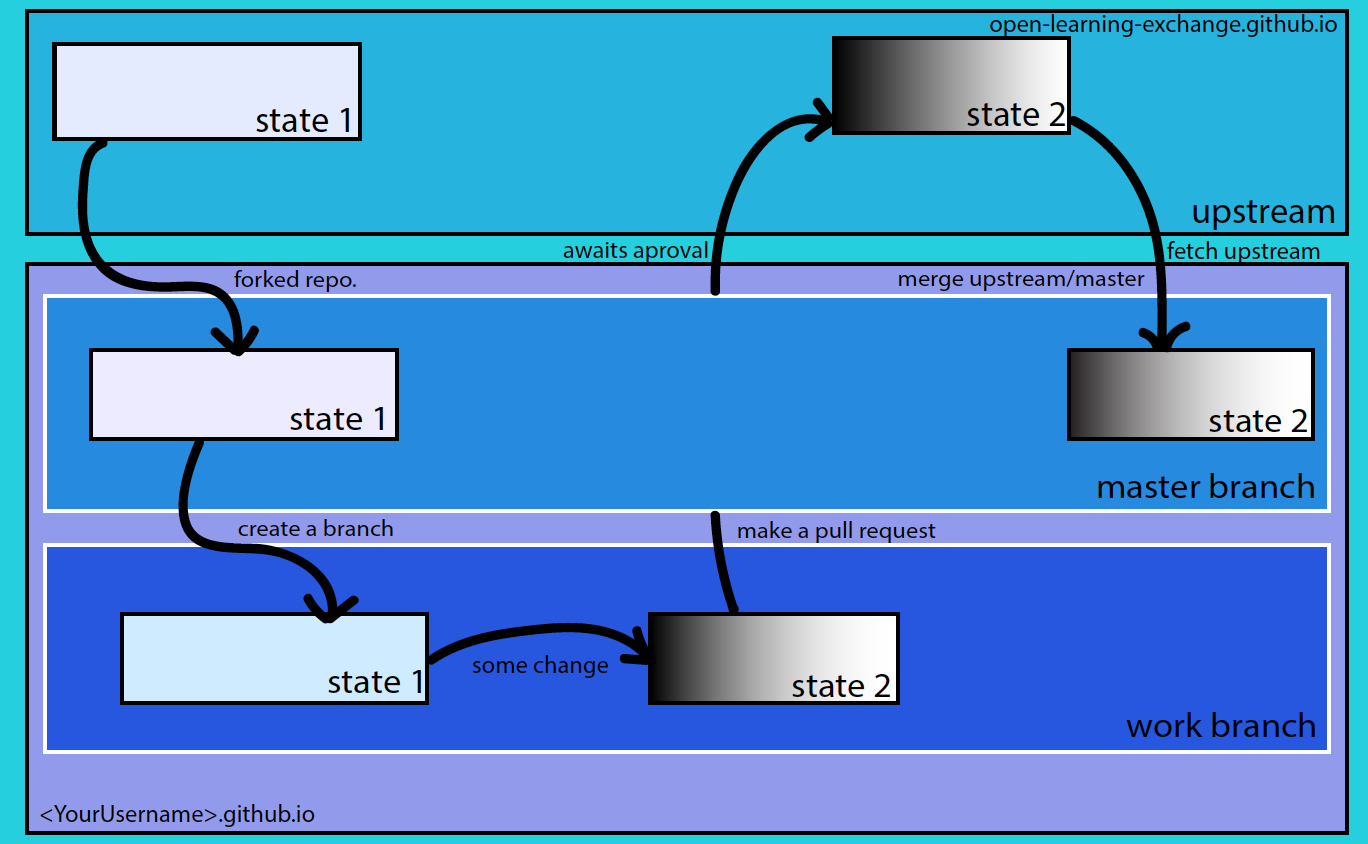
@bnmounir I don't get the concept of State1 and State2. Because you are making fork from State1 creating branch then sending that request as State2, which looks like you wanted to say State is two versions of code. But later you are fetching from state2. Also pull request is from work branch to upstream, while looking at image it looks like it goes to master branch and then from there go to upstream.
If you are familiar with flowchart concept then making one that shows all steps will be nice.
@lmmrssa I hear you, it would be really helpful if you could please list a few words you would like to see in this workflow, and I'll work on a sketch.
@bnmounir words will be something similar. But just the way of presentation needs to be changed. Such as
- Fork repository
- Create new branch for issue from master branch
- Commit changes
- Create pull request
- Sync fork repository But all these needs to be shown as flowchart and there could also include other stuff not mentioned here.
I think the idea of a diagram is great! I would suggest making the theme color the blue that is already used in the tutorial notes. That way the page will look more seamless. For example:

This might help:

I think this might still be a good idea if someone wants to work on it. It depends on what exactly we're including in this diagram though, as there are some diagrams and explanations in the tutorial already.

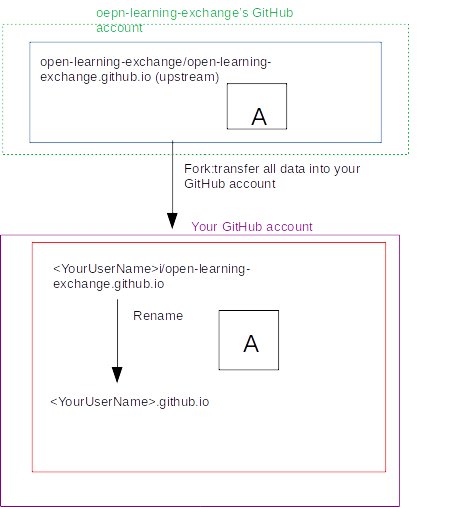
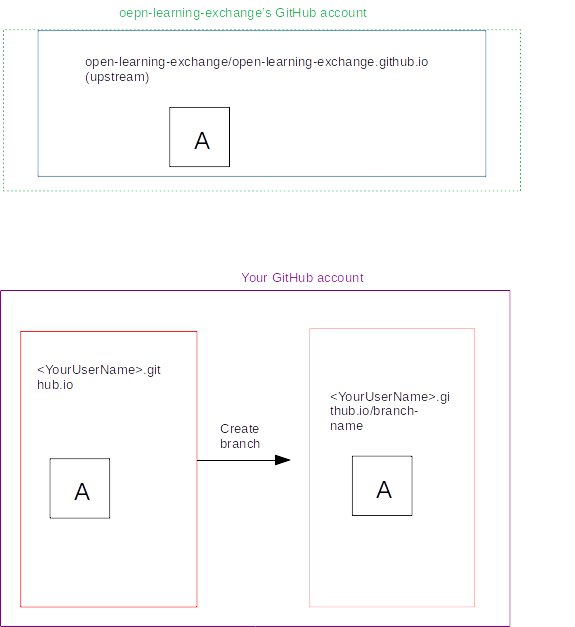
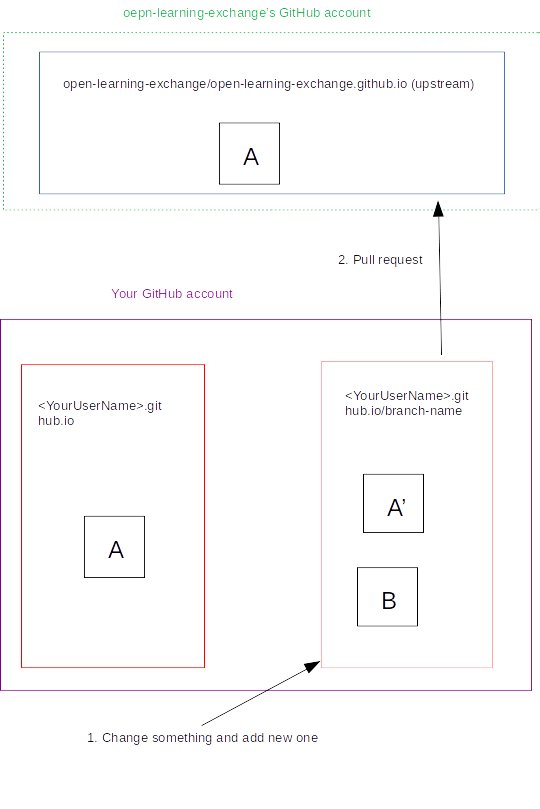
How about these drawings? Do they help?
-
Fork and rename
-
Create a branch
-
Change content and Pull Request
-
Pull request is approved and your branch is merged