
text-generation-webui
 text-generation-webui copied to clipboard
 oobabooga
Micromamba not found.
Describe the bug
Hello there !
I have a issue when I install oobagooba UI :
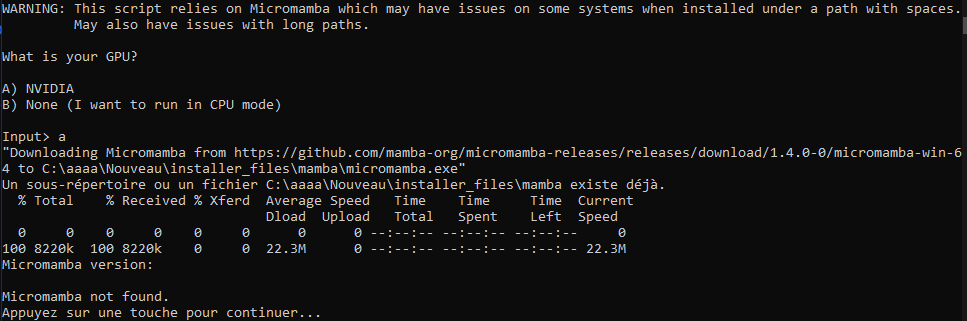
Before posting here, I looked on the internet if anyone with the same problem as and... no so.
Thanks in advance !
Is there an existing issue for this?
- [X] I have searched the existing issues
Reproduction
I just launch the install.bat
Screenshot
No response
Logs
WARNING: This script relies on Micromamba which may have issues on some systems when installed under a path with spaces.
         May also have issues with long paths.

What is your GPU?

A) NVIDIA
B) None (I want to run in CPU mode)

Input> a
"Downloading Micromamba from https://github.com/mamba-org/micromamba-releases/releases/download/1.4.0-0/micromamba-win-64 to C:\aaaa\Nouveau\installer_files\mamba\micromamba.exe"
Un sous-répertoire ou un fichier C:\aaaa\Nouveau\installer_files\mamba existe déjà.
  % Total    % Received % Xferd  Average Speed   Time    Time     Time  Current
                                 Dload  Upload   Total   Spent    Left  Speed
  0     0    0     0    0     0      0      0 --:--:-- --:--:-- --:--:--     0
100 8220k  100 8220k    0     0  22.3M      0 --:--:-- --:--:-- --:--:-- 22.3M
Micromamba version:

Micromamba not found.
Appuyez sur une touche pour continuer...
System Info
Win10

This script relies on Micromamba which may have issues on some systems when installed under a path with spaces. May also have issues with long paths or incorrect symbols


Changing the folder from one drive default one to my C: root solved the issue

In my native language the desktop is "Area de trabalho" which happens to have spaces .
I had the same issue. The problem was that the name of directory to which i extracted .bat scripts contained cyrillic characters. Renaming solved issue

Try installing it in C:\Users . (Run as administrator) Maybe this can solve your problem

This issue has been closed due to inactivity for 6 weeks. If you believe it is still relevant, please leave a comment below. You can tag a developer in your comment.
![github-actions[bot] avatar](https://avatars.githubusercontent.com/in/15368?v=4 "Published by a pub.dev verified publisher")