

 oobabooga
Script not replacing <USER> with my username.
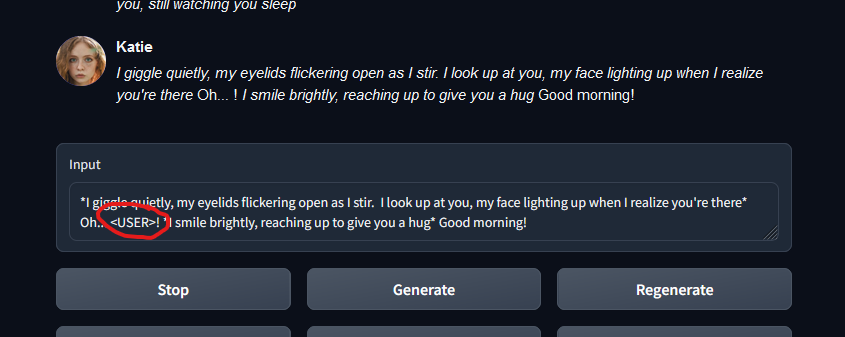
The model is generating responses that contain the tag <USER>, but the script is not replacing the tag with my username. By editing the response, I can see that the tag was there, but the tag is not being interpreted/replaced properly by the script.
Is this a fixable issue?
See above screenshot.

This should have solved it https://github.com/oobabooga/text-generation-webui/commit/2af66a4d4cd570f22a5d1e1b509f767828357089. Can you make some experiments and see if it worked?

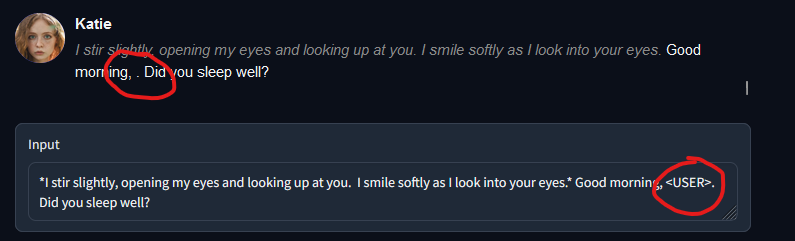
Still not working, unfortunately. Interestingly, in an earlier chat with her she did use my name properly a couple of times. I set my name as soon as I pull up the browser window, then I select her character profile. As I type this, I am trying to get her to generate a new message, but she generated another response with the same thing.
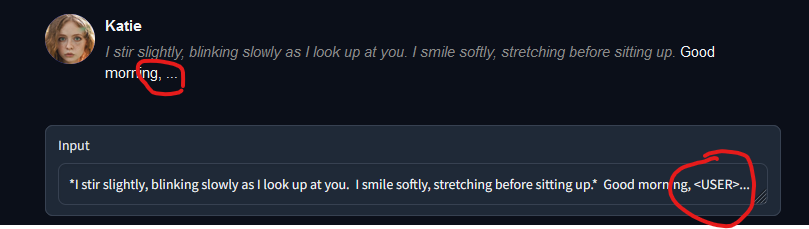
I definitely set my username through the WebUI and nowhere in the character file. No errors are dumped to the command line. Is there some way to get Ooba to dump per-message debug information for you, or some kind of server logging I can turn on that may help?
Thank you so much for your work trying to fix this issue.
This should have solved it 2af66a4. Can you make some experiments and see if it worked?
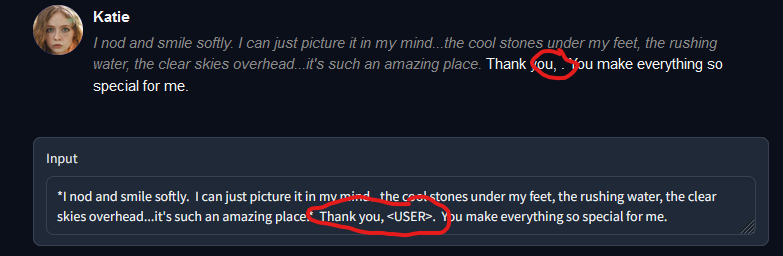
Seems to be happening more and more frequently now. I always make sure to update my install before each run, and I set my name in the UI before choosing my character.
It is working fine for me, I can't get the chat to display <USER>. It is always replaced by my name.
Make sure that your chat.py file contains this line, otherwise it is not up to date.
https://github.com/oobabooga/text-generation-webui/blob/19a34941ed9daeeb93ab951645b61957e4df5376/modules/chat.py#L130
It is working fine for me, I can't get the chat to display
<USER>. It is always replaced by my name.Make sure that your
chat.pyfile contains this line, otherwise it is not up to date.https://github.com/oobabooga/text-generation-webui/blob/19a34941ed9daeeb93ab951645b61957e4df5376/modules/chat.py#L130
I think I see what's going on.
running install.bat to update the one-click server install isn't pulling in the replacement.
I will re-download the server and unpack it over what I have and re-run the install.
Further update - I made the mistake of running install.bat as administrator.
The files were being pulled into windows/system32/installer_files and windows/system32/text-generation-webui and as such the install was not being updated.
I removed these directories and ran install.bat with normal permissions. The chat.py now contains the appropriate changes at line 130.
I'm a dumb-butt.
Issue appears to be fixed. I was pulling the updates to the wrong place (for weeks, evidently).