omidnikrah
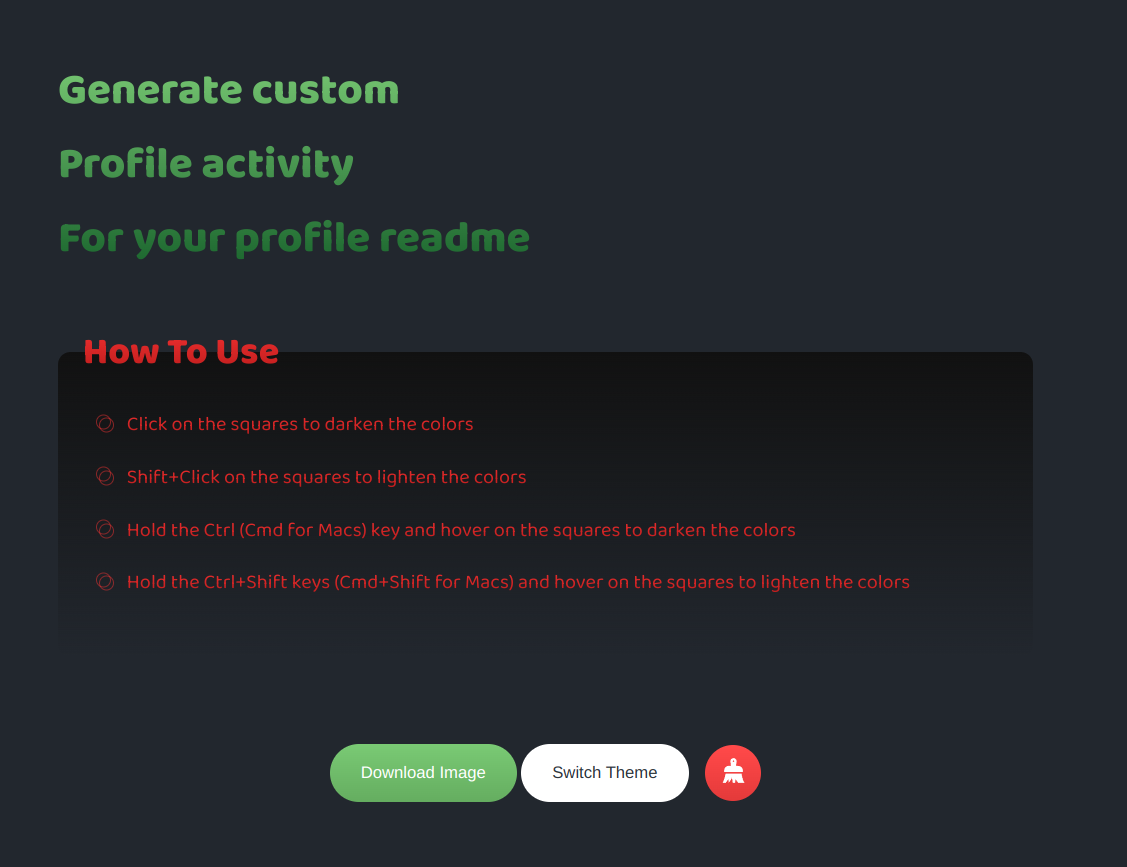
How do I use?

I don't know if you are still interested but I think the red button is for cleaning up. When you draw something and click the red button, it makes it clean.

@robloxboy24 Sorry for my late answer. After you draw something by clicking on the green button, your drawing will be downloaded and you can upload it on your profile README, and by clicking on the red button, your drawing will be cleaned and you can draw something else.

When you draw something
YEAH, but how do i draw something... hover cursor, click, drag, (with and without CTRL key).. tried everything.. and @omidnikrah i am still Interested.. ur project is interesting

@ajtazer I don't know what exactly is your issue, BTW I have recorded a video that shows how to use it easily. I hope it would be useful for you.
https://user-images.githubusercontent.com/8777948/142993655-96aa3d6f-638a-4996-b351-e86fdac55327.mov