
ha-smartthinq-sensors
 ha-smartthinq-sensors copied to clipboard
 ollo69
Token error, losing authentication after several hours after initial setup
Describe the bug This seems like a new issue, and am not sure which version was the culprit, or if it's with HA itself, but it seems that after initial setup, while everything works perfectly, after several hours (usually 8-9) the entities suddenly become unavailable. I get errors saying the token is invalid.
If I remove the integration and reconfigure it, it works fine, but will eventually lose the token. Seems the token is simply expiring, but not sure why it's not being renewed.
I have accepted the latest ToS in the app and my password is valid. I have also tried both methods of authenticating from within the integration setup.
Do I need to KEEP the app on my phone for it to stay authenticated?
Screenshots
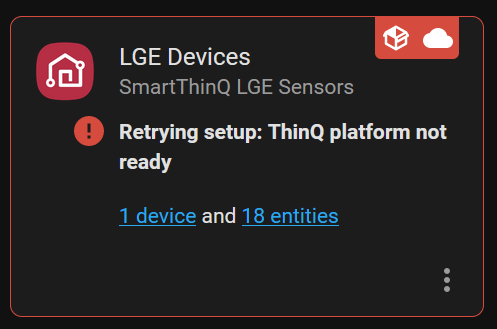
Environment details:
- Environment (HASSIO, Raspbian, etc): Ubuntu VM
- Home Assistant version installed: 2022.7.7
- Component version installed: v0.23.5
- Last know working version: Not sure
- LG device type and model with issue: LG washing machine
- LG devices connected (list):
Output of HA logs
2022-07-29 10:20:26 WARNING (MainThread) [custom_components.smartthinq_sensors] Connection not available. ThinQ platform not ready
Traceback (most recent call last):
File "/config/custom_components/smartthinq_sensors/__init__.py", line 208, in async_setup_entry
client = await lge_auth.create_client_from_token(refresh_token, oauth_url)
File "/config/custom_components/smartthinq_sensors/__init__.py", line 120, in create_client_from_token
return await ClientAsync.from_token(
File "/config/custom_components/smartthinq_sensors/wideq/core_async.py", line 1254, in from_token
await client.refresh()
File "/config/custom_components/smartthinq_sensors/wideq/core_async.py", line 1193, in refresh
self._auth = await self.auth.refresh(True)
File "/config/custom_components/smartthinq_sensors/wideq/core_async.py", line 776, in refresh
access_token, token_validity = await self._gateway.core.refresh_auth(
File "/config/custom_components/smartthinq_sensors/wideq/core_async.py", line 585, in refresh_auth
out = await self._auth_request(
File "/config/custom_components/smartthinq_sensors/wideq/core_async.py", line 552, in _auth_request
raise exc.TokenError()
custom_components.smartthinq_sensors.wideq.core_exceptions.TokenError
Additional context Again, this didn't used to be an issue, and am not sure what changed. The only thing I have not done is completely remove the component code and started fresh.
Thanks!

This is really strange, because the token stored is a refresh token use generate a new authorization token when it expires. I make some changes in last release, but I don't think it can solve this strange issue. I suggest to try to reconfigure integration to see if this fix the issue.

Do I need to keep the app installed on my phone?
Also, would any of the network settings (Settings... System... Network) have any affect? That's the only thing I can think of that I adjusted perhaps around the same time, but not 100% sure.
Do I need to keep the app installed on my phone?
Don't know if remove App can create issue, personally I keep it installed.
Also, would any of the network settings (Settings... System... Network) have any affect? That's the only thing I can think of that I adjusted perhaps around the same time, but not 100% sure.
Please provide more detail on what you changed.
One think that can cause error in token refresh is time / time zone not properly set. Did you check that this values are correct?
Regarding the time zone, do you know if this is accounting for DST? Technically we're UTC-4 since we're in DST. Thanks!
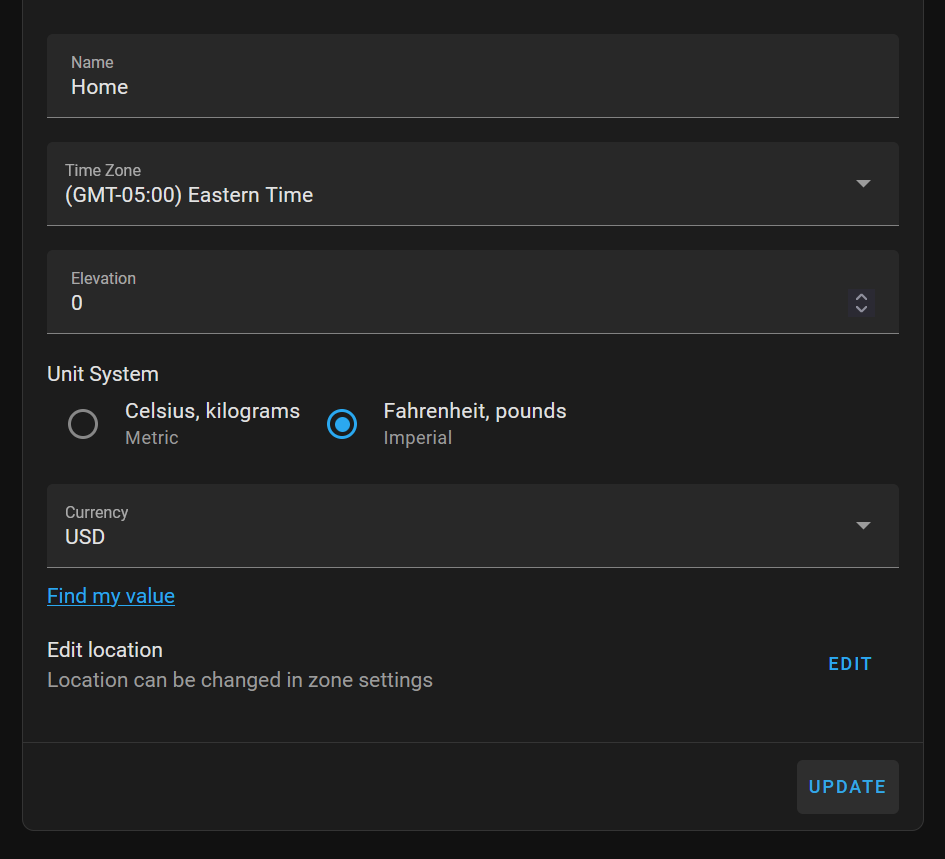
In addition to above, I also completely removed the integration and started fresh. I'll report back with more info and, if it still breaks, additional logs.
Regarding the time zone, do you know if this is accounting for DST? Technically we're UTC-4 since we're in DST. Thanks!
Depend if your hardware / OS is managing properly DST or not. Because HA manage times in UTC, it must be able to properly convert UTC time to local time and vice versa, or communication with remote system may provide wrong time.
So far it's been running well. I suppose deleting and starting over fixed it. Thanks!