

 olive-editor
Add the possibility to create custom GLSL filters and use them as nodes.
The purpose of this PR is to give the possibility to any Olive user to write a GLSL shader filter and use it in Olive's node editor. This is the same logic of video filters that are already in Olive, but now new filters can be added without the need to re-build the application. These filters can also be donated to the community to increase Olive's capabilities. The shader script will specify which inputs are exposed in the GUI. This is how it works:
-
in 'behavior' options panel, the user lists the ".frag" files that are located anywhere in file system;
-
On startup, Olive will create a new node for each valid file.
-
The file will be parsed to find inputs to be exposed in GUI according to the following convention: any uniform variable starting with these prefixes, will become an input of the following type:
inColor   ->  NodeValue::kColor
inTexture ->  NodeValue::kTexture
inFloat   ->  NodeValue::kFloat
inInt     ->  NodeValue::inInt
inBool    ->  NodeValue::inBool
After the declaration of the uniform, a comment will indicate the name that will be shown in the GUI
For example if a .frag file starts with:
uniform vec4 inColor_tone; // base tone
uniform float inFloat_intensity; // intensity
uniform bool inBool_useIntensity; // use intensity
then 3 inputs will be added to the node; the first is a color whose name is "base tone", the second is a float whose name is "intensity" and the last is a checkbox named "use intensity". The comment after the declaration is required to show the input in the GUI. Each node has a built-in variable of kind "uniform sampler2D " named "tex_in" to be connected to an input image.
If this is not clear, I can provide some demo video to explain the idea a little better. I can also share simple .frag files for testing, (I will not push the to the repository because I can't figure out the right place).
Limitations:
- after changing the file list, it is required to re-launch Olive to use the new files
- it is not possible to set a range min/max for numeric inputs

Thanks for working on this, it's something I've wanted to implement for quite some time (#692). It's nice to see the regex implementation for detecting uniforms since regex is not my strongest suit.
However there are things that should be implemented differently. I think the shaders should be editable/compilable on the fly in the app rather than loaded on startup with external files. This makes testing a lot faster and easier, and also means they can be copied and pasted to other peoples' setups through text just like any other node setup without them having to set up the shaders too. I also think I'd have users set the data types (and other things like human names, min/max, etc) through shader comments rather than being part of the uniform name.
It's up to you if you want to try implementing all of that too. I was planning to work on this soon anyway, and it would still be useful to use parts of this PR (like the uniform regex).

I had always assumed there would be a text editor in the param view (similar ot the rich text node) but I suppose you could always have a file path selector instead and use an external IDE.
For data types etc. would you be looking at something like:
uniform float radius_in; // name:"Radius In" min:0 max:200 default:10 animateable:True
uniform int method_in; // name:"Method In" val1:"Box" val2:"Gaussian"
uniform sampler2D mask_in; //name:"Mask"
uniform bool horiz_in; //name:"Horizontal" default:True animatable:False
I suppose you'd also need som ekind of syntax checker in the node for this custom data?

I had always assumed there would be a text editor in the param view (similar ot the rich text node) but I suppose you could always have a file path selector instead and use an external IDE.
I was thinking a separate dialog because shaders can get long quickly, and a more code-friendly editor with auto-indentation because coding without something like that is a pain. However, you make a good point about also allowing an external code editor. I think we should do both.
For data types etc. would you be looking at something like:
My thinking was it could be the lines just above the uniform, kind of like C# attributes:
// name: Color
// type: color
uniform vec4 color_in;

// name: Radius
uniform float radius_in;
Though perhaps doing it all in one line like yours is more practical? Either way, it should be relatively easy to string parse key: pair stuff.
doing it all in one line
That becomes unwieldy rather quickly. It would also be nice to support descriptions. I would thus prefer the C#/JavaDoc/whatever style with multiple lines above the line of code. The exact syntax can still be discussed but should make it easy to parse.

I see what you mean yes, a single line would get very messy
I was thinking a separate dialog because shaders can get long quickly, and a more code-friendly editor with auto-indentation because coding without something like that is a pain. However, you make a good point about also allowing an external code editor. I think we should do both.
I suppose it becomes a question of whether we store these custom shaders as a file on disc or in memory/the .ove file. Or is that what you mean by both?
I suppose it becomes a question of whether we store these custom shaders as a file on disc or in memory/the .ove file. Or is that what you mean by both?
The shaders will be stored in the .ove, but we can still allow users to use an external editor by using temp files and copying them back into the project periodically.
Maybe it might be nice to not mangle the shader and it's metadata together and separate it? Like having a XML file with those attributes/parameters and the shader either within that XML-file like this (of course some things could/should move into attributes instead of nodes, but just for the idea :)):
<?xml version="1.0" encoding="UTF-8" standalone="yes" ?>
<filter>
	<parameters>
		<parameter>
			<name>Color</name>
			<type>color</type>
			<uniform>color_in</uniform>
		</parameter>
		<parameter>
			<name>Radius</name>
			<type>float</type>
			<uniform>radius_in</uniform>
			<min>0</min>
			<max>200</max>
			<default>10</default>
			<animateable>true</animateable>
		</parameter>
	</parameters>
	<shader>
	<![CDATA[
		uniform vec4 color_in;
		uniform float radius_in;
		...
	]]>
	</shader>
</filter>
Pro: All in one file Contra: Mixed languages
<?xml version="1.0" encoding="UTF-8" standalone="yes" ?>
<filter>
	<parameters>
		<parameter>
			<name>Color</name>
			<type>color</type>
			<uniform>color_in</uniform>
		</parameter>
		<parameter>
			<name>Radius</name>
			<type>float</type>
			<uniform>radius_in</uniform>
			<min>0</min>
			<max>200</max>
			<default>10</default>
			<animateable>true</animateable>
		</parameter>
	</parameters>
	<shader>myShader.glsl</shader>
</filter>
Pro: The shader file can be edited in a proper editor Contra: Multiple files to share

I don't think an XML format is necessary, that would be a whole other specification that would need to be maintained, and the point here is not to have them as external files so they're always easily portable with projects or with copy/paste data. Besides, I don't think a few comments in the shader is really mangling it that much.
Just thinking as I type :)
True that. I thought that you actually can write a whole specification with XML in some schema files etc.. External editors knowing the schema file could help as IDEs with autocompletion and syntax errors. And with the ove files, there is already everything in place to parse them. Actually, this comments are also a language to be maintained. Really depends on how complex this gets. If it is just about a name and a type, then comments would be fine. If suddenly, a lot more parameters like max, min, default and whatever you can think of, then things could get rather hairy as comments. But if it stays simple, then using a few keywords in the comments are easier to use maybe. In the implementation as well as in the usage (of writing shaders).
🤔
I agree that compiling on the fly is way better than reload the application. This limitation is due to the fact that the only place where parameters can be added is the constructor of the node class, as most of the other function as "const". However, if we edit the shader in application, the GUI can trigger a re-parse of the code at any time. When this happens, the old version of the node can be deleted and a new node can be constructed (and parsed). It seems strange for me to bind a shader to a single project instead of the application because the shaders that are built in (for example blur and other filters) are usable for any project, and so should be the custom shaders. However the rest of the community seems to agree with Matt, so I will comply.
In order to have several shaders, we should have a complex editor with tabbed interface. If I understand, when you want to close or re-open a shader, you don't open or close a file, but you work with a list of shaders that is embedded in the project. Did I get it right? Also, the .ove file will contain the full code of the shader inside an XML tag. I'm not an expert with XML, but what would happen if shaders code contains in a comment a symbol like '/>' ? May this be close wrongly the XML tag?
What about saving the shader in a .frag file and include the file path of the shader in the .ove project?
I want to propose an intermediate step that goes in the direction pointed by Matt but it's not too much work for a single PR. We may include a simple text editor with syntax highlight but no code completion, automatic indentation, code navigation and so on. This editor shows one shader per time (when you open a new shader, the current one closes). If we chose a file based workflow, this editor can find if the file is changed externally (with QFileSystemWatcher class) and will update code automatically. The features of this code editor will be improved later. A command from the editor will generate a new node (and delete the previous version of the node, if exists).
About the comments for metadata, I think that the XML approach proposed by philiplb may be a little overkill, especially if the XML that contains the shader must be embedded again int the project file. I think the approach of the attributes before the uniform may be adequate. However I'd like to distinguish the comments to be parsed by other comments; we may use the convention that comments beginning with //! must be parsed. EX:
//! name: Color
//! type: color
//! description: color to be masked out
// non parsed comment
uniform vec4 color_in;
Each line starting with //! is an entry that will be applied to the next parameter defined by a 'uniform' line. Let me know what you think.
This limitation is due to the fact that the only place where parameters can be added is the constructor of the node class, as most of the other function as "const".
There are mechanisms to add/remove inputs on the fly. They are limited, but they existed and I've been expanding their reach (specifically so that something like that can be implemented eventually).
It seems strange for me to bind a shader to a single project instead of the application because the shaders that are built in (for example blur and other filters) are usable for any project, and so should be the custom shaders. However the rest of the community seems to agree with Matt, so I will comply.
It'd be both ultimately. Users will be able to save custom node setups for reusing in other projects, but also the node architecture is designed to be as shareable and portable as possible (e.g. you can copy node setups and paste them into text so they can be shared across e-mail/IM/forums/etc). For this to carry through, the shader code should be included.
Also, the .ove file will contain the full code of the shader inside an XML tag. I'm not an expert with XML, but what would happen if shaders code contains in a comment a symbol like '/>' ? May this be close wrongly the XML tag?
Don't worry about this, our XML serializer should correctly escape anything that's not XML-compliant.
A command from the editor will generate a new node (and delete the previous version of the node, if exists).
Creating/deleting nodes is unnecessary as I mentioned in the beginning. It should just be a "Shader Node" with a text input for code, and then the other inputs can be added/removed as necessary.
Each line starting with //! is an entry that will be applied to the next parameter defined by a 'uniform' line.
Something like this could be good, could perhaps even include an "Olive" or "OVE" keyword to make it even more unambiguous, but that may not be necessary.
I was just typing that I'd find it strange as well to bind shaders to the project rather than to the application, but then this popped in:
It'd be both ultimately. Users will be able to save custom node setups for reusing in other projects, but also the node architecture is designed to be as shareable and portable as possible (e.g. you can copy node setups and paste them into text so they can be shared across e-mail/IM/forums/etc). For this to carry through, the shader code should be included.
So the user can have a collection of custom node setups he got from somewhere on the hard drive and just use it. Some nodes contain shaders. And of course, a node setup could just consist out of a shader node. Custom node setups can be easily shared by either the raw text in IMs, eMail etc., but also as files. This sounds like a neat, general approach. :)
OK, let me recap to see if I got it:
- under filter menu, there is a new filter called 'shader'.
- The node of the 'shader' filter has a fixed parameter 'code' of type NodeValue::kText. It's delegate is not a simple text box but is an 'edit' button.
- When 'edit' button is pressed, a floating window will appare whit a text editor. In this editor, the user will edit the shader code.
- When the editor is closed, or when a command is issued by the editor's menu, the shader code is re-parsed and inputs list is updated according to the comments that begin with "//OVE".
- If the same shader must be used twice in the project, the node can be copy/pasted and the new instance is copied with the source code.
- The shader code is saved in project file as any other parameter of any other node.
- A 'save as file' utility can be added in the editor, but the application never uses this file, but only the code saved within the node.
Hope it's all correct.
I think that is correct yes. I'd add that edits within the text editor would also need to be undoable commands and put Olive in an unsaved state.
I think there should also be a "Edit in external application" button that opens the shader in the chosen editor (VS code, Notepad whatever) which would be set in Preferences
The node of the 'shader' filter has a fixed parameter 'code' of type NodeValue::kText. It's delegate is not a simple text box but is an 'edit' button.
It should probably have frag and vert inputs?
When 'edit' button is pressed, a floating window will appare whit a text editor. In this editor, the user will edit the shader code.
Yes, SetInputProperty should be used on the code input to mark it as code which can be picked up by the NodeParamView.
When the editor is closed, or when a command is issued by the editor's menu, the shader code is re-parsed and inputs list is updated according to the comments that begin with "//OVE".
Yes, the ideal place to detect such changes is in InputValueChangedEvent, which you'll find is not const and will allow adding/removing inputs.
A 'save as file' utility can be added in the editor, but the application never uses this file, but only the code saved within the node.
I don't know about this? As I've mentioned, we'll have separate functionality for saving node setups, which will include the code since it's just an input.
Just to be clear, what are you currently planning to do @AngeloFrancabandiera? You mentioned earlier of proposing an intermediate step, are you still working in that sort of direction or are you going to try to take on the whole thing?
Just to be clear, what are you currently planning to do @AngeloFrancabandiera?
I'd like to try the whole thing, but I don't know if it's a good idea to do all in a single Pull Request. In particular, I think the first step may have the following limitations:
- the text editor is quite simple. It has line numbers and minimal syntax highlight, maybe find and replace, but no automatic indentation, code folding, code navigation and advanced editing operations.
- Editing in external editor is not yet supported.
I don't know about this? As I've mentioned, we'll have separate functionality for saving node setups, which will include the code since it's just an input.
OK, no 'save as file'.
no automatic indentation, code folding, code navigation and advanced editing operations.
Those are minor convenience features. Olive is a video editor, not a code editor. I don't see why it should offer any of them only to compete with more appropriate tools – at least not until the day of Olive shipping something VEX-like. Let's just make "open in external editor" a thing.
Qt provides a "simple code editor" example (I think with just line numbers and auto indent), perhaps we can throw that in as-is and then recommend external editors for anything more extensive. But otherwise, I think you're right that a big rich code editor is out of scope, at least for now.
I have written a wiki page that I keep up to date to what I have done:
https://github.com/AngeloFrancabandiera/olive/wiki/Shader-filter
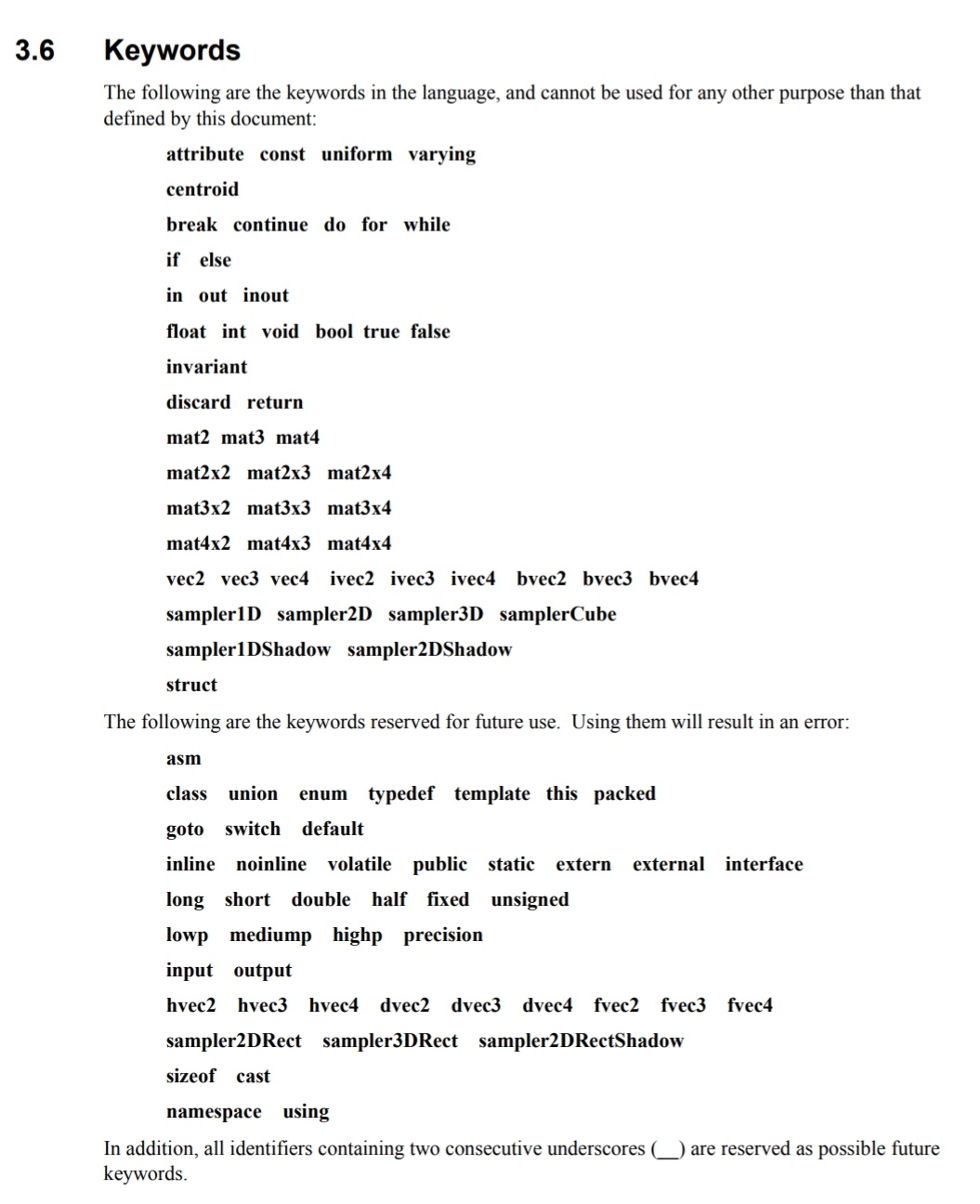
I tried using tutorial's glsl code and it didn't seem to work for me
error here
[DEBUG] parsed shader code for "unnamed" ((null):0) [swscaler @ 0x55672cfe04c0] deprecated pixel format used, make sure you did set range correctly [DEBUG] parsed shader code for "colorize" ((null):0) [DEBUG] parsed shader code for "colorize" ((null):0) [DEBUG] parsed shader code for "colorize" ((null):0) [DEBUG] parsed shader code for "colorize" ((null):0) [DEBUG] parsed shader code for "colorize" ((null):0) [DEBUG] parsed shader code for "colorize" ((null):0) [WARNING] Failed to compile OpenGL shader ((null):0) 0:14(19): error: illegal use of reserved word `input' 0:14(19): error: syntax error, unexpected ERROR_TOK, expecting ',' or ';'
#version 100
precision highp float;
//OVE shader_name: colorize //OVE shader_description: This script takes an image as input and desaturates it //OVE shader_description: into a gray-scale image. //OVE shader_version: 1.0
//OVE name: input image //OVE type: TEXTURE //OVE flag: NOT_KEYFRAMABLE //OVE description: input image to be processed uniform sampler2D input;
//OVE name: final tone //OVE type: COLOR //OVE default: RGBA(0.7,0.5, 0.3 , 1) //OVE description: color applied to the gray scale uniform vec4 tone;
// internal variable uniform int ove_iteration;
// texture coordinates varying vec2 ove_texcoord;
//OVE end
void main(void) {
vec2 pixel_coord = ove_texcoord; vec4 composite = texture2D( input, pixel_coord);
// make an average of red, green and blue and apply this mean value to // all components. This produces a gray scale. // Then multiply the gray scale for a given color
vec4 colorized = vec4( composite.r0.333 + composite.g0.333 + composite.b0.333, composite.r0.333 + composite.g0.333 + composite.b0.333, composite.r0.333 + composite.g0.333 + composite.b*0.333, 1.0) * tone;
gl_FragColor = colorized; } [DEBUG] AttachTextureAsDestination entered with 1281 ((null):0) [swscaler @ 0x7f411c1b9b00] deprecated pixel format used, make sure you did set range correctly [DEBUG] No arenas, creating new... ((null):0) [WARNING] Failed to compile OpenGL shader ((null):0) 0:14(19): error: illegal use of reserved word `input' 0:14(19): error: syntax error, unexpected ERROR_TOK, expecting ',' or ';'
#version 100
precision highp float;
//OVE shader_name: colorize //OVE shader_description: This script takes an image as input and desaturates it //OVE shader_description: into a gray-scale image. //OVE shader_version: 1.0
//OVE name: input image //OVE type: TEXTURE //OVE flag: NOT_KEYFRAMABLE //OVE description: input image to be processed uniform sampler2D input;
//OVE name: final tone //OVE type: COLOR //OVE default: RGBA(0.7,0.5, 0.3 , 1) //OVE description: color applied to the gray scale uniform vec4 tone;
// internal variable uniform int ove_iteration;
// texture coordinates varying vec2 ove_texcoord;
//OVE end
void main(void) {
vec2 pixel_coord = ove_texcoord; vec4 composite = texture2D( input, pixel_coord);
// make an average of red, green and blue and apply this mean value to // all components. This produces a gray scale. // Then multiply the gray scale for a given color
vec4 colorized = vec4( composite.r0.333 + composite.g0.333 + composite.b0.333, composite.r0.333 + composite.g0.333 + composite.b0.333, composite.r0.333 + composite.g0.333 + composite.b*0.333, 1.0) * tone;
gl_FragColor = colorized; } [DEBUG] AttachTextureAsDestination entered with 1281 ((null):0)

@Quackdoc Give the sampler a different name, one that isn't a (reserved) keyword.
yeah that worked fine. I'll need to play with this some more. don't know much about glsl, but from a brief period of playing with this it feels somewhat stable, I had a single type of crash that is somewhat consistent,
- use the second shader and make sure it is working,
- create a value node and make intensity connectable
- then connect the default value node to intensity.
it only seems to crash if the value node is left default, and even then I cannot get it to consistently crash
@Simran-B Thanks for pointing out the error in the wiki; I did not know the full list of reserved words. Even if I have written the tutorial, I am fairly new to GLSL (and this may not be optimal). However in my environment it did work. Maybe due to GLGL version. I'll update the wiki and dig the issue described by @Quackdoc soon.
i've been doing some more playing around, only super basic stuff as I only looked at glsl code for the first time from this. I haven't managed to replicate the issue, and it seems fairly stable at least
I have updated the wiki to show how to use an external editor. I can only test it on my Linux desktop. Hope it works on all platforms ...
hmm... I can't help but be a little curious. What would the chances be of porting or using mpv/libplacebo shaders with this? I realize it probably wouldn't be a simple thing, but it could be very powerful.
hmm... I can't help but be a little curious. What would the chances be of porting or using mpv/libplacebo shaders with this? I realize it probably wouldn't be a simple thing, but it could be very powerful.
I have tried to analyze some of those shaders, but I wasn't able to understand the meaning of some of the variables to make it work in Olive. Sorry. Instead I have updated the wiki with some hints on how to port shaders from shader toy.
I think my work is ready for a first review. Probably some features are still missing, especially in code editor, but I think a reviewer can point what these features are.
Keep in mind that libplacebo and shadertoy shaders are typically designed for operating on imagery, not open domain tristimulus data.
It becomes imperative to have a proper transform tool in order to apply transforms on the proper data states.
