

 oliexdev
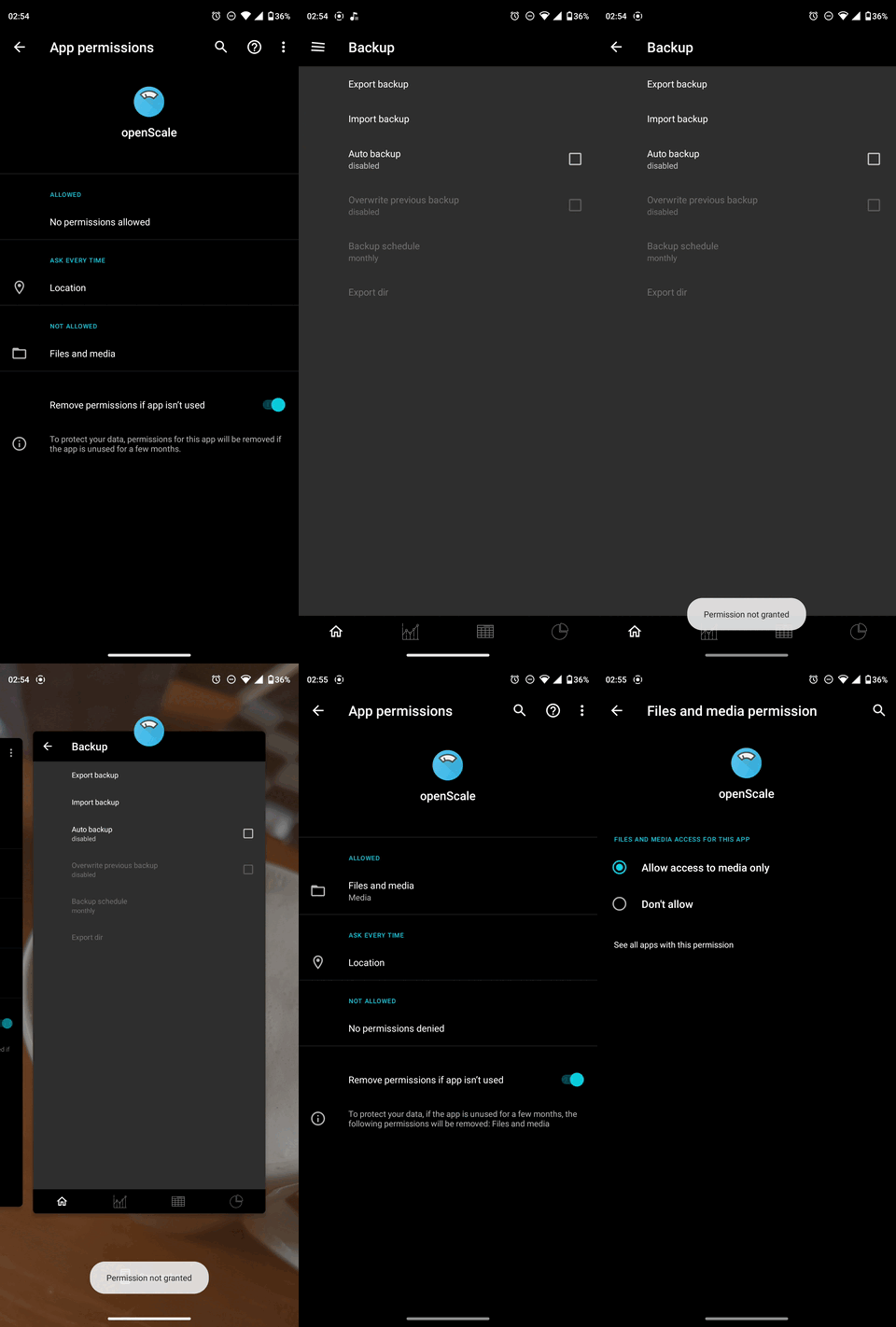
Auto Export does not work, "Permission not granted"
Description
Tapping the checkbox "Auto Backup" in Settings/Backup only shows the toast "Permission not granted" despite giving openScale the permission to save files (both via the settings and the dialogue that pops up when tapping the check box). It also won't allow changing the export directory since the option is greyed out. Exporting manually works fine however. (Samsung A22 5G, Android 11, One UI Core 3.1)
Steps to reproduce the behavior:
- Tap Settings/Backup/Auto Backup
- Grant the permission via the dialogue
- Observe toast "Permission not granted", check boxes greyed out
- Further taps on the checkbox result in duplicate toasts unless you manually take its permission away in the android settings (then it displays the initial dialogue again)
Reproduced with latest dev version: yes, happens on latest devbuild
Expected behavior The permission should be sufficient to save the backup. The checkbox should also stay activated and not immediately deactivate again. The greyed out options should be usable.
Debug log
Removed my data, otherwise as is (I doubt it's useful though)
2022-06-24 01:00:44.105 Debug [2] AboutPreferences: Debug log enabled, openScale v2.4.6 (61), SDK 30, samsung SM-A226B
2022-06-24 01:00:44.108 Debug [2] AboutPreferences: Selected user id(3) name() birthday() age() body height() scale unit(kg) gender() initial weight() goal weight() goal date() measure unt(cm) activity level(2) assisted weighing(false)
2022-06-24 01:00:56.564 Debug [2] AboutPreferences: Debug log disabled

Can confirm this issue since I am also unable to export via the auto backup on my Motorola also running Android 11. The manual export seems to have no problem though.
Made a little GIF of the "Permission not granted" action on app version 2.4.6 (61):


Will there be a release of this fix any time soon? Apparently, I can't install the latest dev-build .apk for whatever reason. I'd hope installing works with a released version via F-Droid.
