
inkscape-multipage-export
 inkscape-multipage-export copied to clipboard
 olibia
Inkscape extension to export selected objects to various file formats.
Inkscape Multipage Export
Inkscape extension to export selected objects to various file formats.
Install
Copy extension files multipage_export.inx and multipage_export.py into ~/.config/inkscape/extensions.
Inkscape needs to be restarted for the extension to appear.
python2-lxml and librsvg must be installed for this extension to work.
Inkscape Extensions
Download from Inkscape's Extensions page here.
Arch Linux
Usage
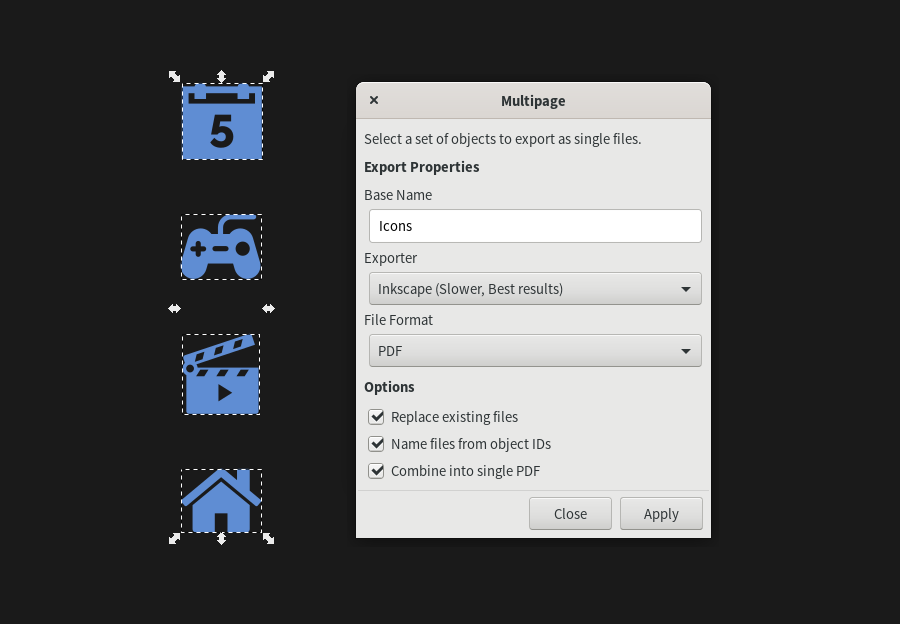
- Select the objects you want to export and from the Extensions menu choose Export and Multipage.
- Provide a name for the destination folder and select the export format.
Available formats are PDF, PNG and SVG.
Available exporters are rsvg, and inkscape.
You can also name the exported files after the objects' IDs
Combine PDFs requires pdftk installed in your system
Notes
Exported files are located at ~/Documents/Exports.
Tested only on Inkscape for Linux.
 olibia