

 offspot
HTTPS scenario fails for some zimit files with Chrome
Created an image using installer that had the GCFD zim (zimfarm receipe here)
Installation ran fine and upon opening the zim I get the expected "switch to https" warning. But then past this step I only get the little circle going round and round indefinitely and there is no access to content.

Doesn't look like a hotspot issue but downloading the ZIM to make sure and maybe transfer.

Can't reproduce ; would you mind retesting but opening the developer tools console first (⌥ + ⌘ + I on Firefox) and copy/screenshot its output ? So we can see where it's stuck at.
It actually works on Firefox, but not on Chrome.
Looking at the dev console I get this:
load.js:56 Uncaught (in promise) DOMException: Failed to register a ServiceWorker for scope ('https://kiwix.hello.hotspot/edu.gcfglobal.org_en_all.en/A/') with script ('https://kiwix.hello.hotspot/edu.gcfglobal.org_en_all.en/A/sw.js?replayPrefix=&root=edugcfglobal.org_en_all.en'): An SSL certificate error occurred when fetching the script.

I've generated a small config with 5 zimit-generated files and ran them on a RPi 3B+:
Works:
- Les fondamentaux
Does not work

They obviously all run normally on library.kiwix.org
Ok, got it:
Chrome (macOS, all extensions deactivated): does not work Firefox (macOS), Chrome (android): I get the below activation page

This being said, Chrome is the dominant browser so it might be worth checking if it is an issue with macOS or if it happens on Windows as well.
Thanks ; that's helpful. Pretty sure it happens on all platform ; your initial message make it seems like it.
Yep, can confirm that Opera on PC (windows 10) is fine, but not Chrome (Win10).
@rgaudin Both of us have been quite weak on that one :( @Popolechien Sorry for this pretty stupid and high impacting problem.
This issue has been automatically marked as stale because it has not had recent activity. It will be now be reviewed manually. Thank you for your contributions.
![stale[bot] avatar](https://avatars.githubusercontent.com/in/1724?v=4 "Published by a pub.dev verified publisher")
Chrome (macOS, all extensions deactivated): does not work
Works fine for me, and that does not surprise me as I did test it when implementing the feature (had to take a screencast of it!)
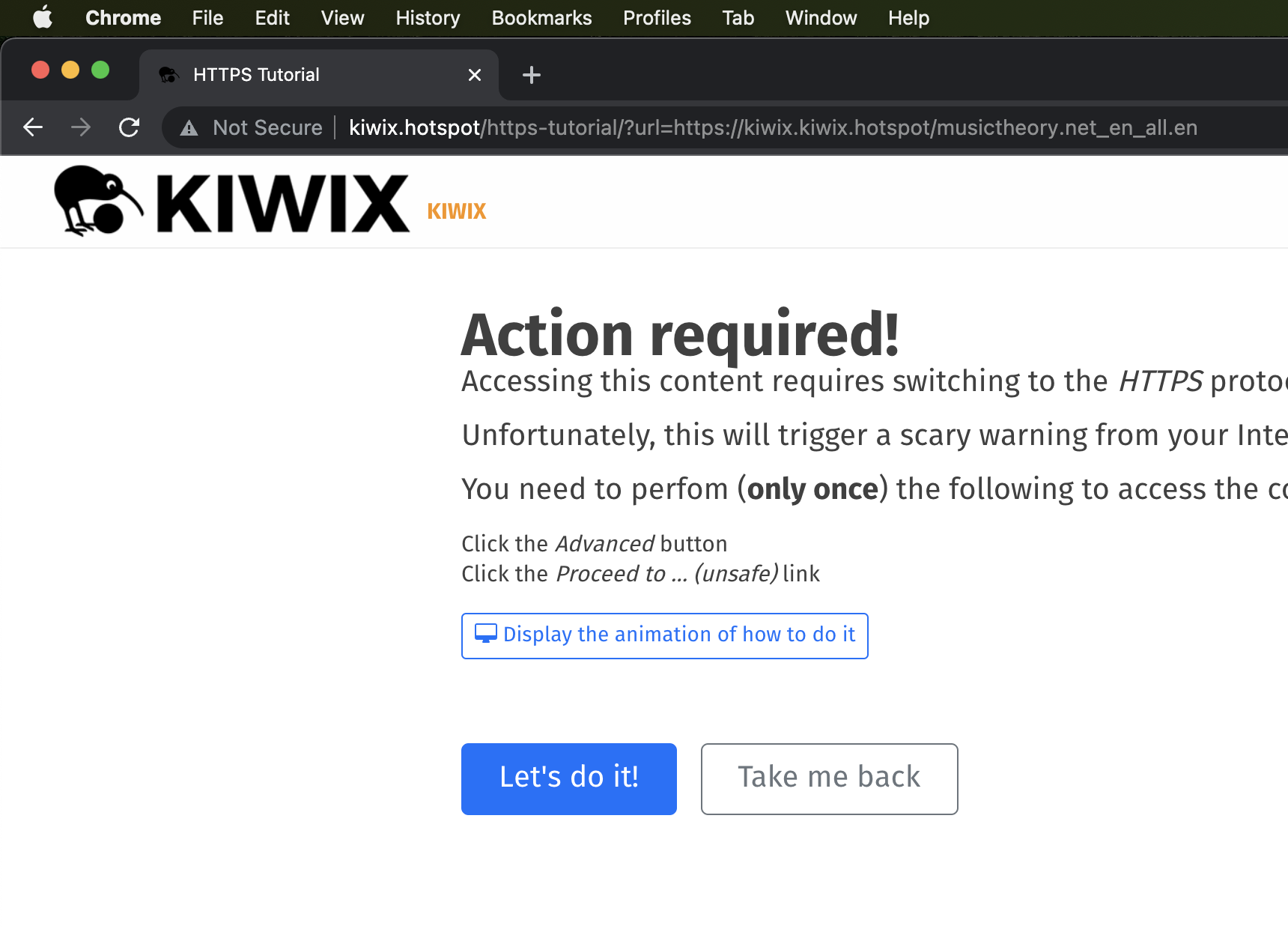
Are you sure you had the problem on macOS? Trying to get a Windows running to test on Windows now.
OK, so the problem is after this tutorial, which works on all browsers. It's just that once you've added the exception, you don't see it anymore obviously.
I can reproduce the issue: certificate exception is added but chrome refuses to register the service worker still.
OK, unfortunately, Chrome now requires the certificate to be installed on the system to work with Service Workers. The process is thus more complicated with many steps and of course it's different on Windows and macOS.
What should we do?
well the simpler for the user the better, no matter the cost on our side.
There is no simple way for the user.
The current (other browsers though) solution requires a few clicks in the browser to add an exception for the domain. What we are looking at now is a many steps, multi-software process to get to the same result:
- Click on “Not secure” button next to address bar
- Click on “Certificate (invalid)”
- In the popup, go to Details
- Click export to file
- Select a location and name to export to and save
- Now in explorer, go to that location and double-click certificate
- Choose install certificate
- Select “place certificate in following store”
- Click Browse
- Select “Trusted root certificates authorities” from the list of similarly named options
- Confirm
- Confirm in the warning dialog
- Exit the certificate manager
- In chrome, refresh the page you were on
Steps 7-13 are visible in this tutorial
Another alternative, is to ask user:
- To use another browser (Firefox)
- To disable security in chrome by launching it with
--ignore-certificate-errors.
This issue has been automatically marked as stale because it has not had recent activity. It will be now be reviewed manually. Thank you for your contributions.