

 ofeksadlo
not working for me

pygame 1.9.6 Hello from the pygame community. https://www.pygame.org/contribute.html Launching aimbot on CPU... Aimbot Enabled FOV Size: 160x160
Warning (from warnings module): File "C:\Users\divud\Desktop\working hackkz\CSGO-Aimbot-CNN-main\main.py", line 215 pygame.draw.rect(screen, [0, 255, 0], [screenWidth/2-fovWidth/2, screenHieght/2-fovHeight/2, fovWidth, fovHeight], 1) DeprecationWarning: an integer is required (got type float). Implicit conversion to integers using int is deprecated, and may be removed in a future version of Python. Exception in thread Thread-1: Traceback (most recent call last): File "C:\Users\divud\AppData\Local\Programs\Python\Python38\lib\threading.py", line 932, in _bootstrap_inner self.run() File "C:\Users\divud\AppData\Local\Programs\Python\Python38\lib\threading.py", line 870, in run self._target(*self._args, **self.kwargs) File "C:\Users\divud\AppData\Local\Programs\Python\Python38\lib\site-packages\keyboard_init.py", line 292, in listen _os_keyboard.listen(self.direct_callback) File "C:\Users\divud\AppData\Local\Programs\Python\Python38\lib\site-packages\keyboard_winkeyboard.py", line 560, in listen prepare_intercept(callback) File "C:\Users\divud\AppData\Local\Programs\Python\Python38\lib\site-packages\keyboard_winkeyboard.py", line 553, in prepare_intercept keyboard_hook = SetWindowsHookEx(WH_KEYBOARD_LL, keyboard_callback, GetModuleHandleW(NULL), NULL) ctypes.ArgumentError: argument 3: <class 'OverflowError'>: int too long to convert
Warning (from warnings module): File "C:\Users\divud\Desktop\working hackkz\CSGO-Aimbot-CNN-main\main.py", line 110 textRect.center = (x, y) DeprecationWarning: an integer is required (got type float). Implicit conversion to integers using int is deprecated, and may be removed in a future version of Python.
I never saw this exception but I did notice you're using python 3.8. There is no support for directml-tensorflow for python 3.8. So you should have gotten exception for that as well. Try to uninstall python 3.8 and install python 3.7.7 then install all dependencies via requirements.txt and then try running main.py again.

C:\Users\divud>python -m pip install tensorflow-directml ERROR: Could not find a version that satisfies the requirement tensorflow-directml (from versions: none) ERROR: No matching distribution found for tensorflow-directml
I got python 3.7.7 and installed all the modules from requirements.txt but this last one doesnt want to install with pip is there another way?
i managed to download tenserflow with python3 -m pip install --upgrade https://storage.googleapis.com/tensorflow/mac/cpu/tensorflow-1.12.0-py3-none-any.whl
but when i launch main.py i get this error message
Python 3.7.7 (tags/v3.7.7:d7c567b08f, Mar 10 2020, 09:44:33) [MSC v.1900 32 bit (Intel)] on win32 Type "help", "copyright", "credits" or "license()" for more information.
== RESTART: C:\Users\divud\Desktop\working hackkz\CSGO-Aimbot-CNN-main\main.py = pygame 1.9.6 Hello from the pygame community. https://www.pygame.org/contribute.html Traceback (most recent call last): File "C:\Users\divud\AppData\Local\Programs\Python\Python37-32\lib\site-packages\tensorflow\python\pywrap_tensorflow_internal.py", line 18, in swig_import_helper fp, pathname, description = imp.find_module('_pywrap_tensorflow_internal', [dirname(file)]) File "C:\Users\divud\AppData\Local\Programs\Python\Python37-32\lib\imp.py", line 296, in find_module raise ImportError(_ERR_MSG.format(name), name=name) ImportError: No module named '_pywrap_tensorflow_internal'
During handling of the above exception, another exception occurred:
Traceback (most recent call last):
File "C:\Users\divud\AppData\Local\Programs\Python\Python37-32\lib\site-packages\tensorflow\python\pywrap_tensorflow.py", line 58, in
During handling of the above exception, another exception occurred:
Traceback (most recent call last):
File "C:\Users\divud\Desktop\working hackkz\CSGO-Aimbot-CNN-main\main.py", line 11, in
During handling of the above exception, another exception occurred:
Traceback (most recent call last):
File "C:\Users\divud\AppData\Local\Programs\Python\Python37-32\lib\site-packages\tensorflow\python\pywrap_tensorflow.py", line 58, in
Failed to load the native TensorFlow runtime.
See https://www.tensorflow.org/install/errors
for some common reasons and solutions. Include the entire stack trace above this error message when asking for help.
how can i fix it?
it seems to just be missing ImportError: No module named '_pywrap_tensorflow_internal' how can i get it
First of all you can't use any tensorflow only the DirectML tensorflow. In order to make the aimbot GPU cross-platform (nvidia and amd) I've used this libary. Have you completely uninstalled python from your computer? Because it looks like you're getting entangled with other versions of python Try uninstalling all python versions on your computer from control panel. Then install this version of python: https://www.python.org/downloads/release/python-377/ It's the same one as I'm using and should work for you.
Or you could just use the CPU version just open aimbotOnly.py it will lack the drawing on the screen. But should work for other python versions because there is no use of tensorflow.
i tried the CPU version and it launches. But when I launched a csgo match, it doesnt seem to be working, it just every now and again stares at the floor. But no matter how close i aim or shoot near the head it doesnt do anything ( sorry for the constant spam, I am new to python)
i tried the CPU version and it launches. But when I launched a csgo match, it doesnt seem to be working, it just every now and again stares at the floor. But no matter how close i aim or shoot near the head it doesnt do anything ( sorry for the constant spam, I am new to python)
- Have you changed the csgo video setting to fullscreen windowed?
- Have you disabled the mouse raw input in csgo mouse settings?
Because both crucial for the aimbot to work properly.
ok, its working with the CPU but for it to be faster and more reliable it needs the tenser flow thing to work on the Gpu right?
I reinstalled my python and got all the modules besides the tenser flow one. is there a pip link or something i can use to install it?
ok, its working with the CPU but for it to be faster and more reliable it needs the tenser flow thing to work on the Gpu right?
I reinstalled my python and got all the modules besides the tenser flow one. is there a pip link or something i can use to install it?
Actually the GPU version of the aimbot is still in development and the most stable version currently is the aimbotOnly.py
So after uninstalling any python versions on your pc and installing only this version of python: https://www.python.org/downloads/release/python-377/
You're still getting into trouble installing pip install tensorflow-directml?
yes i still get C:\Users\divud>python -m pip install tensorflow-directml ERROR: Could not find a version that satisfies the requirement tensorflow-directml (from versions: none) ERROR: No matching distribution found for tensorflow-directml
This is very strange
Try entering python --version in cmd and post what version is printed?
Well there's only one more reason left that you won't be able to install tensorflow-directml: Your pip version could be the case mine is pip 20.2.3 So downgrade or upgrade to that version and try installing again. If that doesn't work then maybe your windows os is not supported.
Sadly cross-platform gpu utilization is a nasty business. Most object detection apis support NVIDIA GPU only . And so as an AMD GPU owner I resort for tensorflow backend which is DirectML. But chin up currently you're not missing anything but even lower accuracy detections. Given the tensorflow model is far from bieng accurate and still under development. Instead I've just updated the main code so you don't need to install tensorflow-directml. To use the main.py and see drawing on screen. So if you keep failing to install DirectML just use the updated main.py
It works, even though im averaging 4-6 fps so It cant be used against other players. Still a very cool concept. And cant wait until it will be on a level where it can be used in competitive matches.
It works, even though im averaging 4-6 fps so It cant be used against other players. Still a very cool concept. And cant wait until it will be on a level where it can be used in competitive matches.
Glad to hear!
I've figured out why you didn't managed to install tensorflow-directml
When you download python you need to download the 64 bit and not 32 bit
 https://www.python.org/downloads/release/python-377/
Otherwise you'll get
https://www.python.org/downloads/release/python-377/
Otherwise you'll get No matching distribution found for tensorflow-directml
trying to install tensorflow-directml.
at least you are having error though. I am getting no error but still not working :) BTW, I had started working on similar protect for my image processing homework before i googled this. Mine project is running on GPU. It gives around 60x higher performance (gtx1070 -> 7700HQ) I stuck on aiming part and wanted to google anyway.

at least you are having error though. I am getting no error but still not working :) BTW, I had started working on similar protect for my image processing homework before i googled this. Mine project is running on GPU. It gives around 60x higher performance (gtx1070 -> 7700HQ) I stuck on aiming part and wanted to google anyway.
You are more than welcome to open an issue. And I'll do my best to help
at least you are having error though. I am getting no error but still not working :) BTW, I had started working on similar protect for my image processing homework before i googled this. Mine project is running on GPU. It gives around 60x higher performance (gtx1070 -> 7700HQ) I stuck on aiming part and wanted to google anyway.
You are more than welcome to open an issue. And I'll do my best to help
thank you but, what can we do while there is no error though. What can i report in the new issue
i
We can start by asking
-
What do you see when you run the main.py Do you see something like this:
 Or the window is just closing?
 -
Did you start CS:GO in full-screen windowed?
-
Did you disabled raw mouse input?
-
Did you Installed all dependencies from reqiurements.txt file.
-
Is your resolution is on 1920x1080?
-
Are you on windows environment ?
-
Did you tried using Python 3.7.7 Windows x86-64?
i
We can start by asking
- What do you see when you run the main.py Do you see something like this:
Or the window is just closing?
- Did you start CS:GO in full-screen windowed?
- Did you disabled raw mouse input?
- Did you Installed all dependencies from reqiurements.txt file.
- Is your resolution is on 1920x1080?
- Are you on windows environment ?
- Did you tried using Python 3.7.7 Windows x86-64?
All of preliminaries are ensured. (these 6 elements) I tried cpu version. program runs without any error, seems it just doesnt aim.
actually if any installation is missing, would the program run without any error ? I mean maybe issue could be because of a missing component that doesnt cause a visible error maybe ?
I just installed missing components. I dont want to update already installed one/s. Because as I said I am working on a similar project, version confliction is a real nightmare.
Actually why dont i test your training file with my project though. --> I tried it, (maybe in an incorrect way though. Idk. It seems you have got 4 classes. and success of detection rate on these things seems to be very low. Usually it doesnt detect anything, when it does, similarity percentage is usually too low)
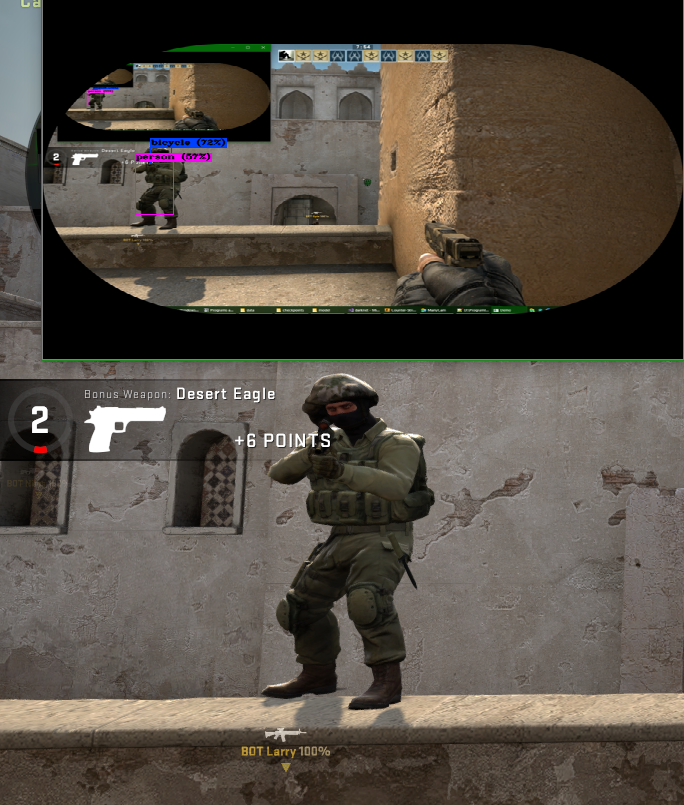
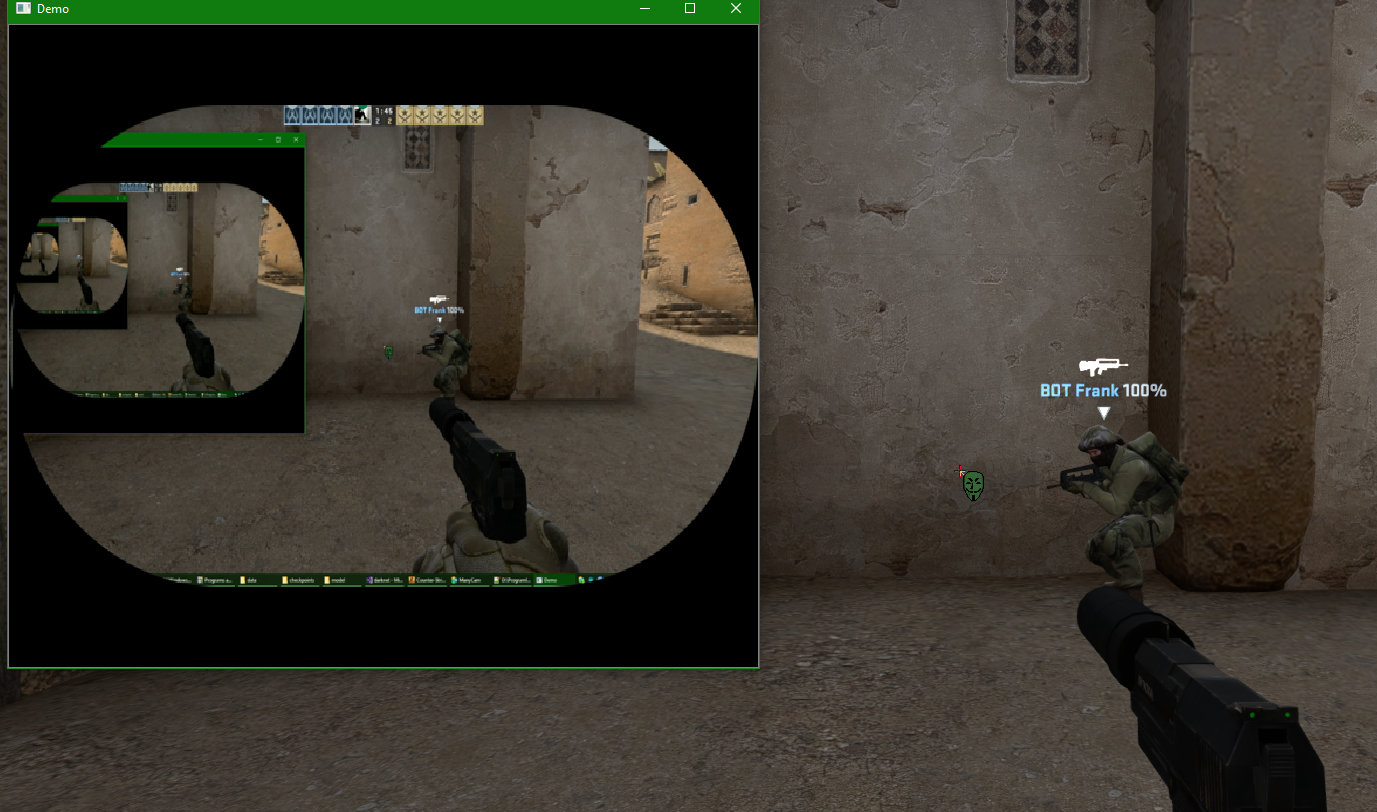
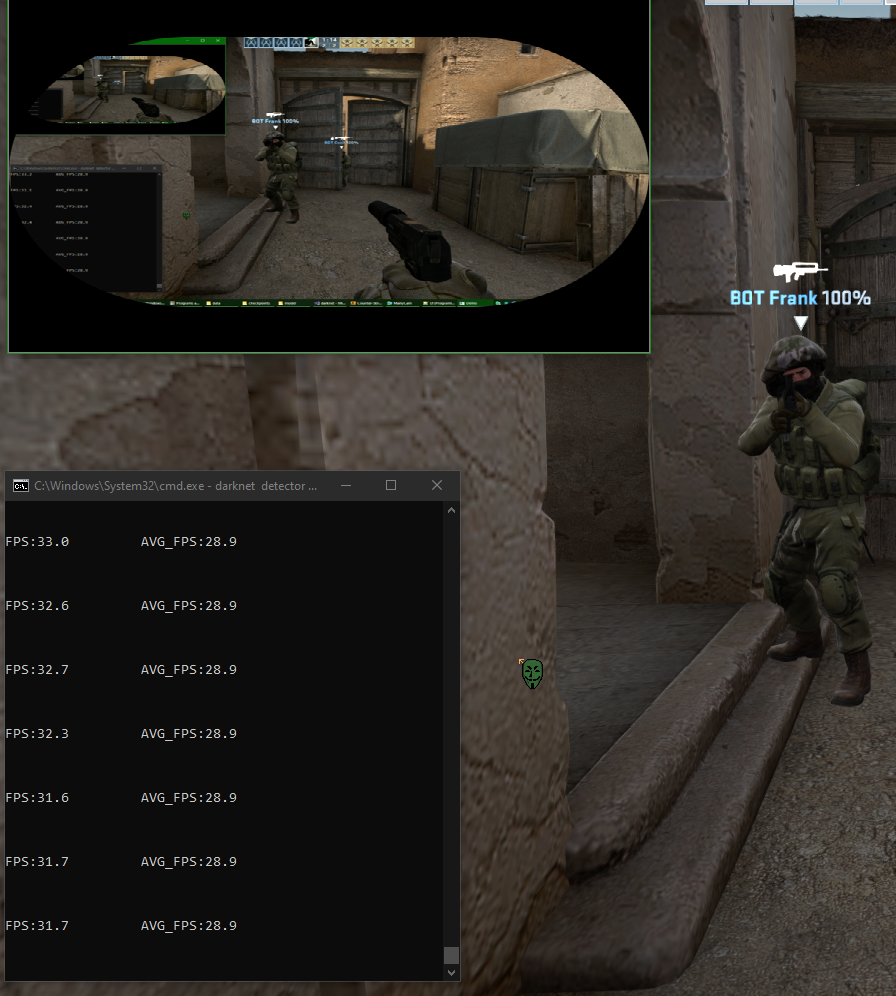 maybe you need a better training model.
PS: object names appearing in my pictures are just trivial. They are names of first 4 things in the list I am using.
maybe you need a better training model.
PS: object names appearing in my pictures are just trivial. They are names of first 4 things in the list I am using.