

 odoo
odoo
[FIX] point_of_sale: not show inactive variant attributes in the shop
Currently, if you select a product that has variants, the popup window to choose the variants shows both active and inactive variants.
Steps to reproduce:
- Make a quotation with the product
Desk Organizerand selectPlasticas its variant -> Confirm - Go to Products
- Select
Desk Organizer - Go to
Attributes & Variants - Remove the
PlasticoptionThe variant is now inactive
- Go to the Point of Sale App
- Open a shop session
- Select the
Desk Organizerproduct
Observation: the
Plasticvariant is shown
Why the fix:
We compare the workflow with sales, when doing a new quotation with the Desk Organizer product, the inactive variant is not an option to select.
We now load the information about attribute values being active or not when loading the data to the POS Session. All attributes that are inactive will not be shown in the product configurator.
opw-3713374



@sbel-odoo Perhaps in the forward ports you could merge the new test into the existing product configurator tour

@sbel-odoo Perhaps in the forward ports you could merge the new test into the existing product configurator tour
No problem, I'll keep that in mind :) Thank you
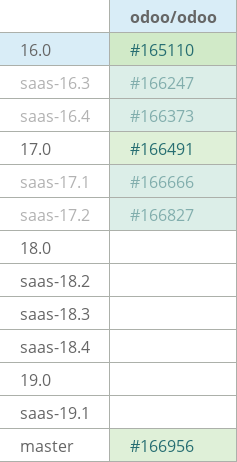
@sbel-odoo @vlst-odoo this pull request has forward-port PRs awaiting action (not merged or closed):
- odoo/odoo#166666

@sbel-odoo @vlst-odoo this pull request has forward-port PRs awaiting action (not merged or closed):
- odoo/odoo#166666
@sbel-odoo @vlst-odoo this pull request has forward-port PRs awaiting action (not merged or closed):
- odoo/odoo#166666
@sbel-odoo @vlst-odoo this pull request has forward-port PRs awaiting action (not merged or closed):
- odoo/odoo#166956