

 ocrmypdf
ocrmypdf --redo-ocr fails with DecompressionBombError on small PDF
Describe the bug
My PDF is 900kb
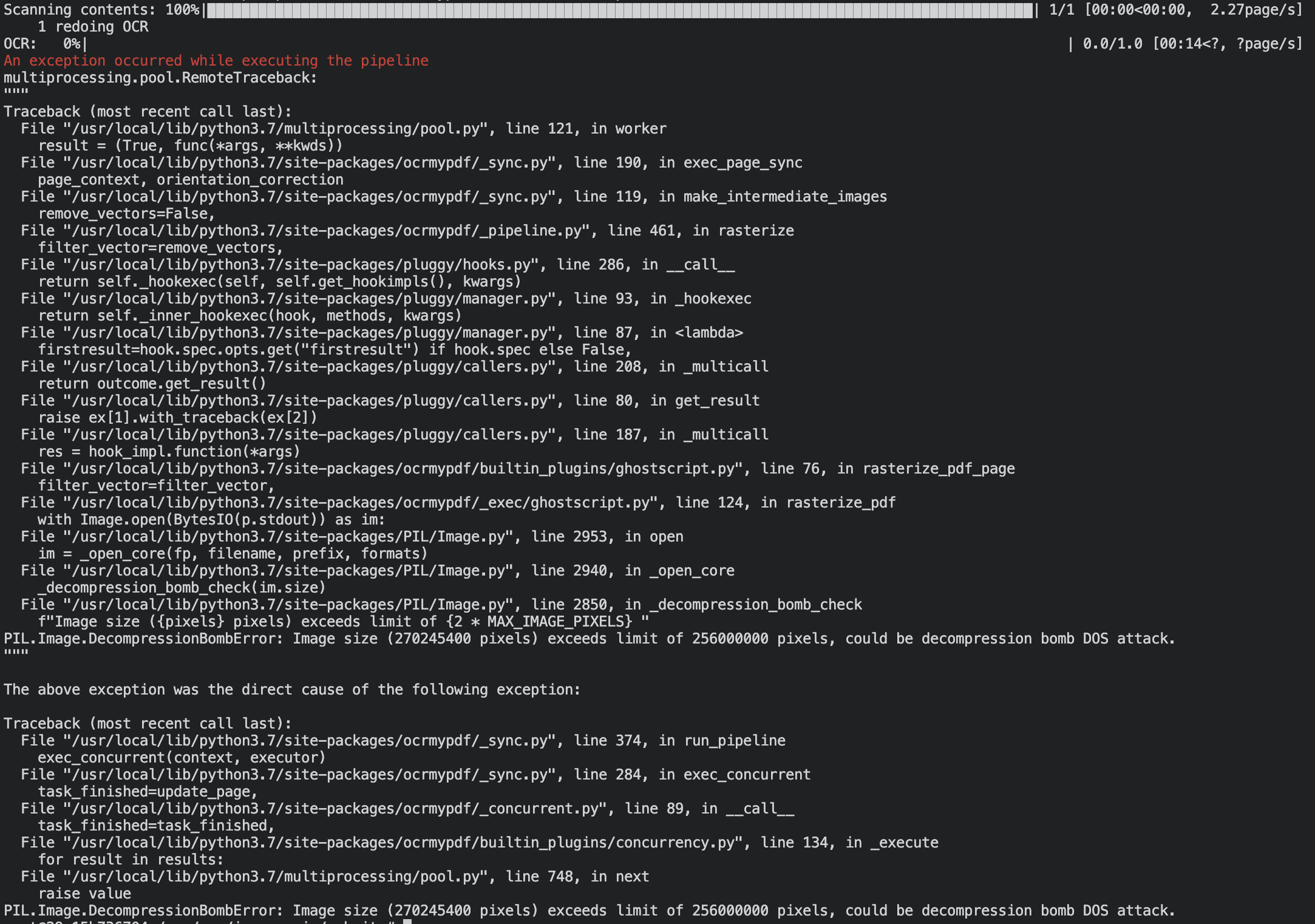
When trying to --redo-ocr on a previously OCRized PDF I am getting a PIL.Image.DecompressionBombError, program thinks my PDF is 270 245 400 pixels while pdfimages -list shows its a 8 746 100 pixels PDF.
To Reproduce
First ocrmypdf file1.pdf ocr.pdf then ocrmypdf --redo-ocr ocr.pdf redo.pdf
Expected behavior
I didn't expect it to crash since my file is less than 256 Mpixels
If I try to do : ocrmypdf --force-ocr --max-image-mpixels=270 ocr.pdf force.pdf it works but it takes 150 seconds instead of 9 seconds, and my resulted file is 13 times bigger also the resulting resolution is (13800, 19583) with 400 dpi from initially a resolution of (2484, 3525) with 72 dpi.
Screenshots
Initial pdf and ocrized pdf inspection with pdfimages -list file1.pdf

pdfimages -list ocr.pdf on OCRized PDF

trying --redo-ocr:
After --force-ocr --max-image-mpixels=270 on previously OCRized PDF pdfimages -list force.pdf:

System (please complete the following information):
- OS: Debian GNU/Linux 11
- Python version: 3.7.12
- OCRmyPDF version: 12.4.0
Installation Used apt-get install ocrmypdf to install
Note
I can get it to work by passing --max-image-mpixels=270 --redo-ocr but I can't afford to wait 13 times more than normal time and I don't want to pass this parameter to the program. I would like to make it work without --max-image-mpixels

Decompression bomb check are designed behavior, to protect users against malicious files. We use a higher limit than Pillow's 75M pixels.
As the issue template indicates, if no example file is provided, usually no further investigation can be attempted. With an example file, it is possible to determine if something went wrong and improve behavior. Without a way of triggering the behavior you observed, I can only guess. Probably there's a vector object in the PDF that causes promotion to 400 dpi to avoid loss of resolution, but again, that is just a guess.
If you installed with apt-get on Debian you probably have ocrmypdf 10.3 or so; Debian has not updated in a long time.

If you installed with apt-get on Debian you probably have ocrmypdf 10.3 or so; Debian has not updated in a long time.
Issue description says Debian 11 with OCRmyPDF 12.4.0

Sorry for not responding sooner, the version is indeed the 12.4.0 I'm not allowed to provide the PDFs to reproduce the issue, I've tried to make a test PDF that I could provide you but the error didn't happen. When I have some more time I will try to provide you with a test PDF where the issue happen
If you send me the output of qpdf --json yourprivate.pdf (using the qpdf program) that would give some indicating of the type of content in your file without actually reveal its contents. Might be enough in this case.