

 ocaml
ocaml
Show parsed ocamlformat syntax error message
The biggest quality of life improvement in editing ocaml code on vscode achievable in 8 lines IMHO
before:

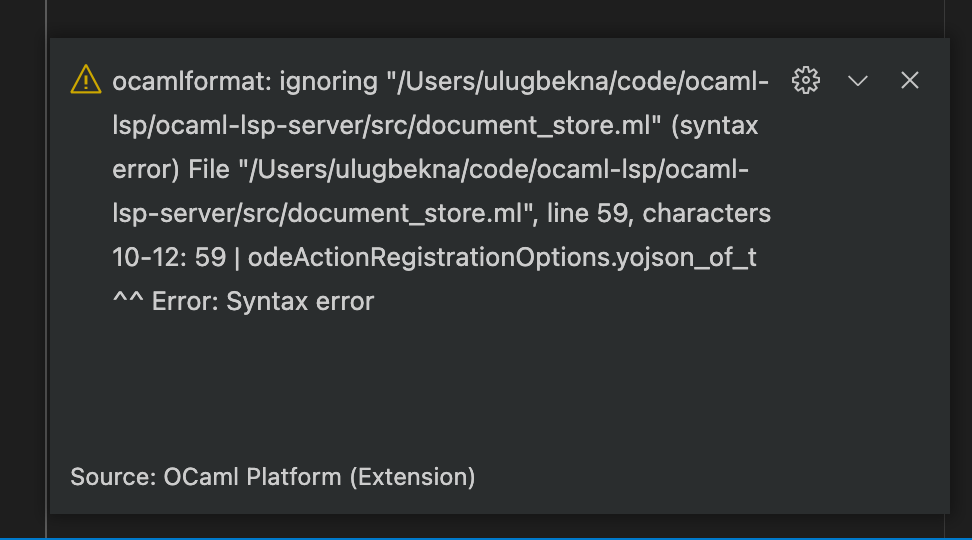
after:

Better solutions exist where we
- add a custom notification if client supports to add a button to the pop-up to jump to the error
- add a status bar item in vscode that shows the formatting didn't succeed and clicking on the item, one can jump to the place of error

It's an improvement, but it's a bit of a shame it has to be done this way. Have you considered the following solution:
- Set the env var
INSIDE_OCAMLLSPwhen running ocamlformat - Modify ocamlformat to output decent errors when this happens.

It's an improvement, but it's a bit of a shame it has to be done this way. Have you considered the following solution:
Do you mean submitting a patch to ocamlformat to have better errors?
Is it worth merging this PR before we make a PR to ofmt and they release a new version?
It's a big QoL improvement imho
Tbh, it never bothered me. I'm also worried that we're going to mangle some potential errors if they change some things. Since we need to support more than one version of ocamlformat.