
obs-studio
 obs-studio copied to clipboard
 obsproject
Mac-videotoolbox: Add support for VTB ProRes and HEVC encoding
Description
Adds support for additional hardware encoders for HEVC and ProRes and prefers to use hardware encoders when they are available
New Encoder List
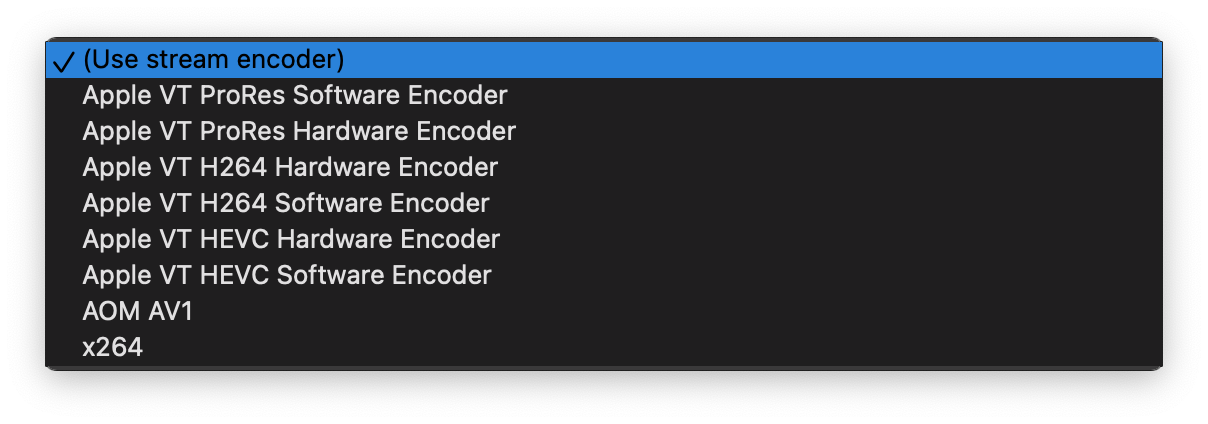
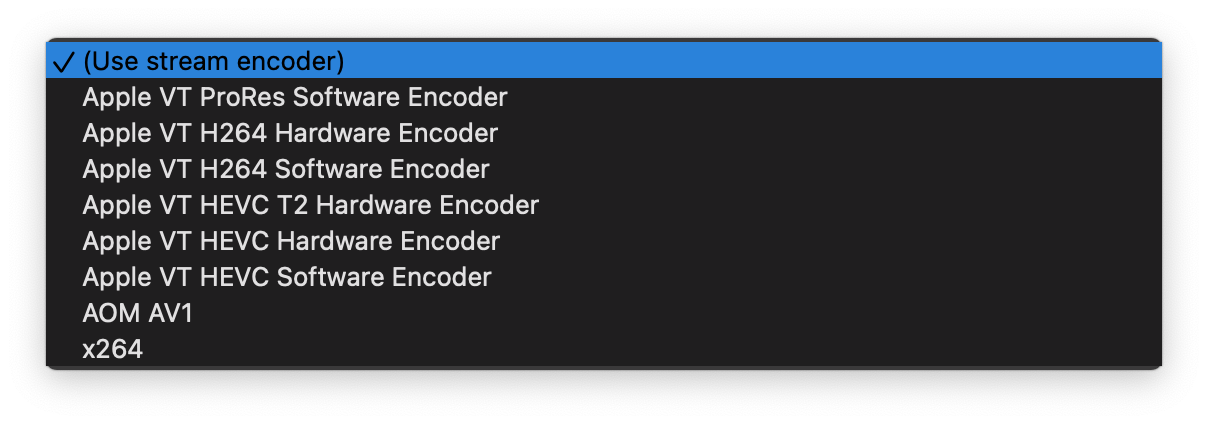
New Encoder Options

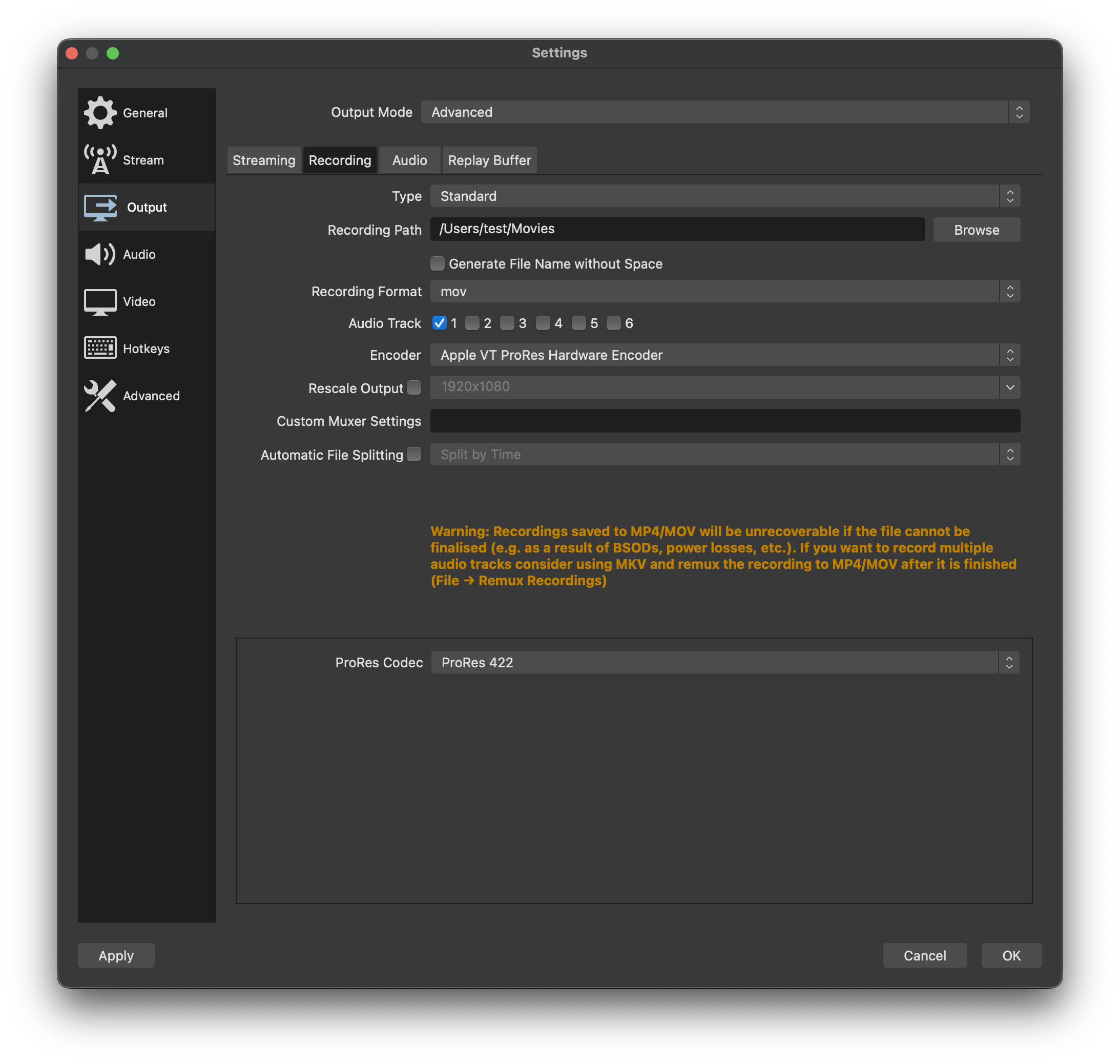
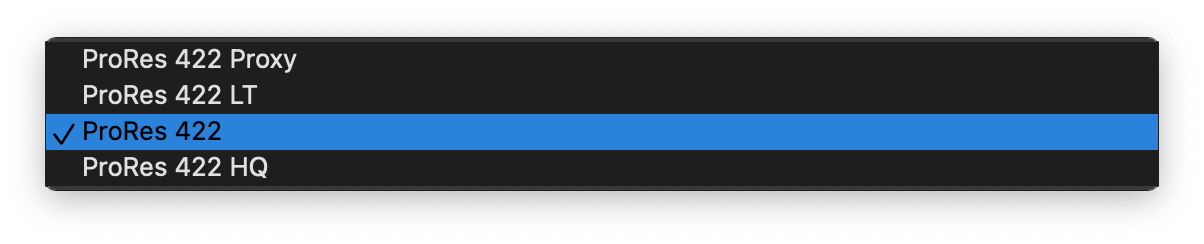
New Profile Options

Motivation and Context
Hardware encoders are typically more performant than software encoders. This leaves additional system resources available for the content being captured, which typically cannot be offloaded to specialized IP blocks.
How Has This Been Tested?
macOS 13 Betas MacPro MacBook Pro M2 MacBook Pro M1 Max iMac Pro w/ T2
VTB H264 -- Works as expected VTB HEVC -- Tested with various keyframe intervals, profiles and b-frames VTB ProRes -- Tested with all listed formats, resulting files playback without issue
Types of changes
- New feature (non-breaking change which adds functionality)
- Tweak (non-breaking change to improve existing functionality)
- Performance enhancement (non-breaking change which improves efficiency)
Checklist:
- [x] My code has been run through clang-format.
- [x] I have read the contributing document.
- [x] My code is not on the master branch.
- [x] The code has been tested.
- [x] All commit messages are properly formatted and commits squashed where appropriate.
- [x] I have included updates to all appropriate documentation.

Since ProRes is a 4:2:2 native format, will OBS be getting 4:2:2 output support?
Also notice that the ProRes hardware/software options seem out of order relative to the rest with software first before hardware.

I guess this PR is in a good state now.
@Developer-Ecosystem-Engineering just two outstanding issues:
- (Required) Please rebase to take the L10N changes to the locale file into account
- (Nice-To-Have) If possible order the appearance of ProRes encoders in the dropdown to match the ordering of the other encoders (Hardware variant comes first, Software variant comes second). This is a non-blocker.

Hi, I know this isn't seeking testers but I was just testing this pull and had some feedback:
Remuxed mp4s made with Apple VT HEVC Hardware Encoder aren't openable in QuickTime, Final Cut, or other Mac software because it looks like they're encoded with hev1 instead of hvc1, and the Apple ecosystem seems to prefer (or 'require') hvc1. They can be somewhat trivially re-tagged with ffmpeg and made usable, but if possible they should use hvc1 right out of OBS, no?

Hi, I know this isn't seeking testers but I was just testing this pull and had some feedback:
Remuxed mp4s made with Apple VT HEVC Hardware Encoder aren't openable in QuickTime, Final Cut, or other Mac software because it looks like they're encoded with hev1 instead of hvc1, and the Apple ecosystem seems to prefer (or 'require') hvc1. They can be somewhat trivially re-tagged with ffmpeg and made usable, but if possible they should use hvc1 right out of OBS, no?
That is a correct observation, I think we stumbled on this internally as well. Could you please open an issue for this so we can track it?
That is a correct observation, I think we stumbled on this internally as well. Could you please open an issue for this so we can track it?
Sure, will do
https://github.com/obsproject/obs-studio/issues/7322
A bit more feedback on this: It seems that OBS currently can't remux ProRes mkv recordings. Here's the error that appears in the OBS log when attempting a ProRes remux:
13:03:56.084: media_remux: Error opening output file: Invalid argument
A bit more feedback on this: It seems that OBS currently can't remux ProRes mkv recordings. Here's the error that appears in the OBS log when attempting a ProRes remux:
13:03:56.084: media_remux: Error opening output file: Invalid argument
Good point, I dunno if we need to check flags for this to make ffmpeg behave - it's an officially unauthorised implementation of ProRes, so breakage be expected.
Feel free to open an issue about this, though we probably won't be able to look into it before we merged this PR.
A bit more feedback on this: It seems that OBS currently can't remux ProRes mkv recordings.
I believe that is correct. MP4 is a subset of QuickTime which only allows certain codecs, of which ProRes is not one. OBS should still be able to remux from MKV, except it should remux to MOV, not MP4.
I get a similar error when I try to write an MP4 file with PCM audio using VirtualDub2.

PR will likely be manually merged via https://github.com/obsproject/obs-studio/compare/master...vt-hevc-prores so I've deleted the old branch and retargeted it to master again.

