
obs-studio

obs-studio copied to clipboard
Published
2 weeks ago
•
 obsproject
obsproject
UI: Fix settings properties view background
Description
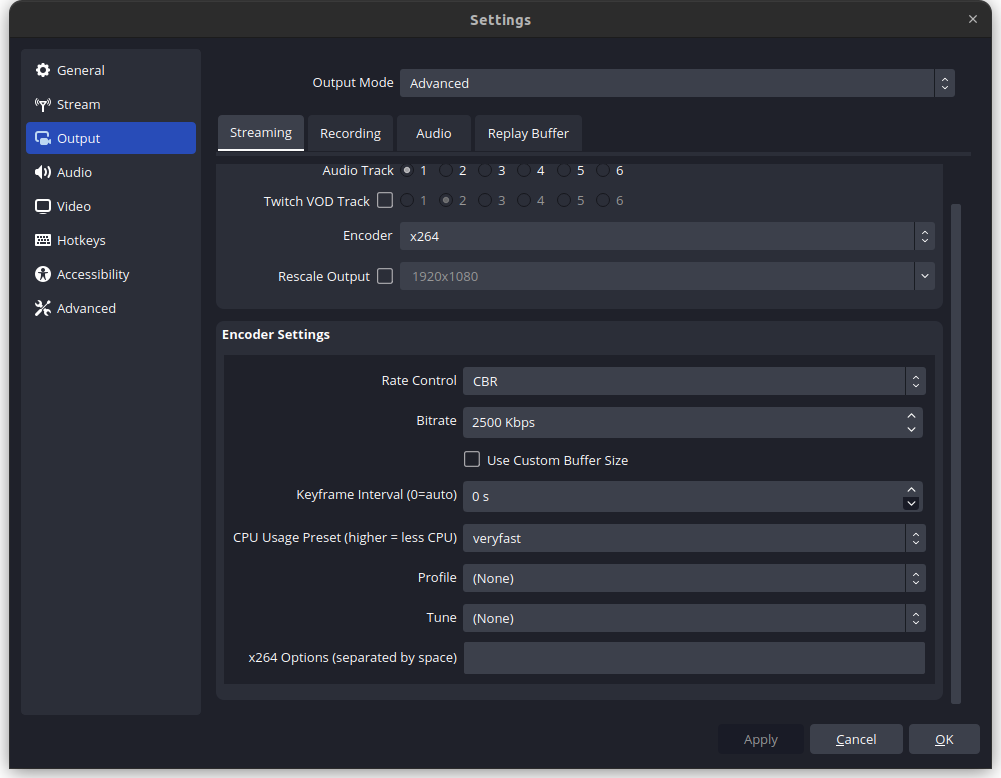
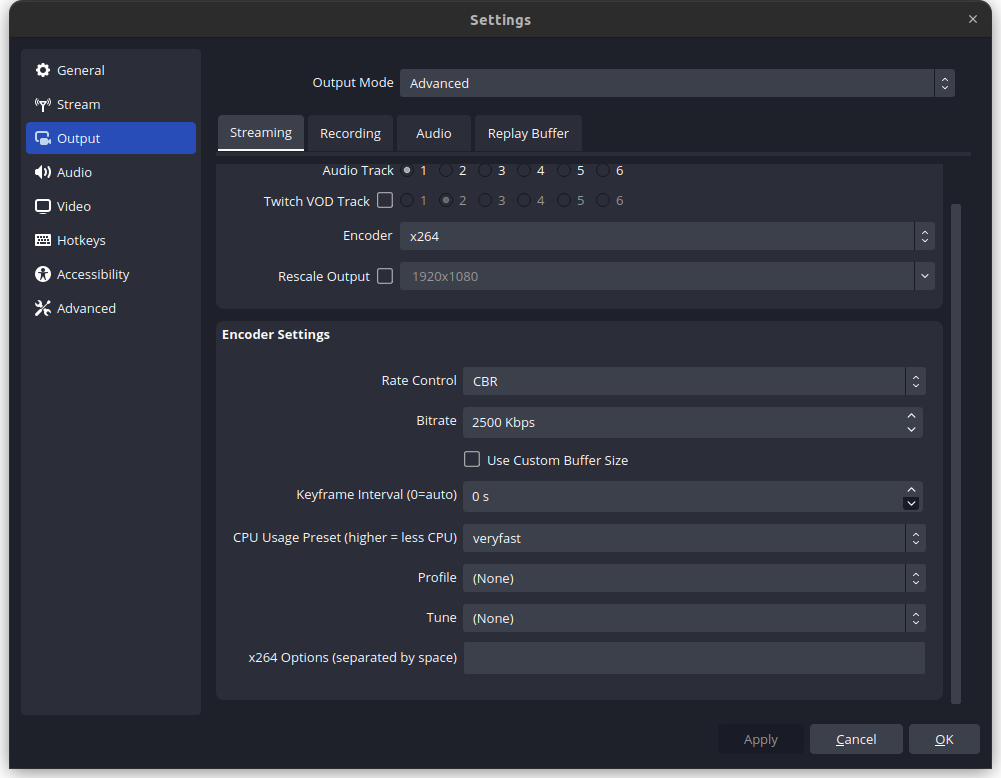
In the Yami theme, the background color in the properties view in the settings dialog would be incorrect.
Before:
After:
Motivation and Context
Fix Yami bugs
How Has This Been Tested?
Looked at all of the the properties views in the settings to make sure they had the correct background.
Types of changes
- Bug fix (non-breaking change which fixes an issue)
Checklist:
- [x] My code has been run through clang-format.
- [x] I have read the contributing document.
- [x] My code is not on the master branch.
- [x] The code has been tested.
- [x] All commit messages are properly formatted and commits squashed where appropriate.
- [x] I have included updates to all appropriate documentation.

The color is correct - this is scroll area. Double scroll is there, look here for details: https://github.com/obsproject/obs-studio/pull/5174#issuecomment-1200128285
