

 obsproject
Dark theme displays incorrectly if non-default QT_QPA_PLATFORMTHEME is set
Operating System Info
Other
Other OS
ZorinOS 16 Core
OBS Studio Version
27.1.0
OBS Studio Version (Other)
No response
OBS Studio Log URL
https://obsproject.com/logs/qN-iazg8c0LxF20u
OBS Studio Crash Log URL
No response
Expected Behavior
I was hoping that the dark theme would be kept in version 27.1.0, since the previous Linux version was running fine.
Current Behavior
But what ended up happening is that the inside and the buttons when used in dark mode, they turn white or "grayed out", which did not happen before.
Steps to Reproduce
My step by step was very simple:
- I already had the Obs Studio ppa added
- Then I did the commands sudo apt update && sudo apt upgrade -y
- Afterwards I restarted my notebook
Anything else we should know?
I am using ZorinOS 16 Core, which is the same base as Ubuntu 20.04.3 LTS, even the QT5 libs are the same.

Please provide screenshots as examples, the dark theme was changed in 27.1 to change how checked QPushButtons are styled, so this might be intentional.

Please provide screenshots as examples, the dark theme was changed in 27.1 to change how checked QPushButtons are styled, so this might be intentional.
No problem man !!
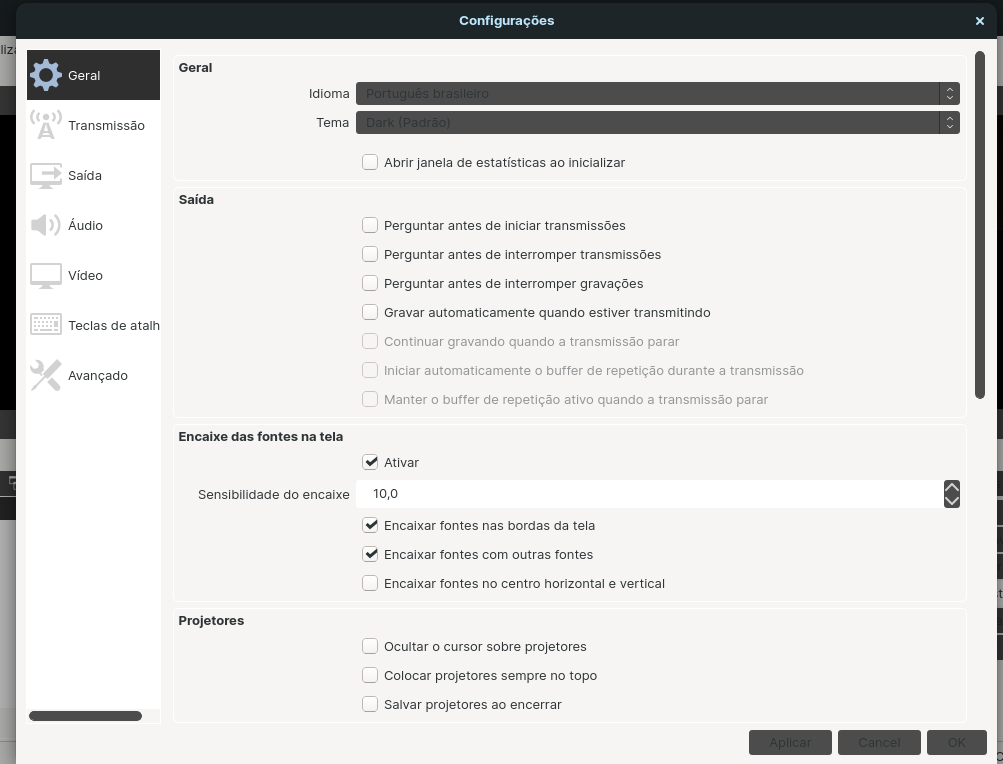
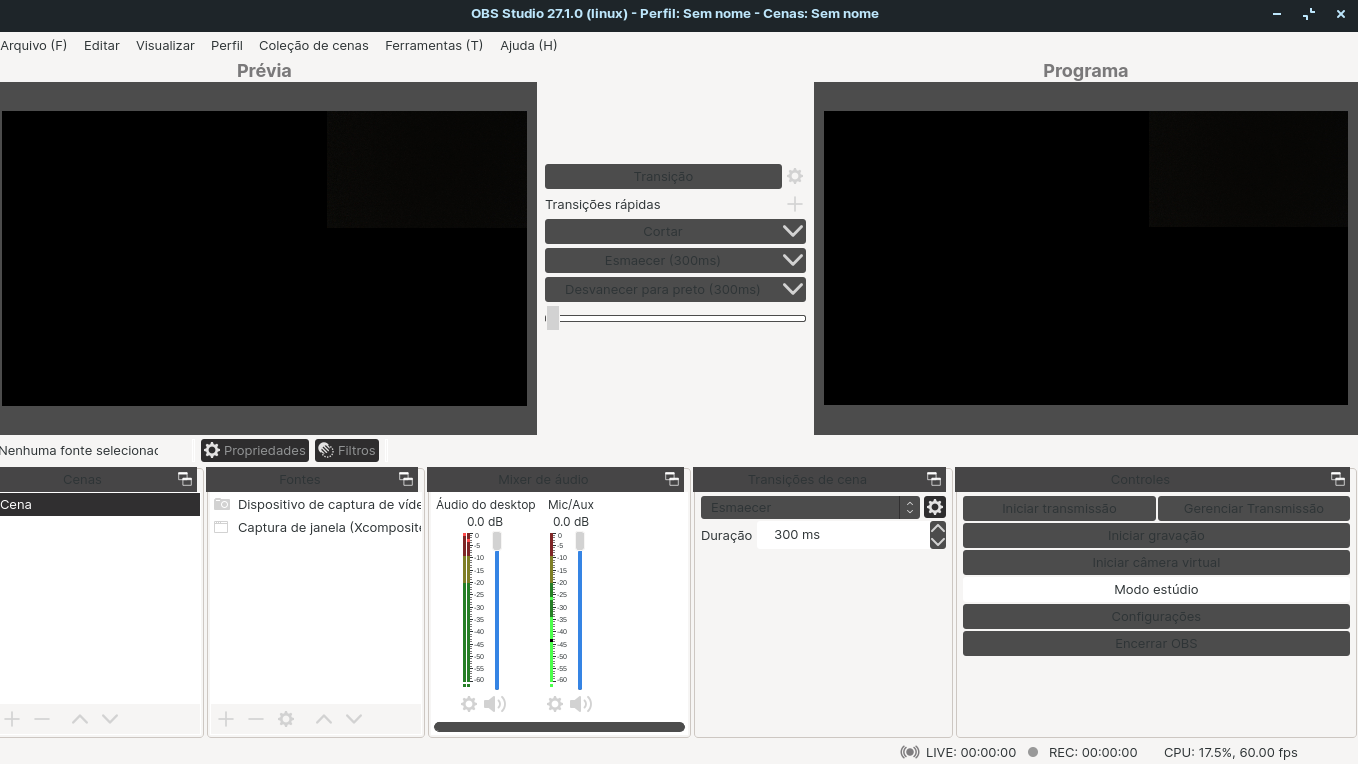 !
!
Thanks, this doesn't seem to be related to the theme changes we made, but is something else entirely. Likely the version of Qt on your distro is different in some way, but I am not sure what it would be.
Thanks, this doesn't seem to be related to the theme changes we made, but is something else entirely. Likely the version of Qt on your distro is different in some way, but I am not sure what it would be.
You are welcome, man. Well I am available to help with ZorinOS 16 and version 27.1.0 of OBS Studio, I just found it strange that the previous version was normal, but it happens 😅.

I use qt5ct with gtk2 theme, so this may be the cause.
But note that it worked well in previous versions of OBS
Just a "small" addendum to this issue of mine. I installed the Snap and Flatpak versions of OBS Studio, both version 27.1.3, and the dark theme is working perfectly. Only the PPA version that doesn't (version 27.1.3). I hope this addendum can help the project team.
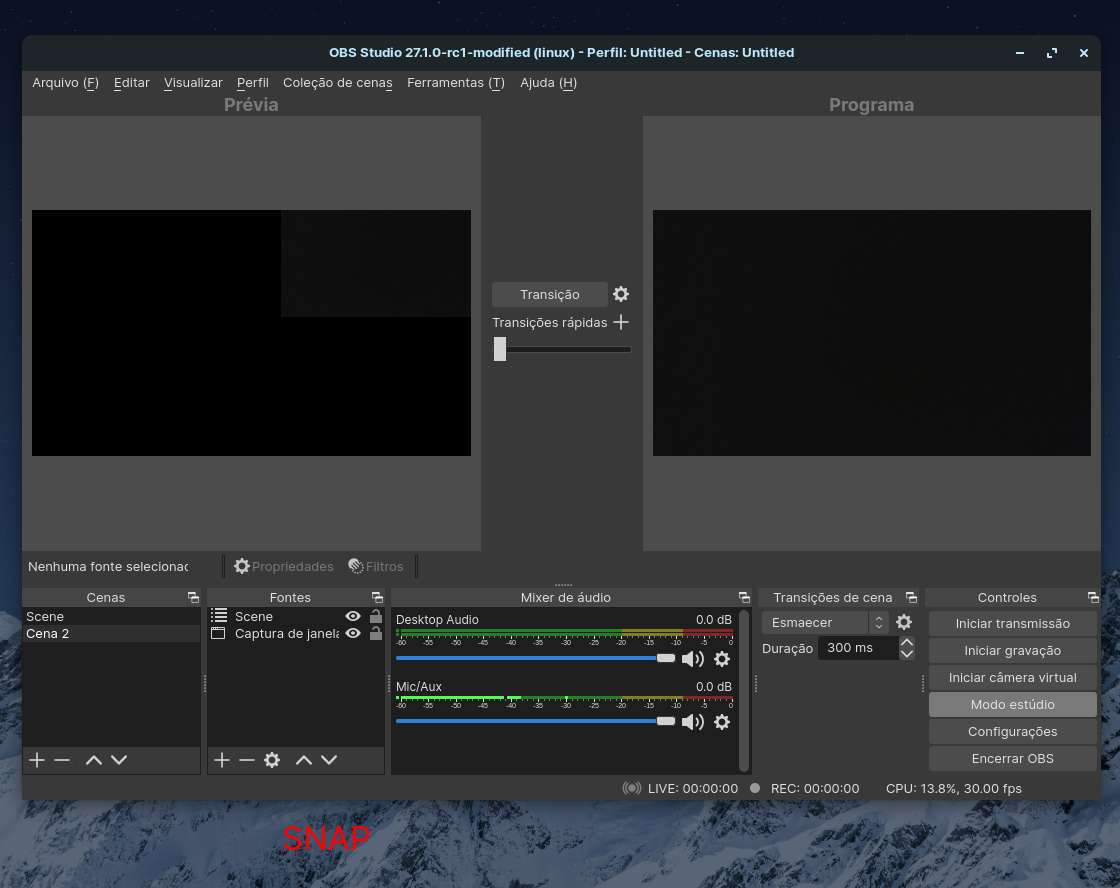
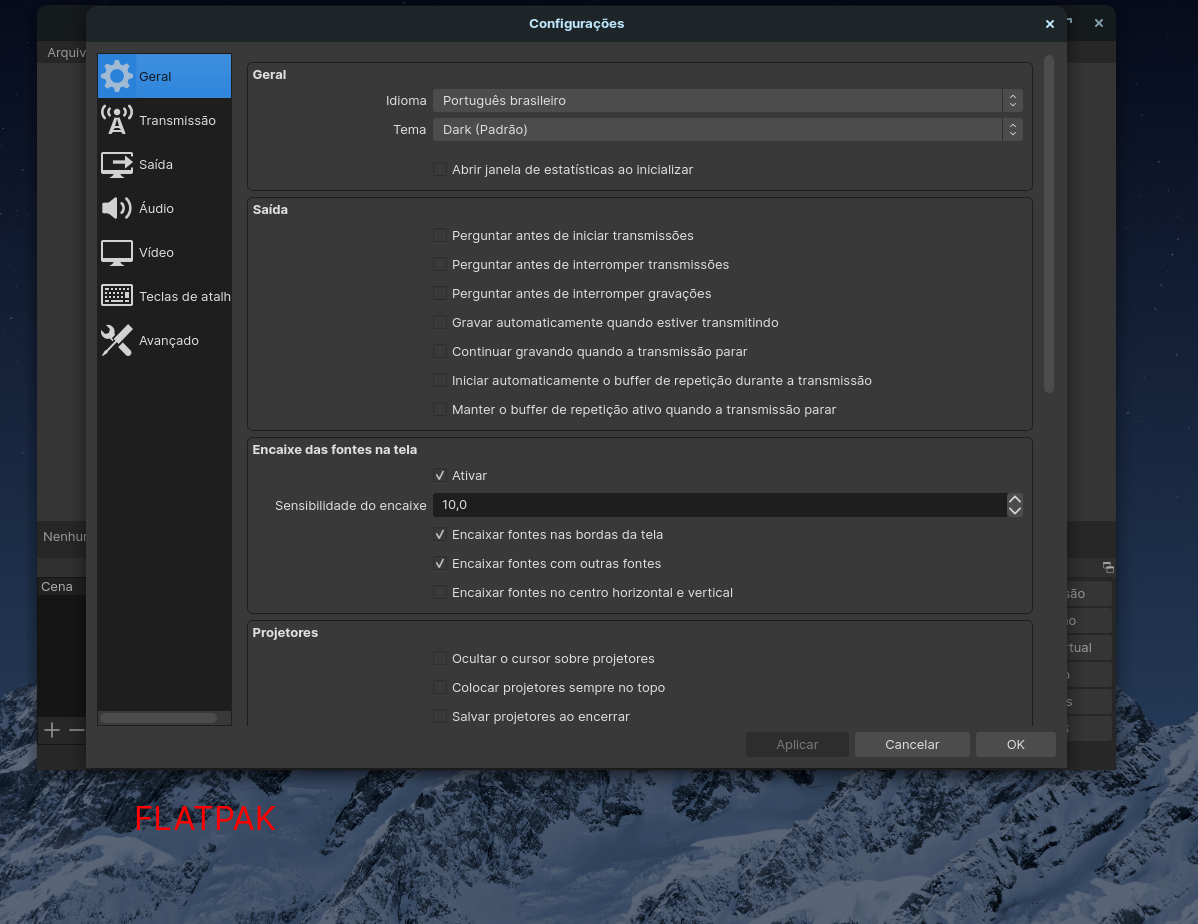
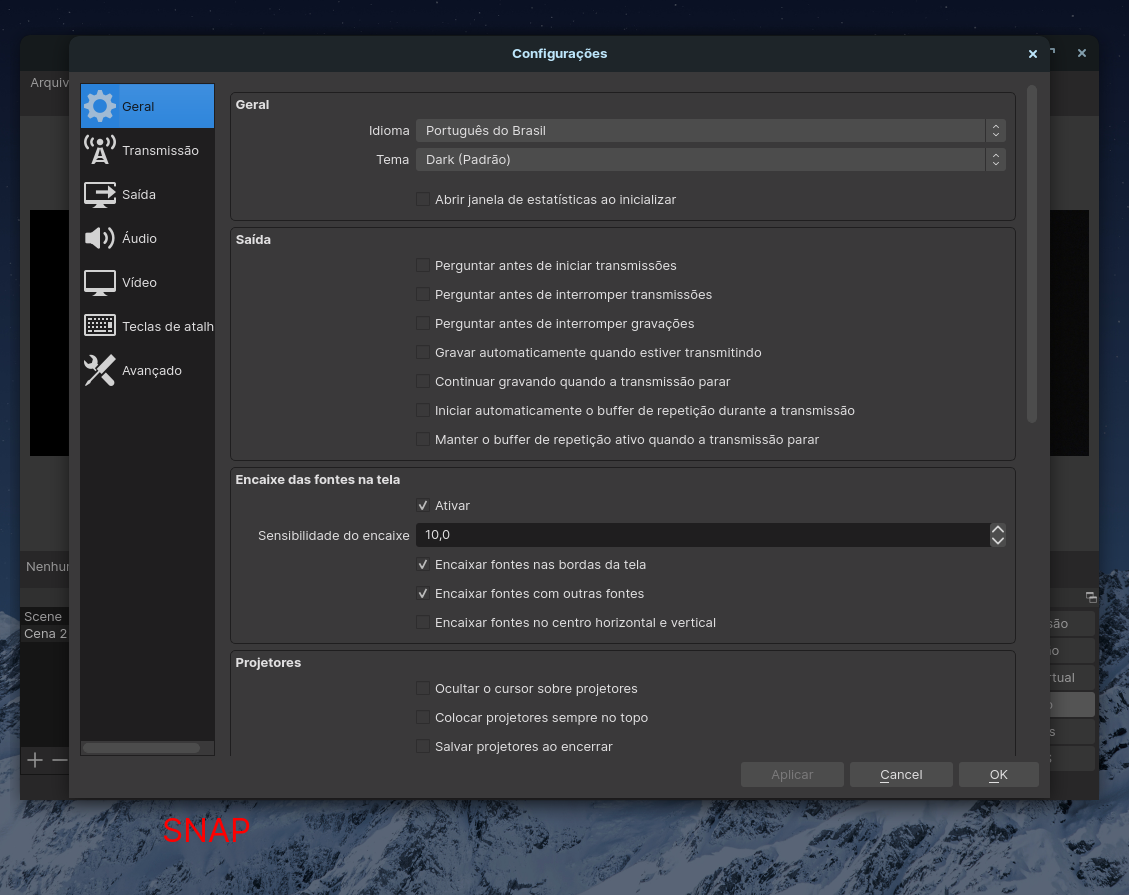
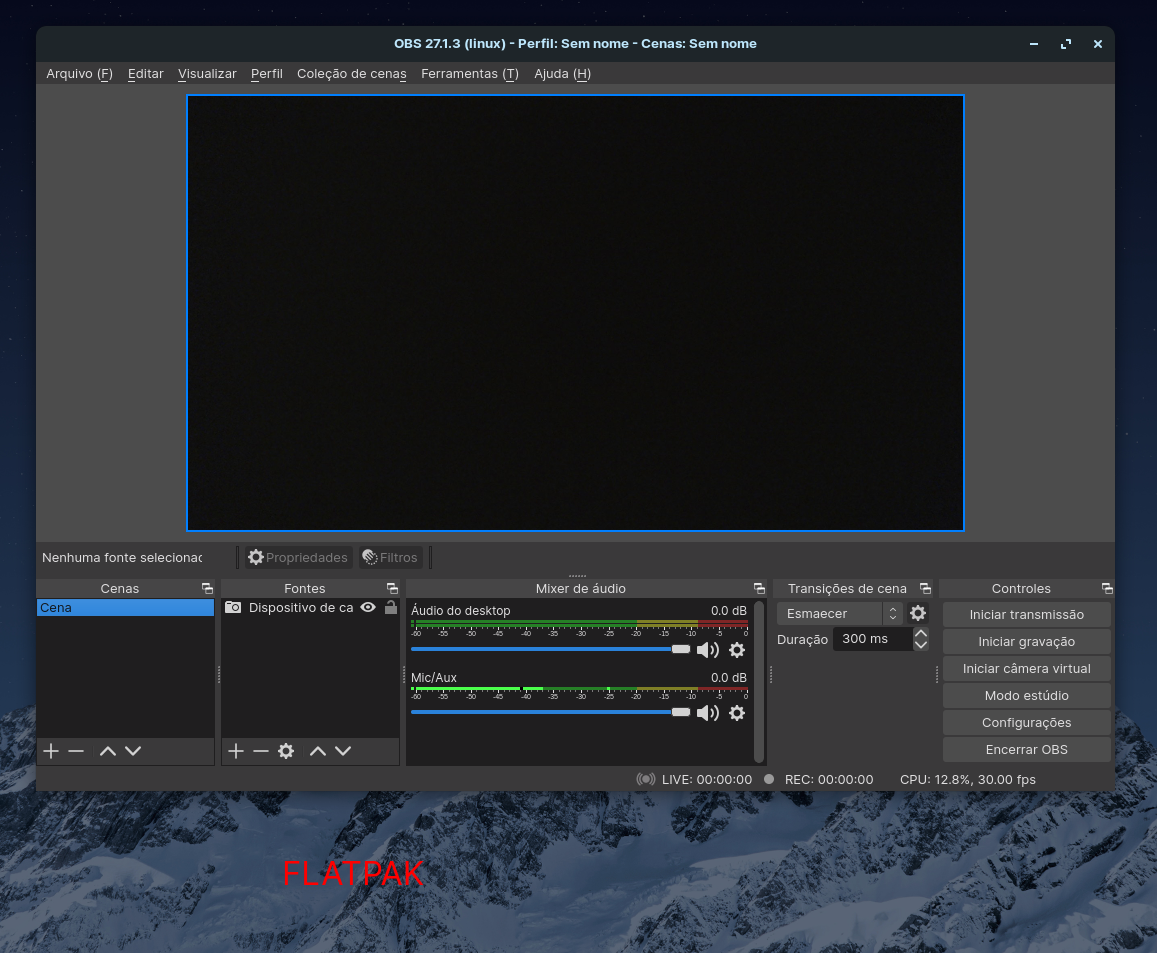
If you have $QT_QPA_PLATFORMTHEME set (check with echo $QT_QPA_PLATFORMTHEME), try launching with it unset with this command env -u QT_QPA_PLATFORMTHEME obs.

I have the same problem on Arch Linux, also with $QT_QPA_PLATFORMTHEME set to qt5ct. In qt5ct, my theme is set to use the one defined in kvantum. In kvantum manager, my theme is set to a light theme.
@CobaltSpace's solution works for me. I can also fix it by making obs use a dark theme in Kvantum manager.
Either way, the problem is that choosing the dark theme in obs settings is still dependant on system settings. Choosing the 'dark' theme should be independant of whatever system settings you chose, in my opinion.

With #6664 enforcing the Fusion Qt Style, setting QT_QPA_PLATFORMTHEME should have less impact on OBS themes.

We enforce QT_STYLE_OVERRIDE which prevent QPA Platform Theme to apply their style over our theme, so this should not happen without setting QT_STYLE_OVERRIDE.
still seems to be happening for me. It seems to be using my QT Theme as set with qt6ct, and not the Fusion QT Theme.

If you have
$QT_QPA_PLATFORMTHEMEset (check withecho $QT_QPA_PLATFORMTHEME), try launching with it unset with this commandenv -u QT_QPA_PLATFORMTHEME obs.
This fixed it for me.
I am on arch, wayland, QT_QPA_PLATFORMTHEME = qt6ct.
I provided a picture of what it looks like with and without the command.
