

 obsproject
Issue initializing various Font Style within a Font Family
Platform
Operating system and version: Windows 10 Pro 1909 (Build 18363.1256) OBS Studio version: 26.1.0
Expected Behavior
Previewing and initializing correct font style within any Text layer, and the Font Selection text box.
Current Behavior
Font Preview window, Text Properties window and OBS output incorrectly displays other font styles of the chosen font family
Steps to Reproduce
Updated from response below
- Retrieve the font files attached
- Install OTF files to the Windows Font Directory (These will be the baseline)
- Either via the Windows 10 Control Panel
- Font Preview Window
- Explorer Context Menu on the File
- Open OBS 28.0.3
- Create a new Text Source
- Select
ABCSansfrom the first Font list - Set the Font style (start with Light)
- Save the selection and confirm the Font Panel matches the Preview Panel. <- Issue is shown here
- Commit the Text Source to the scene <- Issue is shown here
- Validate the ABCSans font is being displayed
- Open the Text Source Properties, and the "Select Font" window
- Change the Font Style to
RoundedBold - Save the selection and confirm the Font Panel matches the Preview Panel. <- Issue is shown here
- Commit the Text Source to the scene <- Issue is shown here
- Reopen the Text Source Properties, and the "Select Font" window scene
- Change the Font to
ABCSans CondensedBold - Save the selection and confirm the Font Panel matches the Preview Panel. <- Issue is resolved here
- Commit the Text Source to the scene
- Remove the Text Source and close OBS
- Uninstall the Font from Windows using the Windows 10 Control Panel
- Install the TTF file to the Windows Font Directory and repeat from Step 3. <- Issue persists with TTF variant
Notes
- There are further font style variants with the
TTFfont set, allowing for more chances to test with - It's more likely a font issue with the internal metadata embedded in the
OTFandTTFdata, but worth checking why TTF is unable to select the font styles correctly, nor reveal each style under the Font list on the selection window.
https://user-images.githubusercontent.com/8276052/102956069-89a2f300-452b-11eb-9451-b400240c93d2.mp4
Additional information
Not every font with various styles experiences this. I am currently experiencing this with the ABCSans and ABCSans Serif font-family. I have tried the TTF and OTF formats, and experience the same problem. Whatever font is installed first, is the style that's fallen back upon. Sometimes, when a font is selected, it is not used when rendering into the preview or output.
The issue only happens inside OBS.
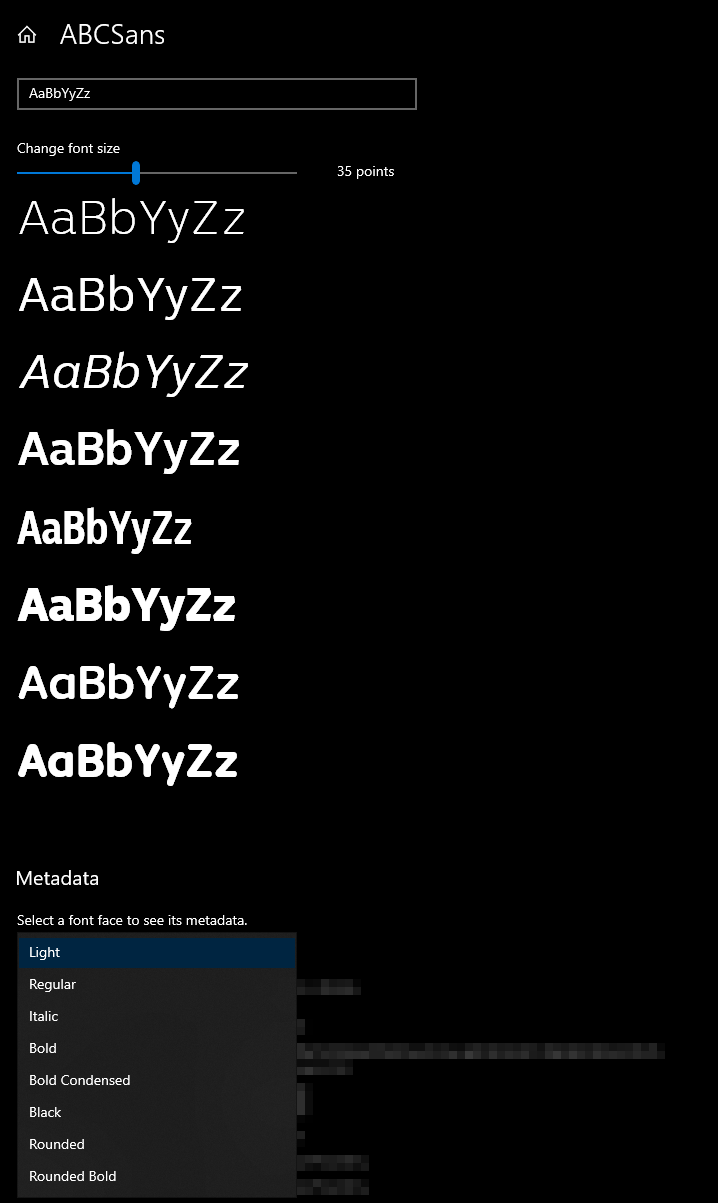
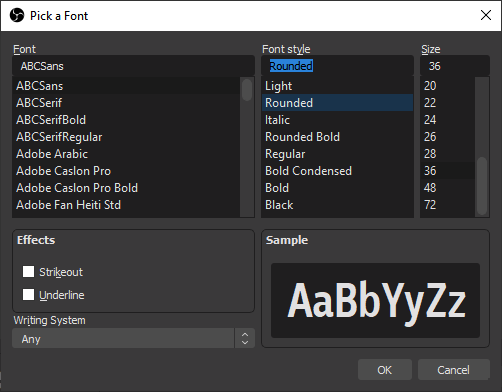
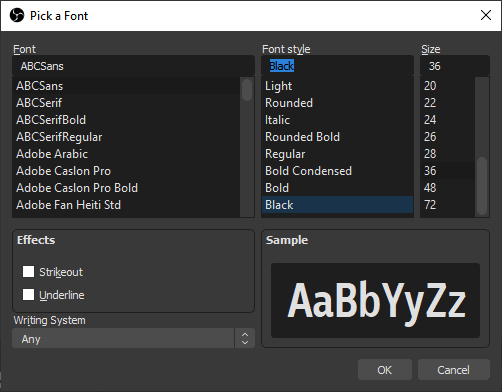
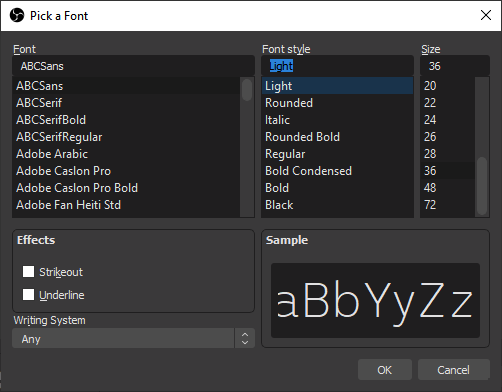
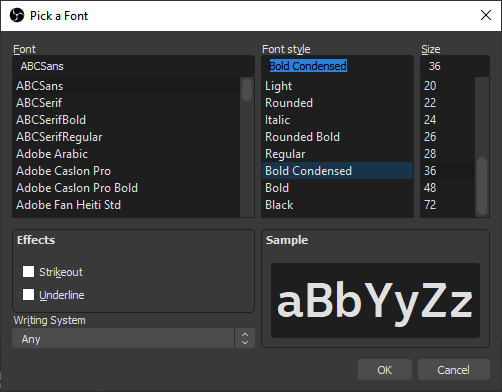
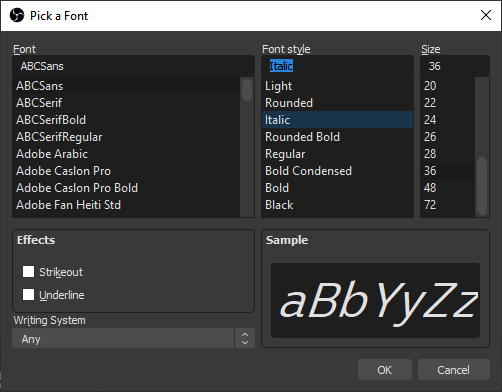
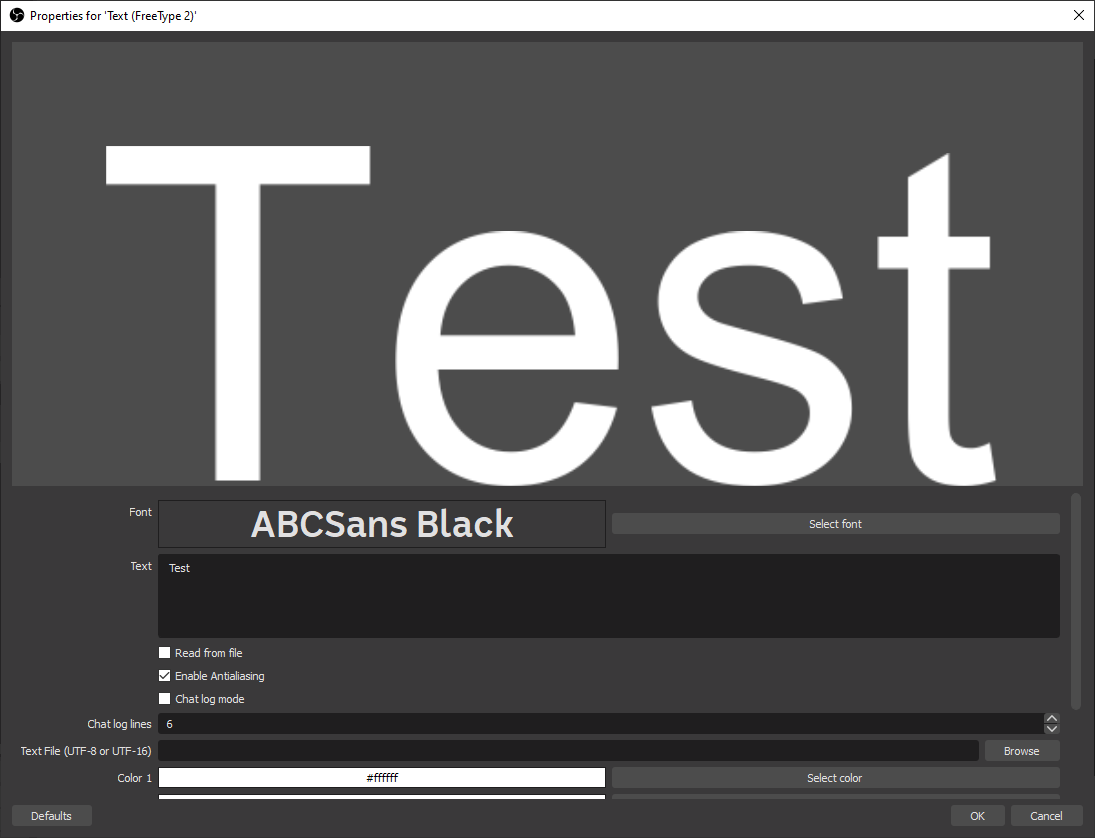
Case where ABCSans Serif has been selected, but not rendered on the Preview


Could you please test and confirm whether this is still an issue with OBS 28.0.3?
It would also be great if you could provide very concrete reproduction steps (which font file to install in the system, which precise steps to take to reproduce).
In my tests I wasn't able to reproduce the described issue, the only issue I found was that the ABCSans Regular variant was displayed as italic, which usually happens if a font uses a slant value in its tables, but does not set the OS/2 ITALIC style variable (alas Linux, Windows, and freetype still rely on these old font tables).

In my tests I wasn't able to reproduce the described issue
I was also unable to reproduce this in my recent tests.

It has been some time since the original post. I have downloaded the latest version and reattempted the creation of the Text Source
I am still receiving the issue. I have not updated my font files since my original ticket.
Fonts were installed via the "Install" context menu option in Windows, and the Font Settings Page
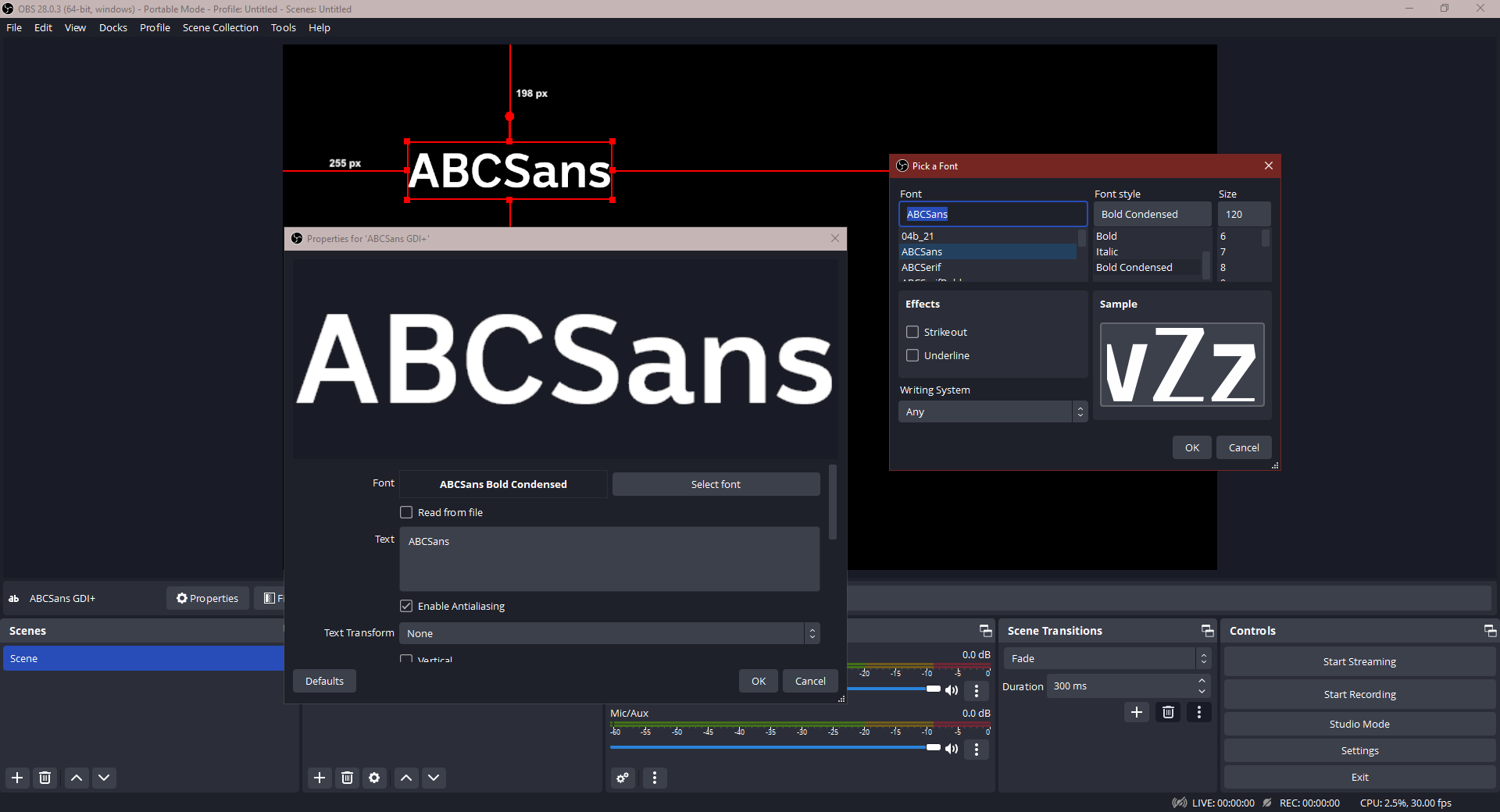
I am currently using the TTF formatted font files. OTF and other formats exist. There is also a variant family on ABCSans called ABCSerif. I also have these fonts in TTF format any whilst they exhibit the same issue, there are also extra records in the Font List window that manage to be properly assigned.
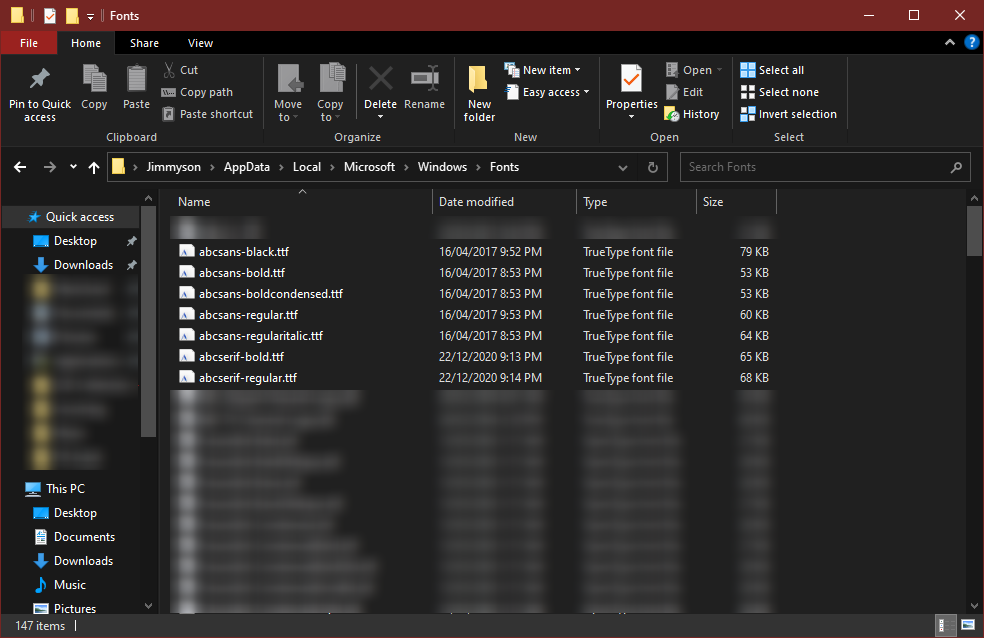
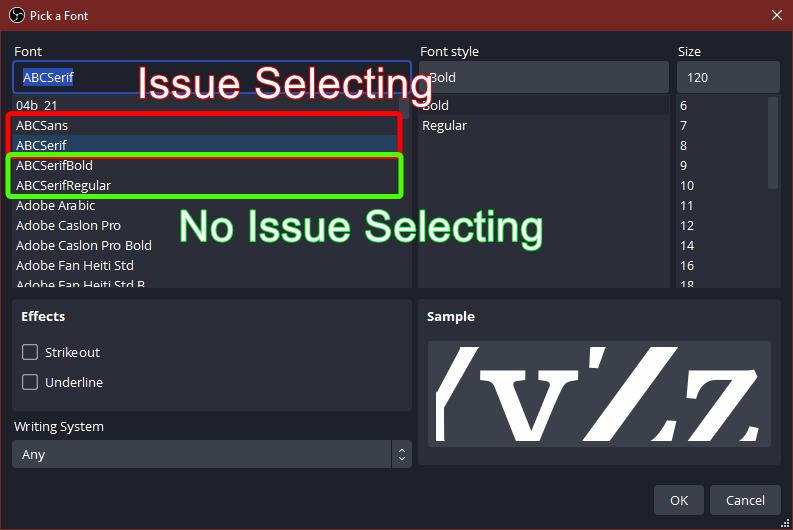
I took the opportunity to utilize the OTF files of ABCSans, and it presented the same issue a ABCSerif, where the grouped font record failed to assign, but the individual font weights in the same list worked fine,
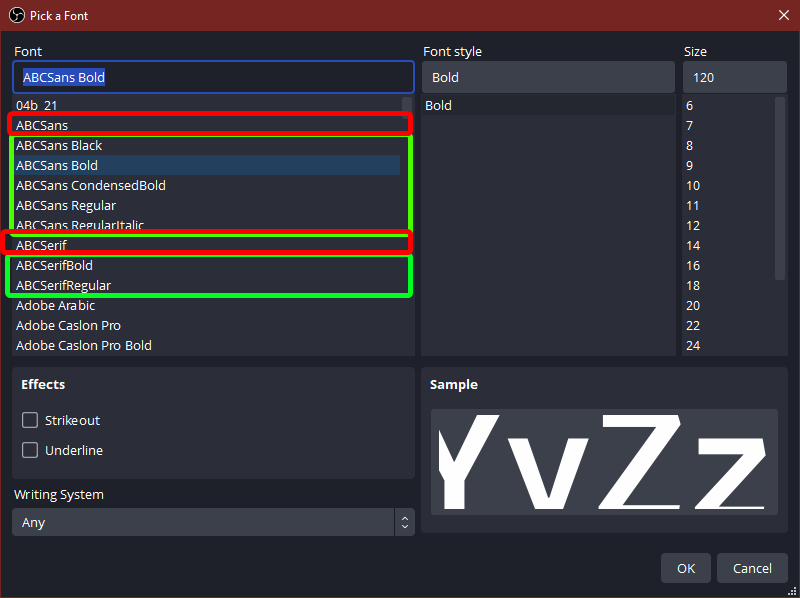
It's possible there is an issue with the Font-files themselves. There was a updated metadata content between ABCSans in TTF verses all other variants
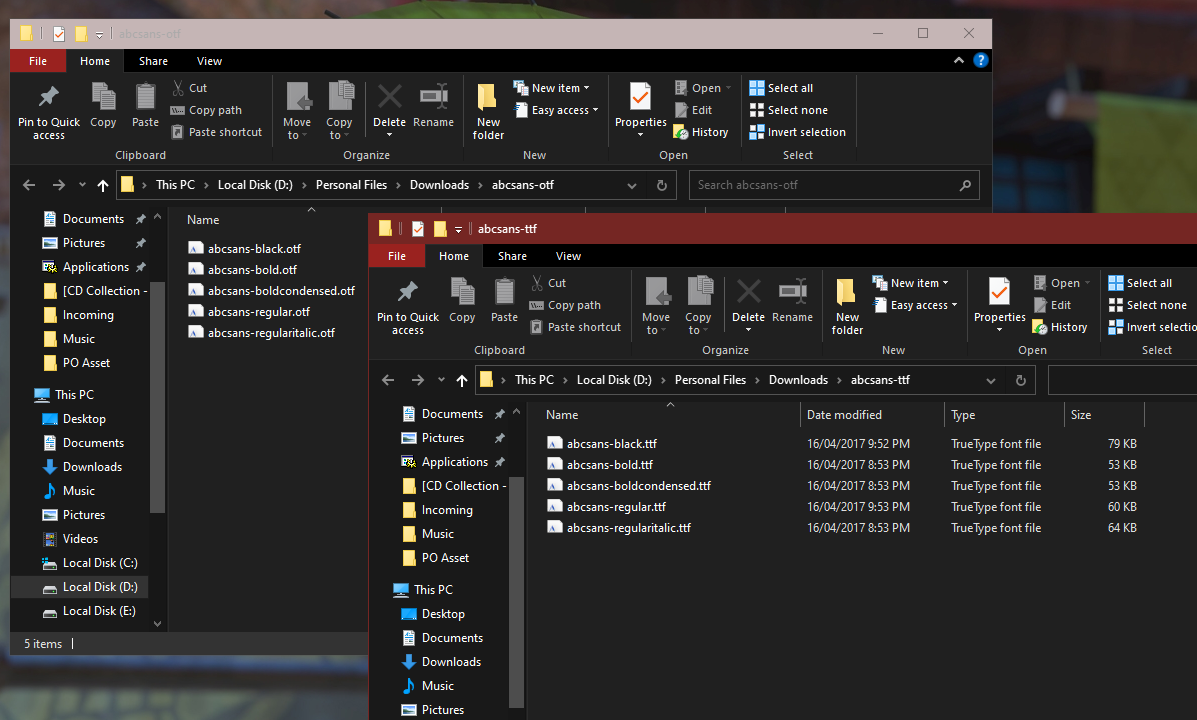
I'll aim to have some detailed Reproduction Steps soon.
Steps to Reproduce
- Retrieve the font files attached
- Install OTF files to the Windows Font Directory (These will be the baseline)
- Either via the Windows 10 Control Panel
- Font Preview Window
- Explorer Context Menu on the File
- Open OBS 28.0.3
- Create a new Text Source
- Select
ABCSansfrom the first Font list - Set the Font style (start with Light)
- Save the selection and confirm the Font Panel matches the Preview Panel. <- Issue is shown here
- Commit the Text Source to the scene <- Issue is shown here
- Validate the ABCSans font is being displayed
- Open the Text Source Properties, and the "Select Font" window
- Change the Font Style to
RoundedBold - Save the selection and confirm the Font Panel matches the Preview Panel. <- Issue is shown here
- Commit the Text Source to the scene <- Issue is shown here
- Reopen the Text Source Properties, and the "Select Font" window scene
- Change the Font to
ABCSans CondensedBold - Save the selection and confirm the Font Panel matches the Preview Panel. <- Issue is resolved here
- Commit the Text Source to the scene
- Remove the Text Source and close OBS
- Uninstall the Font from Windows using the Windows 10 Control Panel
- Install the TTF file to the Windows Font Directory and repeat from Step 3. <- Issue persists with TTF variant
Notes
- There are further font style variants with the
TTFfont set, allowing for more chances to test with - It's more likely a font issue with the internal metadata embedded in the
OTFandTTFdata, but worth checking why TTF is unable to select the font styles correctly, nor reveal each style under the Font list on the selection window.