

 oblador
Android: Wrapped error: User not authenticated
I get this error when trying to retrieve credentials stored in the keychain on Android devices. IMHO this is the effect of following exception being thrown: UserNotAuthenticatedException.
This is my code:
  useEffect(() => {
    if (!loginStarted) {
      return;
    }

    Keychain.getSupportedBiometryType()
      .then(data => {
        console.log('Supported biometry: ' + data);
        setBiometry(!!data);
        if (!!data) {
          // Try auto login
          Keychain.getGenericPassword({service: service})
            .then(credentials => {
              if (!credentials) {
                // no credentials stored, continue with normal login
                console.log('No saved credentials.');
                return;
              }

              // auto login with stored credentials
              if (credentials.username && credentials.password) {
                console.log('Trying auto login with saved credentials: ' + JSON.stringify(credentials));
                login(credentials.username, credentials.password);
              }
            })
            .catch(e => console.log('Error getting credentials: ' + e));
        }
      })
      .catch(e => console.log('Error getting biometry: ' + e));
  }, [loginStarted]);
The error is thrown at Keychain.getGenericPassword. On iOS the code works fine. Any idea or workaround for this?

I noticed similar behavior where the onAuthenticationSucceeded was being called (in KeychainModule.java but I was still getting the UserNotAuthenticatedException. Basically the decryption key's authentication was expiring before the cipher could get initialized. (probably since I was running in a debug environment, but could also happen with slower devices)
I was able to get it to work by extending the UserAuthenticationValidityDuration attribute of the key from 1 second to 5. In my case, it was using the RSA key, so the change was in the CipherStorageKeystoreRsaEcb.java file, around line 228
    return new KeyGenParameterSpec.Builder(alias, purposes)
      .setBlockModes(BLOCK_MODE_ECB)
      .setEncryptionPaddings(PADDING_PKCS1)
      .setRandomizedEncryptionRequired(true)
      .setUserAuthenticationRequired(true)
      .setUserAuthenticationValidityDurationSeconds(5)
      .setKeySize(ENCRYPTION_KEY_SIZE);

I'm having the same problem with android Samsung s9.
I'm using this method to save credentials.
setInternetCredentials(server, username, password, { accessControl: ACCESS_CONTROL.BIOMETRY_ANY, });
When I'm using this method getInternetCredentials(server) to get credential, and using fingerprint option, I can get my username and password back. But when I use face Id option, even the faceId verified. I still can't get my username and password (undefined) , and it's showing in warn "Wrapped error: User not authenticated " .

Any update for this issue? I'm having the same problem after i updated for RN 0.62.x

@skicson I tried your way but it's still doesn't work. When I'm using fingerprint , it works normal. But when I use Face Recognization of this device, it's still throw that error.
2020-04-10 11:14:43.034 5729-6663/com.awesomeproject V/myLog CipherStorageBase: failed:: User not authenticated android.security.keystore.UserNotAuthenticatedException: User not authenticated at android.security.KeyStore.getInvalidKeyException(KeyStore.java:1584) at android.security.KeyStore.getInvalidKeyException(KeyStore.java:1714) at android.security.keystore.KeyStoreCryptoOperationUtils.getInvalidKeyExceptionForInit(KeyStoreCryptoOperationUtils.java:54) at android.security.keystore.KeyStoreCryptoOperationUtils.getExceptionForCipherInit(KeyStoreCryptoOperationUtils.java:89) at android.security.keystore.AndroidKeyStoreCipherSpiBase.ensureKeystoreOperationInitialized(AndroidKeyStoreCipherSpiBase.java:265) at android.security.keystore.AndroidKeyStoreCipherSpiBase.engineInit(AndroidKeyStoreCipherSpiBase.java:109) at javax.crypto.Cipher.tryTransformWithProvider(Cipher.java:2984) at javax.crypto.Cipher.tryCombinations(Cipher.java:2891) at javax.crypto.Cipher$SpiAndProviderUpdater.updateAndGetSpiAndProvider(Cipher.java:2796) at javax.crypto.Cipher.chooseProvider(Cipher.java:773) at javax.crypto.Cipher.init(Cipher.java:1143) at javax.crypto.Cipher.init(Cipher.java:1084) at com.oblador.keychain.cipherStorage.CipherStorageBase$Defaults.lambda$static$1(CipherStorageBase.java:539) at com.oblador.keychain.cipherStorage.-$$Lambda$CipherStorageBase$Defaults$gUPKtklt7huSpCITAtk3nzsSgTY.initialize(Unknown Source:0) at com.oblador.keychain.cipherStorage.CipherStorageBase.decryptBytes(CipherStorageBase.java:393) at com.oblador.keychain.cipherStorage.CipherStorageBase.decryptBytes(CipherStorageBase.java:338) at com.oblador.keychain.KeychainModule$InteractiveBiometric.onAuthenticationSucceeded(KeychainModule.java:856) at androidx.biometric.BiometricFragment$2$2.run(BiometricFragment.java:140) at java.util.concurrent.ThreadPoolExecutor.runWorker(ThreadPoolExecutor.java:1167) at java.util.concurrent.ThreadPoolExecutor$Worker.run(ThreadPoolExecutor.java:641) at java.lang.Thread.run(Thread.java:919)
@skicson regarding to the stack above, the onAuthenticationSucceeded is being called . But then some how the public static final DecryptBytesHandler decrypt = (cipher, key, input) -> { cipher.init(Cipher.DECRYPT_MODE, key); }; failed with the android.security.KeyStore.getInvalidKeyException

I have not been able to test with a fingerprint enabled device, but I can confirm the same wrapped exception being thrown on a google pixel 4 with face recognition enabled. iOS works fine.

same error here! Pixel 3 fingerprint.
I tried...
setUserAuthenticationValidityDurationSeconds
and it didn't worked for me

I'm also noticing this issue with Android. It works correctly until the device is restarted.
The weird thing is, setUserAuthenticationValidityDurationSeconds seems to be related to the time since the user authenticated from the lock screen. If I call getGenericPassword after unlocking the device within setUserAuthenticationValidityDurationSeconds value, it works.

Hi guys, i am also experiencing this issue with Android 8. Fingerprint works fine, so does Iris authentication. Face ID fails every single time. It would be great if there was a setting to force which type of biometric to use to unlock keychain as on Android it falls back to whatever user selected in the preference.

Has anyone found a workaround to get this to work on devices that have both Fingerprint as well as Face authentication? Currently I just have biometrics disabled on Android until I can figure out a way to either make Face work on Android or force only Fingerprint for the time being.

I was getting the same error on a Pixel 3 emulator. So I went to Settings and removed the fingerprint, then set it up back again. After that, I got rid of the error. I know it's maybe too much to ask of your users (to remove then set up again the fingerprint in android settings), but it's a possible workaround.

I was getting the same error on a Pixel 3 emulator. So I went to Settings and removed the fingerprint, then set it up back again. After that, I got rid of the error. I know it's maybe too much to ask of your users (to remove then set up again the fingerprint in android settings), but it's a possible workaround.
I just noticed that, after restarting the phone, the error comes back :/
hi folks, i have updated rn-key-chain package thought that its because im using expo and i have old keychain version, yet
im still getting Wrapped error: unknown key type passed to RSA error. FYI, IOS works well, and in android, without prompting any types it will successfully get the secret, so currently, im using rn-touchid for prompting biometrics in android and get data in my rn-keychain.

Increasing setUserAuthenticationValidityDurationSeconds to a larger value fixes this for me. Note that you have to ensure you have this value set before you store the secret into the keychain.
With that in mind I think #339 is a reasonable fix for this.


I was able to get Face ID working consistently (on a Pixel 4) when I extended the setUserAuthenticationValidityDurationSeconds to 60. Logged out, killed the app, logged back in to set the password (and presumably the duration). For the Face ID, it seems the time between when the "confirm" dialog appears and when the user selects "confirm" has to be less than setUserAuthenticationValidityDurationSeconds for it to work.

This PR solves the issue https://github.com/oblador/react-native-keychain/pull/399


So I've been doing a little digging on this issue for the Pixel 4 / Face scan only devices.
I agree with what @skicson said. The setUserAuthenticationValidityDurationSeconds time seems to start after the succesful Face scan. If the user doesn't select 'Confirm' before that countdown is over - they will get the User not authenticated error.
I know some people extended the time in the setUserAuthenticationValidityDurationSeconds call which can work but I wanted to see if there was another solution.
I found this PromptInfo.Builder method call setConfirmationRequired. This call removes the 'Confirm' button on Android 10+ but it's also only classed as a 'hint' to the vendor version of Android OS so I don't know how well it's supported.
E.g. As outlined in this blog post - Android - One Biometric API Over All.
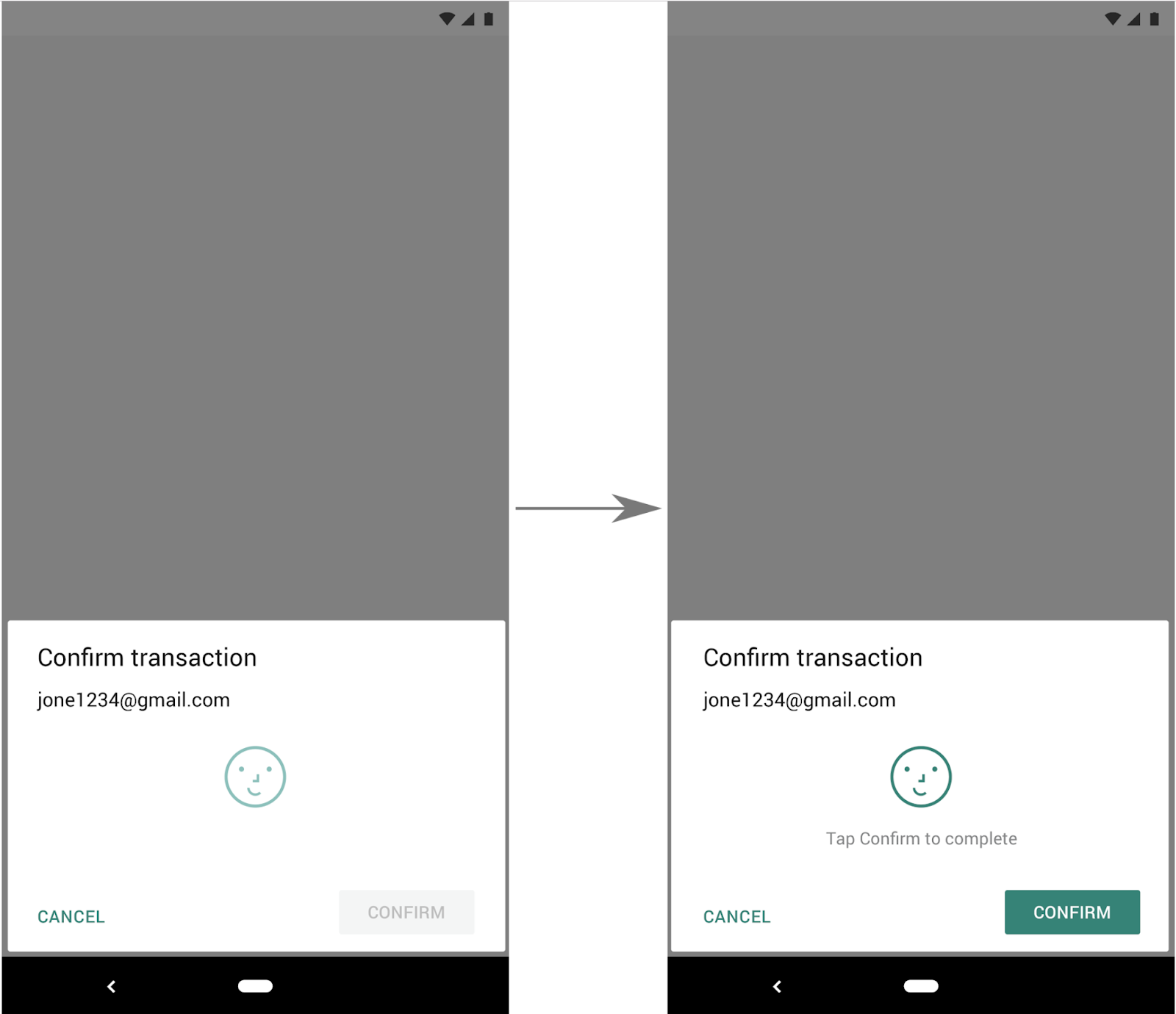
to
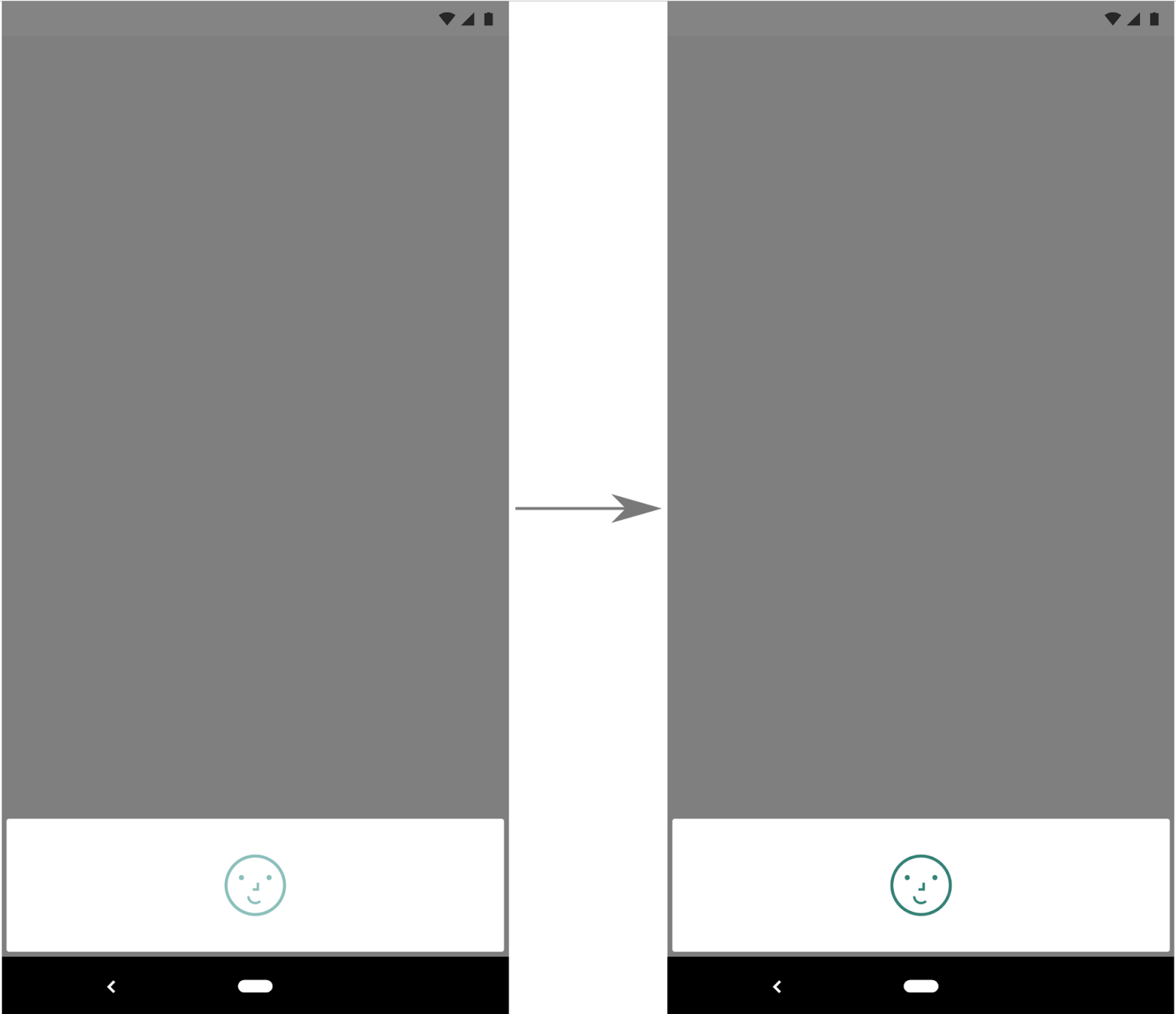
This could be worth investigating more. If this works fine I'll make a PR for the change.

Seems to work fine on the Pixel 4 (need to test other devices) and it's actually more inline with the behaviour/experience seen on iOS with FaceID too.
@CWolfs could you ping me here in this thread when your PR is ready? I will be able to check it on Samsung with FaceID
@Zo2m4bie sure, I'll try to do in the next few days - been bogged down with wrapping up a release but want to PR this soon. I only had a Pixel 4 to test so if you can test this on a Samsung that would be great to see if it works or not. I'll ping you when I'm ready.
@Zo2m4bie Here you go.
https://github.com/oblador/react-native-keychain/pull/414
I'd be very interested to see if this works (or doesn't) with the Samsung phone you mentioned. What version of Samsung phone is it that has Face ID that works with app-unlocking? I know the Pixel 4 is meant to be the first device with app-unlocking biometrics on Android. I assumed Samsung had one too but couldn't find info on it yet.
Hello @CWolfs Sorry for delay. On Samsung it has the same problem as before. It proposes to use Face id to get data, however it returns "User not authenticated" error, because on Samsung face recognition isn't secure. It happens because you don't pass Cipher when you ask an access permission. The system doesn't understand why you need it. In my solution you can see that I pass Cypher into permission modal that allow the system to recognize why it was asked for biometric. In this case Samsung devices show only fingerpint https://github.com/Zo2m4bie/react-native-keychain/blob/ISSUE-318/android/src/main/java/com/oblador/keychain/cipherStorage/CipherStorageKeystoreAesCbcBiom.java#L145
@CWolfs thanks for your input! I've tried to apply this to Pixel 4 XL and it still produces same problem as well.

Hey everyone, what's the status on this?
My team is trying to migrate from an existing in-house solution to react-native-keychain and this is a blocker. As @crees1 mentioned, only allowing Fingerprint on Android would be an ideal workaround for now. Still getting accustomed to the library, but I'm happy to help in any way I can.
