nuxt
nuxt
Tailwind Intellisense for primary colors not working
Environment
- Operating System: Windows_NT
- Node Version: v18.16.0
- Nuxt Version: 3.7.3
- CLI Version: 3.9.0
- Nitro Version: 2.6.3
- Package Manager: [email protected]
- Builder: -
- User Config: devtools, modules, css, vite, typescript
- Runtime Modules: @nuxt/ui@^2.8.1
- Build Modules: -
Version
v2.8.1
Reproduction
create a fresh project:
npx nuxi@latest init my-app
cd my-app
npm add @nuxt/ui
Description
Additional context
intellisense/type of some properties like variant, size don't seem to work too
Logs
No response

This is a duplicate of https://github.com/nuxt/ui/issues/357.
As for the autocomplete on props like size, variant, etc. this has been done in https://github.com/nuxt/ui/pull/692 and not yet released. You can use the Edge channel in the meantime.

@benjamincanac actually, the bug im reporting is not color preview. its the autocomplete of module pre-defined colors not working (in the image above, no text-primary-… is being shown)
We can reopen it if you like but it's the same issue underneath, the Tailwind CSS IntelliSense is not finding the primary and gray colors added by the module.
I'm thinking about manually overriding these colors in tailwind.config.js, which has worked for me in past projects. It would be nice if you guys could find a way to make it intuitive and out of the box.
Unfortunately, you won't be able to define your own primary color in the tailwind.config.ts as the module will replace it with CSS variables automatically so the primary can be changed through the app.config.ts: https://github.com/nuxt/ui/blob/dev/src/module.ts#L88
Will look into it!
Tailwind was trying to load .nuxt/tailwind.config.d.ts as a config file, which isn't going to work
I think we should create a config template for it in order to locate the right config file (tested on a custom module)
No, but I just realize this approach will not work if user has tailwind.config.ts at the root.
and if we try to extend from generated config:
The generated file will now have duplicate config.
Some approach I could think of:
- Create a separate
tailwind pluginfor tailwind things. - Dont let them use root
tailwind.config.tsand usenuxt.config.tsto config instead.
Would like to add my 2 cents from my experimentation tonight that despite @nuxtjs/tailwindcss docs say to do this:
I think we should create a config template for it in order to locate the right config file (tested on a custom module)

The approach isn't clean as I get this error:
[.nuxt/tailwind.config.cjs] Initializing...
[.nuxt/tailwind.config.cjs] Loaded Tailwind CSS config file: /home/robigan/Documents/Source/uni-map/.nuxt/tailwind.config.cjs
[.nuxt/tailwind.config.cjs] Loaded postcss v8.4.31: /home/robigan/Documents/Source/uni-map/node_modules/postcss
[.nuxt/tailwind.config.cjs] Loaded tailwindcss v3.3.3: /home/robigan/Documents/Source/uni-map/node_modules/tailwindcss
[.nuxt/tailwind.config.cjs] Building...
[Error - 11:01:25 PM] Tailwind CSS: Cannot read properties of null (reading '__isOptionsFunction')
TypeError: Cannot read properties of null (reading '__isOptionsFunction')
    at /home/robigan/Documents/Source/uni-map/node_modules/tailwindcss/lib/util/resolveConfig.js:199:24
    at Array.forEach (<anonymous>)
    at /home/robigan/Documents/Source/uni-map/node_modules/tailwindcss/lib/util/resolveConfig.js:198:17
    at Array.forEach (<anonymous>)
    at extractPluginConfigs (/home/robigan/Documents/Source/uni-map/node_modules/tailwindcss/lib/util/resolveConfig.js:188:13)
    at resolveConfig (/home/robigan/Documents/Source/uni-map/node_modules/tailwindcss/lib/util/resolveConfig.js:239:12)
    at Object.resolveConfig [as module] (/home/robigan/Documents/Source/uni-map/node_modules/tailwindcss/lib/public/resolve-config.js:20:39)
    at /home/robigan/.vscode/extensions/bradlc.vscode-tailwindcss-0.10.1/dist/tailwindServer.js:2938:11239
    at Generator.next (<anonymous>)
    at i (/home/robigan/.vscode/extensions/bradlc.vscode-tailwindcss-0.10.1/dist/tailwindServer.js:1:1235)
And apart from this which isn't a garantueed tailwind config. I can see possible issues for other users on possibly lower end hardware where their intellisense extensions will have to merge their defualt config with the outputted one. Just providing a boilerplate tailwind.config.ts like @remvn proposes should be enough and you can expose the generated shades via some helper functions in exactly the same way colors.ts uses hexToRgb() and a simple Object.entries().map(). Just make it more friendly, or make a wrapper function to auto wrap this into the config.
Took a little bit of reading the generated code of this package but I have this for my current tailwind.config.ts:
import type { Config } from "tailwindcss";
import defaultColors from "tailwindcss/colors";

export default <Partial<Config>>{
  theme: {
    extend: {
      colors: {
        primary: Object.assign(defaultColors.green, {
          DEFAULT: defaultColors.green[500],
        }),
        gray: defaultColors.gray,
        cool: defaultColors.gray,
      },
    },
  },
};
Since the module overrides those 3 colors, they shouldn't affect my generated styles. ANd tailwindcss intellisense works for the most part, iirc you can override colors for dark mode as the default shade changes for primary but I'm too lazy and this is enough for me.

Is this going to be addressed? Maybe adding custom primary / gray color palettes via app.config.ts would be a viable alternative? I don't usually mess much with my tailwind config anyway apart from adding custom colors or disabling the default ones to reduce clutter.
Apart from intellisense and color preview not working for primary and gray, Tailwind linters will complain and that's a much bigger pain point.

Closing this as we have no way to fix it.
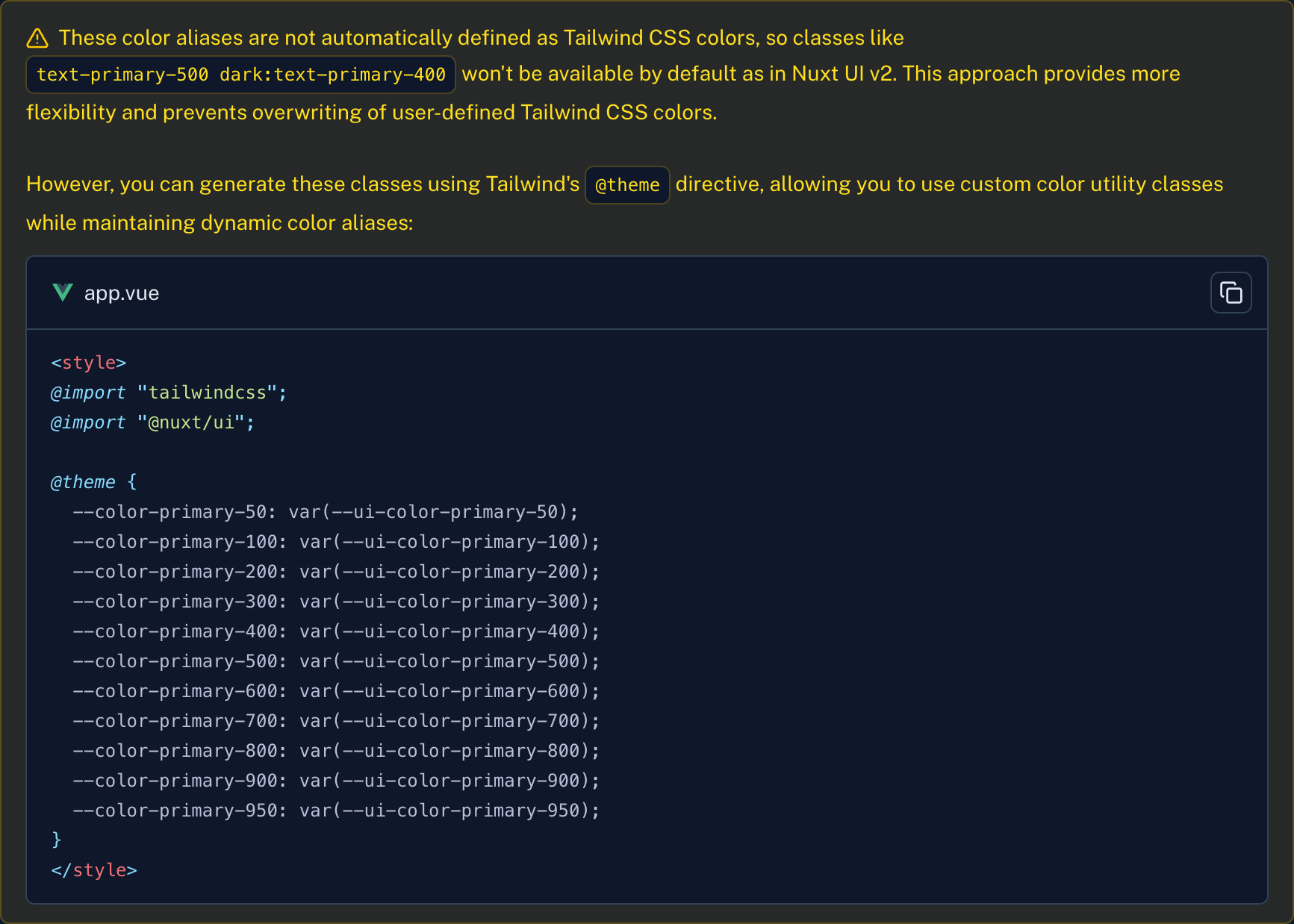
This was addressed by itself in v3 since we no longer override Tailwind CSS theme: https://ui3.nuxt.dev/getting-started/theme#colors