

 nuxt
nuxt
queryContent (). Find () Get the original text of Markdown
Preface
Use queryContent (). Find () Searching the article to rendering the list of articles, as shown in the figure, the list of articles returned:
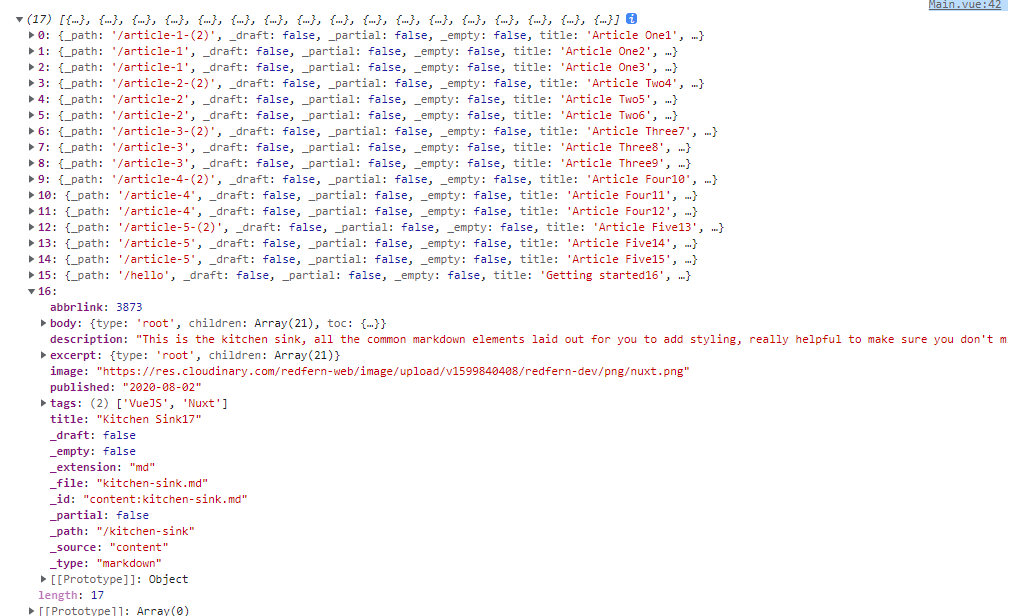
abbrlink: 3873
body: {type: 'root', children: Array(21), toc: {…}}
description: "This is the kitchen sink, all the common markdown elements laid out for you to add styling, really helpful to make sure you don't miss any styles."
excerpt: {type: 'root', children: Array(21)}
image: "https://res.cloudinary.com/redfern-web/image/upload/v1599840408/redfern-dev/png/nuxt.png"
published: "2020-08-02"
tags: (2) ['VueJS', 'Nuxt']
title: "Kitchen Sink17"
_draft: false
_empty: false
_extension: "md"
_file: "kitchen-sink.md"
_id: "content:kitchen-sink.md"
_partial: false
_path: "/kitchen-sink"
_source: "content"
_type: "markdown"
expect:
In the Markdown documentation, the parameter of the Front-Matter parameter is not configured description and not using <!-More-> `` separate symbols. Markdown original text
Example Markdown Document Kitchen-Sink.md content
---
title: Kitchen Sink17
tags:
  - VueJS
  - Nuxt
published: '2020-08-02'
abbrlink: 3873
---

# Heading Level 1

## Heading Level 2

### Heading Level 3

#### Heading Level 4

##### Heading Level 5

###### Heading Level 6

### A Paragraph

This is a paragraph of text which has all the most common html elements in it such as the **strong element** which is used to give text strong importance. You could of course use the <b>b element</b> which represents a span of text stylistically different from normal text, without conveying any special importance or relevance. The <mark>mark element</mark> which represents highlighted text, i.e., a run of text marked for reference purposes. _The HTML em element marks text that has stress emphasis._ You could of course use the <i>i element</i> which represents a range of text that is set off from the normal text for some reason, for example, technical terms, foreign language phrases, or fictional character thoughts. <i>It is typically displayed in italic type</i>. The next piece of text is marked up using the code element `function()` and finally links will be styled [like this](https://developer.mozilla.org/en-US/docs/HTML/Element/a).

### An Ordered list

1. List item one
2. List item two
3. List item three

### A Definition List

<dl>
  <dt>Firefox</dt>
  <dd>A free, open source, cross-platform, graphical web browser
      developed by the Mozilla Corporation and hundreds of volunteer
  </dd>
</dl>
Sample effect
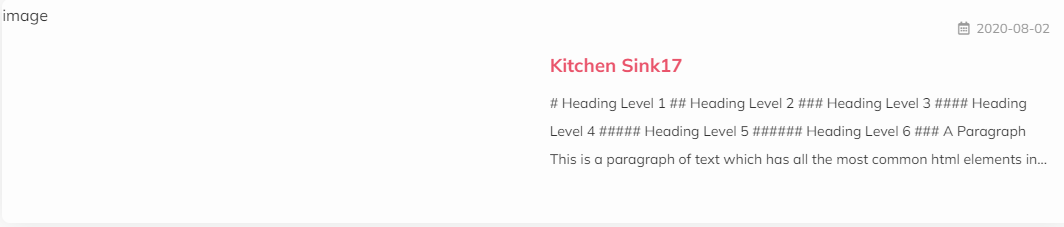
Find the answer
What should I do to achieve the above expectations, whether to transform the Excerpt into the original text of Markdown or other methods

You can do this inside the after parse hook (see the advanced section on the website), wherein you can filter the whole body tree object to get only its text keys, and push such text keys into a new _text key.
If you prefer to only search excerpt and not the whole body, then simply do it for first the except key.
You may use flatten library to filter such object readily.

This issue is stale because it has been open 60 days with no activity. Remove stale label or comment or this will be closed in 30 days.
![github-actions[bot] avatar](https://avatars.githubusercontent.com/in/15368?v=4 "Published by a pub.dev verified publisher")