
dx
 dx copied to clipboard
 nteract
Data Explorer for Python
dx

A Pythonic Data Explorer.
Install
For Python 3.8+:
pip install dx
Usage
The dx library contains a simple helper function also called dx.
from dx import dx
dx() takes one positional argument, a dataframe.
dx(dataframe)
The dx(dataframe) function will display the dataframe in
data explorer mode:
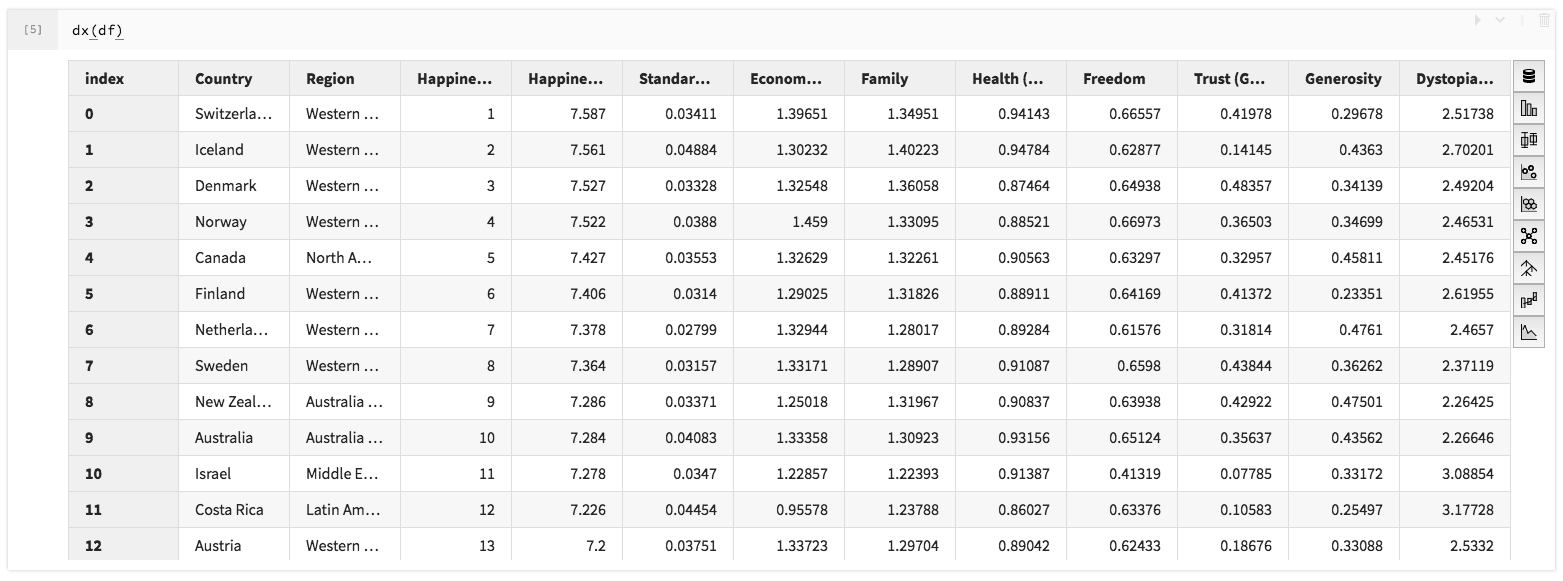
Today, a Pandas DataFrame may be passed. In the future, other dataframe types
may be supported.
Example
import pandas as pd
from dx import dx


# Get happiness data and create a pandas dataframe
df = pd.read_csv('examples/data/2019.csv')

# Open data explorer with the happiness dataframe
dx(df)
If you only wish to display a certain number of rows from the dataframe, use a context and specify the max rows (if set to None, all rows are used):
# To use the first 13 rows for visualization with dx
with pd.option_context('display.max_rows', 13):
  dx(df)
FAQ
Q: What about Spark?
A: Spark support would be highly welcome!
See improved-spark-viz for the current effort. There's a format that pandas handles for us that we could create in spark land.
Develop
git clone https://github.com/nteract/dx
cd dx
pip install -e .
We currently install jupyter and jupyter_on_nteract packages for ease of running examples.
To run nteract on jupyter:
jupyter nteract
Code of Conduct
We follow the nteract.io code of conduct.
LICENSE
See LICENSE.md.
 nteract