

 notepadqq
No text area on Ubuntu 20.04
Describe the bug There is no text are to view or edit text, just a grey box extending from the menu.
To Reproduce Steps to reproduce the behavior:
- Open notepadqq.
Expected behavior Text is viewable and editable.
Screenshots
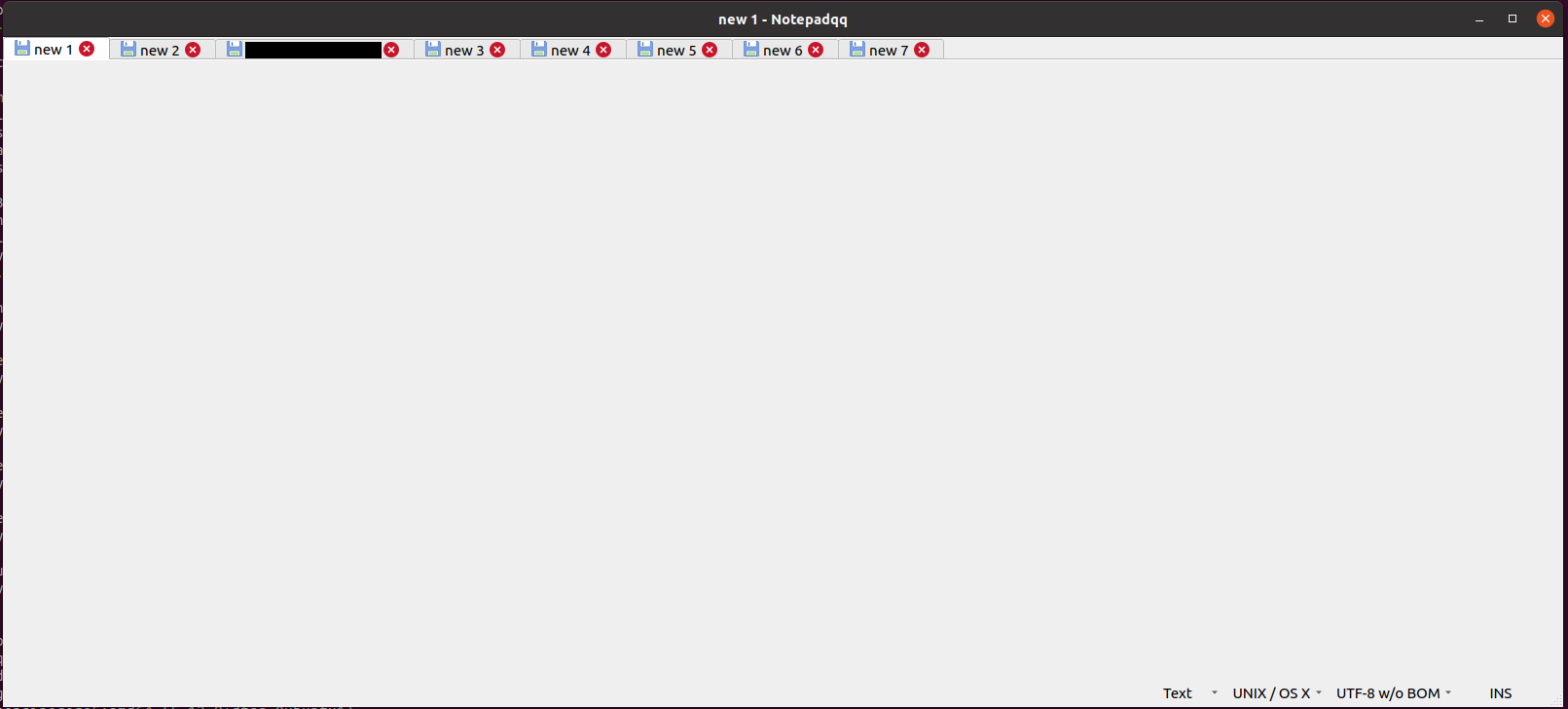
Environment (please complete the following information):
- OS: Ubuntu 20.04
- Installation type: distro package
- Qt version: 5.12.8
- Notepadqq version: 2.0.0-beta+git

seconded.. really strange that the distribution-provided package does not work. I uninstalled the version provided with focal, and re-downloaded the last published version in the PPA for bionic, and after installing that it is working again, with text fields and previous documents.

Hi there, Debian maintainer here.
Let me first tell you that the package was developed for Debian sid, the inclusion in Ubuntu is the downstream of it and was most likely never tested by anyone as it is "accidental", so to say.
This being said, I just tried installing nqq on my 20.04 ubuntu desktop and I'm not experiencing the problem you have: the interface loads without issues and all parts of the editor are visible.
So I have a few questions for you:
- Is your 20.04 fresh or did you upgrade to it?
- Do you have any repositories enabled other than the official ones?
- If you launch notepadqq from a terminal, do you see anything?
- And what happens if you run
HOME=$(mktemp -d) notepadqq?

Fortunately/unfortunately, I can't reproduce it now. After removing the old notepadqq from the bionic PPA (notepadqq, notepadqq-gtk, and notepadqq-common) and installing the new version, it opened my old files (https://github.com/notepadqq/notepadqq/issues/951) and I can use the text areas. So maybe it was just some weird thing going on with the upgrade process.
I too have this issue after an upgrade from 19.10 to 20.04 (and using Wayland).
If I run HOME=$(mktemp -d) notepadqq I still get the same problem.
Running from bash, notepadqq reports:
Warning: Ignoring XDG_SESSION_TYPE=wayland on Gnome. Use QT_QPA_PLATFORM=wayland to run on Wayland anyway.
Attempting this, I get:
qt.qpa.plugin: Could not find the Qt platform plugin "wayland" in ""
This application failed to start because no Qt platform plugin could be initialized. Reinstalling the application may fix this problem.

Available platform plugins are: eglfs, linuxfb, minimal, minimalegl, offscreen, vnc, xcb.

Aborted (core dumped)

reinstalling and removing the old session.xml file from ~/.config/Notepadqq worked for me

Yesterday I upgraded Ubuntu from 18.04 to 20.04 and keep getting this error. Reinstalling (from focal ppa or from .deb files from bionic) or removing session.xml didn't work. I still don't have the "text area" nor I can close any tab.
Edit: Correction - rotanid's solution actually worked. I didn't notice I had one hanging (zombie?) process of notepadqq. After killing it, everything is fine now.

I deleted /usr/share/javascript and this happened. Can't be fixed by reinstall or delete ~/.config/Notepadqq.
