

 notepad-plus-plus
[Feature Request] Update Context Menu for Windows 11
Microsoft have changed the default context menu in Windows 11 (https://blogs.windows.com/blog/2021/07/19/extending-the-context-menu-and-share-dialog-in-windows-11/) and therefore the "Edit with Notepad++" context menu entry is no longer present on the main menu and you need to go to the overflow.
It'd be nice to be able to get the context menu entry again. Unfortunately it looks like you need a packaged identity to use the Windows 11 menu so you'd need to deploy a manifest with the application, but I guess you have a signing key so it might not be that big an issue. Also maybe it's something to wait for closer to a final release as Microsoft could easily change things if enough people complain.

Their blog is pretty straightforward about this. The 'new' context menu API has been around since win 7, they are just now enforcing it.
Old context menu is dead, we should integrate into the new one.

I hope the right-click menu can adapt to win11. In Win 11, a new right-click menu is adopted. However, notepad has not been adapted to win11, so operation menus such as open file need to be switched to the old menu to use. Other applications are already adapting the new menu, but notepad has not yet.
At present, this problem has a great impact on the user experience. I hope it can be solved first. @Ashfaaq18 @rimrul

+1 for this feature.
One of the very few apps I've seen already integrated in the modern context menu is NanaZip. Their context menu handling code is available here.

I'd like to see support for this new context menu method in Notepad++. Thank you!

Is this being worked on at all? Your Windows 11 users would be very happy about that feature! :)

Would really appreciate it, thank you.. Great work btw..
I can change the context menu back to Win10 style. But.. I kinda like it.. was getting very cluttered. So I don't mind the double menu's. BUT... a few programs like Notepad++ and 7-zip I really want on the first page. as I use them so often.. especially notepad++

Win11 has been released for half a year, and nodepad + + hasn't adapted to it yet.
@luoxiao-xy There is no adaptation to make. Context menu support in various versions of Windows is so different that this has become a do-it-yourself type of thing.

I'd still like to see the option to Edit with Notepad++ directly in the windows 11 context menu without having to double-hover or click elsewhere to view it... It's the new way going forward. I do hope you change your mind.
At least in new Windows 11 betas (full release is later this year), they're adding the ability to shift-right-click to immediately get the original longer menu that most developers have already tapped into.
https://www.neowin.net/news/microsoft-makes-context-menus-in-windows-11-a-little-less-confusing/
I'd still like to see the option to Edit with Notepad++ directly in the windows 11 context menu without having to double-hover or click elsewhere to view it... It's the new way going forward. I do hope you change your mind.
At least in new Windows 11 betas (full release is later this year), they're adding the ability to shift-right-click to immediately get the original longer menu that most developers have already tapped into.
https://www.neowin.net/news/microsoft-makes-context-menus-in-windows-11-a-little-less-confusing/
+1 Edit with Notepad + + is a more convenient way to switch between different editors.
Anybody looking for this feature can use ContextMenuForWindows11 for the moment.
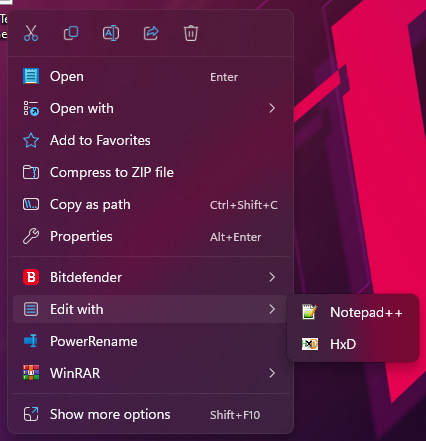
Config:
{
  "title": "Notepad++",
  "exe": "\"C:\\Program Files\\Notepad++\\notepad++.exe\"",
  "param": "\"{path}\"",
  "icon": "\"C:\\Program Files\\Notepad++\\notepad++.exe\",0",
  "acceptExts": "*",
  "acceptDirectory": false,
  "acceptFile": true,
  "acceptMultipleFilesFlag": 2,
  "pathDelimiter": " ",
  "paramForMultipleFiles": "{path}",
  "index": 1
}
Note that there's a space for pathDelimiter property.


@luoxiao-xy There is no adaptation to make. Context menu support in various versions of Windows is so different that this has become a do-it-yourself type of thing.
This is false, you can pretty much use code back from Windows XP day and will work on Windows 10 context menu, is not system specific like you claim.
This is the first time Microsoft is enforcing the MSIX virtual regedit for the context menu that takes one hour at most to implement, https://github.com/microsoft/Windows-AppConsult-Samples-DesktopBridge/tree/main/Docs-ContextMenuSample


It's not a matter of "re-consider". As far as I know, no contributor to Notepad++ has chimed in on this issue. I think a bunch of people assumed that @alankilborn was speaking on behalf of the project, when in reality they are not even listed on the contributors page.

I think a bunch of people assumed that @alankilborn was speaking on behalf of the project
Why would anybody think of my comments differently than anyone else's?
they are not even listed on the contributors page
Good reason for that. I'm just like everyone else. (but thanks for giving me a very modern pronoun with the mention)
It's not a matter of "re-consider". As far as I know, no contributor to Notepad++ has chimed in on this issue. I think a bunch of people assumed that @alankilborn was speaking on behalf of the project, when in reality they are not even listed on the contributors page.
What do you mean? The guy only posted a single comment here.
This seems to be an official Notepad++ team response (it is in THEIR user manual after all) to the subject of this issue: https://npp-user-manual.org/docs/other-resources/#windows-11-right-click-workarounds
The fact that they are going to the trouble to document workarounds leads one to believe that they aren't going to do anything further in this regard.
This seems to be an official Notepad++ team response (it is in THEIR user manual after all) to the subject of this issue: https://npp-user-manual.org/docs/other-resources/#windows-11-right-click-workarounds
The fact that they are going to the trouble to document workarounds leads one to believe that they aren't going to do anything further in this regard.
Why even do this and not implement this in the normal installation. This is just breaking my mind. There is some serious stubborness happening here.
The fact that they are going to the trouble to document workarounds leads one to believe that they aren't going to do anything further in this regard.
Please don’t read more into it than you see. The manual documents a workaround. Nothing more. It especially does not make any mention of intention, efforts, plans, or even challenges.
Why even do this and not implement this in the normal installation. This is just breaking my mind. There is some serious stubborness happening here.
If it is so easy for you, please do implement it and send a PR. I for one looked into how it could be done, and as I expected, did not find a solution with the limited time I was able to invest.
Where do you even interpret this supposed stubbornness from? When there was no mention of intention?
I am sure they have limited time to invest and other stuff to do too. If it bothers you so much, try to fix it, or at least remain respectful to their time and efforts.

WinRAR implemented this in Windows 11, I'll leave what the developer sent me who knows might help in some way.
Hello, I used this one: https://github.com/microsoft/AppModelSamples/tree/master/Samples/SparsePackages as a sample. First, you need to implement the shell extension using IExplorerCommand interface. IContextMenu is included only to "Show more options" menu in Windows 11. Then you need to package this shell extension to .msix file, sign this file with digital signature and install this .msix package from another app. Overall it is complicated and troublesome. I spent about two months to implement this and still searching for workarounds for some issues. Eugene
For anyone still wanting this, as a better workaround I'd highly recommend the Custom Context Menu app on the Microsoft Store: https://apps.microsoft.com/store/detail/custom-context-menu/9PC7BZZ28G0X
These are my settings, but they're really mostly default as far as it goes:
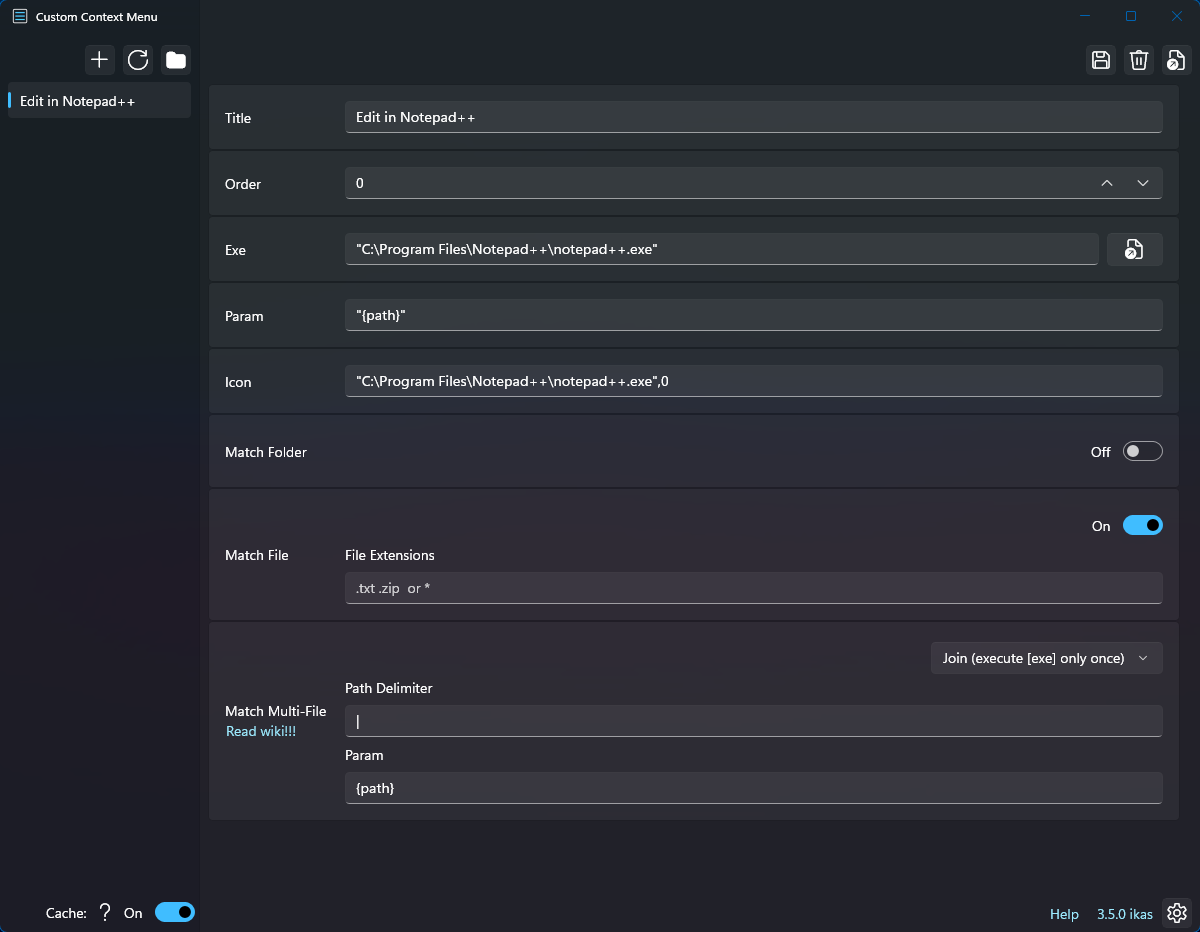

For anyone still wanting this, as a better workaround I'd highly recommend the Custom Context Menu app on the Microsoft Store: https://apps.microsoft.com/store/detail/custom-context-menu/9PC7BZZ28G0X
Literally what I suggested a few responses ago. 😁
Implemented in #13170 3 signed installers (x86, x64 & ARM64) are available for testing in #13170. Please provide your feedback in #13170

Overriding the "HKEY_CLASSES_ROOT*\shell\pintohome" registry key is not the correct way to integrate with the Windows 11 context menu. It basically gets rid of the "Pin to Quick Access" context menu item.

Update: It seems it has already been suggested here https://github.com/notepad-plus-plus/notepad-plus-plus/pull/13170
It would be nice to put Open With or add a new entry below
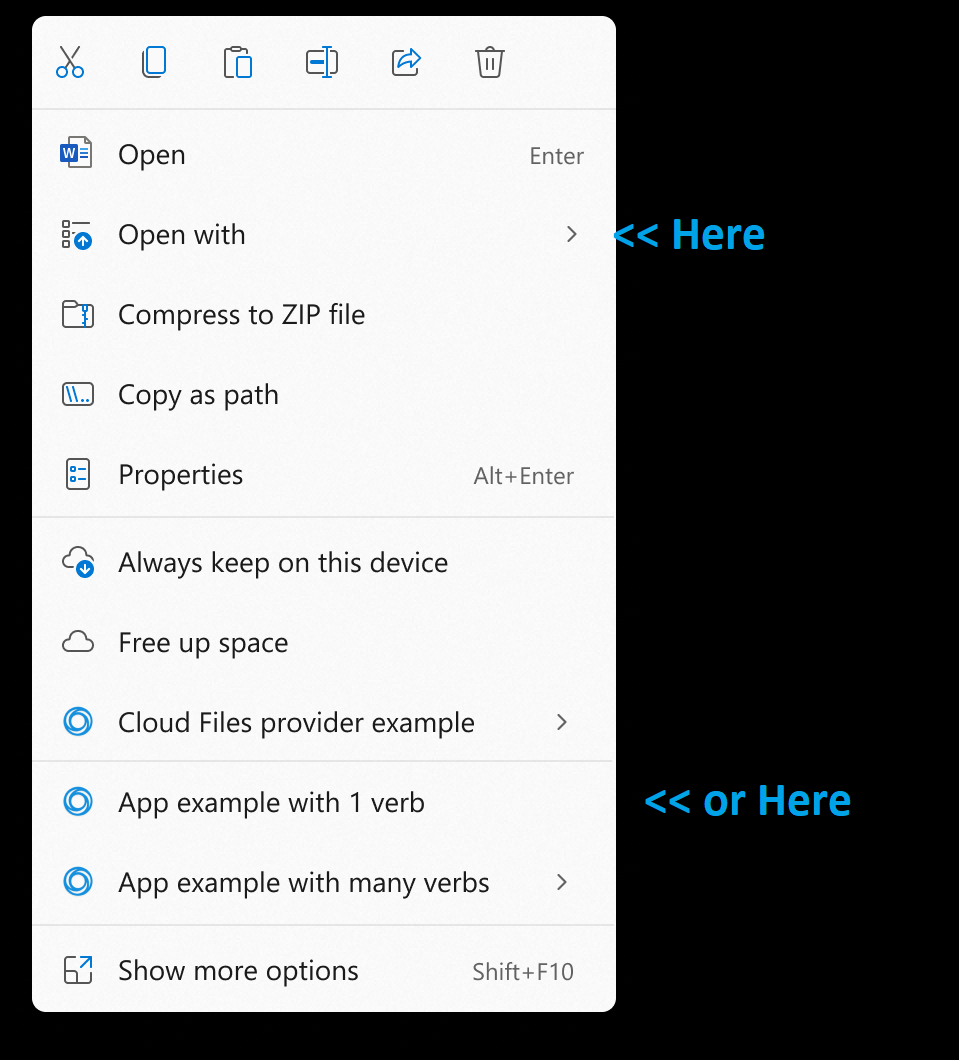
https://blogs.windows.com/windowsdeveloper/2021/07/19/extending-the-context-menu-and-share-dialog-in-windows-11/