

 not-fl3
Incorrect UI rendering on MacOS built-in Retina display
I just copied the UI example code and executed it.
The UI example looks fine both on my Linux machine, and on my MacBook Pro (2019, the ones with the touch bar) as long as I show it on my lower-resolution external monitor (2560x1440):
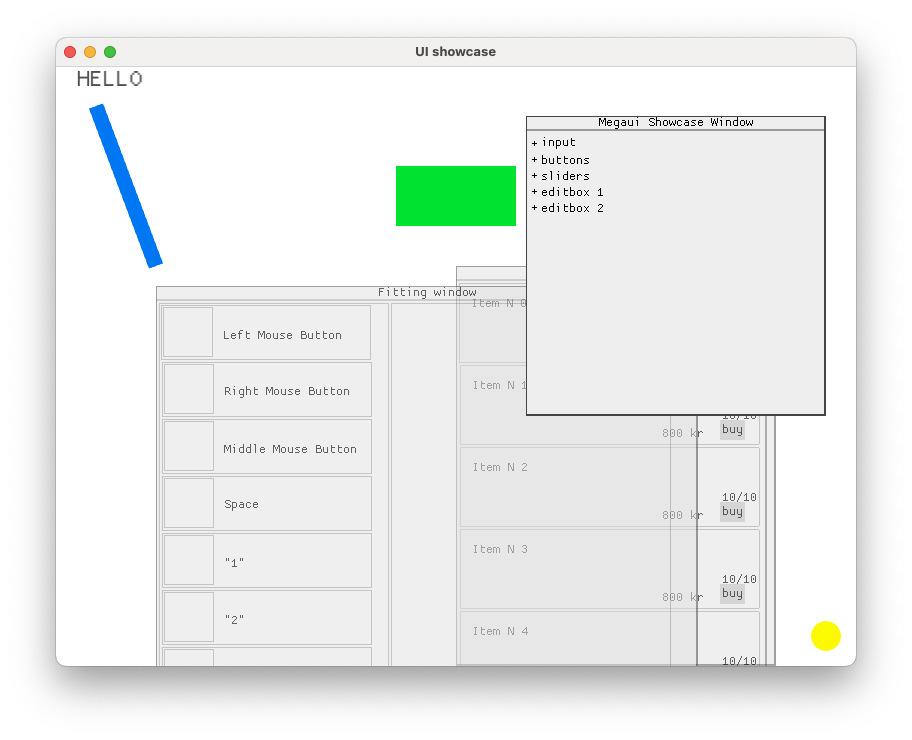
However, when the UI example is on the MacBooks own display (the Retina display), it looks like this:

Note that the contents of all three windows is gone (and the window titles' positions are slightly off).

Thanks for report!
Unfortunately, I still did not found a reliable way to emulate high-dpi on a physically not high-dpi display, so can't promise a fast fix :(

Thanks for the quick reply! No worries, there's no pressure from my side for a quick fix.
If there is a way to provide you with some debug infos from an actual high-dpi machine (despite me being a Macroquad-n00b who started off learning a bit Rust in the evenings) let me know.
I can report the same problem on Windows with 4k display, 100%, and 150% scaling Update: I found an interesting behavior. When I set one display to 1920x1080 and start on it, the drawing is correct. Also, when dragging the window to the other 4k resolution display (150% windows scaling), it is still drawing UI correctly.
https://user-images.githubusercontent.com/26794315/192067174-05b13e57-d331-4d2d-a2e7-6c65510336ee.mp4

This has been a significant improvement but unfortunately we're not quite there yet. I've described everything in detail in a new ticket: #530