

 not-fl3
Black border when draw tiles
Hello,
I have a rendering problem when using Camera2D for draw a map baed on tileset. A black margin appears sometime, depending on window size. There is an illustration :
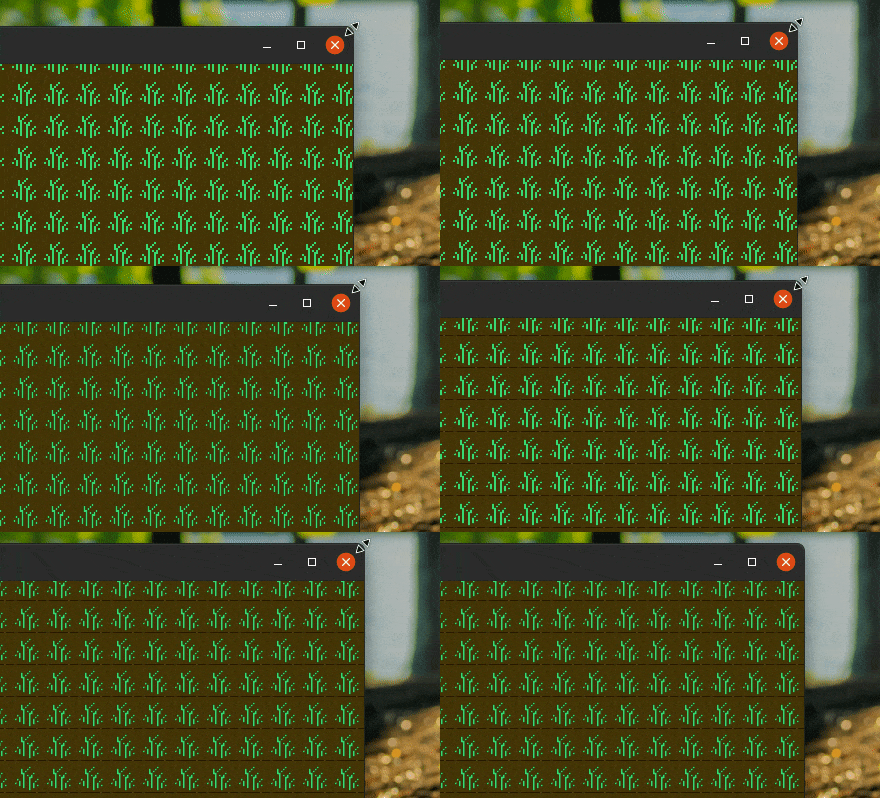
I think it is related to different computing of tiles destination and size, which are float and probably badly rounded. To do less macroquad usage error, I took the macroquad-tiled source code and simplified it for my example. I had this idea because tiled map have no rendering error, so, using its code, my black margin error should disappear. There is the result :
use macroquad::prelude::*;

pub struct Zone {
    rows: usize,
    cols: usize,
}

pub fn draw_zone_tiles(texture: &Texture2D, dest: Rect, source: Rect) {
    let sprite_width = dest.w / source.w;
    let sprite_height = dest.h / source.h;

    for y in source.y as u32..source.y as u32 + source.h as u32 {
        for x in source.x as u32..source.x as u32 + source.w as u32 {
            let pos = vec2(
                (x - source.x as u32) as f32 / source.w * dest.w + dest.x,
                (y - source.y as u32) as f32 / source.h * dest.h + dest.y,
            );

            draw_tile(
                texture,
                Rect::new(pos.x, pos.y, sprite_width, sprite_height),
            );
        }
    }
}

pub fn draw_tile(texture: &Texture2D, dest: Rect) {
    let spr_rect = Rect::new(32., 0., 32., 32.);

    draw_texture_ex(
        *texture,
        dest.x,
        dest.y,
        WHITE,
        DrawTextureParams {
            dest_size: Some(vec2(dest.w, dest.h)),
            source: Some(Rect::new(spr_rect.x, spr_rect.y, spr_rect.w, spr_rect.h)),
            ..Default::default()
        },
    );
}

#[macroquad::main("test")]
async fn main() {
    let zone = Zone { rows: 5, cols: 5 };
    let texture = load_texture("tileset.png").await.unwrap();

    loop {
        clear_background(BLACK);

        let camera = Camera2D::from_display_rect(Rect::new(0.0, 0.0, 100., 100.));
        set_camera(&camera);

        let draw_dest = Rect::new(0., 0., 100., 100.);
        let zone_source = Rect::new(0., 0., zone.cols as f32, zone.rows as f32);
        draw_zone_tiles(&texture, draw_dest, zone_source);

        next_frame().await
    }
}
This code use the following tileset.png :

The code execution shows the black margin too :
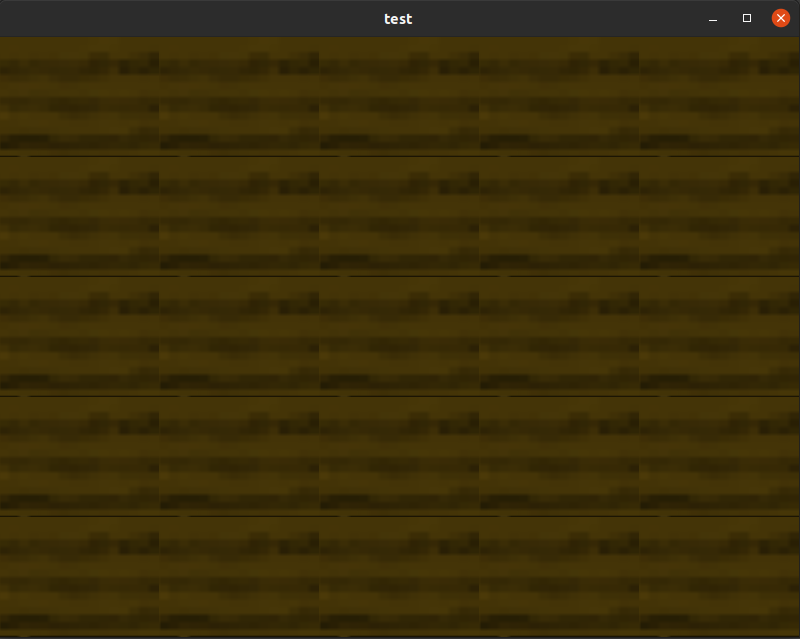
So, I'm questioning about how these black margins can be solved ? There is a macroquad way to prevent this ?

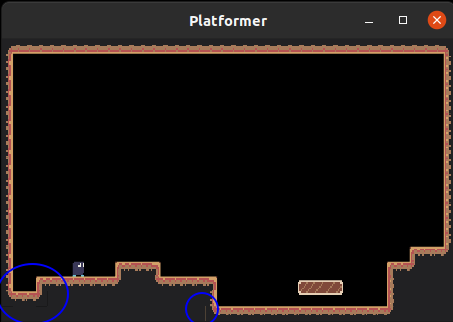
With little bit more observation, I can see a similar problem with platformer example when resize window :
Hi, I have the same issue rendering texture without macroquad-tiled.
I have made a minimized example that reproduce the glitch:
use macroquad::prelude::*;

#[macroquad::main("BasicShapes")]
async fn main() {
    loop {
        clear_background(WHITE);

        let texture = load_texture("texture.png").await.unwrap();
        texture.set_filter(FilterMode::Nearest);

        let zoom = 4.;
        set_camera(&Camera2D {
            zoom: vec2(zoom * 2. / screen_width(), zoom * 2. / screen_height()),
            ..Default::default()
        });

        let offset = 0.05; // This reproduces the glitch
        draw_texture_ex(
            texture,
            0.,
            0. + offset,
            WHITE,
            DrawTextureParams {
                flip_y: true,
                source: Some(Rect::new(0., 2., 2., 2.)),
                ..Default::default()
            },
        );

        next_frame().await
    }
}
texture.png is the following (2px * 4px):
 <-- it's here (really small)
The colours of the texture are the following (2x4): white, white black, black white, white, red, red
Result:

The example only tries to render the section that contains: white, white, red, red
But sometimes, depending on the y position of the rendered texture (some decimals of the coordiante), it draws the black line of the texture.
I also tried with the default camera and it also happens when the x/y position does not fit 1:1 with the pixels of the screen.
